Jack / Control Description
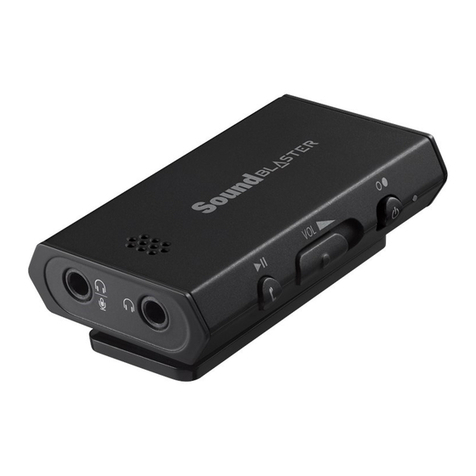
(f) USB port Connects to USB ports of PC / laptop for audio output and
input via a Micro-USB connector.
(g) NFC Tap your NFC-enabled device on the Sound Blaster E3 to
instantly pair and connect.
(h) Power / Bluetooth
button
lPower On – Press and hold 1 sec
lBluetooth pairing – Press and hold 2 sec
lPower Off – Press and hold 4 sec
(i) Status LED indicator Indicates the battery status and condition of the Sound
Blaster E3.
White: Power ON / Battery full
Red (blinking): Battery low
Red: Battery charging
Blue (blinking):Bluetooth pairing
Blue:Bluetooth connected
Off: Power OFF
(j) Multifunction button Audio playback on device
Press to play/pause a track.
Answer/End calls on device
Press once to answer an incoming call.
Press again to end a call.
Note:
The use of the Multifunction button to answer/end calls
is not supported when connected to a computer.
(k) Clip Clips on to your clothing or bag for convenient access.
(l) Microphone Receives voice input during calls.
(m) Headphone / Mic In
jack Connects to stereo headphones with a 3.5 mm (1/8-inch)
plug.
OR
Connects to the Front Left and Front Right inputs on
powered analog speakers with a 3.5 mm (1/8-inch) plug.
OR
Connects to microphones with a 3.5 mm (1/8-inch) plug.
Note:
An external microphone can only be used when the
Sound Blaster E3 is connected to a computer via USB
connection. See Setting Up Your Audio Device –
Connecting to Headphones / Speakers /
Microphone.
Sound Blaster E3 – About Your Hardware 4