manuals.online logo
Brands
  1. Home
  2. •
  3. Brands
  4. •
  5. CTX
  6. •
  7. Monitor
  8. •
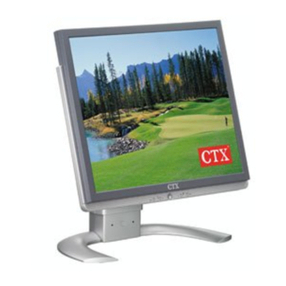
  9. CTX VL400 User manual

CTX VL400 User manual

Other CTX Monitor manuals

CTX S700A User manual

CTX

CTX S700A User manual

CTX PV505 User manual

CTX

CTX PV505 User manual

CTX M730V User manual

CTX

CTX M730V User manual

CTX E22M5G User manual

CTX

CTX E22M5G User manual

CTX VL950S User manual

CTX

CTX VL950S User manual

CTX VL950SL User manual

CTX

CTX VL950SL User manual

CTX S762A User manual

CTX

CTX S762A User manual

CTX P772 User manual

CTX

CTX P772 User manual

CTX EX951F User manual

CTX

CTX EX951F User manual

CTX EX-710F User manual

CTX

CTX EX-710F User manual

CTX S962A User manual

CTX

CTX S962A User manual

CTX MS500 User manual

CTX

CTX MS500 User manual

CTX VL950 User manual

CTX

CTX VL950 User manual

CTX PV520 User manual

CTX

CTX PV520 User manual

CTX PV520A User manual

CTX

CTX PV520A User manual

CTX VL700 User manual

CTX

CTX VL700 User manual

CTX PV880 User manual

CTX

CTX PV880 User manual

CTX PV511 User manual

CTX

CTX PV511 User manual

CTX P922E User manual

CTX

CTX P922E User manual

CTX VL700SL User manual

CTX

CTX VL700SL User manual

CTX PV720 User manual

CTX

CTX PV720 User manual

CTX PR500 User manual

CTX

CTX PR500 User manual

CTX EX-710F User manual

CTX

CTX EX-710F User manual

CTX EX1200 User manual

CTX

CTX EX1200 User manual

Popular Monitor manuals by other brands

Samsung ME32C user manual

Samsung

Samsung ME32C user manual

ViewSonic VA926-LED user guide

ViewSonic

ViewSonic VA926-LED user guide

Furuno Mu 120c Operator's manual

Furuno

Furuno Mu 120c Operator's manual

Asus VB171D - 17" LCD Monitor Service manual

Asus

Asus VB171D - 17" LCD Monitor Service manual

AOC 9GLR Technical specifications

AOC

AOC 9GLR Technical specifications

DMG RAFFAELLO manual

DMG

DMG RAFFAELLO manual

AOC LM720 - 17" Technical specifications

AOC

AOC LM720 - 17" Technical specifications

Sony Trinitron GDM-F500 Service manual

Sony

Sony Trinitron GDM-F500 Service manual

Memorex MT1701 user guide

Memorex

Memorex MT1701 user guide

ViewSonic VE510s-4 Service manual

ViewSonic

ViewSonic VE510s-4 Service manual

Farenheit T-1503CM instruction manual

Farenheit

Farenheit T-1503CM instruction manual

Ditel DINOS DN129/AT Quick installation guide

Ditel

Ditel DINOS DN129/AT Quick installation guide

Sony SDM-S51 Specifications

Sony

Sony SDM-S51 Specifications

Kenwood DMX1025BT quick start guide

Kenwood

Kenwood DMX1025BT quick start guide

Dell S2409WFP user guide

Dell

Dell S2409WFP user guide

EverFocus EN-7517E instruction manual

EverFocus

EverFocus EN-7517E instruction manual

Dell P3222QE user guide

Dell

Dell P3222QE user guide

Panasonic TH152UX1 - 152" PLASMA TV Service manual

Panasonic

Panasonic TH152UX1 - 152" PLASMA TV Service manual

manuals.online logo
manuals.online logoBrands
  • About & Mission
  • Contact us
  • Privacy Policy
  • Terms and Conditions

Copyright 2025 Manuals.Online. All Rights Reserved.

1
This equipment has been tested and found to comply with the limits for a class B digital device,
pursuant to Part 15 of the FCC rules. These limits are designed to provide reasonable protection against
harmful interference in a residential installation. This equipment generates, uses and can radiate radio
frequency energy and, if not installed and used in accordance with the instructions, may cause harmful
interference to radio communications. However, there is no guarantee that interference will not occur
in a particular installation. If this equipment does cause harmful interference to radio or television
reception, which can be determined by turning the equipment off and on, the user is encouraged to
try to correct the interference by one or more of the following measures:
 Relocate the receiving antenna.
 Increase the separation between the equipment and receiver.
 Connect the equipment into an outlet on a circuit different from that to which the receiver is
connected.
 Consult the dealer or an experienced radio/TV technician for help.
Use only shielded cables or connect I/O devices to this equipment.
You are cautioned that changes or modifications not expressly approved by the party responsible for
compliance could void your authority to operate the equipment.
FEDERAL COMMUNICATIONS COMMISSION (F.C.C.) STATEMENT
This device complies with requirement of EMC directive 89/336/EEC with regard to Electromagnetic
Compatibility, and 73/23/EEC and 93/68/EEC with regard to Low Voltage directive.
2
IMPORTANT SAFETY INSTRUCTIONS
1. Do not use your monitor against a bright background or where the sun directly
shines on it.
Niemals den Monitor gegen einen hellen Hintergrund oder bei direkter
Sonnenbestrahlungbenutzen,
Nutilisez pas votre moniteur sur un fond trop clair.Ninstallez pas votre
moniteurdonc le soleil va léclairer directement.
2. Allow adequate ventilation all around the monitor so that heat from the monitor can properly dissipate. The
product should not be placed in a permeated ambience unless proper ventilation
is provided.
Auf ausreichende Belüftung des Monitors ist zu achten, so daß die Abwärme leicht
aus dem Monitorgehäuse austreten kann. Monitor niemals in festen Gehäusen
installieren, wenn eine ausreichende Belüftung nicht gewährleistet ist.
Prévoyez de ventilation suffisant autour du moniteur pour que la chaleur du moniteur pourra se dissiper
facilement. Il ne faut pas installer lappareil dans une ambiance saturée à moins quil y aura de bonne
ventilation.
3. Dot not rest the monitor or other heavy objects on the power cord.
A damaged power cord can cause fires or electric shocks.
Niemals den Monitor oder andere schwere Objekte auf dem
Netzzuleitungskabel plazieren. Ein beschädigtes Netzzuleitun gskabel
kann Feuer verursachen oder zu elektrischen Schlägen führen.
Ne mettez pas le moniteur ou autres objets lourds sur le câble. Un câble endommagé peut causer de feu ou
des décharges électriques.
4. Keep the monitor away from high capacity transformers, electric motors
and other strong magnetic fields. The monitor should never be placed
near or over a radiator or heat register.
Monitor von Hochspannungstransformatoren, elektrischen Motoren
und anderen Geräten fernhalten, die ein elektrisches Feld erzeugen.
Niemals den Monitor in unmittelbarer Umgebung von Heizkörpern
oder Radiatoren plazieren.
Ne lapprochez pas le moniteur aux transformateurs de haute capacité, aux moteurs électriques et aux autres
champs magnétiques. Ninstallez jamais le moniteur près de ou sur un radiateur ou un appareil de chauffage.
3
5. Do not place the monitor on an unstable cart, stand, or table, which might cause
serious damage to the monitor itself if it falls.
Niemals den Monitor auf einem unstabilen Wagen, Stand oder Tisch aufstellen.
Schwerwiegende Schäden sind die Folge, wenn der Monitor herunterfällt.
Ne mettez pas le moniteur sur un chariot, un étalage ou une table instable. Le
moniteur peut tomber et être endommagé gravement.
6. Avoid liquid spill on the monitor, and do not expose the monitor damp, dusty or
dirty ambience.
Niemals Flüssigkeiten in das Innere des Monitors dringen lassen. Den Monitor
niemals übermässigem Staub oder Schmutz aussetzen.
Ne laissez jamais des liquides renverser sur le moniteur. Neposez pas le
moniteur à une ambiance humide, poussiéreuse ou sale.
7. Do not connect with any other voltage or frequency beyond the range stated in the power rating overlay on
the rear cabinet. Please follow all warnings and instructions marks on the product.
Überzeugen Sie sich vor dem Betrieb, daß die angegebene Spannung auf dem an der Rückseite angebrachten
Typenschild mit der Netzspannung übereinstimmt. Alle Warnungen und Hinweise sind unbedingt zu
beachten!
Ne connectez pas le moniteur avec autres voltages ou fréquences qui ne correspondent pasavec les voltages
et fréquences indiqués à larrière du revêtement du moniteur. Veuillez s.v.p. suivre tous les avis et toutes
les indications sur les marques dinstructions sur lappareil.

8. Unplug the monitor from the wall outlet before cleaning. Do not

use liquid, or aerosol cleaners. Use a lightly-damp cloth to clean the
exterior of the plastic cabinet.
Vor dem Säubern ist der Stecker aus der Steckdose zu ziehen. Niemals
flüssige Reinigungsmittel oder solche mit Aerosol benutzen. Das
Monitorgehäuse mit einen feuchten Lappen reinigen.
Avant de nettoyer, il faut débrancher le moniteur de la prise du courant. Nutilisez pas des détergents liquids
ou aérosol. Nettoyez le revêtement en plastique de lappareil avec un tissu peu humide.
4
9. As a safety feature, this product is equipped with a 3-wire grounding type plug pursuant to the safety
regulation stipulated by local safety authority. This plug will only fit into a grounding-type power
outlet. If grounding-type power outlet is not available, contact a electrician to install one(s). Do not
attempt to cut off the grounding pin to fit into the inappropriate power outlet. Choose a Tandem Blade
attachment plug configuration power cord for 230 VAC input. Due to the safety requirements of
different areas, please select a suitable power cord, as well as electric rating, according to the following
rules:
A. Northern America area : Please select a UL listed and CSA certified power cord.
B. Germany : Please select a VDE certified power cord.
C. Nordic countries : Please select a power cord certified by SEMKO, NEMKO, DEMKO or FIMKO.
D. The other areas : Please select a power cord suitable to the local power system and power outlet.
Usually a suitable power cord is provided by the manufacturer, while this product is sold.
However, this product is sometimes, resold or transported to another area of different power system
and safety requirements, please pay attention to the selection of a suitable power cord.
The plug on the power cord is intended to serve as the disconnect device, the socket-outlet shall be
installed near the equipment and shall be easily accessible.
Dieser Monitor ist aus Sicherheitsgründen mit einem dreipoligen Stecker ausgerüstet. Er paßt nur in eine
entsprechende Steckdose. Sollte Ihr Hausanschluß nicht über einen entsprechenden Anschluß verfügen,
kontaktieren Sie einen Fachmann. Niemals eigenständig irgendwelche Pole entfernen! Bei einem
zweipoligen Stecker ist ein Netzkabel von 230 VAC zu wählen. Da in verschiedenen Ländern
unterschiedliche Sicherheitsbestimmungen gelten, sollten folgende Auflagen beachtet werden:
A: Nordamerika: Mit UL und CSA gelistetes Netzkabel verwenden.
B: Deutschland: Netzkabel mit VDE-Zeichen verwenden.
C: Nordeuropa: Netzkabel mit SEMKO, NEMKO, DEMKO oder FIMKO wählen.
D: Andere Gebiete: Netzkabel wählen, daß für Steckdose sowie Stromsystem geeignet ist.
Normalerweise wird ein passendes Netzkabel vom Hersteller mitgeliefert. Es ist jedoch möglich,
daß die Geräte in andere Länder weiterverkauft werden, in denen andere Netzspannungen und
Sicherheitsanforderungen gelten. Bitte vergewissern Sie sich, daß Ihrem Monitor das passende
Netzkabel beiliegt.
Der Stecker des Netzkabels dient zum unterbrechen der Stromzufuhr. Die Wandsteckdose, an der das
Gerät angeschlossen wird, muß sich in dessen Nähe befinden und leicht zugänglich sein.
5
Comme mesure de sécurité, cet appareil est équipé avec une fiche à 3 fils électriques, mise à la masse,
suivant les règles de sécurité stipulées par lautorité locale de sécurité. Cette fiche sappliquera
seulement à une prise de courant mise à la masse. Sil ny a aucune prise de courant mise à la masse,
consultez un électricien pour installer une prise de courant mise à la masse. Nessayez JAMAIS à enlever
la broche pour la mise à la masse en coupant pour appliquer à une prise de courant male. CHOISISSEZ
UNE CONFIGURATION DE FICHE A FER EN TANDEM AVEC UN CABLE A 230 VAC ENTRÉE. PARCE
QUE LES REGLES DE SÉCURITÉ DES PAYS DIFFÉRENTS, VEUILLEZ S.V.P. CHOISIR UN CABLE
CORRECT ET VALEUR NOMINALE ÉLECTRIQUE SUIVANT LES REGLES CI-DESSOUS:
A: Région nord-américaine: Choisissez un câble inscrit sur la liste UL et certifié par CSA.
B: Allemagne: Choisissez un câble certifié par VDE.
C: Pays nordiques: Choisissez un câble certifié par SEMKO, NEMKO, DEMKO ou FIMKO.
D: Toutes les autres régions: Choisissez un câble qui sapplique au système local de courant et à la prise
de courant.
Un câble électrique adéquat est normalement inclu par le fabriquant lorsque cet appareil est vendu.
Cependant, cet appareil est vendu à nouveau ou transporté à une autre région où il y a un différent
système de voltage et des règles de sécurité. Veuillez alors respectivement choisir un câble électrique
adéquat.
La fiche du câble électrique sert de dispositif d'interruption de l'alimentation en courant électrique.
La prise de courant à laquelle l'appareil est branché doit se trouver tout près de celui-ci et doit être
facilement accessible.
10. Never push objects of any kind into this product through cabinet slots as they may touch dangerous
voltage points or short circuit parts that could result in fire or electric shock.
Keine spitzen Gegenstände durch die Gehäuseschlitze in das Innere des Monitors stecken. Werden
Hochspannungsteile berührt, können Feuer oder elektrische Schläge die Folge sein.
Ne mettez jamais des objets dans les fentes du revêtement du moniteur, car ils peuvent toucher des
pièces avec voltage dangereux ou court-circuiter des pièces dans le moniteur ce que peut causer de feu
ou décharges électriques.
11. Do not attempt to service this product yourself, as opening or removing covers may expose you to
dangerous voltage points or other risks. Refer all servicing to service personnel.
Reparaturen nur von qualifiziertem Fachpersonal durchführen lassen. Niemals versuchen, den Monitor
eigenhändig zu reparieren! Nach Entfernen des Gehäuses besteht Lebensgefahr!
Nessayez jamais à réparer lappareil à vousmême. Si vous ouvrez ou enlevez le revêtement vous vous
exposerez au risque du voltage. Il faut faire faire tous les entretiens par les experts.
6
Turn off the system and unplug all cables when installing or removing the tilt swivel base, then carefully
set the monitor upside down.
System ausschalten und alle Verbindungskabel entfernen, wenn Sie den Schwenkfuß installieren oder
entfernen wollen. Den Monitor dann vorsichtig mit der Oberseite nach unten zeigend auf eine feste
Unterlage stellen.
Éteindez le système et débranchez tous les câbles quand vous installez ou enlevez la base dinclinaison/
pivotante. Ensuite, mettez le moniteur à lenvers avec grand soin.
To install
1. Align the base with the slots in the bottom of the monitor and insert the Tilt Swivel Base into the slots.
2. Push the Tilt Swivel Base firmly toward the front of the monitor until the latches click into the locked
position.
Installieren
1. Oberseite des Schwenkfußes in die Öffnungen an der Monitorunterseite drücken. Dabei ist darauf zu
achten, daß der Riegel am Schwenkfuß auf die Rückseite des Monitors zeigt.
2. Schwenkfuß in Richtung Monitorvorderseite drücken, bis er hörbar einrastet.
Installer
1. Alignez la base avec les fentes sur le dessous du moniteur et insérez la base dinclinaison/pivotante dans
les fentes correspondantes.
2. Poussez fermement la base dinclinaison/pivotante vers le front du moniteur jusque les loquets
sengagent dans la position fermée avec un déclic.
INSTALLING AND REMOVING THE TILT SWIVEL BASE
7
To remove
1. Squeeze and pull the latches.
2. Pull the Tilt Swivel Base to the rear of the monitor and lift to remove the Base.
Entfernen
1. Auf den Riegel drücken und hochziehen.
2. Schwenkfuss in Richtung Monitorrückseite drücken und ihn herausziehen.
Pour l'enlever
1. Pressez et tirez les loquets.
2. Placez la base dinclinaison/pivotante vers larrière du moniteur et levez-le pour enlever la base.
8
CONNECTING THE MONITOR
1. Power off the computer.
2. Connect the monitor's signal cable to the graphic card.
3. Plug in the monitors power cord.
4. Power on the computer, and the monitor
1. Computer ausschalten.
2. Monitor-Signalkabel mit der Grafikkarte Ihres Computers verbinden.
3. Monitor an das Netz anschließen.
4. Computer und Monitor anschalten.
1. Éteindez lordinateur.
2. Connectez le câble de signal du moniteur avec la carte graphique.
3. Branchez le câble du moniteur.
4. Mettez lordinateur et le moniteur en circuit.
9
USERS CONTROLS
(1) POWER SWITCH
(2) POWER INDICATOR
Dual color LED for indication of different power draw status. Green LED is lit in normal operation,
while amber LED color indicates power-saving mode.
(3) CONTROL SWITCHES
Used to decrease or increase the parameters of the selected function.
a. Press the "+" or "" key to adjust the H(Horizontal) PHASE, H SIZE, SIDEPIN or CONTRAST.
b. Press the " " or " " key to adjust the V(Vertical) PHASE, V SIZE, KEYSTONE or BRIGHTNESS.
c. Press the "+" and "" keys at the same time to RECALL the factory preset status.
(4) SELECT
Press the SELECT key to access the H( )/V( ) PHASE, H( )/V ( )SIZE, SIDEPIN( )/KEYSTONE
( ) and CONTRAST( )/BRIGHTNESS( ).
(5) FUNCTION INCDICATORS
LED indicators to show which function is being selected.
POWER SAVE NOTE
This monitor is equipped with automatic power-saving circuitry design which will work with any computer
unit following the VESA DPMS detection format, and it meets ENERGY STAR low power state definition.
When first power on and input signal into the monitor, the power save function remains inactive, the
function will then be triggered when the input signal is cut off by the computer itself, or loss of signal input
afterwards.
1
2
3
4
5
10
DURCH DEN BENUTZER EINSTELLBARE STEUERUNGEN
(1) NETZSCHALTER
(2) BETRIEBSANZEIGE
Zweifarbige leuchdiode zur Anzeige der unterschiedlichen Stromaufnahme-Staten. Die Leuchtdiode
leuchtet bei normalem Betrieb in grüner. und im Stromspar-Modus in oranger Farbe auf.
(3) EINSTELLUNGSREGLER
Zum Eröhen oder Verringern des Einstellungswertes einer gewählten Funktion.
a. Drücken Sie die Tasten " " oder " ", um das H PHASE, H FORMATREGELUNG, SEITENSTIFT oder
KONTROLLTASTEN Ihren Bedürfnissen gemäß einzustellen.
b. Drücken Sie die Tasten "+" oder "", um das V PHASE, V FORMATREGELUNG, SCHLUßSTEIN oder
HELLIOKEITSSTEUERUNG Ihren Bedürfnissen gemäß einzustellen.
c. Zum ABRUFEN des werkseitig voreingestellten Status' gleichzeitig auf die Tasten "+" und "" drücken.
(4) WAHL
Drücken Sie nun die AUSWAHL-Taste um auf die gewünschten DER H( )/V( ) PHASE, DER H(
)/V( ) FORMATREGELUNG, SEITENSTIFT( )/SCHLUßSTEIN( ) und KONTROLLTASTEN( )/
HELLIOKEITSSTEUERUNG( ).
(5) FUNKTIONSANZEIGE
LED-Statusanzeige, die über die jeweils gewählte Funktion informiert.
Anmerkung Zur Stromsparfunktion
Dieser Monitor besitzt einen Schaltungsaufbau für die automatische Stromsparfunktion, die in jedem mit dem
Detektionsformat VESA DPMS übereinstimmenden Computer funktioniert und die der Status-Definition der geringen
Stromaufnahme von ENERGY-STAR entspricht. Beim Einschalten und bei angelegtem Eingangssignal bleibt die
Stromsparfunktion des Monitors ausgeschaltet. Die Stromsparfunktion wird dann aktiviert,wenn das Eingangssignal
vom Computer selbst ausgeschaltet oder kein Eingangssignal anliegt.
COMMANDES REGLABLES PAR L'UTILISATEUR
(1) COMMUTATEUR
(2) AFFICHEUR DE LA CONSOMMATION D'ENERGIE
Afficbeur à diodes électroluminegcentes à deux couleurs pour indiquer les états différents de la consommation
d'énergie. En opération normaic,la diode électroluminescente est verte, et en mode de power-saving, la diode
électroluminescente est organge.
(3) RÉGLAGE
Servent à augmenter ou diminuer les paramètres de la fonction sélectionnée.
a. Pressez la touche " " ou la touche " ", pour ajuster PHASE H, DU REGLAGE DU FORMAT H,
COUSSINET ou CONTRASTE à votre goût.
b. Pressez la touche "+" ou la touche "", pour ajuster PHASE V, DU REGLAGE DU FORMAT V, KISTONE
ou LUMINOSITE à votre goût.
c. Pour le RAPPEL de l'état réglé préalablement en usine, appuyez simultanément sur les touches "+" et "".
(4) SÉLECTION
Appuyez sur SELECT pour activer la PHASE H( )/V( ), DU REGLAGE DU FORMAT H( )/V( ),
COUSSINET( )/ KISTONE( ) et CONTRASTE( )/LUMINOSITÉ( ).
(5) INDICATEURS DE FONCTION
Ces indicateurs LED indiquent la fonction sélectionnée.
REMARQUES POUR LE MODE POWER-SAVE
Ce monitour est équipé avce une circuiterie pour le mode automatique de power-saving. Cette circuiterie est
compatible avec chaque ordinateur qul correspond au format de détection VESA DPMS, et elle correspond à la
définition de l'état de la consommation d'énergie ENERGY-STAR En marche l'ordinateur et le signal d'entrée, la
fonction de power-save reset inactive. La fonction de power-save sera actlvée lorsque le signal d'entrée sera
interrompu par l'ordinateur lui-même ou si on n'entre plus un signal.