manuals.online logo
Brands
  1. Home
  2. •
  3. Brands
  4. •
  5. Denon
  6. •
  7. Headphones
  8. •
  9. Denon AH-C560R User manual

Denon AH-C560R User manual

Other Denon Headphones manuals

Denon AH-C350 User manual

Denon

Denon AH-C350 User manual

Denon AH-D1000 User manual

Denon

Denon AH-D1000 User manual

Denon MUSIC MANIAC AH-C50MA User manual

Denon

Denon MUSIC MANIAC AH-C50MA User manual

Denon AH-NC800 User manual

Denon

Denon AH-NC800 User manual

Denon AH-C360 Dimensions

Denon

Denon AH-C360 Dimensions

Denon AH-D301 User manual

Denon

Denon AH-D301 User manual

Denon AH D5000 - Headphones - Binaural User manual

Denon

Denon AH D5000 - Headphones - Binaural User manual

Denon AH-D1100 User manual

Denon

Denon AH-D1100 User manual

Denon AH-C720 User manual

Denon

Denon AH-C720 User manual

Denon AH-D510 User manual

Denon

Denon AH-D510 User manual

Denon AH-D7000 User manual

Denon

Denon AH-D7000 User manual

Denon GLOBE CRUISER AH-W200 User manual

Denon

Denon GLOBE CRUISER AH-W200 User manual

Denon AH-C700 User manual

Denon

Denon AH-C700 User manual

Denon AH-D2000 User manual

Denon

Denon AH-D2000 User manual

Denon MUSIC MANIAC AH-C250 User manual

Denon

Denon MUSIC MANIAC AH-C250 User manual

Denon AH-C260R User manual

Denon

Denon AH-C260R User manual

Denon AH-C260 User manual

Denon

Denon AH-C260 User manual

Denon AH-MM400 User manual

Denon

Denon AH-MM400 User manual

Denon AH-D1001 User manual

Denon

Denon AH-D1001 User manual

Denon Exercise Freak AH-W150 User manual

Denon

Denon Exercise Freak AH-W150 User manual

Denon AH-NC600 Dimensions

Denon

Denon AH-NC600 Dimensions

Denon AH-GC20 User manual

Denon

Denon AH-GC20 User manual

Denon ah-a100 User manual

Denon

Denon ah-a100 User manual

Denon AH-D301K User manual

Denon

Denon AH-D301K User manual

Popular Headphones manuals by other brands

Bose SoundSport owner's guide

Bose

Bose SoundSport owner's guide

Renkforce RF-WH-150 operating instructions

Renkforce

Renkforce RF-WH-150 operating instructions

Blu ARIA POD+ quick guide

Blu

Blu ARIA POD+ quick guide

Jabra Elite Active 45e Get started

Jabra

Jabra Elite Active 45e Get started

Denver TWE-36MK2 user manual

Denver

Denver TWE-36MK2 user manual

Grandstream Networks GUV3060 quick start guide

Grandstream Networks

Grandstream Networks GUV3060 quick start guide

iMoshion TWS In-Ear Headset user manual

iMoshion

iMoshion TWS In-Ear Headset user manual

Sven AP-B250MV user manual

Sven

Sven AP-B250MV user manual

BUXTON BTW 3800 user manual

BUXTON

BUXTON BTW 3800 user manual

HiFuture Voyager user manual

HiFuture

HiFuture Voyager user manual

Philips UpBeat SHB2505 user manual

Philips

Philips UpBeat SHB2505 user manual

WATSON KH2130B instruction manual

WATSON

WATSON KH2130B instruction manual

Pure Acoustics Golf TWS20 user manual

Pure Acoustics

Pure Acoustics Golf TWS20 user manual

Srhythm Soulmate Series user manual

Srhythm

Srhythm Soulmate Series user manual

Motorola Talkabout MHP71 user manual

Motorola

Motorola Talkabout MHP71 user manual

Sony MDR-NC8 Specifications

Sony

Sony MDR-NC8 Specifications

AUSounds AU-Stream quick start guide

AUSounds

AUSounds AU-Stream quick start guide

ENERGY SISTEM Style 7 user manual

ENERGY SISTEM

ENERGY SISTEM Style 7 user manual

manuals.online logo
manuals.online logoBrands
  • About & Mission
  • Contact us
  • Privacy Policy
  • Terms and Conditions

Copyright 2025 Manuals.Online. All Rights Reserved.

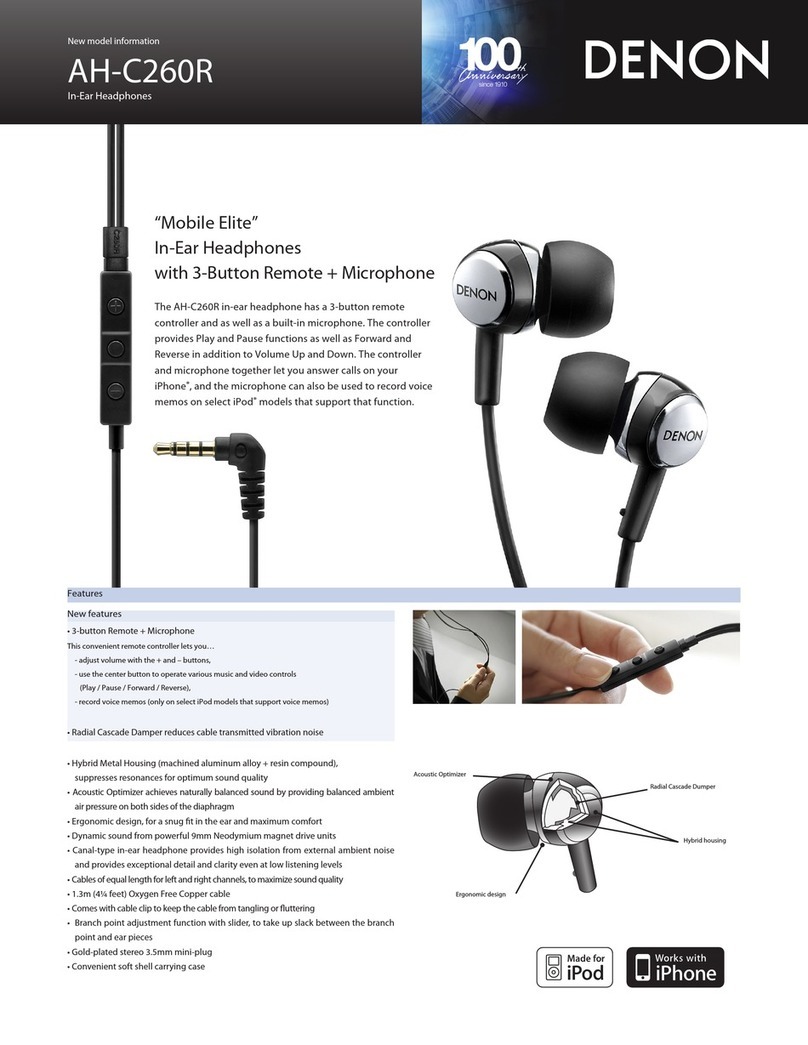
“Mobile Elite”
In-Ear Headphones
with 3-Button Remote + Microphone
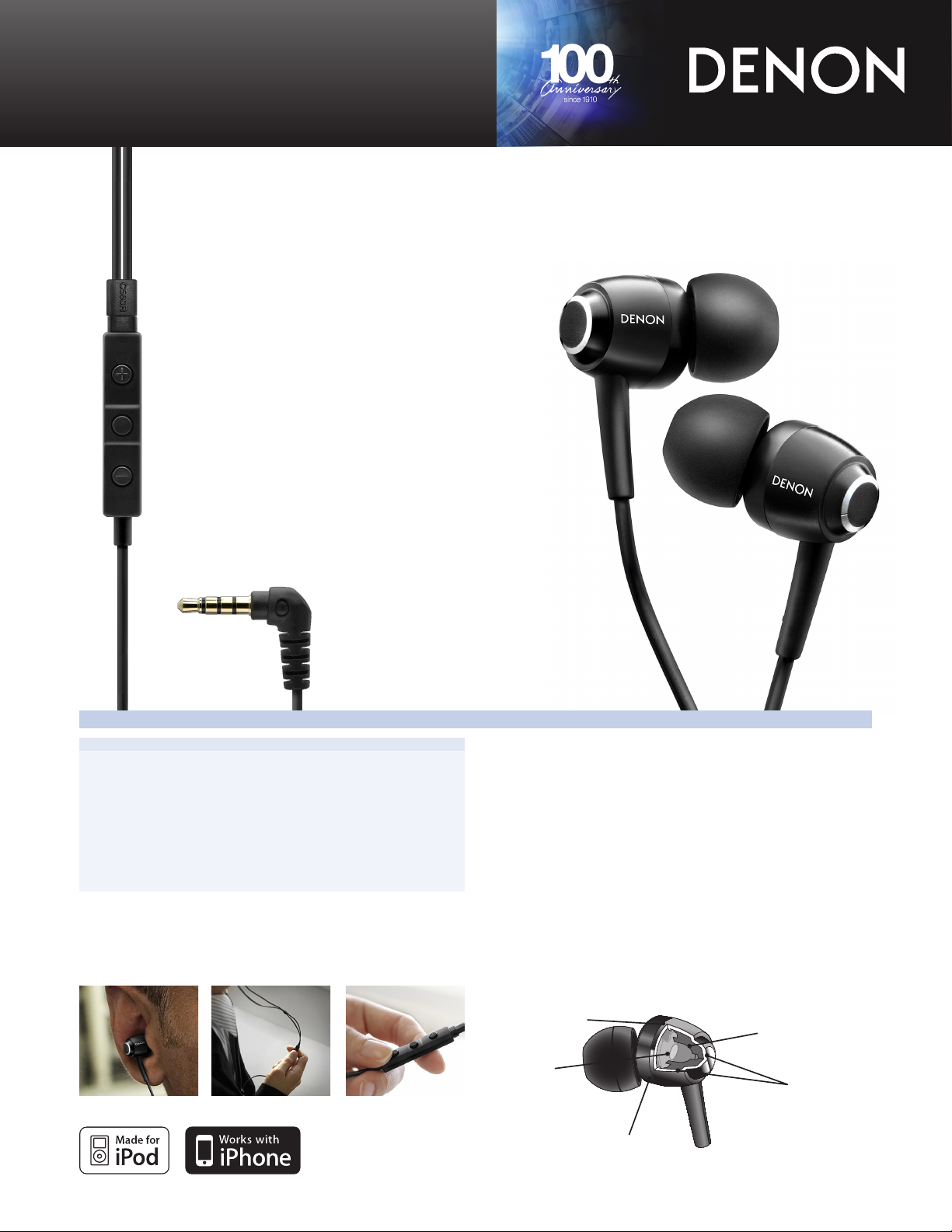
The AH-C560R in-ear headphone has a 3-button remote controller as
well as a built-in microphone. The controller provides Play and Pause
functions as well as Forward and Reverse in addition to Volume Up
and Down. The controller and microphone together let you answer
calls on your iPhone®, and the microphone can also be used to record
voice memos on select iPod®models that support that function.
The AH-C560R features a host of exclusive Denon technologies for
optimum sound quality and superior comfort. The earpiece housings
are constructed of a combination of precision machined aluminum
alloy and a sophisticated resin compound. Together, these materials
provide resonance-free playback for the most naturally balanced
sound. The large 11.5mm diaphragms are driven by ultra high
eciency Neodymium magnetic motor structures for dynamic sound
as well as low power consumption. Included are four sets of soft,
compliant ear pads for optimum comfort and superior isolation from
external noise.
Features
AH-C560R
In-Ear Headphones
New features
• 3-button Remote + Microphone
This convenient remote controller lets you…
- adjust volume with the + and – buttons,
- use the center button to operate various music and video controls
(Play / Pause / Forward / Reverse),
- record voice memos (on select iPod®models that support voice memos)
• Radial Cascade Damper reduces cable transmitted vibration noise
• Hybrid Metal Housing (machined aluminum alloy + resin compound),
suppresses resonances for optimum sound quality
• Featuring ComplyTM Foam Tips for supreme comfort and maximum noise isolation
• Acoustic Optimizer achieves naturally balanced sound by providing balanced ambient
air pressure on both sides of the diaphragm
• Ergonomic design, for a snug t in the ear and maximum comfort
• Dynamic sound from powerful 11.5mm Neodymium magnet drive units
• Canal-type in-ear headphone provides high isolation from external ambient noise
and provides exceptional detail and clarity even at low listening levels
• Cables of equal length for left and right channels, to maximize sound quality
• 1.3m (4¼ feet) Oxygen Free Copper cable
• Comes with cable clip to keep the cable from tangling or uttering
• Branch point adjustment function with slider, to take up slack between the branch
point and ear pieces
• Gold-plated stereo 3.5mm mini-plug
• Convenient soft shell carrying case
• Comes with 4 sizes of ear pieces for optimum t and maximum comfort
New model information
Acoustic Optimizer
Radial Cascade Dumper
Hybrid housing
Neodymium
magnet drive unit
Ergonomic design

Denon Brand Company
D&M Building, 2-1 Nisshin-cho, Kawasaki-ku, Kawasaki-shi,
Kanagawa, 210-8569, Japan
www.denon.com
Denon Electronics (USA), LLC.
100 Corporate Drive, Mahwah, New Jersey 07430 USA
TEL: 201-762-6500 usa.denon.com
Denon Canada Inc.
505 Apple Creek Blvd, Unit 5, Markham, Ontario, Canada L3R 5B1
TEL: 905-475-4085 ca.denon.com
17870410 A
*Design and specications are subject to change without notice.
*“Made for iPod” means that an electronic accessory has been designed
to connect specically to iPod and has been certied by the developer to
meet Apple performance standards.
*“Works with iPhone” means that an electronic accessory has been
designed to connect specifically to iPhone and has been certified by the
developer to meet Apple performance standards.
*Apple is not responsible for the operation of this device or its compliance
with safety and regulatory standards.
*iPod is a trademark of Apple Inc., registered in the U.S. and other
countries.
*iPhone is a trademark of Apple Inc.
*Comply is a registered trademark of Hearing Components.
Main Specications
Type Dynamic type
Drive units Ø 11.5mm Neodymium magnet
Input Impedance 16 Ω/ohms
Sensitivity 110 dB/mW
Maximum Input 250 mW
Frequency Response 5 - 24,000 Hz
Weight 5.2 g (not including cable)
Cable Length 1.3 meter/4¼ feet
Plug ø 3.5mm gold-plated stereo mini plug
Accessories Carrying case x 1,
Cable clip x 1,
Ear pieces (S/M/L size) x 1 (2 pcs/1 size),
Foam ear pieces x 1 (2 pcs/1 size)
Remote and microphone are supported only by iPhone 3GS, iPod
nano(4th), iPod classic (120GB) and iPod touch (2nd), The remote is
supported by iPod shue (3rd). Audio is supported by all iPhone, iPod
models. Requires latest software.