BRUSHES
Your CHALLENGAIR 2000PV™ has one brush-type motor. The brushes should be
checked for wear after approximately 600 hours of use. If the carbon brushes are
worn shorter than 1/4 inch, the brushes should be replaced. Brushes may be ordered
from Double K Industries or an Authorized Service Center. Please be sure to specify
that your dryer is a 2000PV™, as the brushes are slightly dierent from one dryer
model to another.
To check and/or replace brushes:
1. Unplug electrical cord from wall outlet.
Disassembly:
2. Slide o the back cover from the dryer. This is a compression t and will come
o with a little eort.
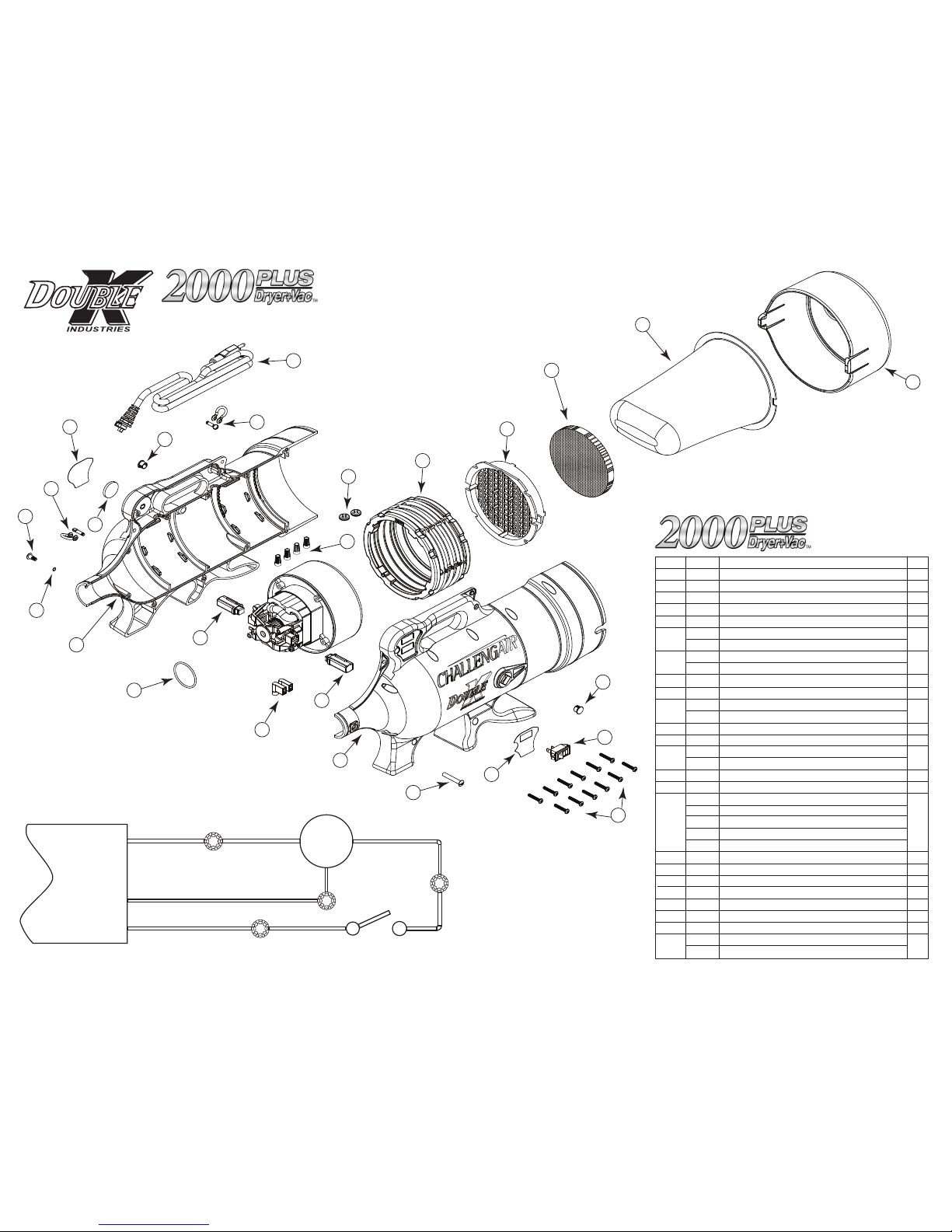
3. Remove all screws on the outside of the dryer that hold the two halves of dryer
housing in place. Lay the dryer on its side while removing these screws. Remove
the O-ring on the snout of the dryer and lift the top half.
4. Each motor will be sitting in place inside the rubber silicone motor mounts.
Removing the rubber silicone motor mounts from the motor is not neces-
sary to replace brushes. The internal lter frame ts into slots on the inside
of the dryer housing. This piece can remain while changing brushes.
5. Disconnect motor power wires (see wiring diagram). Note where wires connect.
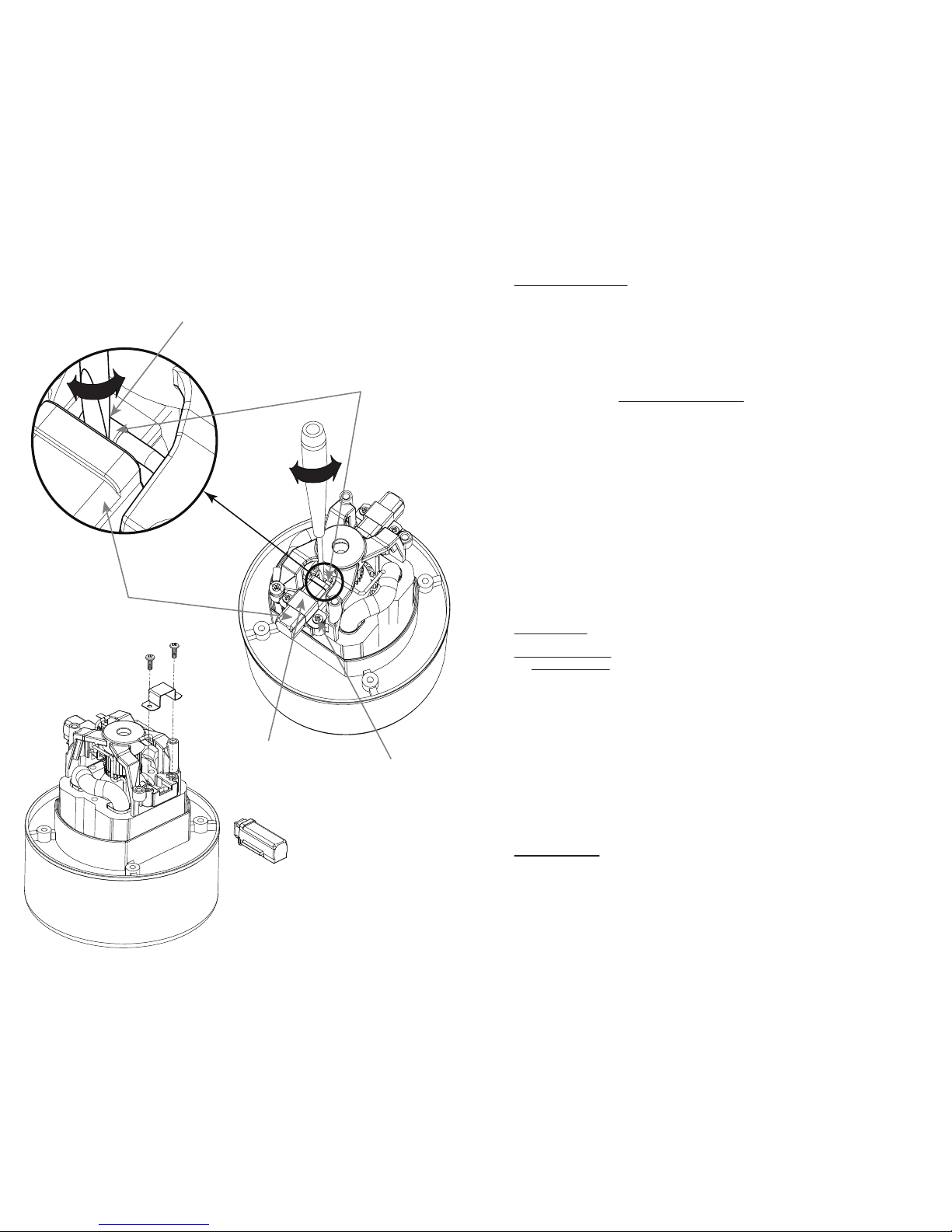
6. Motor: (a) Find the ag connector on the top of the brush assembly. There is a
wire leading to this connector. (b) Place a athead screwdriver with a ne tip
between the ag connector and the plastic brush housing. (c) Rock the screw-
driver back and forth and gently wedge the ag connector out of the brush
assembly. (d) Loosen the two brush assembly retainer bracket screws.
(e) Remove the brush assembly. (f)Replace the brush assembly with the new
one, making sure that the small tab on the bottom is tted onto the corre-
sponding slot on the motor frame. (g) Replace the brush assembly retainer
bracket and tighten the screws which hold it in place. (h) Attach the ag
connector to the new brush in the same position as the previous brush.
(i) Repeat these steps for the brush on the other side of the motor.
Reassembly:
7. Inspect the motor mount for cracks or damage -- replace if necessary.
Set the motor back into its original position in the dryer housing. The
motor mount has slots that t over corresponding alignment tabs on the
inside of the dryer housing. These slots and tabs must match up for proper
t and function. (Note: In the event that the motor mount is removed from
the motor, simply replace it by being mindful to align the contours of the
motor mount with corresponding contours on the motor housing.) Make
sure that the internal lter housing is in its appropriate slot before putting
the halves together.
8. Reattach the screws around the outside of the dryer making sure the two
halves are matching up.
9. After the two halves of the dryer housing have been put together, replace
internal lter and push the back cover onto the rear of the dryer. Always make
sure all lters are in place before operating dryer. Replace o-ring on snout.
6 3
Detail A
Place Screw Driver Tip Between Clip and
Plastic Brush Body. Rotate to Separate Tab
from Brush.
Flag Connector
Brush Assembly
Brush Retainer Bracket
Brush Retainer
Bracket Screw
Congratulations!
You’ve just purchased the Double K CHALLENGAIR 2000PV™Forced Air Dryer & Vacuum,
which produces warm, high velocity air under pressure to allow you to dry your animal
perfectly. Your new dryer is designed to provide long, reliable service.
Please read this manual carefully and completely before beginning operation of your dryer
and keep this manual in a convenient and safe place for future reference. A warranty card is
included with your dryer and should be lled out completely and mailed to Double K
Industries within 30 days of the purchase date of your dryer to validate your warranty. Online
registration available at www.DoubleKIndustries.com
Your CHALLENGAIR 2000PV™ has a two year warranty covering the unit against defects in
materials and workmanship. Regular maintenance items such as brushes and lters are NOT
included (see warranty card for complete warranty information). It is also important to retain
your sales receipt as proof of purchase should service ever be needed.
Your CHALLENGAIR 2000PV™has one brush-type motor. It is important that the brushes
be changed when they become worn down to prevent damage to your dryer motor (brushes
are maintenance components and are NOT covered under the warranty). We suggest check-
ing the motor brushes after every 600 hours of dryer use. Please see section on BRUSHES in this
manual for instructions.
A NOTE ABOUT HEAT: Your CHALLENGAIR 2000PV™has no heating element. The
CHALLENGAIR 2000PV™produces heat by a “ow-thru” motor system, meaning the air is
pushed through the motor and is warmed by the natural heat of the motor that occurs during
operation. This means greater electrical savings and eciency for you. The dryer will reach its
maximum air temperature after about 2-4 minutes of operation. (Note: The higher the room
temperature, the warmer the air from the dryer will be.)
ASSEMBLY
To attach hose to dryer: Your dryer hose has a black hose adapter that will screw onto the hose
in a counter-clockwise motion. The adapter with hose attached then ts onto the dryer with a
half-twist motion that locks the adapter onto the dryer.
First, place the adapter inside the snout of the dryer by aligning the slots on the adapter, to the
bolt that runs through the inside of the dryer snout. Turn the adapter until it locks in place and
cannot be pulled out. Reverse this process to remove the adapter from the dryer.
To use the dryer as a vacuum, remove the adapter from the front of the dryer and insert it into
the hole at top center of the black end cap. Turn the adapter until it locks into place and cannot
be pulled out.
To remove hose from adapter: Turn the hose clockwise (reverse threading).
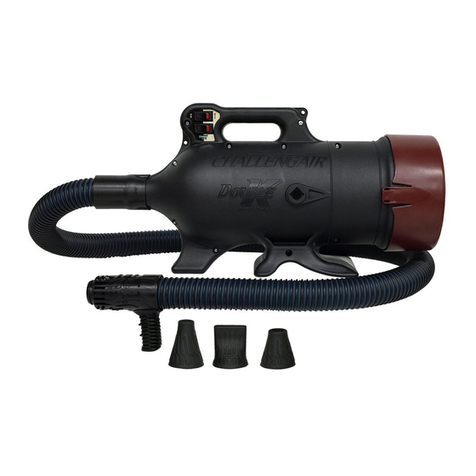
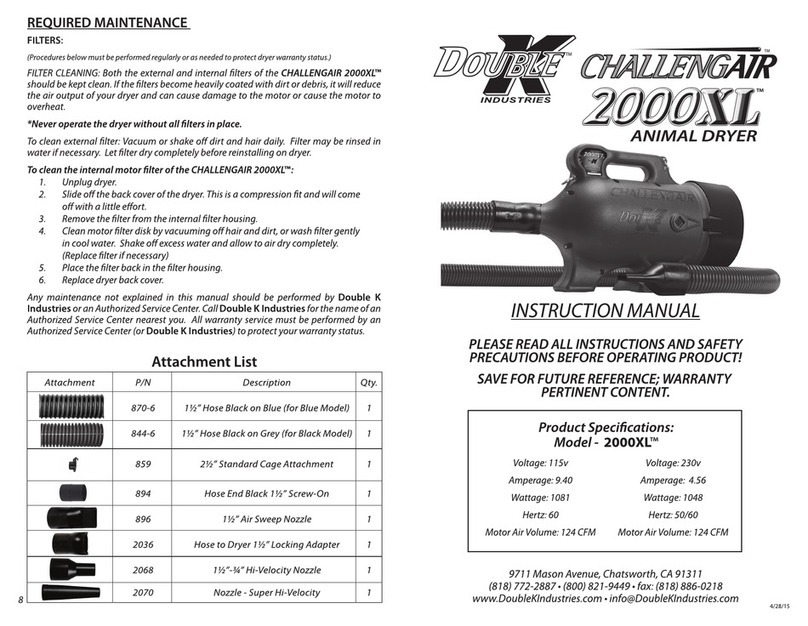
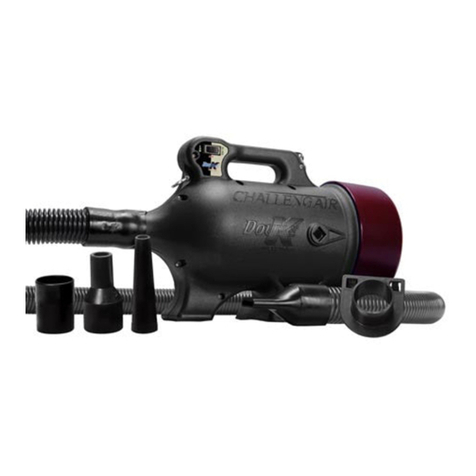
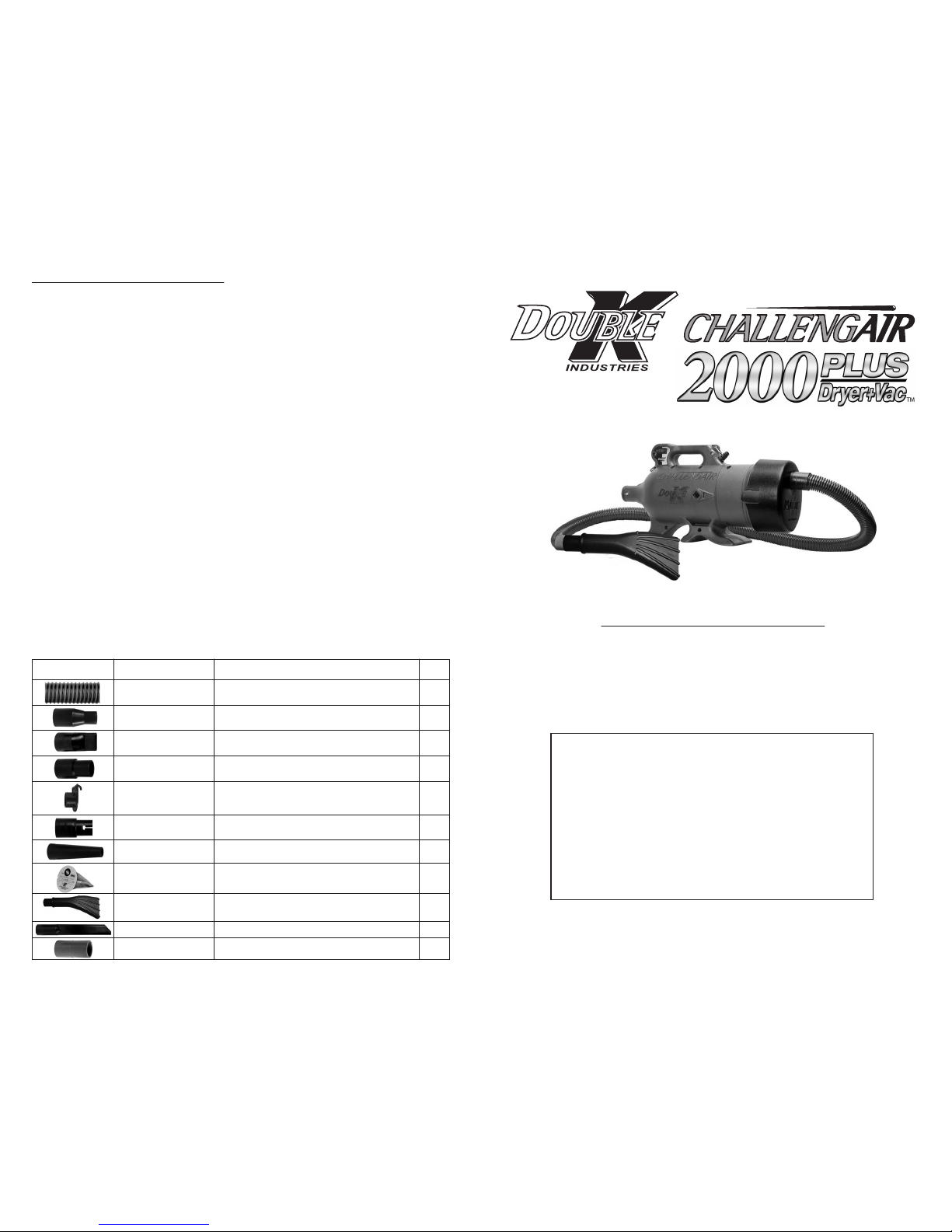
ATTACHMENTS: Your dryer is equipped with one hose, 2 twist-on nozzles, 1 nozzle extension
and 1 compression t nozzle. To attach nozzles to hose, twist the nozzles counter-clockwise.
Twist clockwise to remove. See Attachment Guide on page 8.
OPERATION
Switches and Controls:
1. 2-Speed:
a. Low Speed / Standard Heat - Turn on the top motor switch.
b. High Speed / High Heat - Turn on both motor switches.
2. Variable Speed (optional)
a. Maximum Output - Turn the dial speed control clockwise to its maximum.
b. Variable Output - Turn the dial speed control clockwise to desired air output.
c. O Position - Turn the dial speed control counter-clockwise until it clicks o.
IMPORTANT SAFEGUARDS
WARNING: IMPORTANT SAFETY PRECAUTIONS! PLEASE READ
COMPLETELY BEFORE USING PRODUCT!
When using electrical appliances, especially in the presence of children or animals,
basic safety precautions should always be followed to reduce the risk of re, electric
shock, and personal injury, including but not limited to the following:
DO NOT TURN ON DRYER WITHOUT FIRST HOLDING THE DRYER HOSE, as the air
volume from the dryer can cause the hose to whip or move rapidly and may cause
injury.
1. Do not leave dryer OR animal unattended while in use.
2. Unplug unit when not in use.
3. Do not use extension cords with dryer.
4. Do not unplug unit by pulling on cord.
5. Do not expose dryer to rain or water.
6. Do not use or store dryer where it can fall or be pulled into tub, sink or standing
water. If dryer falls into water . . . UNPLUG IT . . . Do not reach into the water!
7. Unplug unit before attempting any maintenance or service.
8. Do not put any object into dryer openings.
9. Keep loose clothing, jewelry and hair away from dryer intake.
10. Do not direct dryer air towards eyes or ears of people or pets.
11. Never use dryer if it has a damaged cord or plug, has been dropped, damaged
or exposed to rain or water. Return to Double K Industries or an Authorized
Service Center for service.
12. When using the cage attachment, do not leave the animal unattended.
13. This product is for use on animals only.
14. Recommended operation by adults only. Use caution when working around
children.
15. Do not use attachments not recommended by Double K Industries.
16. Do not operate without lters in place. Keep lters clean, as dirty lters limit air
intake and may damage the motor or cause overheating.
17. Only plug into a properly grounded receptacle. Always make sure the amper-
age of the electrical outlet is sucient for the amperage rating of the product.
(See Product Specications on front page for amperage rating of this product).
18. Do not use product for anything other than its intended purpose.
19. Do not attempt to perform any service or maintenance not outlined in instruc-
tion manual.
20. Do not attempt any product modications or alterations. Do not use, if any
parts or switches are damaged. Send to an Authorized Service Center
or Double K Industries for service.
21. When servicing, use only Double K Industries parts.