2
Dear customer
english
SECTION
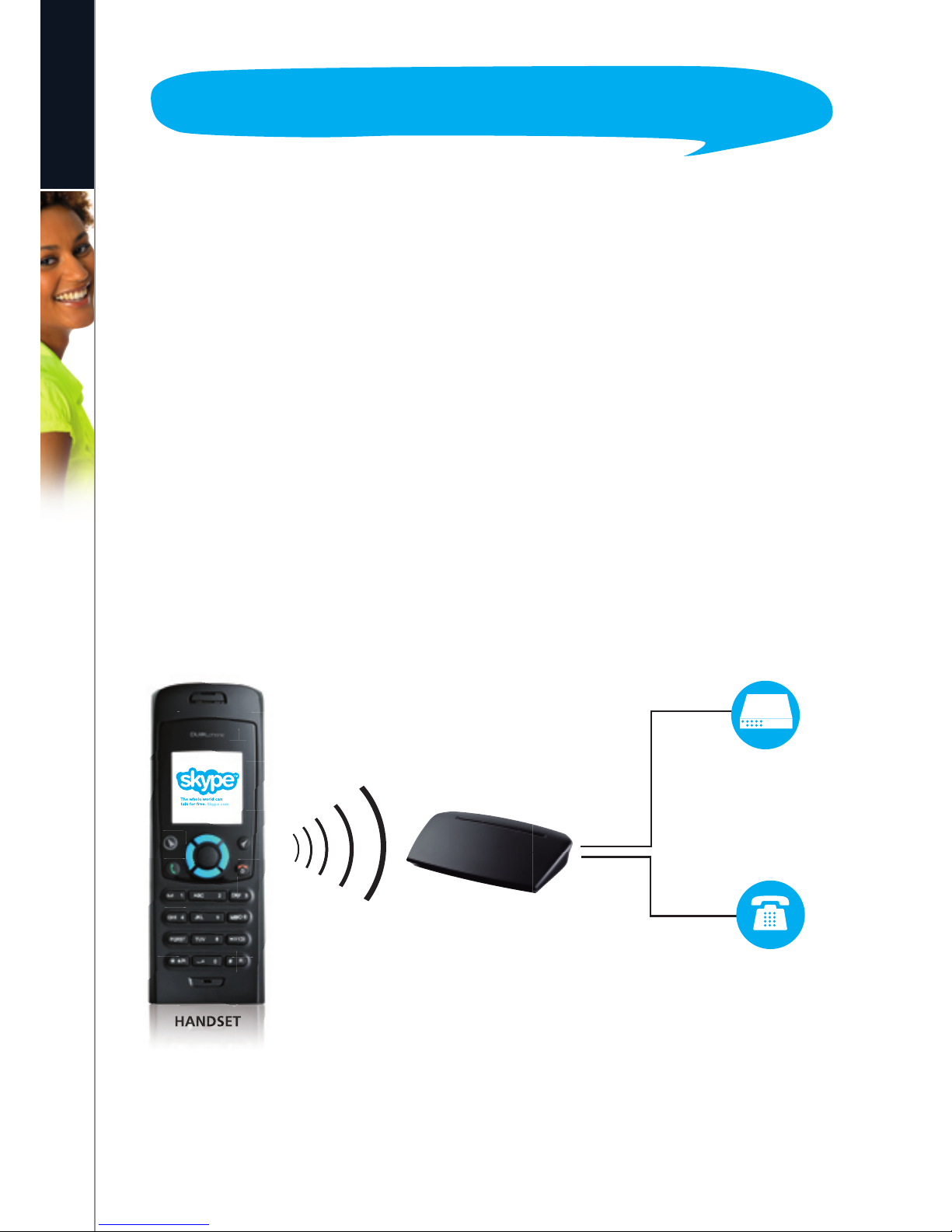
THIS IS HOW THE DUALPHONE WORKS ............................................... 3
HOW THE MANUAL IS ORGANIZED ................................................... 5
INSTALLATION AND BASIC FUNCTIONS – SECTION 1 n................................... 6
In the box .................................................................... 6
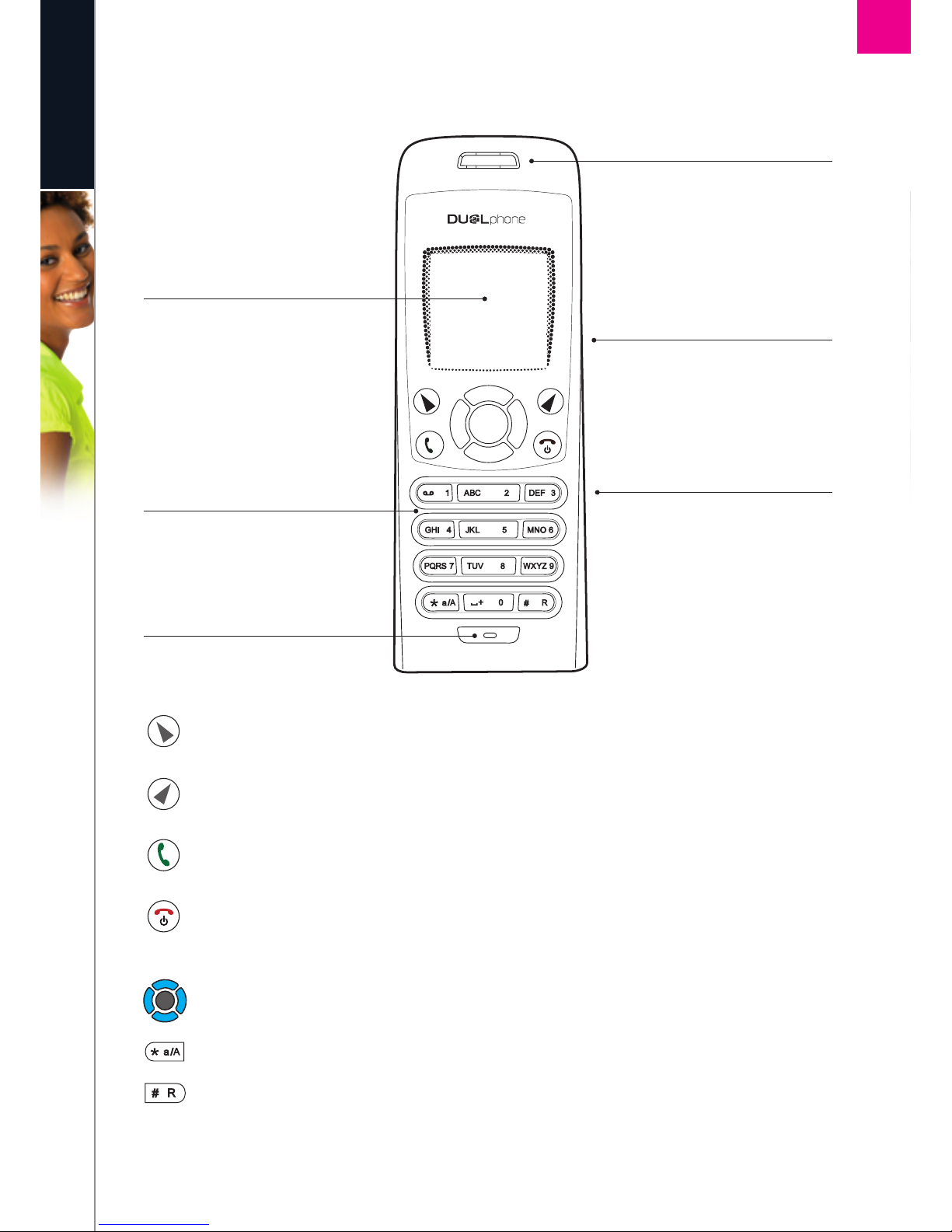
Your handset at a glance......................................................... 7
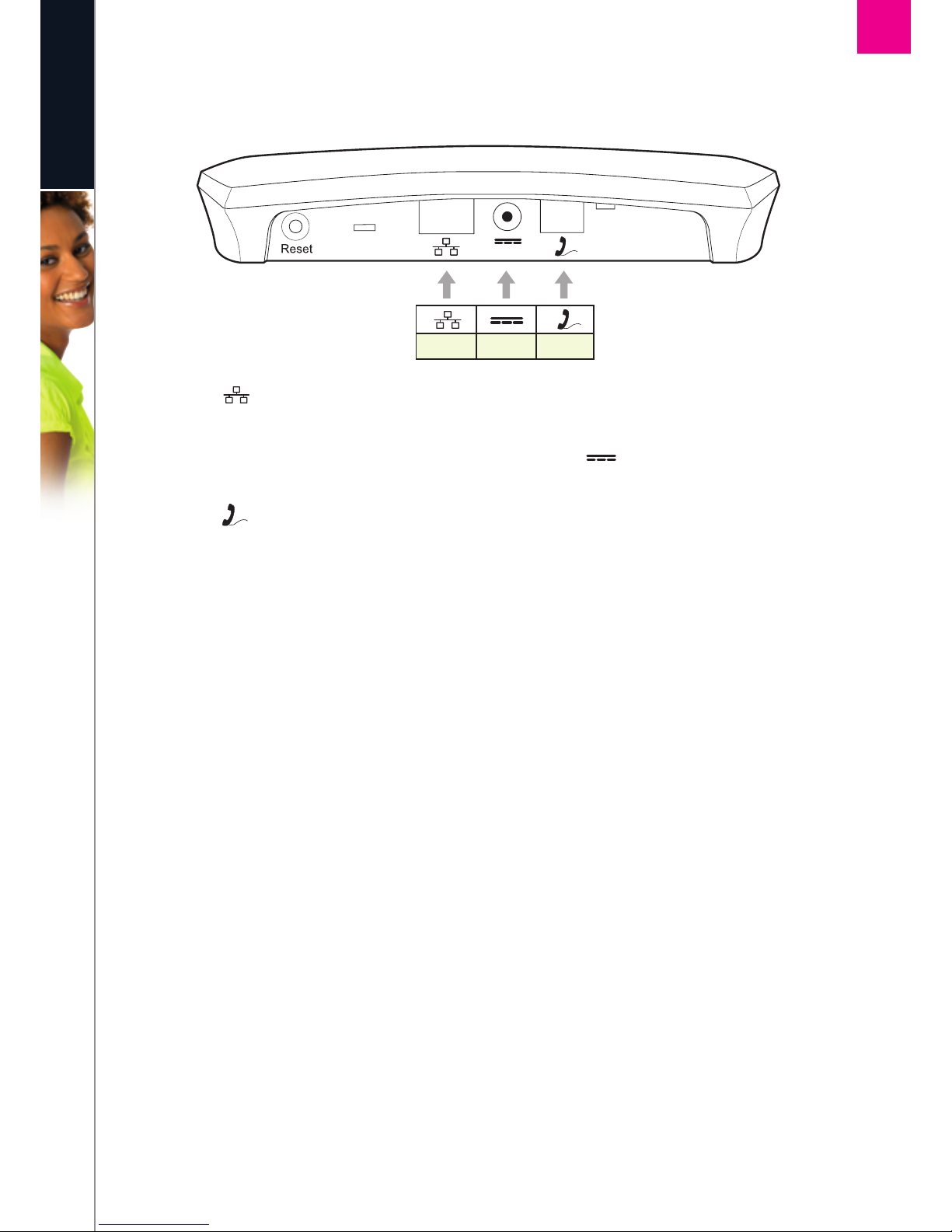
How to install the base station.................................................... 8
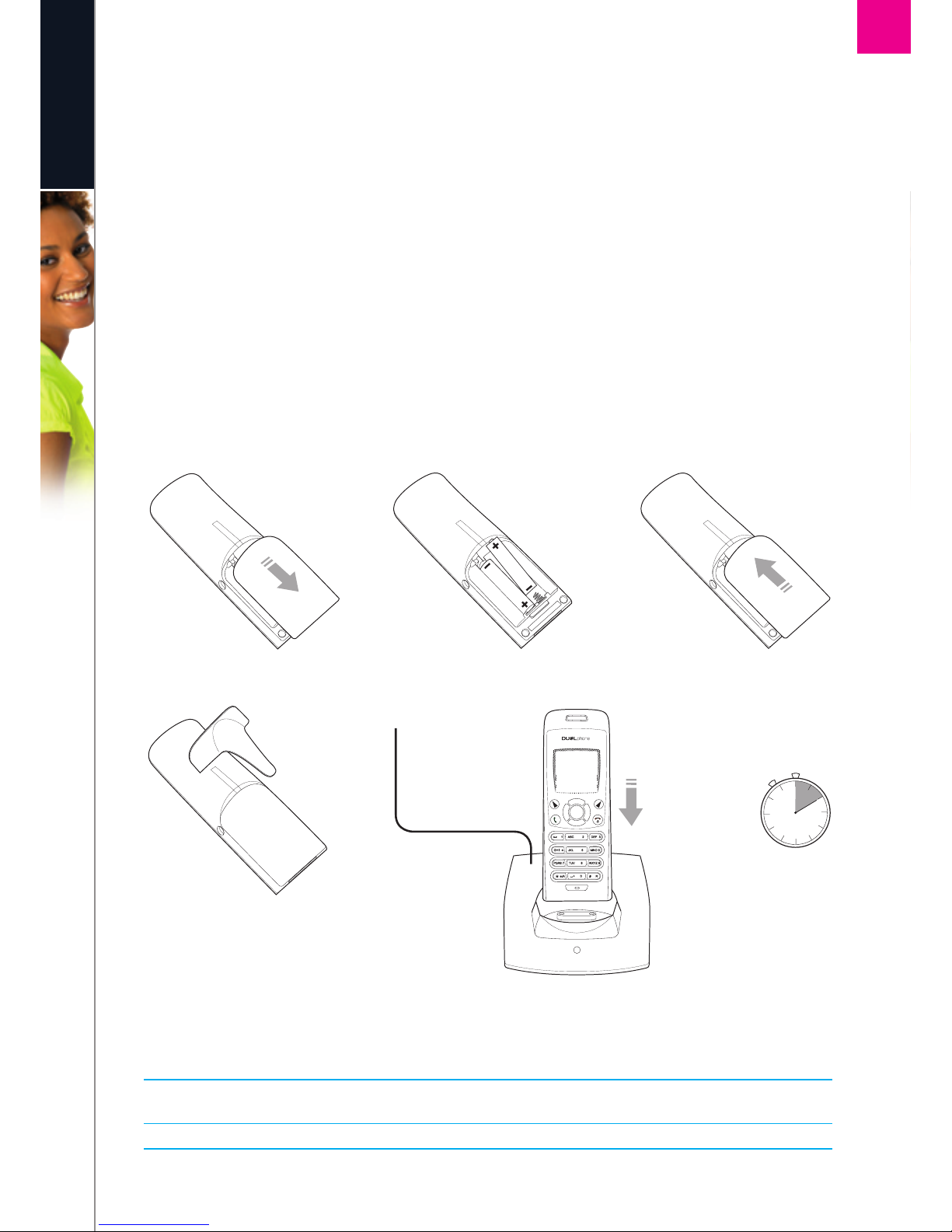
How to install the handset ....................................................... 9
First time start-up............................................................... 10
Getting started with Skype ....................................................... 12
CreateanewSkypeaccount...................................................... 12
SignintoSkype ............................................................... 13
Skype features supported by DUALphone . . . . . . . . . . . . . . . . . . . . . . . . . . . . . . . . . . . . . . . . . . . . 14
Maindisplay.................................................................. 15
Mainmenu................................................................... 17
Contacts....................................................................... 18
AddaSkypecontact............................................................ 18
AddaSkypeOutorlandlinecontact................................................ 20
SearchforSkypeusers .......................................................... 21
Make and receive calls........................................................... 22
CallaSkypecontact............................................................ 22
Dialalandlinenumber .......................................................... 22
Receiveacall ................................................................. 23
Troubleshooting ................................................................ 24
ADVANCED FUNCTIONS – SECTION 2 n................................................ 26
Menu tree of your DUALphone ................................................... 26
Emergency calls ................................................................ 28
Skype settings ................................................................. 29
Changeyouronlinestatus ....................................................... 29
Chooseautoormanualsignin.................................................... 30
Change your Skype profile ....................................................... 31
Changeyourpassword.......................................................... 32
Createapersonalvoicemailgreeting................................................ 33
Listentoyourvoicemail.......................................................... 34
Privacy .................................................................... 36
Notification................................................................... 37
Phone settings ................................................................. 38
Tones .................................................................... 38
Change the call alert ......................................................... 38
Change the ring tone ......................................................... 39
Adjust the ringing volume ..................................................... 39
Adjust the keypad tones....................................................... 40
In this manual
CONTENTS