LET’S GET STARTED!
Your new Silver Lake Dynamic Reverb is fully featured out of the box (requires external 9V to 18V regulated
DC adapter, center pin negative, 300mA current rating - not included), but you can access more utility and
options by downloading the Librarian software at www.seymourduncan.com/software. These functions
include:
Firmware Updates – We will periodically release firmware updates for Silver Lake to add more features
or increase the usability. You can download and install these updates by connecting Silver Lake to your
computer using a micro USB cable and running the Librarian software.
Preset Management – The Librarian software can be used to rename, backup, and restore your presets – or
return to the factory settings.
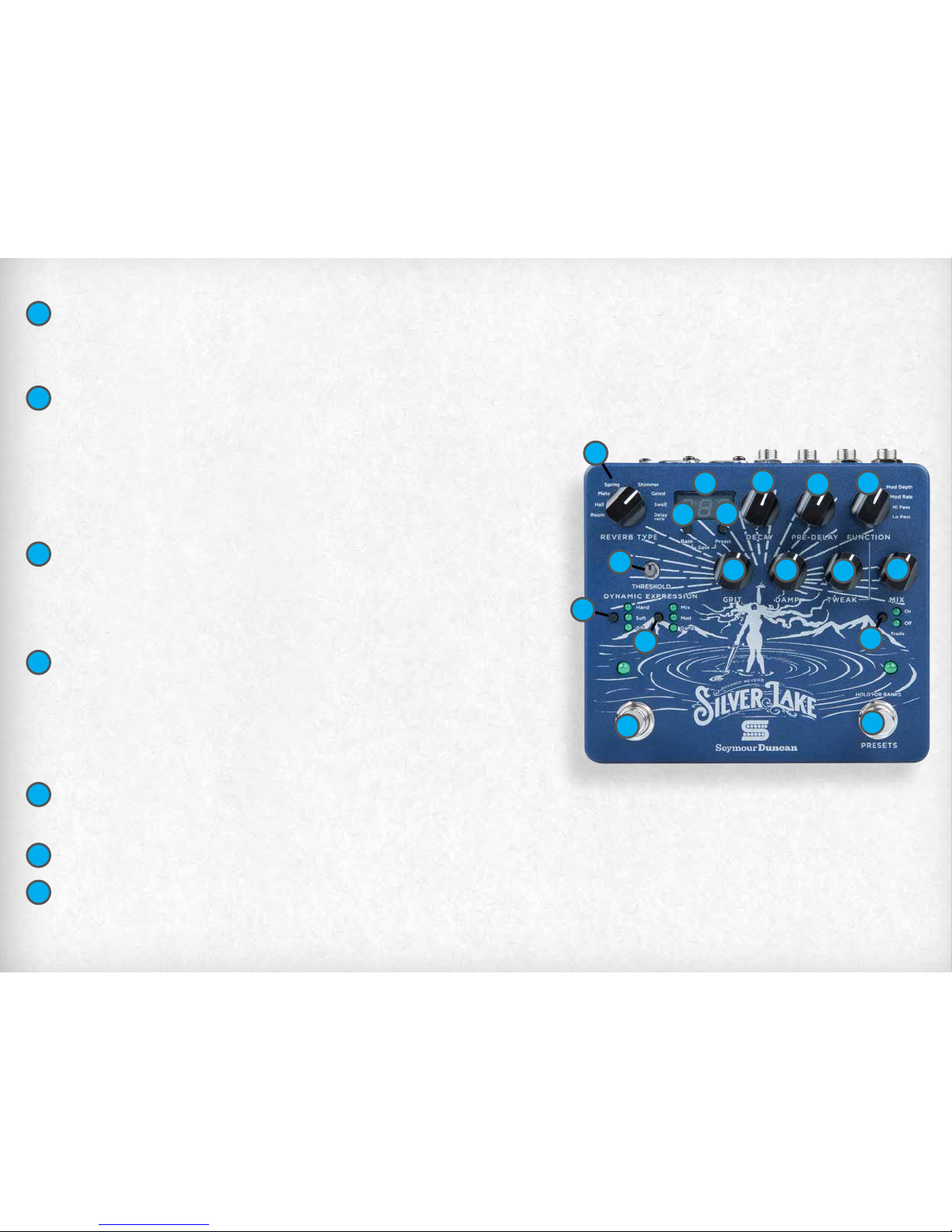
TWEAK KNOB – Controls the amount of the parameter selected with the FUNCTION knob.
MIX KNOB – Determines balance of wet/dry signal. Fully clockwise = 100% wet. Fully counter-clockwise=
100% dry.
TRAILS BUTTON – When set to ON the reverb will continue to decay naturally when bypassed. (No new
repeats will be generated). In this mode Silver Lake uses a buered bypass. When set to OFF, the reverb will cut o
as soon as the eect is bypassed. In this mode Silver Lake is true-bypass.
BYPASS FOOTSWITCH – Turns the reverb eect on and o.
PRESET/BANK FOOTSWITCH – Defaults to PRESET mode, tap the footswitch to scroll through the
four presets in the current bank. To change to BANK mode press and hold the footswitch until the LED
becomes solid, then tap the footswitch to scroll up through the 32 banks – press and hold the footswitch to
scroll down. After 2 seconds with no input the mode will revert to PRESET.
13
14
15
17
16