manuals.online logo
Brands
  1. Home
  2. •
  3. Brands
  4. •
  5. EarthQuake
  6. •
  7. Subwoofer
  8. •
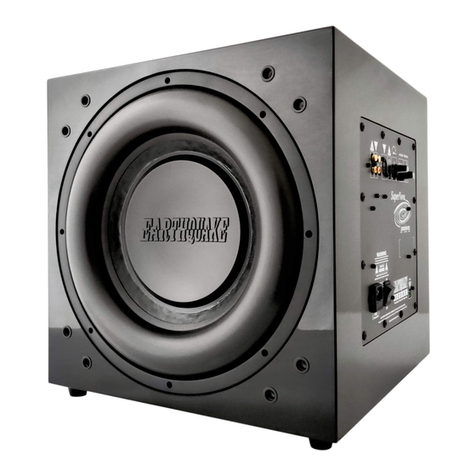
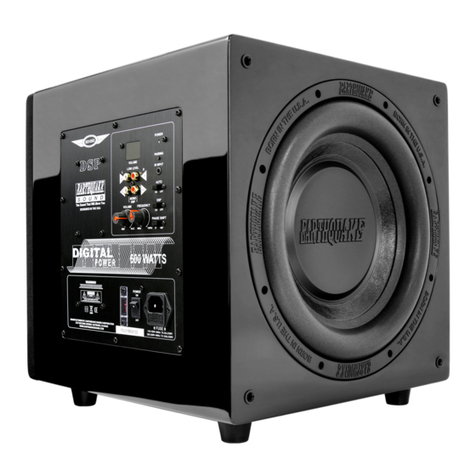
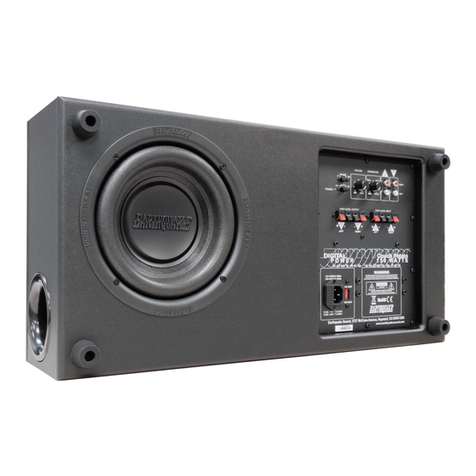
  9. EarthQuake MINIME P10V2 User manual

EarthQuake MINIME P10V2 User manual

This manual suits for next models

2

Other EarthQuake Subwoofer manuals

EarthQuake Thermo-rX-10-4 Installation and operating manual

EarthQuake

EarthQuake Thermo-rX-10-4 Installation and operating manual

EarthQuake SUB100 User manual

EarthQuake

EarthQuake SUB100 User manual

EarthQuake SWS 10 Installation and operating manual

EarthQuake

EarthQuake SWS 10 Installation and operating manual

EarthQuake SWS 6.5 Installation and operating manual

EarthQuake

EarthQuake SWS 6.5 Installation and operating manual

EarthQuake MINIME P8V2 User manual

EarthQuake

EarthQuake MINIME P8V2 User manual

EarthQuake Nova FF12 User manual

EarthQuake

EarthQuake Nova FF12 User manual

EarthQuake DBXI-10 Installation and operating manual

EarthQuake

EarthQuake DBXI-10 Installation and operating manual

EarthQuake SuperNova MKVI User manual

EarthQuake

EarthQuake SuperNova MKVI User manual

EarthQuake Magma Installation and operating manual

EarthQuake

EarthQuake Magma Installation and operating manual

EarthQuake MiniMe P8 User manual

EarthQuake

EarthQuake MiniMe P8 User manual

EarthQuake SUBZERO-12 User manual

EarthQuake

EarthQuake SUBZERO-12 User manual

EarthQuake SuperNova MKVI User manual

EarthQuake

EarthQuake SuperNova MKVI User manual

EarthQuake SUB-80X User manual

EarthQuake

EarthQuake SUB-80X User manual

EarthQuake THOR IW-SUB10 User manual

EarthQuake

EarthQuake THOR IW-SUB10 User manual

EarthQuake CouchPotato CP-8 User manual

EarthQuake

EarthQuake CouchPotato CP-8 User manual

EarthQuake HoLeeS 12 User manual

EarthQuake

EarthQuake HoLeeS 12 User manual

EarthQuake SuperNova MKV User manual

EarthQuake

EarthQuake SuperNova MKV User manual

EarthQuake Pro-X128 Installation and operating manual

EarthQuake

EarthQuake Pro-X128 Installation and operating manual

EarthQuake Kompressor S-10 Quick start guide

EarthQuake

EarthQuake Kompressor S-10 Quick start guide

EarthQuake Supernova MKIV-10 User manual

EarthQuake

EarthQuake Supernova MKIV-10 User manual

EarthQuake SuperNova Luminous LU-12 User manual

EarthQuake

EarthQuake SuperNova Luminous LU-12 User manual

EarthQuake SUBZERO-10 User manual

EarthQuake

EarthQuake SUBZERO-10 User manual

EarthQuake DBXI-10 Installation and operating manual

EarthQuake

EarthQuake DBXI-10 Installation and operating manual

EarthQuake MiniMe DSP P12 User manual

EarthQuake

EarthQuake MiniMe DSP P12 User manual

Popular Subwoofer manuals by other brands

Extron electronics SF 8CT SUB user guide

Extron electronics

Extron electronics SF 8CT SUB user guide

SVS PB-4000 quick start guide

SVS

SVS PB-4000 quick start guide

Pioneer S-DVR9SW Service manual

Pioneer

Pioneer S-DVR9SW Service manual

Yamaha YST-SW515 Service manual

Yamaha

Yamaha YST-SW515 Service manual

Velodyne SPL-800 ULTRA - REV B datasheet

Velodyne

Velodyne SPL-800 ULTRA - REV B datasheet

Teufel US 2110/1 SW operating instructions

Teufel

Teufel US 2110/1 SW operating instructions

Wet Sounds SS-65 user manual

Wet Sounds

Wet Sounds SS-65 user manual

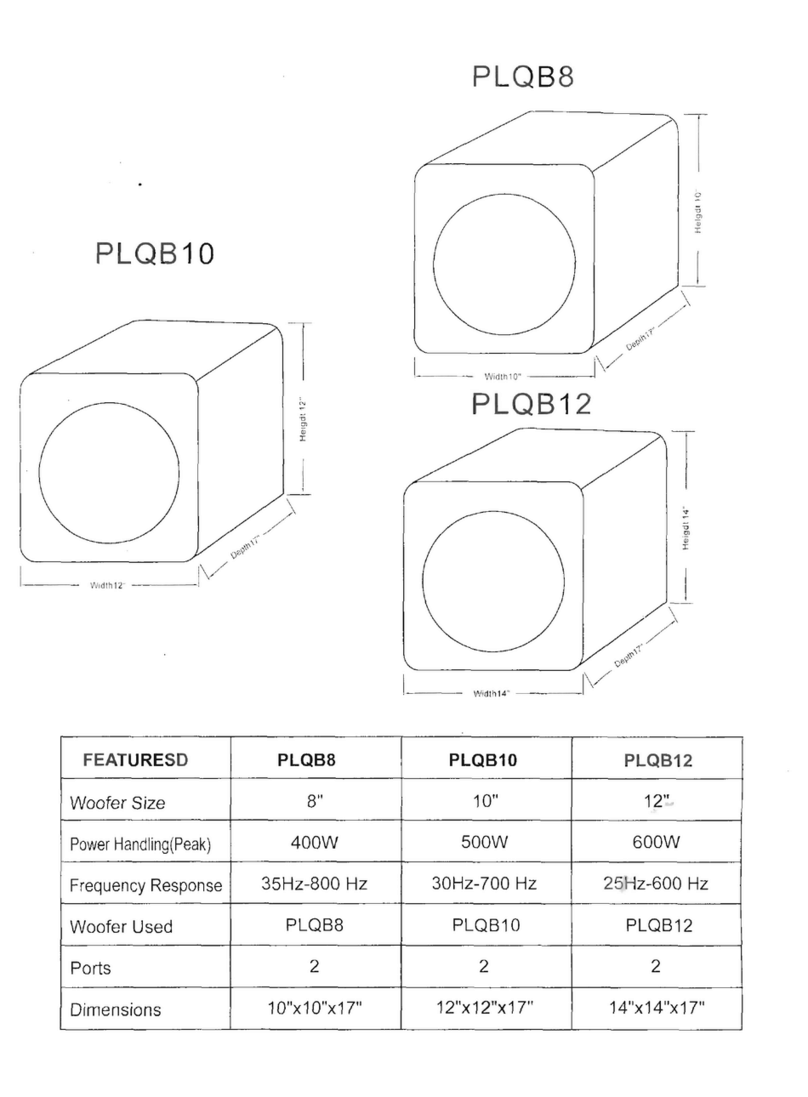
Pyle PLQB10 Specifications

Pyle

Pyle PLQB10 Specifications

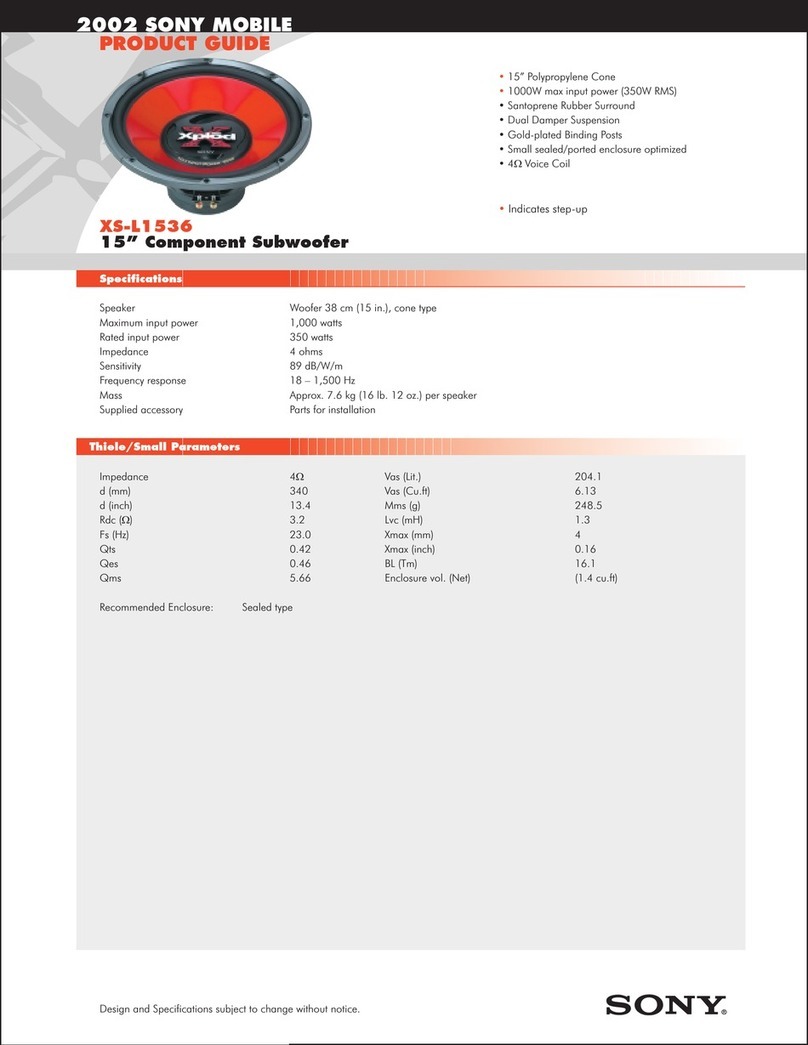
Sony XS-L1536 Product guide

Sony

Sony XS-L1536 Product guide

Sony XS-AW8 operating instructions

Sony

Sony XS-AW8 operating instructions

B&C Speakers 15 HPL 76W Specifications

B&C Speakers

B&C Speakers 15 HPL 76W Specifications

Velodyne DD-18+ Specifications

Velodyne

Velodyne DD-18+ Specifications

Sonance Cinema Series SUB 10-150 Specifications

Sonance

Sonance Cinema Series SUB 10-150 Specifications

Hifonics HW-12 Owners & installation manual

Hifonics

Hifonics HW-12 Owners & installation manual

Yamaha 64263 owner's manual

Yamaha

Yamaha 64263 owner's manual

Magnat Audio ADR 130 BP user manual

Magnat Audio

Magnat Audio ADR 130 BP user manual

Technics SB-AS500 Operaing instructions

Technics

Technics SB-AS500 Operaing instructions

Lyngdorf BW-2 owner's manual

Lyngdorf

Lyngdorf BW-2 owner's manual

manuals.online logo
manuals.online logoBrands
  • About & Mission
  • Contact us
  • Privacy Policy
  • Terms and Conditions

Copyright 2025 Manuals.Online. All Rights Reserved.

The Sound That Will Move You
Earthquake Sound Corp. | (510) 732-1000 | U.S. Toll Free: (800) 576-7944 | www.earthquakesound.com
MINIMEP10V2/
USER’SMANUAL
P12V2
3
4 - 5
6
6
7 - 8
9
10 - 13
14
15 - 16
17 - 18
19
About Earthquake Sound Corporation..................................................
Safety Instructions.................................................................................
Introduction...........................................................................................
What Makes a MiniMe?..........................................................................
Control Panel Overview.........................................................................,
Placing Your Subwoofer(s)...................................................................
Connecting Your Subwoofer(s)..............................................................
Adjusting Your Subwoofer(s)..................................................................
Dimensions and Specifications..............................................................
Warranty Information.............................................................................
For Your Records..................................................................................
Table of Contents
Earthquake Sound Corp. | (800) 576-7944 | www.earthquakesound.com
Earthquake Sound Corporation
2727 McCone Avenue
Hayward, CA 94545
United States of America
Tel: 510-732-1000
Fax: 510-732-1095
© 2014 Earthquake Sound Corporation. All rights reserved.
This document should not be construed as a commitment on the part of Earthquake Sound Corporation.
The information is subject to change without notice.
Earthquake Sound Corporation assumes no responsibility for errors that may appear within this document.
The Sound That Will Move You
S O U N D
WARNING: This product is
capable of generating high
sound pressure levels. You
should exercise caution when
operating these speakers. Long
term exposures to high levels of
sound pressure will cause permanent
damage to your hearing. Sound pressure
levels exceeding 85dB can be dangerous
with constant exposure, set your audio
system to a comfortable loudness level.
Earthquake Sound Corporation does not
assume liability for damages resulting from
the direct use of Earthquake Sound audio
product(s) and urges users to play volume at
moderate levels.
2 MiniMe ManualP10V2/P12V2
For over 28 years, Earthquake Sound has been producing a variety of high quality audio products that have
impressed audiophile communities around the world. It all started in 1984 when Joseph Sahyoun, a music freak and
Aerospace Engineer unhappy with the existing loud speaker technology and performance, decided to put his
advance engineering knowledge to use. He pushed technological boundaries to the limit to create the kind of
subwoofer he could live with. Earthquake quickly created a name for itself in the car audio industry and became well
known for its powerful subwoofers and amplifiers. In 1997, using his existing expertise in the audio industry, Joseph
Sahyoun expanded his company to home audio production.
Earthquake Sound has since evolved into a leader in the home audio industry, producing not only subwoofers and
amplifiers but surround speakers and tactile transducers as well. Engineered by audiophiles for audiophiles,
Earthquake Sound audio products are meticulously crafted to reproduce each and every single note perfectly,
bringing your home theater experience to life. With true dedication and full attention to details, Earthquake Sound
engineers continuously develop new and better products to meet customers’ needs and go beyond their
expectations.
From mobile audio to prosound and home audio, Earthquake Sound has been selected as the winner of many
prestigious awards based on sound quality, performance, value and features. CEA and numerous publications have
awarded Earthquake Sound with over a dozen design and engineering awards. Additionally, Earthquake Sound has
been granted many design patents by the USPO for revolutionary audio designs that have changed the sound of the
audio industry.
Headquartered in a 60,000 square foot facility in Hayward, California USA, Earthquake Sound currently exports to
over 60 countries worldwide. In 2010, Earthquake Sound expanded its export operations by opening a European
warehouse in Denmark. This accomplishment was recognized by the US Department of Commerce who honored
Earthquake Sound with an Export Achievement award at the 2011 Consumer Electronic Show. Just recently, the US
Department of Commerce presented Earthquake Sound with another Export Achievement award for expanding its
export operations in China.
About Earthquake Sound Corporation
Specifications are subject to change without notice.
Joseph Sahyoun, US Secretary of Commerce Gary Locke,
Abraham Sahyoun and Thomas Mygind
US Commercial Officer Sarah Fox and Joseph Sahyoun
MiniMe Manual 3P10V2/P12V2
Safety First
Symbols Explained:
Important Safety Instructions:
This documentation contains general safety,
installation, and operating instructions for the
MiniMe P10V2/ subwoofer. It is important to
read this user’s manual before attempting to use
this product. Pay particular attention to the safety
instructions.
P12V2
Appears on the component to
indicate the presence of
uninsulated, dangerous voltage
inside the enclosure – voltage that
may be sufficient to constitute a
risk of shock.
Calls attention to a procedure,
practice, condition or the like that,
if not correctly performed or
adhered to, could result in injury
or death.
Calls attention to a procedure,
practice, condition or the like that,
if not correctly performed or
adhered to, could result in
damage to or destruction of part or
all of the product.
NOTE: Calls attention to information that
is essential to highlight.
Safety Instructions
1) Read these instructions in their entirety.
2) Store this manual and packaging in a safe
place.
3) Heed all warnings.
4) Follow instructions (do not take shortcuts).
5) Do not use this apparatus near water.
6) Clean only with a dry cloth.
7) Do not block any ventilation openings. Install in
accordance with the manufacturer’s instructions.
8) Do not install near any heat sources such as
radiators, heat registers, stoves, or other
apparatuses that produce heat.
9) Do not defeat the safety purpose of the polarized
or grounding-type plug. A polarized plug has
two blades with one wider than the other. The
grounding-type plug has two blades and a third
grounding prong. The wide blade or the third
prong is provided for your safety. If the
provided plug does not fit into your outlet,
consult an electrician for replacement of the
obsolete outlet.
10) Protect the power cord from being walked on or
pinched, particularly at plugs, convenience
receptacles, and the point where they exit from
the apparatus.
11) Only use attachments and accessories
specified by the manufacturer.
12) Use only a compatible rack or cart for the final
resting position.
13) Unplug this apparatus during lightning storms
or when unused for a long period of time.
14) Refer all servicing to qualified service
personnel. Servicing is required when the
apparatus has been damaged in a way such
as: power-supply cord or plug is damaged,
liquid has been spilled or objects have fallen
into the apparatus, the apparatus has been
exposed to rain or moisture, does not operate
normally, or has been dropped.
15) To reduce the risk of fire or electric shock, do not
expose this apparatus to rain or moisture.
Earthquake Sound Corp. | (800) 576-7944 | www.earthquakesound.com
System Installation Considerations
There are several factors to consider before
installing Earthquake Sound’s MiniMe P10V2/P12V2
Subwoofer.
?What are the intended listening zones?
?From where in each zone will the listener prefer
to control the system? Where will the subwoofer
be located?
?Where will the source equipment be located?
4 MiniMe ManualP10V2/P12V2

Specifications are subject to change without notice.
This triangle, which appears on your component,
alerts you to the presence of uninsulated,
dangerous voltage inside the enclosure -
voltage that may be sufficient to
constitute a risk of shock.
CAUTION
RISK OF ELECTRIC SHOCK
DO NOT OPEN
This triangle, which appears on your component,
alerts you to important operating and
maintenance instructions in this
accompanying literature.
Safe & Proper handling
The MiniMe P10V2 subwoofer is considerably
light weight and easy to maneuver. However, we
encourage you to take precaution when unpacking
the unit to prevent any possible damage to your
MiniMe P10V2/P12V2. We further suggest the
following:
?Do not apply pressure or push against the face of
the speaker as this will cause irrepairable damage
to the cone and suspension.
?When carrying the MiniMe P10V2/P12V2, make
sure that the speakers/grilles are away from your
chest, eliminating the chance of pushing against
the face of the speaker.
?Do not drop the MiniMe P10V2/P12V2 or subject it to
sudden shocks. This will damage the external
finish and weaken the enclosure, creating air
leaks.
?Avoid exposing the MiniMe P10V2/P12V2 to
moisture. Water will damage the structure as well
as the amplifier and speakers.
?Cleaning the MiniMe P10V2/P12V2 is best done
using soft cloth. If needed, use mild detergent with
water. Like any other electrical unit, always unplug
the unit before cleaning it.
/P12V2
Connection Tips
?Keep all power cords away from all signal cables to
prevent humming from induced noise.
?Choose reliable signal cable cords (Earthquake
Sound also specializes in high performance RCA
cables and patches).
?All speaker wires that are ran through the walls
should be twisted type to reduce potential hum
noise pick-up.
?It is best to use a grounded electrical outlet to
power the amplifier. Lack of input ground
reference could be unsafe. Consult with your
electrical contractor about proper grounding.
Unpacking the MiniMe P10 /P12V2
?Keep the original carton and packing materials for
future shipment or storage.
?Check for any visual signs of damage. If you
encounter any concealed damage, consult your
Earthquake Sound dealer before proceeding with
unit installation.
?Retain the sales receipt as it establishes the
duration of the limited warranty and provides
information for insurance purposes.
The MiniMe is packaged well for safety. We highly
suggest having a padded surface when unpacking it.
Step 1:
On a padded surface, carefully place the box on its
side to remove the bottom packing tape and staples.
Step 2:
Without tilting the box too much,
tug the bottom flaps outward and
keep the protective foam in place.
Step 3:
Gently reposition the box upright.
Step 4:
Slide the box off, minding
the protective foam on
the top, bottom and sides o f
the subwoofer.
V2
MiniMe Manual 5P10V2/P12V2
Digital Class “D”Amplifier Mass Tuned SLAPS (Symetrically
LoadedAudio Passive System)
The MiniMe
a m p l i f i e r u t i l i z e s t h e Earthquake’s own patented
advanced class “D” circuitry SLAPS passive radiator
with over 90% efficiency, te c hn o l o gy dramatically
allowing it to continuously increases the subwoofer’s
perform without getting hot. efficiency and capability for
u l t r a l o w f r e q u e n c y
The 600-Watt peak power reproduction. The unique
amplifier is fully equipped design of the SLAPS employs
with IR input, room tuning dual (identical) suspensions,
adjustments, 0 - 180° phase allowing the passive driver to move the same amount
switch, low level RCA inputs & outputs, auto signal of air in either direction. Coupled with the active
sensing, as well as high level speaker inputs and driver, the SLAPS enables the sub to deliver louder
outputs. bass without using more power from the amplifier.
Premium Long Throw Drivers Luxurious Piano Gloss Cabinet
The active driver installed in The deep luxurious black piano lacquer begins with a
every MiniMe is thorough sanding and priming, followed by multiple
specifically designed for applications of black lacquer with additional fine
accurate reproduction of bass sanding between each layer, and finished with a
and sub-bass frequencies. smooth, high gloss clear coat.
Built with TCT (Turbine Cooled
Transducer) Technology,
stitched tensile leads, anti-
wobble cone construction and reinforced dust cap,
the MiniMe driver effortlessly produces
phenomenal bass with extremely low distortion while
staying cool the entire time.
When it comes to elegance and style, the MiniMe
delivers.
P10V2/P12V2
P10V2/P12V2
P10V2/P12V2
P10V2/P12V2
Introduction
What Makes a MiniMe?
Earthquake Sound Corp. | (800) 576-7944 | www.earthquakesound.com
The MiniMe system is designed to dramatically enhance your enjoyment of music and films at home by adding
power and impact to low frequency sound effects without taking up your entire living space.
Congratulations and
thank you for choosing the Earthquake MiniMe subwoofer as a key component of your audiophile
system.
The MiniMe subwoofer utilizes an advanced digital class “D” amplifier, a premium long throw driver and
a mass tuned passive radiator with patented SLAPS (Symmetrically Loaded Audio Passive System) Technology.
With a ported design and piano gloss enclosure, the MiniMe subwoofer delivers phenomenal bass.
Designed in the USA, the MiniMe subwoofer meets and exceeds all industry standards of performance
and quality. With uncompromised “World Class” performance and superior technology, the MiniMe
subwoofer embodies both power and elegance.
P10V2/P12V2
P10V2/P12V2
P10V2/P12V2
P10V2/P12V2
P10V2/P12V2
6 MiniMe ManualP10V2/P12V2
Control Panel Overview
Specifications are subject to change without notice.
(1) LED Power Signal Indicator
This LED indicator reflects the main power
status of the amplifier as well as the state of the
amplifier (whether the AUTO Sensing is on/off
and whether signal is being fed to the amplifier).
Note that this LED will only light up when the
main power switch is in the ON position.
(4) Room Tuning Level & Frequency
(5) High Level Inputs / Outputs
These binding post style input terminals allow
the MiniMe P10V2/P12V2 amplifier to receive
signal from the amplifier or receiver that is
powering the surround speakers. The output
terminals allow the MiniMe P10V2/P12V2 to drive
stereo satellite speakers.
(2) Low Level RCAInputs & Outputs
This the best way to drive audio signal to the
MiniMe P10V2/P12V2. (6) 110V/220VAC Selector
The MiniMe P10V2/P12V2 can operate in a 110-
NOTE: 120V or 220-240V environment. Simply slide
the selector to the required power setting and
DO NOT USE HIGH LEVEL AND replace the fuse to the proper rating prior to
LOW LEVEL INPUTS AT THE connecting the subwoofer to a power source.
SAME TIME
(7) Main Power Switch
When switched OFF, the amplifier will remain
(3) Volume Control off as there is no AC power being fed into it. We
highly recommend keeping this switch OFF
when the subwoofer is not being used for an
extended period of time.
the volume until the desired subwoofer level is
reached. Use the MUTE button on the remote
to mute or un-mute the subwoofer.
These control knobs allow the user to optimize
the bass response of the subwoofer and obtain
a well-balanced system response that matches
their specific audio needs and preference.
These remote buttons and knob allow the user
to control the volume of the subwoofer. Always
start at the lowest setting and slowly increase
Signal Sensing
Is there signal?
LED Color
ON
Yes
Green
No
Green
AUTO
Yes
Green
No
Red
OFF
Yes
Red
No
Red
(1)
(2)
(3)
(4)
(5)
(6)
(7)
MiniMe Manual 7P10V2/P12V2
The Sound That Will Move You
Earthquake Sound Corp. | (800) 576-7944 | www.earthquakesound.com
Control Panel Overview continued
subwoofer is running in full range mode (20Hz
(8) IR Input - 2kHz) and the frequency adjustment is
Simply plug the remote eye provided in the IR disabled. When the switch is in SUB position,
INPUT. Once plugged in, place the remote eye the subwoofer reverts to manual frequency
anywhere in the room where it is convenient for adjustment, allowing the user to operate and
the user to control the amplifier using the fine tune the subwoofer to his/her preference.
included remote control.
(12) 0-180° PhaseAdjustment
(9) AUTO/ON/OFF Switch
This is a 3-way switch. When ON, the amplifier
will remain on regardless of signal presence.
When set to AUTO, the amplifier will only turn
on when audio signal is detected. Additionally, (13) AC Power with Built-in Fuse
the amplifier will go to sleep/stand-by if it does This AC line connector is fused to protect the
not detect any signal after 15 minutes. When subwoofer from unwanted power surges. Be
set to OFF, the amplifier will remain off sure to use the proper fuse rating when
regardless of signal presence. Note that the replacing the fuse:
MAIN POWER switch must be ON for this 110-120V~60Hz: ø5x20mm, T6.3AL/250V
feature to work. 220-240V~50Hz: ø5x20mm, T3.15AL/250V
(10)40Hz - 160Hz Frequency
Adjustment
(11) LFE/SUB Operation Switch
When the switch is in LFE position, the
This 0° - 180° switch allows user to
synchronize the subwoofer to obtain better
and more precise bass response.
This knob allows user to set the subwoofer’s
cut off frequency. Signals above the set
crossover frequency will be gradually rolled off
to prevent them from interfering with the
surround speakers.
To access the fuse compartment, simply
unplug the subwoofer from any power source,
place a flat-head screw driver in the small
notch and pry it open as illustrated.
8 MiniMe ManualP10V2/P12V2
(12)
(11)
(13)
(8)
(9)
(10)
You often hear the term “subwoofers are non-
directional.” This is not true. It is harder to choose
subwoofer placement when low frequencies are
crossed. The wider the room, the more directional the
subwoofer. The easiest solution is to use two (2)
subwoofers, feed a mono signal to both and place
them in the front, one on the left and another on the
right.
While having two (2) subs is better than one, the
MONO signal that drives those subwoofers keeps
them from projecting the three dimensional images in
the sub-harmonics. Using two (2) subwoofers allows
you to cross the subs up to 150Hz sound quality,
imaging and staging. In some applications, you might
have small front speakers or planar speakers. The
two-front-subwoofer system is an excellent solution
to planar speakers’ low frequency response early roll
off from 150Hz on down. When placing these
subwoofers in a close proximity to the stereo satellite, Placing the subwoofer in the corner of the room will
the subs will enhance low frequency extension. It will produce a more boomy effect, often preferred for
be better to have a stereo subwoofer to help in the movies and sound tracks. For a music application,
lower bass notes and their placement. place the subwoofer as shown above or against the
front wall, about a third of the room width.
Suppose you have only one (1) subwoofer in the
room and it is placed on the right side of the room. If a Dual Subwoofer Setup with Mono
bass guitar player was standing on the left side of the Signal
stage and played an EE note (42Hz), then the sub will
also respond to that from the right side of the room
and completely destroy the stage. This is a BETTER setup. In a dual subwoofer setup,
the subharmonic frequencies (black arrow) always
You will see illustrations showing the two (2) different move towards the middle of the room while the lows,
suggested setups. In each of them, note the mids and highs follow the action (gray arrow).
breakaway and the image separation represented by
the black and gray arrows.
The black arrows represent the
subharmonic frequencies.
The gray arrows represent the lows,
mids and highs as they follow the
action.
The best response is achieved when the
subharmonic frequencies are dynamically
synchronized with the rest of the audio system, the
black and gray arrows are identical
Single Subwoofer Setup
This is a GOOD setup. The subharmonic frequencies
(black arrow) always move towards the sub in the
single sub setup while the lows, mids and highs (gray Notice the breakaway and image separation is less in
arrow) follow the action. this setup than the single subwoofer setup.
Placing Your Subwoofer(s)
Specifications are subject to change without notice. MiniMe Manual 9P10V2/P12V2
Earthquake Sound Corp. | (800) 576-7944 | www.earthquakesound.com
Connecting Your Subwoofer(s)
Low Level Setup - Single Sub
This is the best way to drive an audio signal into the
MiniMe P10V2/P12V2. Today, all signal processors
(5.1/6.1 and more advanced ones) come equipped
with built-in pre-amplifier outputs (RCA) that include a
subwoofer output. Generally, the SUB PRE OUT is in
mono format. Connect the SUB PRE OUT from the
processor/receiver to the MiniMe P10V2/P12V2’s LOW
LEVEL INPUT using a “Y” RCA cable.
We strongly recommend that you use the best
available RCA connectors and cables. High quality
cables are normally triple shielded and the
connectors are gold plated with forceful grasping.
When using this connection, the MiniMe P10V2/P12V2
only receives bass signals from the source.
Therefore, the crossover frequency should be set at
max value.
Low Level Setup - Dual Sub
For a more realistic sound stage and greater theater
experience, we suggest having two (2) subwoofers
and running them in stereo.
Using a “Y” RCA cable, connect the SUB PRE OUT 1
of the receiver to the LOW LEVEL INPUT of the left
side MiniMe P10V2/P12V2.
Using another “Y” RCA cable, connect the SUB PRE
OUT 1 of the receiver to the LOW LEVEL INPUT of
the right side MiniMe P10V2/P12V2.
In case the subwoofers become out of phase with the
main front speakers, flip the phase switches to
correct the problem. Note that maximum bass is only
achieved when the sub is in phase with the speakers
in your system.
back of typical
processor/receiver
back of typical
processor/receiver
10 MiniMe ManualP10V2/P12V2
SUR . BACK CEN TE RFRO NT S URR OU ND
PRE OUT (SINGLE)
SUB
SUR . BACK CEN TE RFRO NT S URR OU ND
PRE OUT (SINGLE )
SUB
NOTE:
DO NOT USE HIGH LEVEL AND LOW
LEVEL INPUTS AT THE SAME TIME