Escali Stela User manual
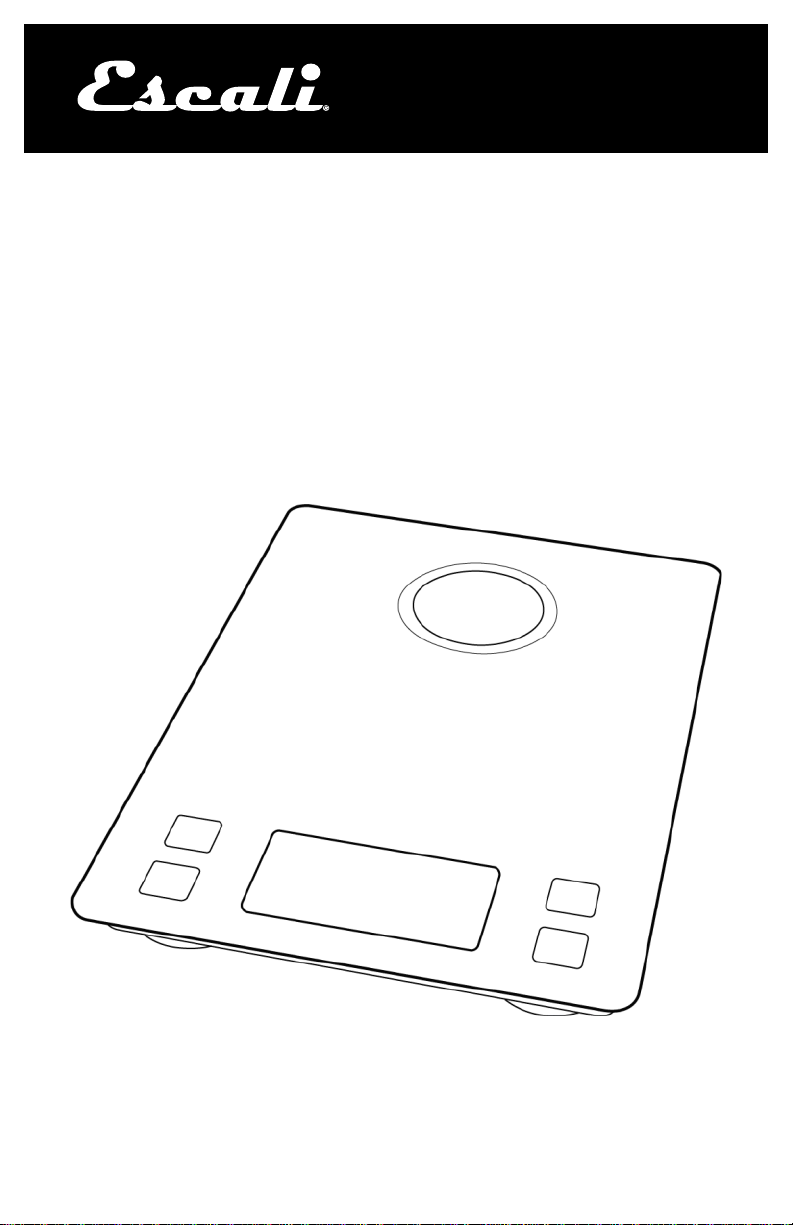
Stela
Solar Kitchen Scale
Model # SLR157
www.escali.com
PRODUCT
MANUAL

2
Thank you for purchasing the Escali Stela Solar Kitchen Scale!
Please read the following operation information to ensure the proper
function of your new scale.
HOW TO WEIGH
1. Press the key. All display segments will appear for
approximately 2 seconds before resetting to zero.
2. Press the UNIT key to select the units (lb+oz, fl oz, g, oz,
or ml).
3. Place item slowly on the platform.
4. Press the key to turn the scale off.
HOW TO USE THE TARE FEATURE
This feature allows you to obtain the exact weight of an item in a
container; by subtracting the weight of the container.
1. Place the container on the scale without the item.
2. Press the TARE key. The weight of the container will be
removed, and the display will reset to zero.
3. Slowly add the item into the container. The display will show the
weight of the item only.
4. You may continue to determine the weight of each additional item as
they are added by repeating steps 2 & 3.
HOW TO CLEAR THE TARE FEATURE
Remove all items from the platform and press the TARE or key.
HOW TO USE THE HOLD FEATURE
This feature is used to weigh oversized items that block the display.
1. Press the HOLD key.
2. Place an item on the scale; a beep sound is heard when the weight
is stable.
3. Remove the item, and the weight will show on the display for 10
seconds.
BACKLIGHT FUNCTIONALITY
Once the scale is active, a blue backlight will be turned on automatically
for best visibility. After 10 seconds of inactivity, the blue backlight will
power off and the LCD will be on standby.

3
Measuring What’s Next™
HOW TO CHARGE YOUR SCALE
Set your scale out in an area with maximum lighting. A “sun icon” will be
displayed blinking when the scale is charging using the solar panel. For
faster charging, plug the USB end of your charge cord into a 5-watt
charge block (not included), and plug the USB-C end (smaller end) of
the cord into the right side of the scale to start charging. A battery icon
will start flashing when charging has started.
Attention! The scale will tare any amount of weight. Once the total
weight actually on the scale reaches the maximum capacity of 15
pounds (7000 g) the overload warning code (0-Ld) will display.
PROPER USE & CARE
• Use and stow the scale at room temperature.
• Use on a flat, level, and stable surface.
• The scale is an instrument of precision. Do not submit the scale to
shaking, excessive vibration, or other rough treatment.
• The display may be affected by electromagnetic disturbances such
as radios, microwaves, or cell phones. If such disturbances occur,
remove the source of the disturbance, and restart the scale.
• Disassembling or tampering with the scale voids the warranty.
• Clean the scale with mild dish soap, and a damp cloth.
• Do not submerge in liquid; the scale is not waterproof.
• For best results, use the included USB-C charge cord with a 5-watt
charging block.
WARNING MESSAGES
0-Ld Overload warning
Low battery warning
PRODUCT SPECIFICATIONS
Model: SLR157
Capacity: 15 lb / 7000 g
Graduation: 1 g / 0.1 oz
Product Dimensions: 9” x 6.5” x .75”
Power Source: Solar powered, rechargeable battery, USB cord includ-
ed (USB Type A to USB Type C)
Automatic shut-off: 5 minutes
ESCALI CORPORATION
3203 Corporate Center Drive, Suite 150
Burnsville, MN 55306
USA
PRODUCT SUPPORT
24/7 Online support: https://escali.zendesk.com
Email support: feedback@escali.com
Phone support: 1-800-467-6408
LIFETIME LTD WARRANTY
This scale is guaranteed to be free of defects in materials and
workmanship. For more details visit: www.escali.com/warranties
Escali’s liability is limited to two (2) times the cost of the product.
© Escali Corp., Minneapolis, MN, USA. All rights reserved. Escali, the
Escali logo and other Escali marks are owned by Escali Corp. and may be
registered.

Stela
Escala Solar de Cocina
Modelo # SLR157
www.escali.com
MANUAL DEL
PRODUCTO

2
¡Gracias por comprar la Escali Stela Bascula Solar de Cocina!
Por favor, lea la siguiente información de operación para asegurar el correcto
funcionamiento de su nueva báscula.
CÓMO PESAR
1. Pulse la tecla . Todos los segmentos de la pantalla aparecerán durante
aproximadamente 2 segundos antes de restablecerse a cero.
2. Pulse la tecla UNIT (Unidad) para seleccionar las unidades (lb+oz, fl oz, g,
oz, o ml).
3. Coloque el artículo lentamente sobre la plataforma.
4. Pulse la tecla para apagar la báscula.
CÓMO USAR LA FUNCIÓN TARE (Tara)
Esta característica le permite obtener el peso exacto de un artículo en un con-
tenedor restando el peso del contenedor.
1. Coloque lentamente el contenedor sin el artículo sobre la plataforma.
2. Pulse la tecla TARE. Se removerá el peso del contenedor y la pantalla se
restablecerá a cero.
3. Agregue lentamente el artículo al contenedor. La pantalla solamente mos-
trará el peso del artículo.
4. Usted puede continuar determinando el peso de cada artículo adicional a
medida que se agregan repitiendo los pasos 2 y 3.
CÓMO BORRAR LA FUNCIÓN TARE
Remueva todos los artículos de la plataforma y presione la tecla TARE o de
Encendido.
CÓMO UTILIZAR LA FUNCIÓN HOLD (Pantalla de Espera)
Esta función se utiliza para pesar artículos de gran tamaño que
bloquean la pantalla.
1. Pulse la tecla HOLD.
2. Coloque un artículo sobre la báscula; escuchará un pitido cuando el peso
sea estable.
3. Remueva el artículo y el peso se mostrará en la pantalla durante 5 segun-
dos.
FUNCIONALIDAD DE LUZ DE FONDO
Una vez que la escala está activa, una luz de fondo azul se encenderá automá-
ticamente para una mejor visibilidad. Después de 10 segundos de inactividad,
la luz de fondo azul se apagará y la pantalla LCD estará en modo de espera.
CÓMO CARGAR TU BÁSCULA
Establezca el escalado horizontal en un área con la máxima iluminación. Un
"icono de sol" se mostrará parpadeando cuando la báscula se esté cargando
3
Measuring What’s Next™
con el panel solar. Para una carga más rápida, conecte el extremo USB del
cable de carga en un bloque de carga de 5 vatios (no incluido) y conecte el
extremo USB-C (extremo más pequeño) del cable en el lado derecho de la
báscula para comenzar a cargar. Un icono de batería comenzará a parpadear
cuando se haya iniciado la carga.
¡Atención! La báscula tara cualquier cantidad de peso. Una vez que el peso
total realmente en la escala alcanza la capacidad máxima de 15 libras (7000 g)
se mostrará el código de advertencia de sobrecarga (0-Ld).
USO Y CUIDADO APROPIADOS
• Use y guarde la báscula a temperatura ambiente.
• Úsela en una superficie plana, nivelada y estable.
• La báscula es un instrumento de precisión. No someta la báscula a temblo-
res, vibración excesiva u otro tratamiento rudo.
• La pantalla puede verse afectada por perturbaciones electromagnéticas
tales como radios, microondas o teléfonos celulares. Si se presentan di-
chos disturbios, retire la fuente de la perturbación y reinicie la báscula.
• Desmontar o manipular la báscula anulará la garantía.
• Limpie la báscula con jabón y un paño húmedo.
• Para obtener los mejores resultados, utilice el cable de carga USB-C inclui-
do con un bloque de carga de 5 vatios
MENSAJES DE ADVERTENCIA
0-Ld Advertencia de sobrecarga
Advertencia de Batería Baja
ESPECIFICACIONES DEL PRODUCTO
Modelo: SLR157
Capacidad: 15 lb / 7000 g
Graduación: 1 g / 0.1 oz
Dimensiones del Producto: 9 "x 6.5" x .75"
Fuente de Alimentación: Energía solar, batería recargable, cable USB inclui-
do (USB tipo A a USB tipo C)
Apagado automático: 5 minutos
SOPORTE DE PRODUCTO
Soporte en Línea 24/7: https://escali.zendesk.com
Soporte por Correo Electrónico: [email protected]
Soporte Telefónico: 1-800-467-6408
ESCALI CORPORATION
3203 Corporate Center Drive, Suite 150
Burnsville, MN 55306
EE. UU.
GARANTÍA LIMITADA DE POR VIDA
Se garantiza que esta báscula estará libre de defectos en materiales y mano de obra.
Para más detalles visite: www.escali.com/warranties
La responsabilidad de Escali está limitada a dos (2) veces el costo del producto.
© Escali Corp., Minneapolis, MN, EE. UU. Todos los derechos reservados. Escali, el
logotipo de Escali y otras marcas de Escali son propiedad de Escali Corp. y pueden
estar registradas.
Balance à énergie solaire
pour la cuisine Stela
Model # SLR157
www.escali.com
MODE
D’EMPLOI

2
Merci d’avoir choisi la Balance à énergie solaire pour la cuisine Stela!
Veuillez lire les informations sur le fonctionnement suivantes pour
assurer le bon fonctionnement de votre nouvelle balance.
COMMENT PESER
1. Appuyer sur la touche . Tous les segments d’affichage apparai-
tront pendant approximativement 2 secondes avant de se re-
mettre à zéro.
2. Appuyer la touche UNIT pour sélectionner les unités (lb+oz, fl oz,
g, oz, or ml)
3. Placer lentement l’article sur la plateforme.
4. Appuyer sur la touche pour éteindre la balance.
COMMENT UTILISER LA FONCTION «TARE»
Cette fonction vous permet d’obtenir le poids exact d’un article dans
un contenant en soustrayant le poids du contenant.
1. Placer lentement le contenant, sans l’article, sur la plateforme.
2. Appuyer sur la touche TARE key. Le poids du contenant sera
retiré et l’affichage se remettra à zéro.
3. Retirer lentement l’objet du contenant. L’écran affichera seule-
ment le poids de l’article.
4. Vous pouvez continuer à déterminer le poids de chaque article
supplémentaire en répétant les étapes 2 & 3.
COMMENT ANNULER LA FONCTION TARE
Retirer tous les articles de la plateforme et appuyer sur la touche
TARE ou la touche Marche.
COMMENT UTILISER LA FONCTION HOLD
Cette fonction est utilisée pour peser des articles trop grands qui blo-
quent l’écran.
1. Appuyer sur la touche HOLD.
2. Placer un article sur la balance; on entend un bip quand le poids
est stable.
3. Retirer l’article et le poids s’affichera sur l’écran pendant 5
secondes.
FONCTION RÉTROÉCLAIRAGE
Une fois la balance activée, un rétro-éclairage bleu sera s’activera

3
Measuring What’s Next™
automatiquement pour une meilleure visibilité. Après 10 secondes
d'inactivité, le rétroéclairage bleu s'éteindra et l'écran LCD se mettra
en veille.
COMMENT CHARGER VOTRE BALANCE
Placez votre balance dans un endroit avec un éclairage maximal.
Une icône en forme de soleil clignotera lorsque la balance se
charge à l'aide du panneau solaire. Pour une charge plus rapide,
branchez l'extrémité USB de votre cordon de charge dans un bloc
de charge de 5 watts (non inclus) et branchez l'extrémité USB-C
(extrémité plus petite) du cordon sur le côté droit de la balance pour
commencer la charge. Une icône en forme de batterie clignotera
une fois la charge commencée.
BON USAGE ET ENTRETIEN
• Utiliser et ranger la balance à température ambiante.
• Utiliser sur une surface plane, de niveau et stable.
• Cette balance est un instrument de précision. Ne pas soumettre
la balance à des secousses, des vibrations excessives, ou tout
autre traitement brutal.
• L'affichage peut être affecté par des perturbations électroma-
gnétiques telles que les radios, micro-ondes, ou les téléphones
portables. Si de telles perturbations se produisent, éliminer la
source de la perturbation, et redémarrer le pèse-personne.
• Démonter ou modifier la balance annule la garantie.
• Nettoyer la balance avec du liquide vaisselle et un chiffon
humide.
• Ne pas plonger dans un liquide. La balance n'est pas étanche.
• Pour de meilleurs résultats, utilisez le câble de recharge USB-C
inclus avec un bloc de charge de 5 watts.
MESSAGE D’AVERTISSEMENT
0-Ld Alerte surcharge
Alerte batterie faible

CARACTERISTIQUES DU PRODUIT
Modèle SLR157
Capacité: 15 lb / 7000 g
Graduation: 1 g / 0.1 oz
Dimensions Produit: 22.86 cm x 16.51 cm x 1.90 cm
Source d’Alimentation: Source d’alimentation: Énergie solaire, batterie
rechargeable, câble USB inclus (USB Type A à USB Type C)
Arrêt Automatique: 5 minutes
ESCALI CORPORATION
3203 Corporate Center Drive, Suite 150
Burnsville, MN 55306
USA
ASSISTANCE PRODUIT
Assistance en ligne 24h/24 7j/7: https://escali.zendesk.com
Assistance par email: [email protected]
Assistance téléphonique: 1-800-467-6408
GARANTIE A VIE LIMITEE
Ce pèse-personne est garanti exempt de défauts de matériaux et fabrica-
tion. Pour plus de détails, consulter:
www.escali.com/warranties
La responsabilité de Escali est limitée à deux (2) fois le coût du produit.
© Escali Corp., Minneapolis, MN, USA. Tous droits réservés. Escali, le
logo Escali et les autres marques sont la propriété d'Escali Corp. et peu-
vent être déposées.
This manual suits for next models
1
Table of contents
Languages:
Other Escali Scale manuals
Escali
Escali Track & Target USTT180 User manual
Escali
Escali 2210IB User manual
Escali
Escali E15CB User manual

Escali
Escali tabla T115S User manual

Escali
Escali USHM180G User manual
Escali
Escali SmartConnect SC115KS User manual
Escali
Escali W6630 User manual

Escali
Escali Velo User manual

Escali
Escali Vitra User manual

Escali
Escali Pocket Scales User manual

Escali
Escali B180SB User manual

Escali
Escali Primo P115 User manual
Escali
Escali POP User manual
Escali
Escali RL136 User manual

Escali
Escali F115 User manual

Escali
Escali M-Series User manual

Escali
Escali T180 User manual

Escali
Escali C115 User manual

Escali
Escali B180SG User manual

Escali
Escali BFBW180 User manual