manuals.online logo
Brands
  1. Home
  2. •
  3. Brands
  4. •
  5. Extron electronics
  6. •
  7. Switch
  8. •
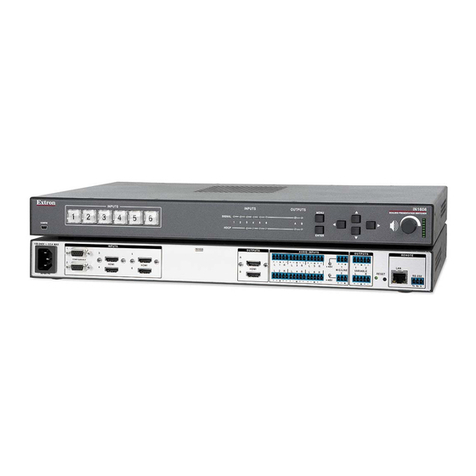
  9. Extron electronics ISM 1WB User manual

Extron electronics ISM 1WB User manual

This manual suits for next models

1

Other Extron electronics Switch manuals

Extron electronics PVS 305SA User manual

Extron electronics

Extron electronics PVS 305SA User manual

Extron electronics MMX 62 AV RCA User manual

Extron electronics

Extron electronics MMX 62 AV RCA User manual

Extron electronics IN1606 User manual

Extron electronics

Extron electronics IN1606 User manual

Extron electronics FOX SW8 MM User manual

Extron electronics

Extron electronics FOX SW8 MM User manual

Extron electronics SW AV Series User manual

Extron electronics

Extron electronics SW AV Series User manual

Extron electronics XTP T USW 103 User manual

Extron electronics

Extron electronics XTP T USW 103 User manual

Extron electronics SW8 HD 4K PLUS User manual

Extron electronics

Extron electronics SW8 HD 4K PLUS User manual

Extron electronics SW6 AV MX AS User manual

Extron electronics

Extron electronics SW6 AV MX AS User manual

Extron electronics System 5cr Plus User manual

Extron electronics

Extron electronics System 5cr Plus User manual

Extron electronics IN1804 Series User manual

Extron electronics

Extron electronics IN1804 Series User manual

Extron electronics DTP T USW 333 User manual

Extron electronics

Extron electronics DTP T USW 333 User manual

Extron electronics FOX Matrix 320x User manual

Extron electronics

Extron electronics FOX Matrix 320x User manual

Extron electronics IN1508 User manual

Extron electronics

Extron electronics IN1508 User manual

Extron electronics RSB129 User manual

Extron electronics

Extron electronics RSB129 User manual

Extron electronics ISM 824 User manual

Extron electronics

Extron electronics ISM 824 User manual

Extron electronics SW2 VGArs User manual

Extron electronics

Extron electronics SW2 VGArs User manual

Extron electronics SW2 RGBHVcc User manual

Extron electronics

Extron electronics SW2 RGBHVcc User manual

Extron electronics SW DVI Plus Series User manual

Extron electronics

Extron electronics SW DVI Plus Series User manual

Extron electronics SW HD 4K PLUS Series User manual

Extron electronics

Extron electronics SW HD 4K PLUS Series User manual

Extron electronics SW2 DVI A User manual

Extron electronics

Extron electronics SW2 DVI A User manual

Extron electronics SW DVI A Series User manual

Extron electronics

Extron electronics SW DVI A Series User manual

Extron electronics SW2 HDMI User manual

Extron electronics

Extron electronics SW2 HDMI User manual

Extron electronics IN1804 Series User manual

Extron electronics

Extron electronics IN1804 Series User manual

Extron electronics YCS SW2 A User manual

Extron electronics

Extron electronics YCS SW2 A User manual

Popular Switch manuals by other brands

SMC Networks SMC6224M Technical specifications

SMC Networks

SMC Networks SMC6224M Technical specifications

Aeotec ZWA003-S operating manual

Aeotec

Aeotec ZWA003-S operating manual

TRENDnet TK-209i Quick installation guide

TRENDnet

TRENDnet TK-209i Quick installation guide

Planet FGSW-2022VHP user manual

Planet

Planet FGSW-2022VHP user manual

Avocent AutoView 2000  AV2000BC AV2000BC Installer/user guide

Avocent

Avocent AutoView 2000 AV2000BC AV2000BC Installer/user guide

Moxa Technologies PT-7728 Series user manual

Moxa Technologies

Moxa Technologies PT-7728 Series user manual

Intos Electronic inLine 35392I operating instructions

Intos Electronic

Intos Electronic inLine 35392I operating instructions

Cisco Catalyst 3560-X-24T Technical specifications

Cisco

Cisco Catalyst 3560-X-24T Technical specifications

Asante IntraCore IC3648 Specifications

Asante

Asante IntraCore IC3648 Specifications

Siemens SIRIUS 3SE7310-1AE Series Original operating instructions

Siemens

Siemens SIRIUS 3SE7310-1AE Series Original operating instructions

Edge-Core DCS520 quick start guide

Edge-Core

Edge-Core DCS520 quick start guide

RGBLE S00203 user manual

RGBLE

RGBLE S00203 user manual

Thrustmaster FLIGHT SIMULATOR X quick guide

Thrustmaster

Thrustmaster FLIGHT SIMULATOR X quick guide

Southwire SURGE GUARD 41390 RVC troubleshooting guide

Southwire

Southwire SURGE GUARD 41390 RVC troubleshooting guide

Buhler Nivotemp NT 61 Brief instructions

Buhler

Buhler Nivotemp NT 61 Brief instructions

Kramer VS-41HDCP user manual

Kramer

Kramer VS-41HDCP user manual

Techly IDATA AU-270 user manual

Techly

Techly IDATA AU-270 user manual

Belkin F1U109 user manual

Belkin

Belkin F1U109 user manual

manuals.online logo
manuals.online logoBrands
  • About & Mission
  • Contact us
  • Privacy Policy
  • Terms and Conditions

Copyright 2025 Manuals.Online. All Rights Reserved.

ISM 1WB and 2WB Output Board • Setup Guide
The Extron® ISM 1WB (single output)
and ISM 2WB (dual output) are
wideband output boards for
the ISM 824. Both boards pass
signals through unprocessed
on either BNCs (ISM 1WB) or
dual 15-pin HD connectors (ISM 2WB). Both boards have
local audio output(s). The ISM 1WB and ISM 2WB boards
are mounted at the rear of the ISM 824, in the vertical
expansion slots. The ISM 1WB board can be mounted in
any of the four slots (numbered 1 to 4). The ISM 2WB
must be mounted in slots 1 and 2 (dual output slots). Refer to the ISM 824 User Guide,
online at www.extron.com for operating details.
To install an ISM 1WB or ISM 2WB output board in the ISM 824 unit,
1. Turn off the ISM 824. Remove the power cord. Repeat for all connected devices.
2. Select an open slot at the rear, or take out a blank plate by removing the two screws
(top and bottom), and lifting the plate away.
NOTE: Retain and re-use the screws to secure the new output board in place. Retain
the blank plates. If a board is installed in the desired slot, remove the screws
and carefully pull out the board.
3. Holding it by the frame, align the front
(non-connector end) of the board with the top
and bottom plastic guides in the ISM 824. Slide
the board in carefully, keeping within the guides.
Push it into place firmly, and secure it with the
retained screws.
4. If required, repeat steps 2 through 4.
5. Power on the ISM 824. The new output board(s)
is auto-detected, and takes approximately 30
seconds to initialize. The 16 character LCD display
indicates the new board type, slot used, and
counts down the initialization time. See inset for
example display for a new ISM 1WB board installed in slot #2,
with 7 seconds left.
6. Following the image at right, connect output device
cables to the BNC connectors to output RGBHV, RGBS,
RGsB, or HD component video signals. If using an ISM 2WB,
connect a suitable RGB display to the 15-pin HD connectors.
7. Insert a 5-pole captive screw connector into the local audio
output connector for balanced or unbalanced stereo audio
output. Wire the connector as shown below.
1
100
-
240
50/60 Hz
1.2A MAX.
1
2 3 4 5 6 7 8
2
1 2
3 4 5 6 7 8
1
2
1
INPUTS
OUTPUTS
R/R-Y
G/Y
VID
B/C
B-Y
H/HV
V
R/R-Y
G/Y
VID
B/C
B-Y
H/HV
V
PASS THRU
INPUTS
RESET
LAN
REMOTE
RS232/RS422 ACT LINK
OUTPUT
VIDEO
SCALER
70-545-01
3
R/
R-Y
G/Y
B/
B-Y
H/
HV
V
OUTPUT
UNIV.
SCALER
70-544-01
5
R/
R-Y
G/Y
B/
B-Y
H/
HV
V
OUTPUT
PASS
THRU
70-547-01
8
R/
R-Y
G/Y
B/
B-Y
H/
HV
V
Extron
ISM 824
Integration Scaling
Matrix Switcher
Align output board
with top and bottom
plastic guides.
R/
R-Y
G/Y
B/
B-Y
H/
HV
V
OUTPUT
7
SCAN
CONV.
70-546-01
Example Output Board Installation
New Wideband
Slot #2 07
RGB/R-Y,Y,B-Y
/YC/VID
OUTPUT
3 / 5
OUTPUT
4 / 6
RGB/R-Y,Y,B-Y
/YC/VID
LRLR
DUAL
WIDEBAND
ISM 2WB
ISM 1WB
R/
R-Y
G/Y
B/
B-Y
H/
HV
V
LR
WIDEBAND
H/
HV
RGBHV
Video
RGsB or
Component
Video
RGBS
Video
V
H/
HV
V
H/
HV
V
R/
R-Y
G/Y
B/
B-Y
R/
R-Y
G/Y
B/
B-Y
R/
R-Y
G/Y
B/
B-Y
CAUTION: For unbalanced audio, DO NOT connect the sleeves to the negative
contacts. Connect to the center ground contact.
Unbalanced Stereo Output
Balanced Stereo Output
Tip
Ring
Sleeve(s)
Tip
Ring
L R
Left
Right
Tip
Sleeve(s)
Tip
L R
Left
Right
NO GROUND HERE.
NO GROUND HERE.

Extron USA - West
Headquarters
+800.633.9 876
Inside USA / Canada Only
+1.714.491.1500
+1.714.491.1517 FAX
Extron USA - East
+800.633.9 876
Inside USA / Canada Only
+1.919.863.1794
+1.919.863.1797 FA X
Extron Europe
+800.3987.6673
Inside Europe Only
+31.33.453.4040
+31.33.453.4050 FAX
Extron Asia
+800.7339.8766
Inside Asia Only
+65.6383.4 400
+65.6383.4 664 FAX
Extron Japan
+81.3.3511.7655
+81.3.3511.7656 FAX
Extron China
+400.88 3.1568
Inside China Only
+86.21.3760.1568
+86.21.3760.1566 FAX
Extron Middle East
+971.4.2991800
+971.4.299188 0 FAX
68-1123-66
Rev A
08 10
© 2010 Extron Electronics. All rights reserved. www.extron.com

ISM 1WB and 2WB Output Board • Setup Guide, cont’d
2
Command ASCII comm
(host to ISM)
Response
(ISM to host)
Additional description
Input selection
Video and audio X!*X@!OutX@•InX!•All]Tie video/audio input X! to X@.
Video X!*X@&OutX@•InX!•RGB]Tie video input X! to output X@.
Audio X!*X@$OutX@•InX!•Aud]Tie audio input X! to output X@.
Volume control
Set volume X@*X3$VOutX@•VolX3$] Set volume to X3$ for output X@.
Increment X@+VOutX@•VolX3$] Increase volume.
Decrement X@-VOutX@•VolX3$] Decrease volume.
View X@VX3$] View current volume setting.
Audio gain and attenuation
Specific gain X!*X3@GInX!•AudX3!] Set input X! gain to X3!.
Set attenuation X!*X3#gInX!•AudX3!] Set input X! attenuation to X3#.
Increment X!+G/gInX!•AudX3!] Raise input X! audio level to X3!.
Decrement X!-G/gInX!•AudX3!] Lower input X! audio level to X3!.
View X!G/gX3!] View audio level of input X!.
RGB Delay
Delay on 3*X@*X3&#X@DlyX3&] Set RGB delay.
View setting 3*X@#X3&] View RGB delay setting.
Video mute
Mute on X@*1BX@Vmt1]Mute selected video output.
Mute off X@*0BX@Vmt0]Unmute selected video output.
View X@B X1)] View the mute status.
Audio mute
Mute on X@*1ZX@Amt1]Mute selected audio output.
Mute off X@*0ZX@Amt0]Unmute selected audio output.
View X@ZX1)] View mute status.
Board-specific SIS commands
Specific SIS commands can be used with the ISM 1WB and ISM 2WB boards.
Refer to the ISM 824 User Guide at www.extron.com, for a detailed command list.
NOTE: X! = Input number, 0-8
X@ = Output number, 1-8
X1) = Mode status, 1 = on, 0 = off
X3! = Audio level adjustment range (-18 to +24)
X3@ = Audio gain adjustment range (0 to 24)
X3# = Audio attenuation adjustment range (18 to 0)
X3$ = Volume adjustment range (0 - 64)
X3& = RGB delay duration 00 to 50 in 0.1 second increments (0.0 second to 5.0 seconds)