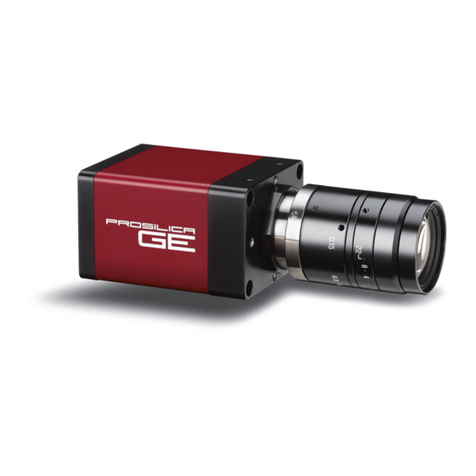
Falcon 4M Camera Manual
Teledyne DALSA 03-032-20044-03
Contents
Introduction to the 4 Megapixel Falcon Cameras _________________________________ 5
1.1 Camera Highlights.......................................................................................................................................................5
1.2 Camera Performance Specifications.............................................................................................................................6
1.3 Cosmetic Specifications ................................................................................................................................................9
1.4 Image Sensor and Pixel Readout.................................................................................................................................11
1.5 Responsivity.................................................................................................................................................................13
1.6 Shock and Vibration.....................................................................................................................................................15
1.6 Shock and Vibration.....................................................................................................................................................15
Camera Hardware Interface________________________________________________ 17
2.1 Installation Overview...................................................................................................................................................17
2.2 Input/Output Connectors and LED ...............................................................................................................................18
2.2.1 LED Status Indicator...............................................................................................................................18
2.2.2 Camera Link...........................................................................................................................................19
2.2.3 Power Connector ....................................................................................................................................21
Software Interface: How to Control the Camera __________________________________ 23
3.1 First Power Up Camera Settings..................................................................................................................................26
3.2 Saving and Restoring Settings.....................................................................................................................................27
3.3 Camera Output Format................................................................................................................................................27
3.3.1 How to Configure Camera Output..........................................................................................................27
3.3.2 Setting the Camera Link Mode...............................................................................................................29
3.3.3 Setting the Camera Link Strobe Frequency............................................................................................30
3.4 Setting Exposure Mode, Frame Rate and Exposure Time ............................................................................................30
3.4.1 Non-concurrent vs. concurrent modes of operation................................................................................30
3.4.2 Setting the Exposure Mode.....................................................................................................................32
3.4.2 Setting the Frame Rate..........................................................................................................................35
3.4.3 Setting the Exposure Time .....................................................................................................................36
3.4.4 Enabling EXSYNC Debounce Circuit .......................................................................................................37
3.5 Snapshot Modes...........................................................................................................................................................37
3.6 Setting a Vertical Window of Interest...........................................................................................................................42
3.7 Flat Field Correction ....................................................................................................................................................46
3.7.1 Selecting Factory or User Coefficients ....................................................................................................50
3.7.2 Enabling Pixel Coefficients.....................................................................................................................51