http://www.fiberstars.com
79-15097-00 REV B Page 7 of 20
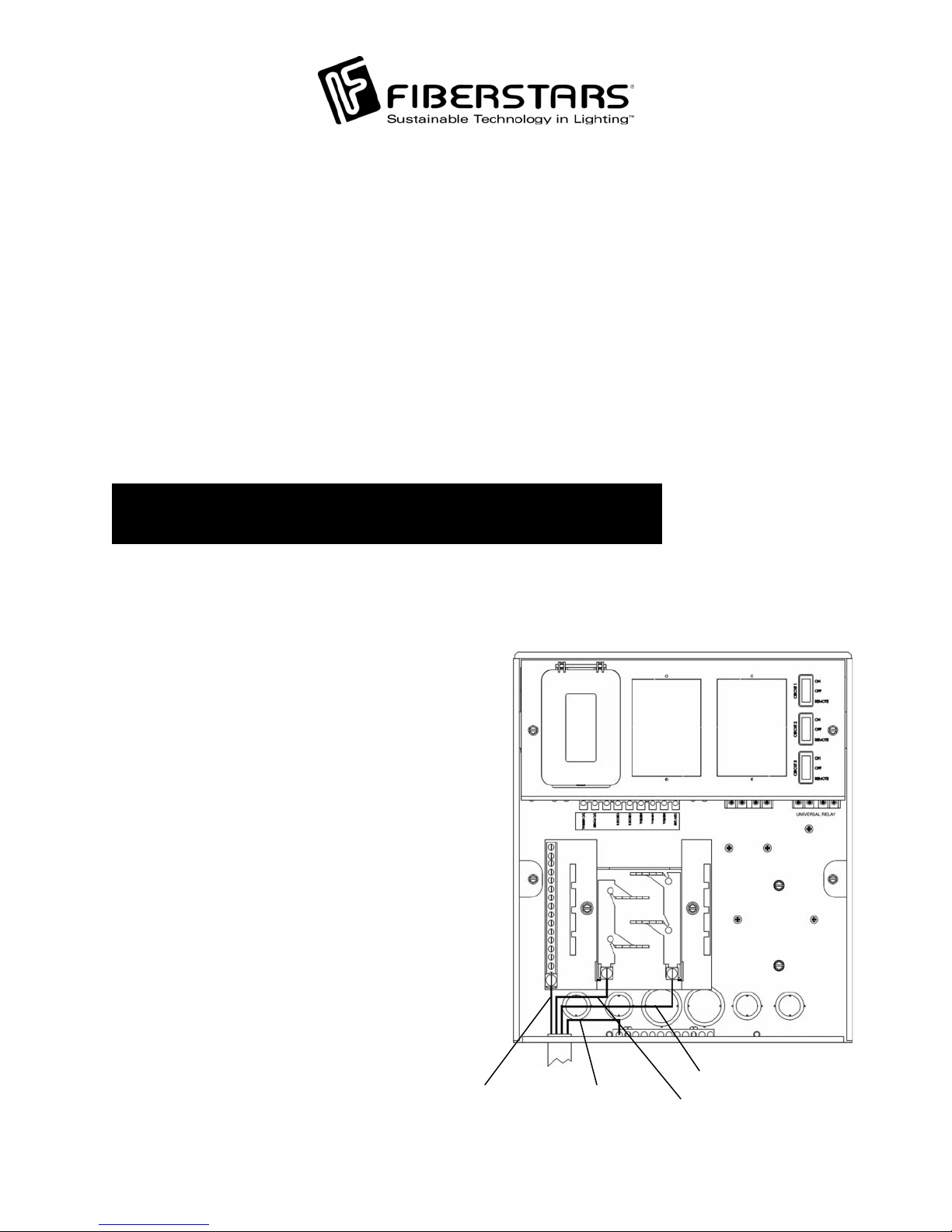
TO
EUTRAL BAR
HOT
LINE SIDE
GROUND
T/C
EUTRAL
T/C POWER
HOT
LOAD SIDE
EUTRAL
LOAD SIDE
GFCI
120VAC 20AMP
CIRCUIT BREAKER
NOTE: DO NOT connect the T/C
POWER and T/C NEUTRAL to the
CI’s LOAD side.GF
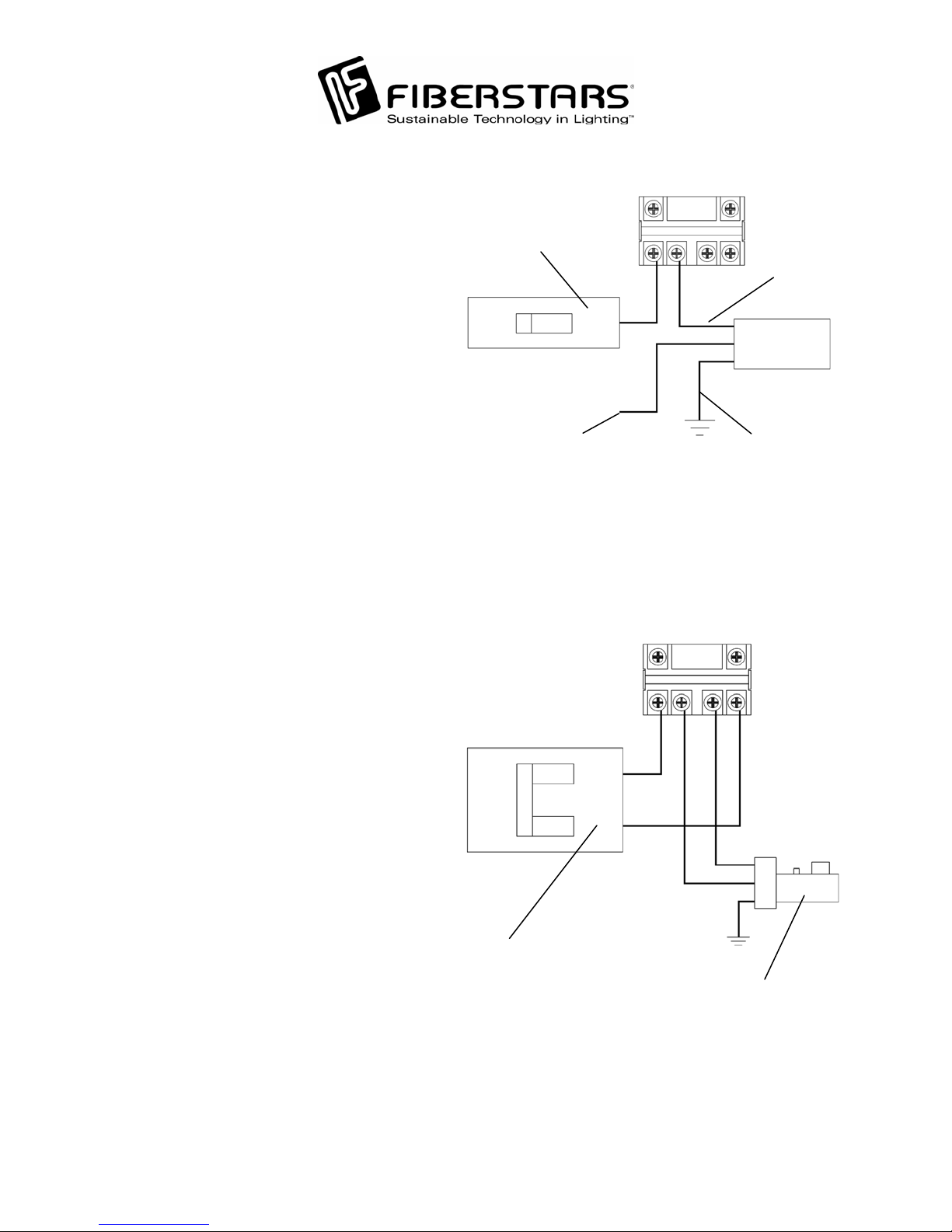
Power Connection with a GFCI
To wire the WPC-3 with the use of
GFCI, punch out the GFCI knockou
on the side of the WPC-3 enclosure.
Install an outdoor rated GFCI. Using
COPPER wire only, 12 gauge
minimum, connect the GFCI from the
LOAD side to the 120V LINE
terminal. Connect the NEUTRAL
from the LOAD side of the GFCI to
the NEUTRAL terminal. Connect the
GROUND of the GFCI to the EQUIP.
GND. bar. Wire the HOT from the
GFCI’s LINE side to the 20 Amp
circuit breaker. Connect the
NEUTRAL from the GFCI’s LINE
side to the Neutral bar on the Loa
Center. Connect a wire from the 20
Amp circuit breaker to the T/C
POWER as shown on the diagram.
Connect a wire from the Neutral Ba
to the T/C NEUTRAL.
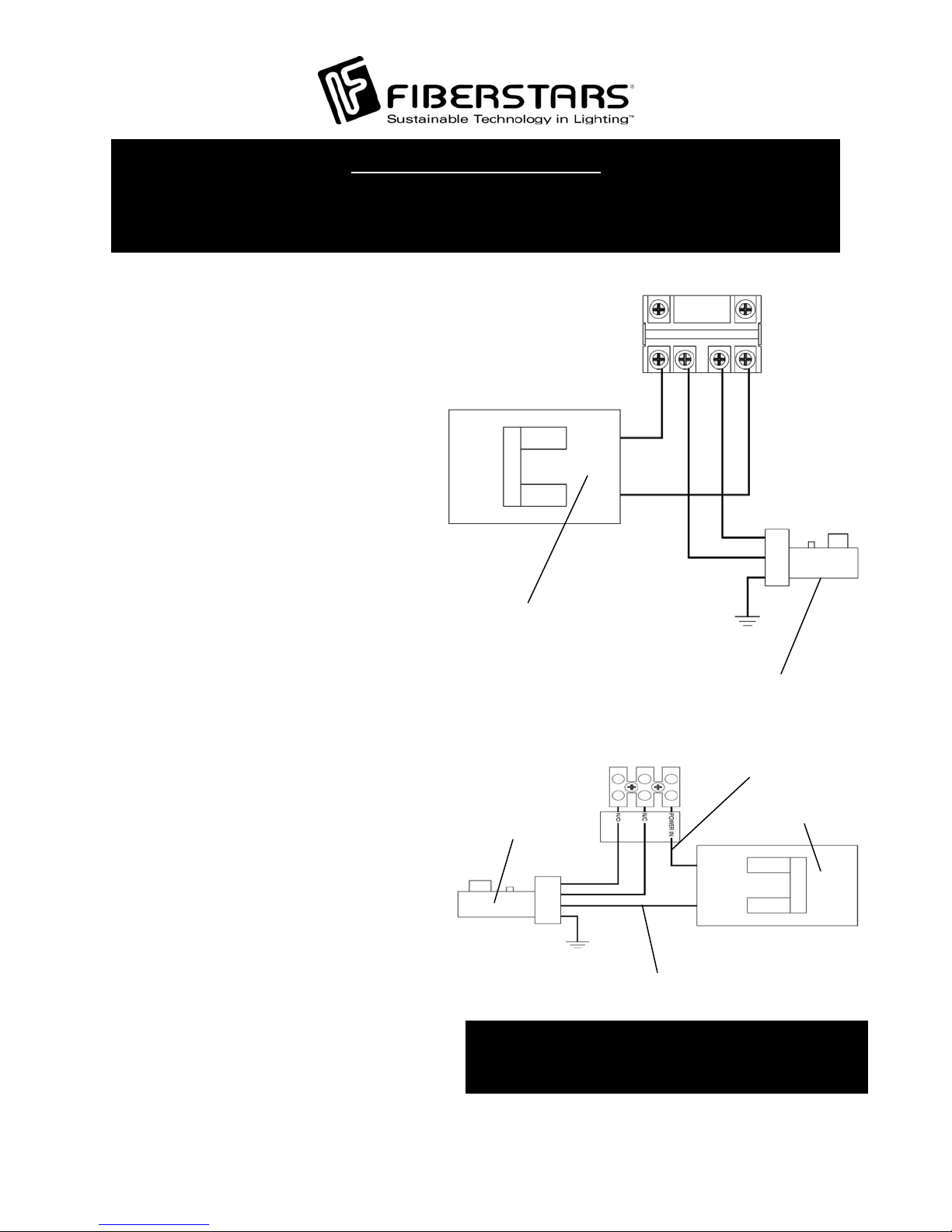
Hooking up Lights to Circuit 2 and
Circuit 3
To connect a lighting product to the
Circuit 2 and Circuit 3 switch, pull
wires from the products to the WPC-3
through conduits connected to the
bottom of the WPC-3. As illustrated,
connect lights that will be operated by
the Circuit 2 Switch to the Circuit 2
terminal. Connect the Neutral to the
Terminal Block marked Neutral.
Connect the Ground to the Equip.
GND. bar. Repeat for Circuit 2.
NOTE: Do not exceed 8 Amps pe
circuit.
NOTE: The WPC-3 is approved for use with the Intermatic Metallic Hub Kit
(156PA14336A) and Fiberstars DL-HUB for direct connection of underwater lights.
Refer to NFPA 70 Article 680 or C22.1 Section 68 for details.