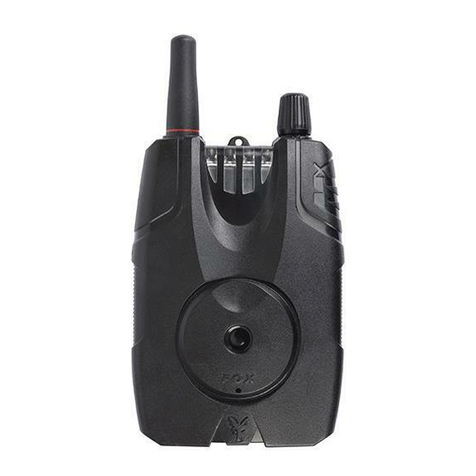
moves forward, it is followed by memory signalling turning on in the form of a LED at the top. If it moves
backward (parachute), a LED lights up at the bottom of the slit.
Control of basic functions
Turning on/off
Turn the bite alarm on and off with a brief (approx. 1 sec) press of the button located on the bottom left
part. (The button is referred to as the PWR in the instructions.) A double high-pitched tone is heard when
turning it on, a longer deeper tone when turning it off. When turned on, the LED column runs from the
bottom up.
Sensitivity control
The length of the fishing line feed is set by a rotary knob marked as ‘S’.
Sensitivity with reverse operation (parachute) differentiation; fishing line feed length from about 4 mm to
150 mm.
The left is the lowest sensitivity and the highest is on the right.
Volume control
The volume is controlled in a conventional way using a rotary knob ‘V’. The highest volume is set on the
right; the sound is turned off on the left. For example, this can be used if you have remote listening
connected or you fish at night and don’t want to disturb your surroundings.
Pitch control
The pitch is set by a control knob marked as ‘T’. The deepest tone, reminiscent of a duck, to the left; the
highest tone is set by turning to the right – it is well audible even from a greater distance.
LED brightness control
A new feature on the FISHTRON Q9-RGB bite alarm is the possibility to change LED brightness. It’s set
by briefly pressing the lower ‘FC’ (Function) button. Brightness can be set in four stages.
LED colour change
Holding the PWR button and pressing the FC button briefly changes the LED colour. Repeatedly
pressing FC changes to the next colour. In total, you can select from six colour shades.
MUTE function
With FISHTRON Q9-RGB TX, you can easily turn off sounds which is convenient when fishing rods,
weights, etc. The function is switched on by pressing the ‘PWR’ button very briefly. Two LEDs start
flashing alternately, signalling the function. The function is automatically cancelled in about 60 seconds
or can be cancelled by briefly pressing the ‘PWR’ button again.
Night positional light
It’s possible to switch on the so-called positional LED at night. Press and hold the ‘PWR’ button for
approximately 3 seconds. A triple sound signal is heard and the upper LED faintly lights-up. When the
bite alarm is turned off, this function is cancelled again.
Notice:
Whether you have any LED colour set on the bite alarm, the positional LED is always green due
to the lowest consumption.
Battery replacement
Even though the bite alarm is designed with minimal power consumption which results in a long battery
life, the batteries will need to be replaced one day.
Low battery is reflected by reduced LED brightness, reduced volume, and the bite alarm can also be
turned off automatically (automatic internal CPU protection). You will notice a reduction in battery voltage
for blue LEDs more noticeably; although they are very popular, their disadvantage is the need for higher
voltage which is why they go out sooner than the other colours when discharging.
It’s therefore probable that you will change the batteries more often for the bite alarm with blue LEDs.
Two LR1 LADY cells are located under the back cover of the bite alarm. It’s secured by a single screw at
the bottom. After unscrewing it, carefully raise the cover and pull it downward (towards the screw).