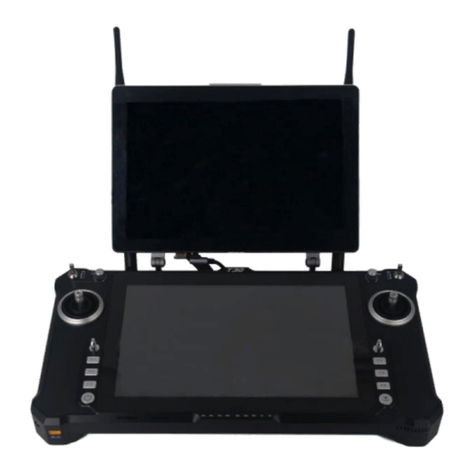
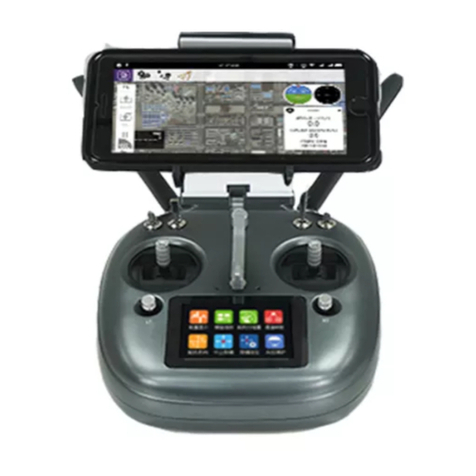
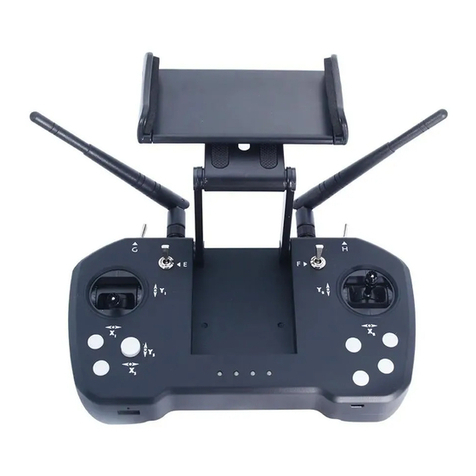
Foxtech DA16 User manual

User Manual
V2.1
Foxtech DA16 Radio Control System
2018.10
DA16, specially designed for VTOL like Nimbus, and also suitable for other Foxtech series drones. It is a
16-channel radio which has datalink and radiolink built inside, so both the datalink and radiolink can reach
a range of 5km. You also could equip the range booster and high-quality antenna to increase the distance
to 15km.

Foxtech DA16 Radio Control System User Manual
©2018 FOXTECH All Rights Reserved 1
Read Tips
Icon Denition
Flight Safety
Precautions on Charging DA16 Transmitter
Precautions on Using SD Card
Precautions on Storage/Carrying/Recycling
Product Introduction
Product Features
Parts
Technical Specications
LED Indicator Denition
Get Ready to Use DA16
Get to Know Your DA16
Aircraft Power Battery
DA16 and Flight Controller Connection
How to Place Transmitter Antenna Right
How to Charge DA16 Transmitter
How to Link DA16 Transmitter to DA16 Receiver
Select Transmitter Throttle Joystick Type
Main Menu Introduction
Model Settings
Select Transmitter Throttle Joystick Type
Model Sel
Model Type
CH MAP
Reverse
3
3
3
4
4
4
5
5
6
8
8
9
9
9
10
11
12
12
13
14
15
16
16
18
20
22
Contents

Foxtech DA16 Radio Control System User Manual
©2018 FOXTECH All Rights Reserved 2
22
23
24
25
26
27
28
28
29
29
30
31
32
33
34
34
35
36
37
38
39
40
Trim
TrimSet
Trainer
FailSafe
Timer
LowVol Alert
System Settings
Comm Set
Screen Lock & Display
H / W Set
ExPort Stts
Stick Cali
Dial Cali
Export File
Receiver Settings
Comm Set
Voltage Calibrating
PWM Settings
Datalink Settings
Basic Settings
Advanced Settings
BlueCong

Foxtech DA16 Radio Control System User Manual
©2018 FOXTECH All Rights Reserved 3
Read Tips
Icon Denition
Flight Safety
Please pay more attention to content indicated with the following marks:
DA16 transmitting and receiving system is designed for professional application in specific industries,
users who use the device should have at least basic ability manipulating it. Any irregular or irresponsible
manipulations of the device may cause damages and lead to property loss or human injuries. Non-adult
users must follow their trainer’s guidance oradults’ supervision. Disassembling or modification on DA16
transmitter is prohibited without a permission from Foxtech.
To maintain a safe and a good flight experience of Foxtech's product, please read the prohibited and
mandatory carefully:
Keep aircraft within sight range in a flight.
Make sure DA16 transmitter’s screen menu is returned to system menu before taking off a flight, in case
of any accidents caused by mistouching system settings.
Do not forget to check transmitter and receiver battery level before flying an aircraft.
Power off aircraft first, then transmitter, when a flight is over.
Before doing any settings or adjustment on transmitter, make sure aircraft engine is powered off and
motor wires are off connection, in case of switching on accidentally.
Before fly aircraft for the first time, make sure that the Fail-safe function preprogrammed in DA16
transmitter is activated.
Before fly aircraft for the first time, power on transmitter first and hold throttle joystick at its bottom
position, then power on aircraft.
Do not use DA16 transmitter to control aircraft in places of intensive crowd (squares, parks), places of
many obstructions (streets, parking lots), fields of strong magnetic or interference (power/radar stations,
railways) or any other fields that may cause property loss or human injuries.
Do not hold or cover transmitter antenna or obstruct transmission by any means in a flight.
Do not point directly to aircraft with antennas’ upper end in a flight.
Do not fly aircraft when you are tired, drunk, sickness or in any occasions that not feeling good.
Do not fly aircraft when there is a rain, strong wind or at night.
Do not power off transmitter in a flight while aircraft engine and motors are still working.
DANGER Dangerous manipulation probably leads to human injuries.
WARNING Warnings on manipulation possibly leads to human injuries.
CAUTION Cautions on manipulation may lead to property loss.
Prohibited Mandatory

Foxtech DA16 Radio Control System User Manual
©2018 FOXTECH All Rights Reserved 4
Precautions on Charging DA16 Transmitter
Precautions on Using SD Card
Precautions on Storage/Carrying/Recycling
Keep it away from places that a baby or a kid may reach while you are charging DA16 transmitter,
and better if there is supervision in case of accidents.
SD card is also an electronic product, keep it from static electricity.
Micro-SD card slot clean in case of blocking by sand or dirt.
Keep SD card in slot while you are downloading or uploading data; taking it out mistakenly,
hitting or shattering it may cause damage or data loss.
Keep SD card away from places that a baby or a kid may reach in case of swallowing mistakenly.
Keep DA16 transmitter away from places that a baby or a kid may reach when you are placing or
storing it.
Please avoid placing or storing DA16 transmitter at places below:
Places are extremely hot (above 60℃) or cold (under 20℃);
Places with direct sunshine, too dusty or wet;
Places with an unstable structure or may cause vibration;
Places near steam or other heat sources.
Do not disassemble, bend, press, abandon or damage SD card by any means.
Stop using the SD card if you find it soaked by water, oil or other chemical liquid.
DA16 transmitter is equipped with a built-in Li-Po 1S rechargeable battery, compatible with standard USB
chargers (5V/2A output) in market.
Considering there are many different types of chargers, please read the prohibited and mandatory carefully
before charging DA16 transmitter.
Do not use USB chargers over 5V output to charge DA16 transmitter.
Make sure DA16 transmitter is powered off before charging, charging current should not exceed 2A.
Stop charging if you find charger damaged, broken or overheated.
Stop charging if you sense a peculiar smell, smoke or leak.
Do not charge DA16 transmitter when the temperature is over 60 degree centigrade.

Foxtech DA16 Radio Control System User Manual
©2018 FOXTECH All Rights Reserved 5
Product Introduction
Product Features
Advanced SHTT Spread-spectrum Technology
DA16 transmitting and receiving system applies latest bidirectional 2.4GHz spread-spectrum technology
named as SHTT, the maximum effective transmission distance with stable flight control can be 3km
(unobstructed, free of interference). Transmitter and receiver are linked by a unique matching code,
enhancing their anti-interference performance beyond and among transmitters, allowing multiple transmitters
working in stability synchronously.
Extraordinary Handling & Accurate Manipulating Experience
DA16 transmitter fits user’s palm perfectly by applying a fashionably streamlined and compact industrial
design, a delicate ergonomics design and even a thoughtful matte silicone pad as additional protection. All
these ideas and results enable you to free your mind before taking off a flight.
16-Channel Multi-functional Fast-response Mode
DA16 transmitter’s 16 channels support all kinds of model aircrafts including Air Plane, Multirotors, Multi
Model * 5ms fast-response mode
5KM Super Long Distance Data Transmission, Real-Time Telemetry
In an unobstructed, free of interference environment, DA16's transmission distance can reach 5 kilometers,
which perfectly meets agricultural drone pilots' operating requirement on BVR (BeyondVisual Range) flights.
In DA16 transmitter monitor it displays real-time telemetry of receiver voltage, aircraft power, transmission
strength, GPS module and other multi-sensors.
Voice Broadcast with Vibration Alert
Voice broadcast with vibration alert help users be more concentrate on flight.
High Brightness Colorful LCD Touch Screen, Brand New GUI System
DA16 transmitter’s high brightness colorful screen is clearly visible in sunlight. There are no complicated
traditional keys and buttons, but a built-in LCD touch screen on transmitter,assisted by a turntable menu in
the brand new GUI system. All these revolutionary new features in software and hardware provide a more
user-friendly experience on transmitting settings.
Creative 5-dimensional Sub-trim Button
Sub-trim button designs in traditional transmitters have been overturned in DA16, now you are able to do
quick adjustment between sub-trim buttons and joysticks in a flight. The sub-trim buttons are made of metal
feeling materials, along with the unity industrial design, bring you an extraordinary manipulating experience.
Fulfils the Requirement of Complicated Models or Robots
In default, DA16 transmitter can save 64 sets of model data, the amount can be extendedwithout a limit if
necessary.
Powerful programmable mixing control supports various customized linear mixing and curve mixing.
Adjustable rate, editable throttle curve and pitch curve make complicate control easy to finish.
Data copy function provides convenience for users on sharing transmitter settings with friends.
Trainer mode support two transmitters working together, one for trainer, another for trainee. In trainer
mode there are various protection, for instance trainer transmitter can take control of flight from trainee
transmitter through one switch.

Foxtech DA16 Radio Control System User Manual
©2018 FOXTECH All Rights Reserved 6
Channel mapping function supports customize channel definition; Fail-safe function provides more
security to flight safety.
Built-in High Capacity Li-Po Battery
DA16 transmitter is equipped with a high capacity Li-Po 1S rechargeable battery, reliable and easy to
maintain. Through standard Micro-USB port you can charge DA16 transmitter, and it continuously works for
more than 12 hours after one time charging. You’ll never have to worry about long-time flight in outdoor.
SD Card Data Saving and Extending
DA16 transmitter supports saving flight data in SD card and extending to new functions from SD card.
Adjust Transmitter Settings and Upgrade Firmware on PC
DA16 transmitter supports adjusting system settings and upgrading firmware through PC software. It’s an
obviously promotion on user experience, and Foxtech promises to offer continuous service on updating
firmware and other cool features.
Parts
1. At a Glance

Foxtech DA16 Radio Control System User Manual
©2018 FOXTECH All Rights Reserved 7
2. Button/Switch Types
3. Sub-trim Button (This function is shut off in default setting.)
There are 2 sub-trim buttons on DA16 transmitter, which support continuous sub-trim on all 4 channels.
Each sub-trim button has 2 dimensions (up-down, left-right) for direct trim settings to mapped channel.
Every push on sub-trim button leads to a movement from former position at default stepping value. Keep
pushing on sub-trim button will speed up the movement. There will be different alerting sound when sub-
trim button is in neutral position.
Sub-trim position shows as dynamic changes in system menu.
Sub-trim buttons can also be used to unlock transmitter system menu when transmitter lock is activated.
Press and hold left/right sub-trim button to unlock transmitter.
Name Type
SA 3 Positions; Alternate; Short Lever
SB 3 Positions; Alternate; Long Lever
SC 3 Positions; Alternate; Long Lever
SD 3 Positions; Alternate; Short Lever
LD Self-centering Dial
RD Thumb-slide Dial
Name Type
S1 Self-return Button
S2 Self-locking Button
S3 Self-locking Button
S4 Self-return Button
S5 Self-return Button
S6 Self-return Button
Self-locking button stays in the position you press them to; Self-return button rebound to original
position after a press.
Please refer to “Sub-trim Settings” menu to adjusting settings of Sub-trim button.

Foxtech DA16 Radio Control System User Manual
©2018 FOXTECH All Rights Reserved 8
Technical Specications
LED Indicator Denition
Channels
Applicable Model
Data Memory
Language Display
Joystick Resolution
Frequency Band
Transmitting Power
Receiving Sensibility
Transmission Distance
PC Software
Display Screen
Display Resolution
Screen Type
Battery Type
Working Current
Duration
Charging Port
Product Dimension
Product Weight
26 Physical Channels,16 Receiver Output Channels
Fixed Wings/Helicopters/Gliders/ Quadcopters / Multi-rotors /
Vehicles / Boat / Robots
64 Sets of Transmitter Setting Data; Extensible
Chinese/English
4096 Grades
2.4000GHz -2.4830GHz
27dBm
-101dBm
Maximum 5000 Meters(Unobstructed, Free of Interference)
Foxtech Assistant
2.8 Inch High Brightness Colorful LCD Screen
240x320
Capacitive Touch Screen
Built-in 3.7V 3000mAh Li-Po 1S Battery
270mA
12 Hours
Micro-USB Port
194.5x172.5x114mm
610g
On DA16 transmitter, above touch screen there are two LED indicators. The left one is status indicator,the
right one is charging indicator.
Status Indicator: displays transmitter’s RF transmitting status.
Charging Indicator: displays transmitter’s charging status.
Status Indicator Definition
Solid Red: RF transmitting is off.
Solid Green: RF transmitting is on.
Charging Indicator Definition
Solid Red: Transmitter in charging.
Solid Green:Charging finished.

Foxtech DA16 Radio Control System User Manual
©2018 FOXTECH All Rights Reserved 9
Get Ready to Use DA16
Get to Know Your DA16
Aircraft Power Battery
Pin 1-8: PWM output for channel 1-8.
Pin 9: Channel 9 output under PWM mode; PPM output under PPM mode; SBUS output under SBUS mode.
Pin 10: Extending ports.
Pin POW: Single pin to detect aircraft power telemetry voltage. Voltage detecting range: 1-12S LiPo.
Please follow the legend to connect aircraft power battery's positive electrode to sky station's POW pin,
sky station starts to return aircraft power battery voltage. If aircraft power battery doesn't share a common
ground with flight controller and sky station, then you must connect power battery negative electrode to any
pin on sky station.
Table of contents
Other Foxtech Remote Control manuals