FREEVOLVE® LLC Copyright 2008
5
If you purchased the Telephone Interface Module as a stand-alone device
(that is, without any peripheral modules), your installation is complete.
Please proceed to the Configuration section.
2.Building a housEvolve system
The housEvolve system grows around the Telephone Interface
Module, which is the central element of the housEvolve network. It is
also the contact point between the remote user and all available
monitoring and control functions.
The housEvolve network is flexible, allowing for a wiring
configuration most appropriate for your needs. Peripheral components
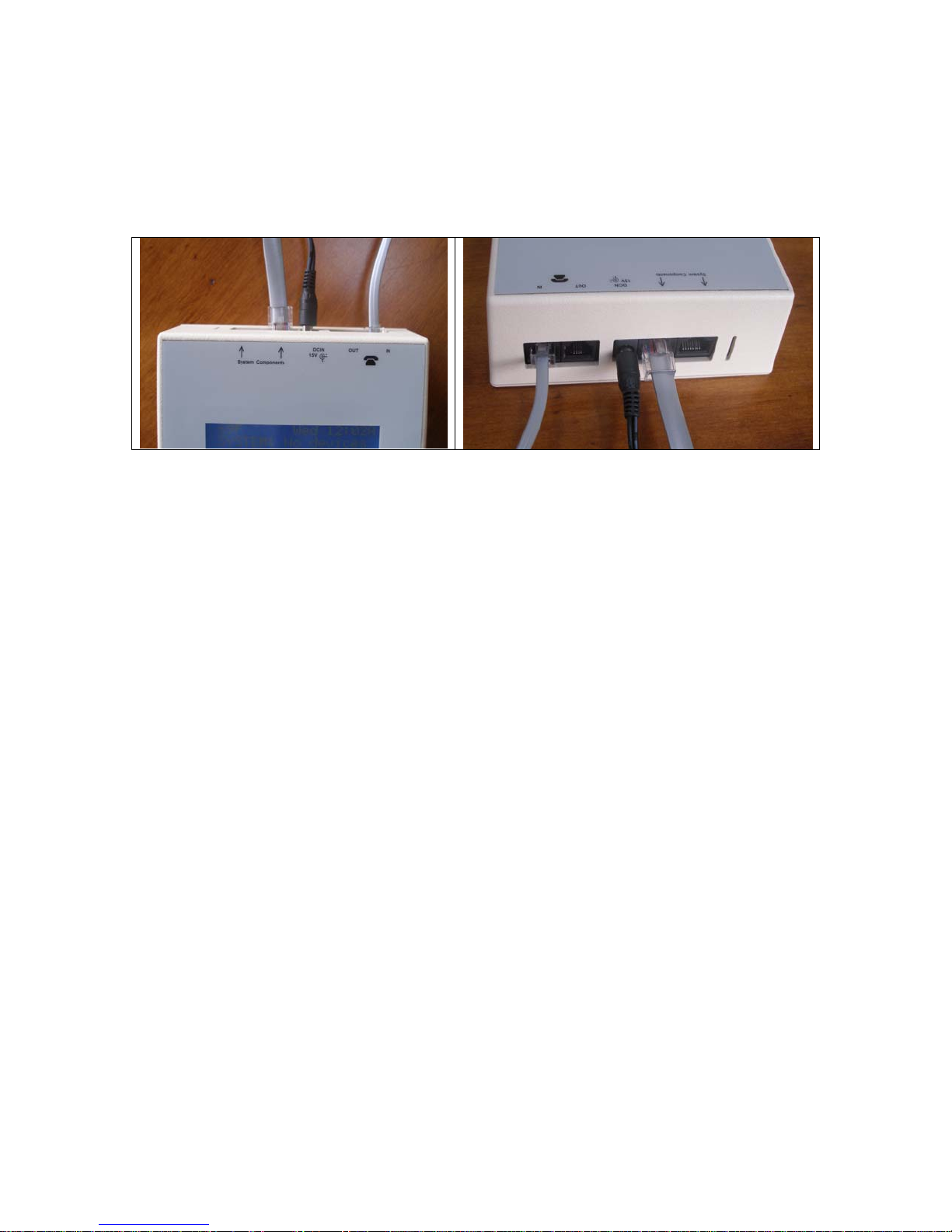
may be directly connected to the “System Components” jacks on the
Telephone Interface Module, or they may be daisy-chained – as long
as each network “chain” includes a connection to the Telephone
Interface Module.
Building a housEvolve system is as simple as connecting the
peripheral modules to the Telephone Interface. The only requirement
is that during the initial system installation the Telephone
Interface Module must be ON and each peripheral module must
connect to the Telephone Interface one at a time. Once a
peripheral module is added to the network, please allow 30
seconds for the Telephone Interface to identify, configure and
incorporate the capabilities of the new device into the system.
Then a new peripheral module may be added. Note that this
requirement is only applicable to the initial installation of a peripheral
module. If, for example, you need to move the Telephone Interface to
a new location at a later time, there are no restrictions on the
connection order.
•First, install and connect each peripheral module to the
appliance under its control according to the instructions
provided (ex: install and connect the Thermostat Module to the
HVAC system before connecting it to the Telephone Interface).
•Ensure that the Telephone Interface Module is powered (the
LCD display is ON).
•Using the network cable provided, connect each peripheral
module, one at a time, either directly to a “System
Components” port on the Telephone Interface Module or daisy-