manuals.online logo
Brands
  1. Home
  2. •
  3. Brands
  4. •
  5. Frigidaire
  6. •
  7. Refrigerator
  8. •
  9. Frigidaire PRFG2383AF User manual

Frigidaire PRFG2383AF User manual

This manual suits for next models

2

Other Frigidaire Refrigerator manuals

Frigidaire A16492301 Owner's manual

Frigidaire

Frigidaire A16492301 Owner's manual

Frigidaire FGHC2342L F User manual

Frigidaire

Frigidaire FGHC2342L F User manual

Frigidaire FRT21NRH User manual

Frigidaire

Frigidaire FRT21NRH User manual

Frigidaire Gallery FGHN2844L E User manual

Frigidaire

Frigidaire Gallery FGHN2844L E User manual

Frigidaire FFHT1621TW Owner's manual

Frigidaire

Frigidaire FFHT1621TW Owner's manual

Frigidaire FRT21LR7A User manual

Frigidaire

Frigidaire FRT21LR7A User manual

Frigidaire FRT22RRH User manual

Frigidaire

Frigidaire FRT22RRH User manual

Frigidaire FGHB2844LE Quick start guide

Frigidaire

Frigidaire FGHB2844LE Quick start guide

Frigidaire FRT18QRH User manual

Frigidaire

Frigidaire FRT18QRH User manual

Frigidaire 242293200 Owner's manual

Frigidaire

Frigidaire 242293200 Owner's manual

Frigidaire FRT18G7C User manual

Frigidaire

Frigidaire FRT18G7C User manual

Frigidaire FRS26ZPH User manual

Frigidaire

Frigidaire FRS26ZPH User manual

Frigidaire FRT18IDRH User manual

Frigidaire

Frigidaire FRT18IDRH User manual

Frigidaire FRT18HP7D User manual

Frigidaire

Frigidaire FRT18HP7D User manual

Frigidaire FRT18IG4A User manual

Frigidaire

Frigidaire FRT18IG4A User manual

Frigidaire Gallery FGHG2344ME User manual

Frigidaire

Frigidaire Gallery FGHG2344ME User manual

Frigidaire FPE-19V3H User manual

Frigidaire

Frigidaire FPE-19V3H User manual

Frigidaire GLHT216TA User manual

Frigidaire

Frigidaire GLHT216TA User manual

Frigidaire FRS26WGH User manual

Frigidaire

Frigidaire FRS26WGH User manual

Frigidaire FFPT12F0KB User manual

Frigidaire

Frigidaire FFPT12F0KB User manual

Frigidaire PLHS68EF User manual

Frigidaire

Frigidaire PLHS68EF User manual

Frigidaire FRT18G4A User manual

Frigidaire

Frigidaire FRT18G4A User manual

Frigidaire FPHT2097VF Owner's manual

Frigidaire

Frigidaire FPHT2097VF Owner's manual

Frigidaire FRS3R5ESB0 User manual

Frigidaire

Frigidaire FRS3R5ESB0 User manual

Popular Refrigerator manuals by other brands

Haier HRF-369NAA null

Haier

Haier HRF-369NAA null

Haier HRF-688FR null

Haier

Haier HRF-688FR null

Haier HRF-416KAASS null

Haier

Haier HRF-416KAASS null

Haier HRF-348E null

Haier

Haier HRF-348E null

Bonnet Neve SKYVIEW PLUS User instructions

Bonnet Neve

Bonnet Neve SKYVIEW PLUS User instructions

Zanussi Electrolux ZERB 8441 Instruction book

Zanussi Electrolux

Zanussi Electrolux ZERB 8441 Instruction book

Sharp SJ-BA31IEXW2-EU user manual

Sharp

Sharp SJ-BA31IEXW2-EU user manual

CORBERO CC2300MCW Instruction booklet

CORBERO

CORBERO CC2300MCW Instruction booklet

KitchenAid 2205264 Use and care guide

KitchenAid

KitchenAid 2205264 Use and care guide

NEFF KI181 Series user manual

NEFF

NEFF KI181 Series user manual

Hoshizaki Reach-In instruction manual

Hoshizaki

Hoshizaki Reach-In instruction manual

Amana ASD2524VES00 User instructions

Amana

Amana ASD2524VES00 User instructions

BOMANN KGC 213 instruction manual

BOMANN

BOMANN KGC 213 instruction manual

Danby DAR044A1SLDD Owner's use and care guide

Danby

Danby DAR044A1SLDD Owner's use and care guide

Beko CSA31022 Instructions for use

Beko

Beko CSA31022 Instructions for use

IKEA FROSTIG C 185 E manual

IKEA

IKEA FROSTIG C 185 E manual

Electrolux ER 6821 D Instruction book

Electrolux

Electrolux ER 6821 D Instruction book

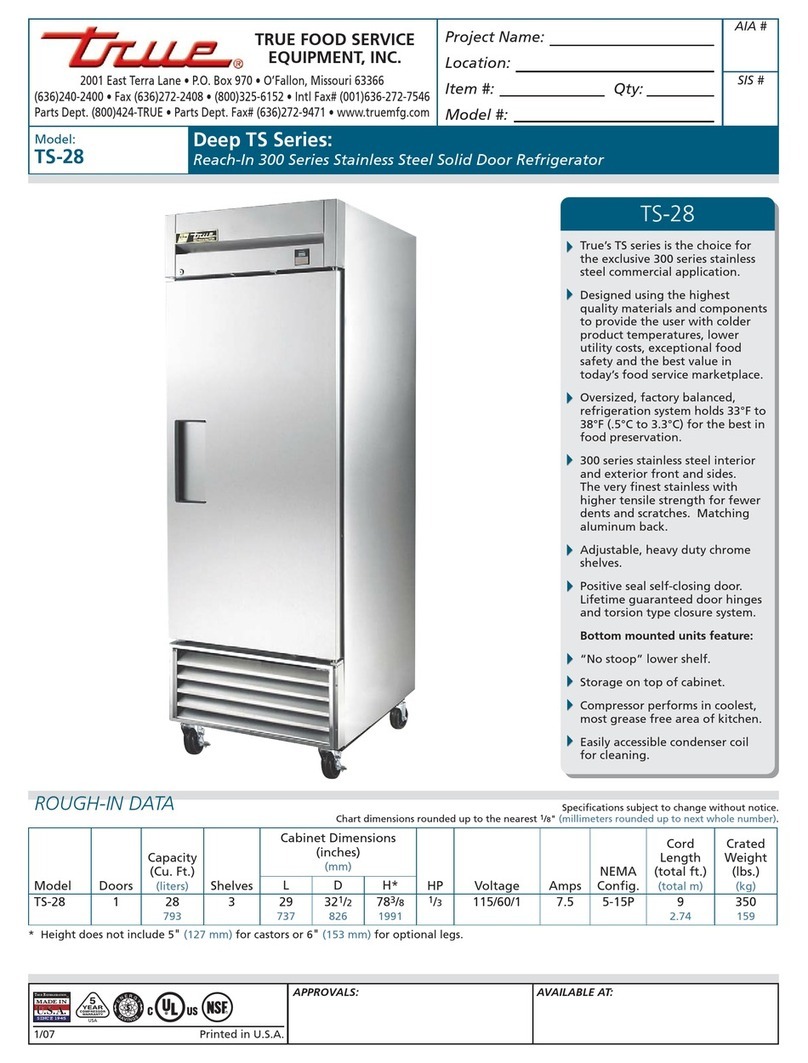
True TS-28 Specifications

True

True TS-28 Specifications

manuals.online logo
manuals.online logoBrands
  • About & Mission
  • Contact us
  • Privacy Policy
  • Terms and Conditions

Copyright 2025 Manuals.Online. All Rights Reserved.

started
GETTING
WITH YOUR MULTI-DOOR REFRIGERATOR
YOU’RE IN CONTROL
Appliance Control Display
For the first 24 hours, we recommend setting the temperature at 37˚F (3˚C) for the fresh food compartment and
0˚F (-18˚C) for the freezer. After 24 hours, you can adjust the temperature control as desired.
*Control display varies by model.
A20832701 (2109)
REMEMBER
See your Use & Care Manual for more detailed information
about your appliance.
1CHANGE
TEMPERATURE Select Freezer or Refrigerator
icon to change temperature.
Press +/- buttons to set the
temperature.
Freezer control
range:
-6˚F/-21˚C –
+6˚F/-15˚C
Refrigerator
control range:
+34˚F/+1˚C –
+44˚F/+7˚C
2CLEAR
ALERTS
Resets any active lit door
open, high temp or power
outage alarms on the
control display.
3FREEZE
BOOST
Activate Freeze Boost prior
to grocery shopping to
lower the temperature and
freeze food faster. Freeze
Boost will remain active for
up to 24 hours.
4F/C Touch to toggle display
from Fahrenheit to Celsius.
5ICE MAKER Press and hold for 3
seconds to turn ice maker
on/o. When indicator is lit,
ice maker is on.
6DEFAULT
SETTINGS
Press and hold for 3
seconds to reset to Factory
settings.
7
8
WATER FILTER
AIR FILTERS
Press and hold to reset after
filter has been replaced,
status shown at right of
button will reset to GOOD.
1CHANGE
TEMPERATURE Select Freezer or Refrigerator
icon to change temperature.
Press +/- buttons to set the
temperature.
Freezer control
range:
-6˚F/-21˚C –
+6˚F/-15˚C
Refrigerator
control range:
+34˚F/+1˚C –
+44˚F/+7˚C
2CLEAR
ALERTS
Resets any active lit
door open, high temp or
power outage alarms on
the control display.
3FREEZE
BOOST
Activate Freeze Boost
prior to grocery shopping
to lower the temperature
and freeze food faster.
Freeze Boost will remain
active for up to 24 hours.
4F/C Touch to toggle display
from Fahrenheit to
Celsius.
5WATER
DISPENSER
When the water
dispenser is turned on
the LED’s above Water
Dispenser will illuminate.
6DEFAULT
SETTINGS
Press and hold for 3
seconds to reset to
Factory settings.
7
8
WATER FILTER
AIR FILTERS
Press and hold to reset
after filter has been
replaced, status shown at
right of button will reset
to GOOD.
WATER Press “WATER” to select
water.
CRUSHED Press “CRUSHED” to select
crushed ice.
CUBES Press “CUBES” to select
cubed ice.
LIGHT Toggles dispenser light on
and o.
11
22
33
44
5
5
6
6
7
7
8
8
External Water Dispenser Controls
EXTERNAL DISPENSER CONTROL DISPLAY INTERNAL DISPENSER CONTROL DISPLAY
BEFORE YOU START
SET UP YOUR REFRIGERATOR
Remove tape and glue residue from surfaces before turning on the refrigerator. Choose a place
near a grounded electrical outlet, allowing for clearances for ease of installation, proper circulation,
and plumbing and electrical connections.
BEFORE OPERATING FOR THE FIRST TIME
Clean the inside of your appliance before using it. See CARE AND CLEANING in your Use & Care
Manual. To ensure safe food storage, allow the appliance to operate with the door closed for at
least 8 hours before loading it with food.
here
FOR YOU
WE ARE
Want help?
Have a question? Need service?
owner support
frigidaire.com 1 (800) 374-4432
frigidaire.ca 1 (800) 265-8352
FAQs
LET’S MAKE IT OFFICIAL!
Take the first step to becoming a part of the Frigidaire family and discover more benefits
by registering your multi-door refrigerator.
Look for the PhotoregisterSM icon on your registration card.
PHOTOREGISTER
SM
Frigidaire PureAir®AF-2™ Replacement Refrigerator Air Filter
• More powerful than baking soda, the new Frigidaire PureAir®AF-2™ Replacement Refrigerator
Air Filter absorbs undesirable smells keeping your fridge fresher for up to 6 months.
• The air filter is located at the top of the air tower. To change your filter:
1. Place your fingers on top of air cover and gently pull toward you to release the top snaps
of the cover from the air tower.
2. Lift the bottom snaps up and out of the air tower assembly to disengage and remove the
front cover and old filter.
3. Press the new air filter into the snaps on the air filter cover. Reverse steps 1 and 2 to reinstall
the air cover.
4. Press and hold the Air Filters button after the filter has been replaced, and the filter status
shown at the right of the button will reset to GOOD.
Frigidaire PurePour®PWF-1™ Water & Ice Refrigerator Filter
• Makes safer water second nature - certified to reduce contaminates and keep great-tasting
water flowing for you and your family for up to 6 months.
• The water filter compartment is located at the bottom left of the refrigerator compartment
next to the Deli Drawer.
• Before dispensing water for the first time, be sure to prime the water supply system:
1. Press and hold a drinking glass against the water dispenser paddle until water
comes out (it may take up to 1½minutes).
2. Run water through dispenser for approximately 3 minutes or 1.5 gallons before use, and
discard.
Install your new PureAir®Produce Keeper™ PK-1 Refill to extend the life of produce
(2 included)
1. Remove the outer plastic wrapper.
2. Insert the unopened packets into the holder in the Crisper Drawer.
FPPWFU01™
KEEP IT FRESH
FRPAPKRF™
jdkf;ajfd;ajfd;ada;fdjak; da jfdk;a jfdk; jfdk;a ‘’eueahfnzv;a djwte aupjhls’ whyoereoahga;wuyoepasp;a uywpere;
FRGPAAF2™
Air Cover
How do I use the internal water dispenser?
Your internal water dispenser is mounted on the left hand refrigerator door. To use the dispenser
simply place your cup under the nozzle and push the paddle to dispense water.
Why does my refrigerator run most of the time? Is this normal?
Today’s refrigerators are designed to be more energy ecient than previous models. This means
they run longer cycles, or run continuously, to maintain an even temperature inside. Please note:
starting a unit takes about 10 times as much energy as it does to keep it running.
The temperature is warmer or colder than preferred. What can I do?
Simply adjust the temperature by 1 or 2 degrees and allow 24 hours for the
temperature to stabilize. Check to ensure food items are not blocking the multi-port air exhaust ducts
as this will impact temperature performance. Find more troubleshooting tips in the back of your Use &
Care Manual.
Why is food freezing in my refrigerator?
Food placed within 1 inch in front of the air ports may cause food to freeze. See Controls and Settings in
your Use & Care Manual.
Air Port