Preliminary
Garmin Proprietary
iv Garmin G1000 VHF NAV/COM Pilot’s Guide 190-00302-01 Page Rev. 1
TABLE OF CONTENTS
Copyright i
Record of Revisions ii
List of Effective Pages iii
Table of Contents iv
List of Figures v
Abbreviations & Acronyms vi
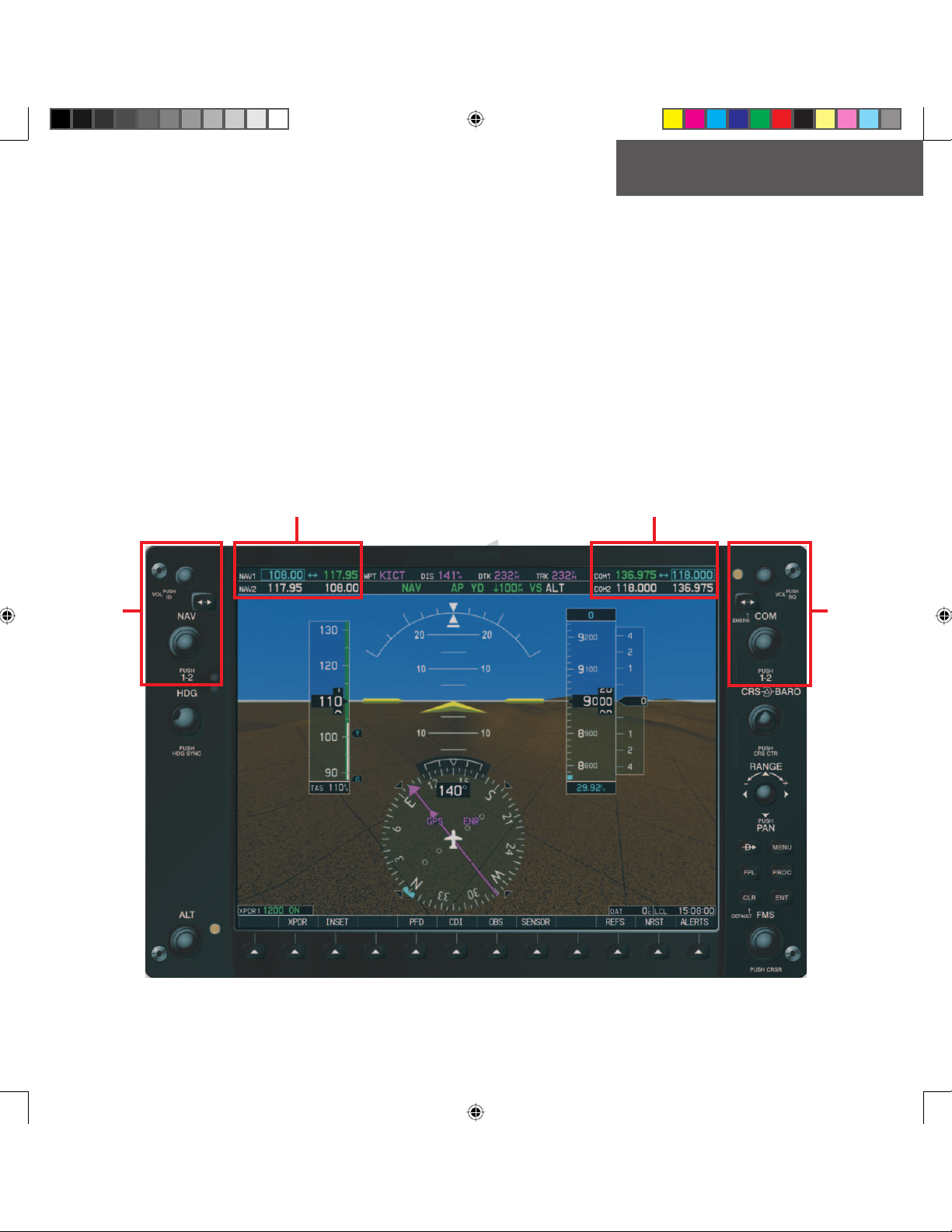
Section 1: Interface Description 1
1.1 Overview............................................................... 1
1.2 Windows and Fields ............................................. 2
1.3 Frequency Status ................................................. 2
1.4 Color Code ............................................................ 3
1.5 Tuning Box ............................................................ 3
1.6 Frequency Toggle Arrow ..................................... 3
1.7 Radio Status Indications ..................................... 3
1.8 Controls................................................................. 4
Section 2: COM Frequency Window 5
2.1 Overview............................................................... 5
2.2 Volume .................................................................. 5
2.3 Automatic Squelch............................................... 5
2.4 Switching The Tuning Box Between COM
Radios ................................................................... 5
2.5 Manually Tuning a COM Frequency .................... 6
2.6 Toggling COM Frequencies.................................. 6
2.7 Selecting COM RadioS ......................................... 6
2.8 Radio Status ......................................................... 7
2.9 Emergency Frequency (121.500 MHz)................. 7
Quickly Tuning and Activating 121.500 MHz 7
2.10 Stuck Microphone ................................................ 7
Section 3: NAV Frequency Window 9
3.1 Overview............................................................... 9
3.2 Volume .................................................................. 9
3.3 Morse Code Identifier.......................................... 9
3.4 Switching the Tuning Box Between NAV
Radios ................................................................. 10
3.5 Manually Tuning a NAV Frequency................... 10
3.6 Toggling NAV Frequencies................................. 10
3.7 Selecting a NAV Radio....................................... 11
Section 4: Frequency Auto-tuning 13
4.1 Overview............................................................. 13
4.2 Auto-tuning on the PFD..................................... 13
4.3 Auto-tuning on the MFD ................................... 14
WPT - Airport Information Page 14
WPT - VOR Information Page 16
NRST - Nearest Airports Page 17
NRST - Nearest VOR Page 18
NRST - Nearest Frequencies Page 19
4.4 Auto-Tuning Upon Approach Activation
(NAV Frequencies) .............................................. 20
Index 23
G1000_COM-NAV_PG.indd iv 2/10/2004, 8:46:49 AM