EnglishDeutsch
 logo
Brands
  1. Home
  2. •
  3. Brands
  4. •
  5. GE
  6. •
  7. Microwave Oven
  8. •
  9. GE JE85T Use and care manual

GE JE85T Use and care manual

Other GE Microwave Oven manuals

GE Spacemaker PVM2070 User manual

GE

GE Spacemaker PVM2070 User manual

GE JEB1860SMSS - Countertop Microwave Oven Manual

GE

GE JEB1860SMSS - Countertop Microwave Oven Manual

GE Spacemaker JVM141J User manual

GE

GE Spacemaker JVM141J User manual

GE JEM1OG User manual

GE

GE JEM1OG User manual

GE JE1160 User manual

GE

GE JE1160 User manual

GE JEM616 Installation instructions

GE

GE JEM616 Installation instructions

GE JE1550 User manual

GE

GE JE1550 User manual

GE JES1384 User manual

GE

GE JES1384 User manual

GE JES1152 User manual

GE

GE JES1152 User manual

GE PNM1971SRSS User manual

GE

GE PNM1971SRSS User manual

GE JKP78G Installation instructions

GE

GE JKP78G Installation instructions

GE JVM3162RJSS User manual

GE

GE JVM3162RJSS User manual

GE JES1145SHSS User manual

GE

GE JES1145SHSS User manual

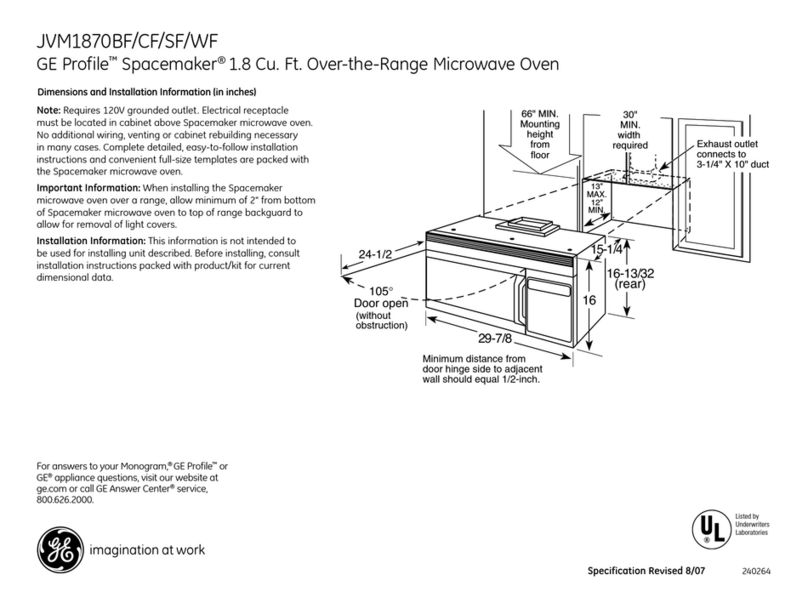
GE Profile Spacemaker JVM1870BF User instructions

GE

GE Profile Spacemaker JVM1870BF User instructions

GE JES611 User manual

GE

GE JES611 User manual

GE JES1460DS User manual

GE

GE JES1460DS User manual

GE SpacemakerXL EMO3000 User manual

GE

GE SpacemakerXL EMO3000 User manual

GE Appliances JES1456 User manual

GE

GE Appliances JES1456 User manual

GE Profile CVM1790 User manual

GE

GE Profile CVM1790 User manual

GE JVM3162DJWW User manual

GE

GE JVM3162DJWW User manual

GE JVM6175EK Manual

GE

GE JVM6175EK Manual

GE CAFE CVM721 User manual

GE

GE CAFE CVM721 User manual

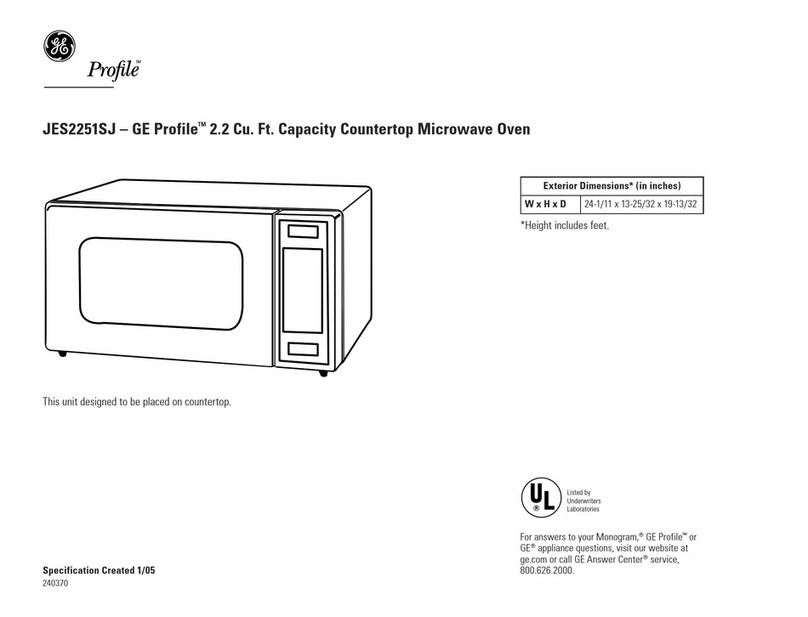
GE Profile JES2251SJ User manual

GE

GE Profile JES2251SJ User manual

GE JEM25 User manual

GE

GE JEM25 User manual

Popular Microwave Oven manuals by other brands

Samsung CE2815NR null

Samsung

Samsung CE2815NR null

Panasonic NN-S553WF null

Panasonic

Panasonic NN-S553WF null

Daewoo KOG-574R0S Service manual

Daewoo

Daewoo KOG-574R0S Service manual

LG MH7040SS instruction manual

LG

LG MH7040SS instruction manual

Sharp R-895(AL)M Service manual

Sharp

Sharp R-895(AL)M Service manual

Dometic DOTRM13W installation instructions

Dometic

Dometic DOTRM13W installation instructions

Sanyo EM-X680 instruction manual

Sanyo

Sanyo EM-X680 instruction manual

Sharp R-393M quick start guide

Sharp

Sharp R-393M quick start guide

KitchenAid KMCX4510 Use and care

KitchenAid

KitchenAid KMCX4510 Use and care

Smeg S45MCX1 Instructions for use

Smeg

Smeg S45MCX1 Instructions for use

Russell Hobbs RHM2044 user guide

Russell Hobbs

Russell Hobbs RHM2044 user guide

Sunbeam SMW759 owner's manual

Sunbeam

Sunbeam SMW759 owner's manual

Bosch CEG732X.1B User manual and installation instructions

Bosch

Bosch CEG732X.1B User manual and installation instructions

Dometic Roadmate 230 operating manual

Dometic

Dometic Roadmate 230 operating manual

Samsung SJ0396W Owner's instructions

Samsung

Samsung SJ0396W Owner's instructions

Sanyo EM-P494WS Supplement of service manual

Sanyo

Sanyo EM-P494WS Supplement of service manual

Sharp R-240 Operation manual

Sharp

Sharp R-240 Operation manual

Electrolux EMS2840 user manual

Electrolux

Electrolux EMS2840 user manual

https://manuals.online logo
https://manuals.online logoBrands
  • About & Mission
  • Contact us
  • Privacy Policy
  • Terms and Conditions

Copyright 2026 Manuals.Online. All Rights Reserved.

U andCake& Cooking Gui%
Adapter Plugs 28 MicrowavingTips 3
Aluminum Fofi 4Mir~ute/SecondTimer 9
ApplianceRegistration 2Modeland SerialNumbers 2
Auto Defrost 12,13 One-TouchCook 9
Auto Start 9PowerLevels 10-13
Careand Cleaning 27 Precautions 2-5
Consumer Services 31 Probe 8,11,27
ControlPanel 6,7 Problem Solver 29
CookingComplete Reminder 8Program Cooking 5
CookingGuide 20-26 SafetyInstructions 2-5
DefrostingGuide 18,19 Temperature Cook 11
DelayedCooking 9Time Cook 10
ExtensionCords 28 Turntable 3,8,27
Features 8Warranty BackCover
GlossaryofMicrowaveTerms
Grounding Instructions E
Heating or Reheating Guide 16,17
Hold Time 9
Installation 28 GEAnswerCenter@
MicrowaveCookwareGuide 15 8470.626.2000
Model JE85T Microwavepoweroutput
ofthisovenis700 watts.
(IEC-705TestProcedure)
It is intended to help you operate
anti maintain your new microwave
oven properly.
I{eep it handy for answers to your
c]uestions.
If you don’t understand something
or need more help, write (include
your phone number):
Consumer Affairs
GE Appliances
Appliance Park
Louisville, KY 40225
writedown themodeland
serialnumbers.
You’11find them on alabel inside
the oven,
These numbers are also on the
Consumer Product Ownership
Registration Card that came with
your microwave oven. Before
sending in this card, please write
these numbers here:
Model Number
Serial Number
Use these numbers in any
correspondence or service calls
concerning your microwave oven.
Besure yourmicrowave
ovenis registered.
It is important that we know the
location of your microwave oven
should aneed occur for
adjustments.
Yoursupplier is responsible for
registering you as the owner.
Please check with your supplier to
be sure he has done so; also send
in your Consumer Product
Ownership Registration Card. If
yoLlmove, or if yoLlare nOtthe
original purchaser, please write to
LIS,stating model and serial
numbers.
2
This :applianeemustbe registered.
Please i)?certain t13atit is.
Write to:
GE Appliances
Range Product Service
Appliance Park
Louisville, KY 40225
If youreceiveda
damagedoven...
Immediately contact the dealer (or
builder) that sold you the oven.
save time and money.
Beforeyourequestservice...
Check the Problem Solver in the
back of this book. It lists causes of
minor operating problems that you
can correct yourself.
All thesethingsarenormal
withyollrmicrowaveoven.
eSteam or vapor escaping from
around the door.
@Light reflection around door or
oute~case.
eDimming oven light and change
in blower sound may occur while
operating at power levels other
than high.
eDull thumping sound while oven
is operating.
0Some TV-Radio interference
might be noticed while using your
microwave oven. It’s similar to the
interference caused by other small
appliances and does not indicate a
problem with your oven.
If you needservice...
To obtain service, see the
Consumer Services page in the
back of this book.
We’re proud of our service and
want you to be pleased. If for some
reason you are not happy with the
service you receive, here are three
steps to follow for further help.
FIRST, contact the people who
serviced your appliance. Explain
why yoL~are not pleased. In most
cases, this will solve the problem.
NEXT, if yc~uarc still not pleased,
write all the details—including
your phone number-to:
NJanager,Consumer Relations
GE Appliances
Appliance Park
Louisville, KY 40225
FINALLY,if your problem is still
not resolved, write:
Major Appliance Consumer
Action Panel
20 North Wacker Drive
Chicago, IL 60606
PmcAuTIoNs
To AVOID
POSSIBLE
ExPosum To
EXCESSIVE
MICROWAVE
ENERGY
(a) Do Not Attempt to operate this
oven with the door open since
open-door operation can result in
harmful exposure to microwave
energy.It is important not to defeat
or tarnperwith the safety
interlocks.
(b) Do Not Place any object
between the oven front face and
the door or allow soil or cleaner
residue to accumulate on sealing
surfaces.
(c) Do Not Operate the oven if it
is damaged. It is particularly
important that the oven door close
properly and that there is no
damage to the:
(1) door (bent)
(2) hinges and latches (broken or
loosened)
(3) door seals and sealing surfaces.
(d) The Oven Should Not be o
.-.
~~
adjusted or repaired by anyone .~~~~.
.=,.
except properly qualified service
personnel.
—. .
—
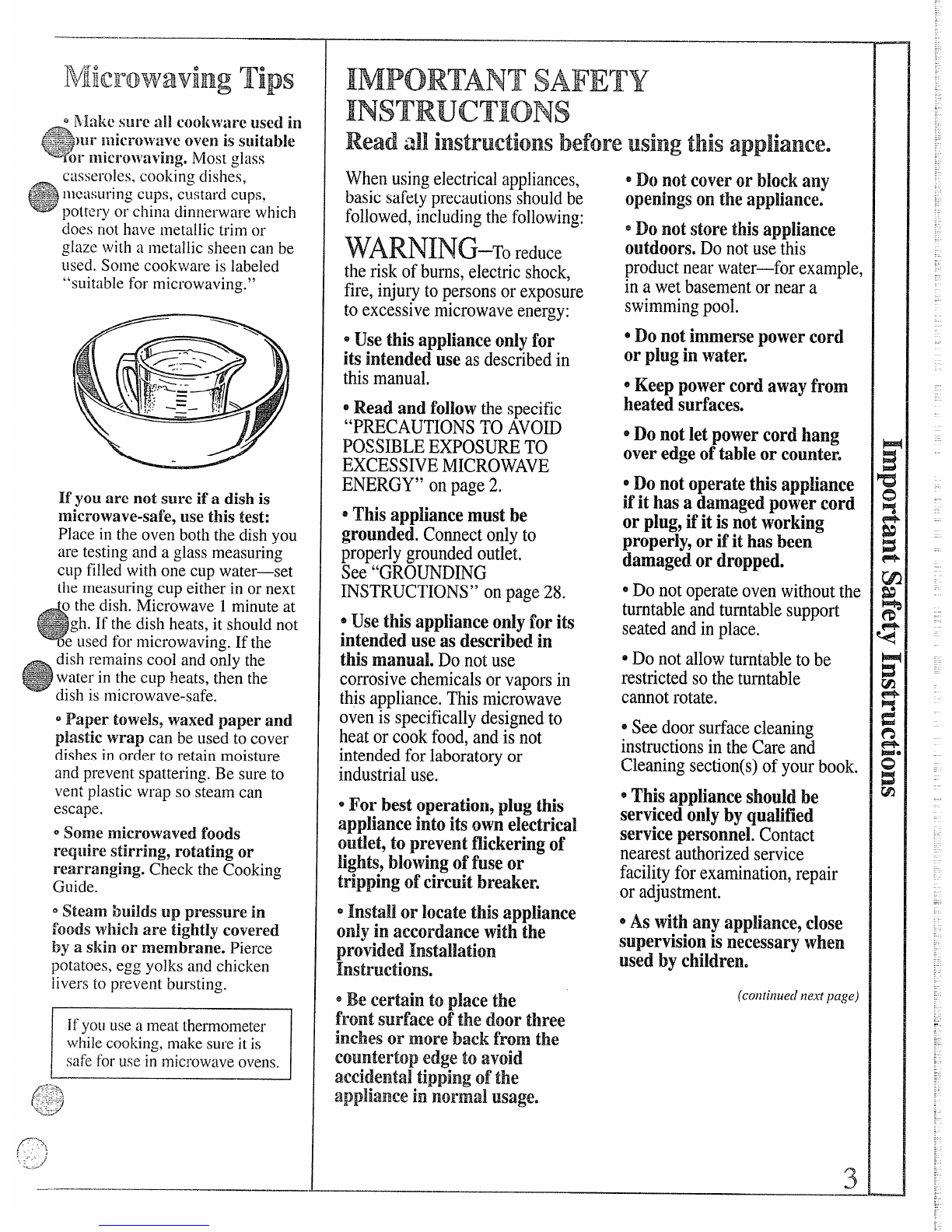
If you are not sllre if adish is
microwave-safe, use this test:
Place in the oven both the dish you
are testing and aglass measuring
cup filled with one cup water—set
the measuring cup either in or next
G
othe dish. Micr~wave 1minute at
~~:~
~+~+-gh. ]f the dish heats, it shotlldnot
oe used for microwaving. If the
dish remains cool and ofily the
water in the cL~p!leats,then the
dish is microwave-safe.
0Paper towels? waxed paper and
plastic wrap can be used to cover
dishes in order to retain moisture
and prevent spattering. Be sure to
vent plastic wrap so steam can
escape.
~Some microwaved foods
reqtlire stirring, rotating or
rearranging. Check the Cooking
Guide.
QSteam builds up pressure in
foods which are tightly covered
by askin or membrane. Pierce
potatoes, cgg yolks and chicken
livers to prevent bllrsting.
Ifyotluseameat thermometer
whilecooking,makesureit is
safefor usein microwaveovens.
IMPORTANTSAFETY
INSTRUCTIONS
Readall instructionsbeforeusingthis appliance.
Whenusingelectricalappliances,
basicsafetyprecautionsshouldbe
followed,includingthefollowing:
theriskofburns,electricshock,
fire,injurytopersonsorexposure
toexcessivemicrowaveenergy:
euse thisapplianceonlyfor
itsintendeduseasdescribedin
thismanual,
~Readand fol~owthespecific
“PRECAUTIONSTOAVOD
~OSS~BLEEXPOSU~ TO
EXCESSIVEMICROWAVE
ENERGY”onpage2.
=Thisappliancemustbe
grounded.Connectonlyto
properlygroundedoutlet.
See“GROUNDING
INSTRUCTIONS”onpage28.
@Usethisapplianceonlyforits
intendeduseasdescribedin
thismanual.Donotuse
corrosivechemicalsorvaporsin
thisappliance.Thismicrowave
ovenis specificallydesignedto
heatorcookfood,andisnot
intendedforlaboratoryor
industrialuse.
@For bestoperation9plugthis
applianceintoits ownelecfricaI
outlet,to preventflickeringof
lights,blowingoffuse‘or
trippingofcircuitbreaker.
*Instaljor locatethisapp~iance
onlyin accordancewiththe
providedInstalIatien
Instructions,
@Becertainto p~acethe
front surfaceofthe door three
inchesor morebackfromthe
countertopedgeto avoid
accidentaltippingofthe
appliancein normalusage.
*Donotcover or blockany
openingsontheapp~iance.
=Donotstorethisapp!iance
outdoors.Donotusethis
productnearwater-for example,
inawetbasementorneara
swimmingpool.
~Donot immersepowercord
or plugin water.
~Keeppowercordawayfrom
heatedsutiaceso
*Donot letpowercordhang
overedgeoftableor counter.
@Donot operatethisappliance
ifit hasadamagedpowercord
or plug,ifit isnotworking
properly,or ifit hasbeen
damagedor dropped.
~Donotoperateovenwithoutthe
turntableandturntablesupport
seatedandinplace.
eDonotallowturntabletobe
restrictedsotheturntable
cannotrotate.
~Seedoorsurfacecleaning
instructionsintheCa~eand
Cleaningsection(s)ofyourbook.
@Thisapplianceshouldbe
servicedoIIlybyqualified
servicepersonnel.Contact
nearestauthorizedservice
facilityforexamination,repair
oradjustment.
@Aswithanyappliance?close
supervisionisnecessarywhen
usedbychildren.
(colltiil[ie{l ~ze.~fl?age)
3
——
...
*‘F(1Fedlleetheris!{offirein
tileovencavity:
—DonotOvereoolifood.
Carefullyat[endapplianceif
paper,plasticorothercombustible
]}laterialsare placedinsidethe
~vel~tofi~~ilitateco~king,
—Removewiretwist-tiesfrom
paperorplasticbagsbefore
placingbagsinoven.
—Donotuseyourmicrowave
oventodry newspapers.
—Donotuserecycledpaper
products.Recycledpapertowels,
napkinsandwaxedpapercan
containmetalfleckswhichmay
causearcingorignite.Paper
productscontainingnylonor
nylonfilamentsshouldbe
avoided,astheymayalsoignite.
—DoIlotpoppopcornin your
n~ierowaveovenunlessina
specialmicrowavepopcorn
accessoryorunlessyouuse
popcornlabeledforusein
microwaveovens.
—Donot operatethe oven
whileemptytoavoiddamageto
theovenand the dangeroffire.
Ifbyaccidenttheovenshould
runemptyaminuteortwo,no
harmisdone.However,tryto
avoidoperatingtheovenempty
atalltimes-it savesenergyand
prolongsthelifeoftheoven.
—Do~~otovercookpotatoes,
Theycoulddehydrateandcatch
fire,causingdamagetoyouroven.
~Dol~otusethe ovenforstorage
purposes.Donotleavepaper
products,cookingutensilsorfood
intheovenwhennotinuse.
eIfWlaterialsinsideovenShould
ignite,keepovendoorclosed,
turnovenoff,anddisconnect
powercord,orshutoffpowerat
the fuse or circuitbreakerpanel,
*Someproductssuchas whole
eggsaxldsealedcon~iners—for
example,closedjars-will
explodeandshouldnotbeheated
inthismicrowaveoven.Suchuse
ofthemicrowaveovencould
resultininjury.
@.4voidheatingbabyfoodin
glassjars,evenwithouttheirlids;
especiallymeatandeggmixtures.
e~~~y~~~f~~s~f~Q~@~
beveragesinnarrownecked
bottles(especiallycarbonated
beverages).Evenifthecontainer
isopened,pressurecanbuildup,
Thiscancausethecontainerto
burst,possiblyresultingininjury.
~Usemetalonlyas directedin
thisbook.TVdinnersmaybe
microwavedinfoiltrayslessthan
3/4”high;removetopfoilcover
andretuimtraytobox.When
usingmetalinthemicrowave
oven,keepmetaIat least 1inch
awayfromsidesofoven.
~cookwaremaybecomehot
becauseofheattransferredfrom
theheatedfood.Potholdersmay
beneededtohandlethecookware.
~S~~e~i~es,the~~r~~able~a~
becometoohotto touch.Be
carefultouchingtheturntable
duringandaftercooking.
~FoodscookedinBiquids(such
aspasta)maytendtoboilover
morerapidlythanfoods
containinglessmoisture.Should
thisoccur,refertopage27for
instructionsonhowto cleanthe
insideoftheoven.
sT~~e~m~me~e~_~onotusea
thermometerinfoodyouare
microwavingunlessthe
thermometerisdesignedor
recommendedforusein the
microwaveoven.
~Removethetemperature
probe fromthe ovenwhenno
usingit tocookwith.Ifyou
leavetheprobeinsidetheoven
withoutinsertingitinfoodor
liquid,andturnonmicrowave
energy,itcancreateelectrical
arcingintheovenanddamage
ovenwalls.
~PIasticcookware—Plastic
cookwaredesignedfor
microwavecookingisvery
useful,butshouldbeused
carefully.Evenmicrowave-safe
plasticmaynotbeastolerantof
overcookingconditionsasare
glassorceramicmaterialsand
~ay softenorcharifsubjectedto
shortperiodsofovercooking.k
longerexposurestoovercooking,
thefoodandcookwarecould
ignite.Forthesereasons:1)Use
microwave-safeplasticsonlyand
usetheminstrictcompliance
withthecookwaremanufacturer’s
recommendations.2)Donot
subjectemptycookwareto
microwaving.3)Donotpermit
childrentouseplasticcookware
withoutcompletesupervision.
~Whencookingpork9follow
thedirectionsexactlyandalways
cookthemeatto aninternal
temperatureofatleast170°F.
Thisassuresthat,intheremote
possibilitythattrichinamaybe
presentinthemeat,it willbe
killedandmeatwillbesafetoeat.
~Donot boileggsin a
microwaveoven.Pressurewill
buildupinsideeggyolkandwill
causeittoburst,possibly
resultingininjury.
@F~~dswi~~~~b~~ken~~~e~
66skin99suchaspotatoes,sausages,
tomatoes,apples,chickenlivers
andothergiblets,andeggyolks
(seepreviouscaution)shouldbe
piercedtoallowsteamtoescape
du~ingcooking.

. . . . .
e~~3Qllbll~OUS boili]lg—Under
-celltli]lspecialcircll]nstallces,
lic!uidsmaystarttoboilduringor
shhrtlyafterremovalfromthe
microwaveoven.Toprevent
burnsfromsplashingliquid,stir
theliquidbrieflybefore
removingthecontainerfromthe
microwaveoven.
‘“Boilable” Cookingpouches
and tightlyclosedplastic bags
should be slit, pierced or vented as
directed by package. Mthey are
not, plastic could burst during or
immediately after cooking,
possibly resulting in injury.Also,
plasticstoragecontainersshould
beat leastpartiallyuncovered
becausetheyformatightseal,
Whencookingwithcontainers
tightlycoveredwithplasticwrap,
@
.~~novecoveringcarefullyand
--=
“ect steam away from hands
and face.
Hot foods and steam can
cause burns. Be carefulwhen
openinganycontainersofhot
food,includingpopcornbags,
cookingpouchesandboxes.To
preventpossibleinjury,direct
steamawayfromhandsandface.
SAVETHESE
INSTRUCTIONS
.. .
,<
..-
.......—.._... _.. ——.
whenYouPlugin
theoven
The display panel lights up. After
15seconds, all lights disappear and
“RESET” appears. Touch the
PAUSE/CANCELpad and oven
is ready for use and the clock
can be set.
If power is disrupted at any time,
the above sequencerecurs and you
must reset clock after touching
PA[JSE/CANCEL.
Programcooking
Use your Touch Control Panel to
Time Cook with choice of power
levels from 1(lowest,)to 10
(highest); to Auto Defrost, with the
oven setting the power levels and
cooking or heating times; to Temp
Cook, using your choice of
temperatures; to timekitchen tasks
with theMin/Sec Timer; and to set
the clock.
Create your own programs to suit
your individual cooking style. For
example: use the Min/Sec Timer
to delay the start of Time Cook or
set Time Cook for athree-stage
program using different times
and power levels.
5
—
whenYouPlulgintheoven
The ciisplay panel lightsup. After
15seconds, all lightsdisappear
and “RESET” appears. Touch the
PAUSE/CANCEL pad and oven
is ready for use and the clock can
be set.
If power is disrupted at any time,
the above sequence recurs, and you
must reset the clock after touching
the PAUSE/CANCEL pad.
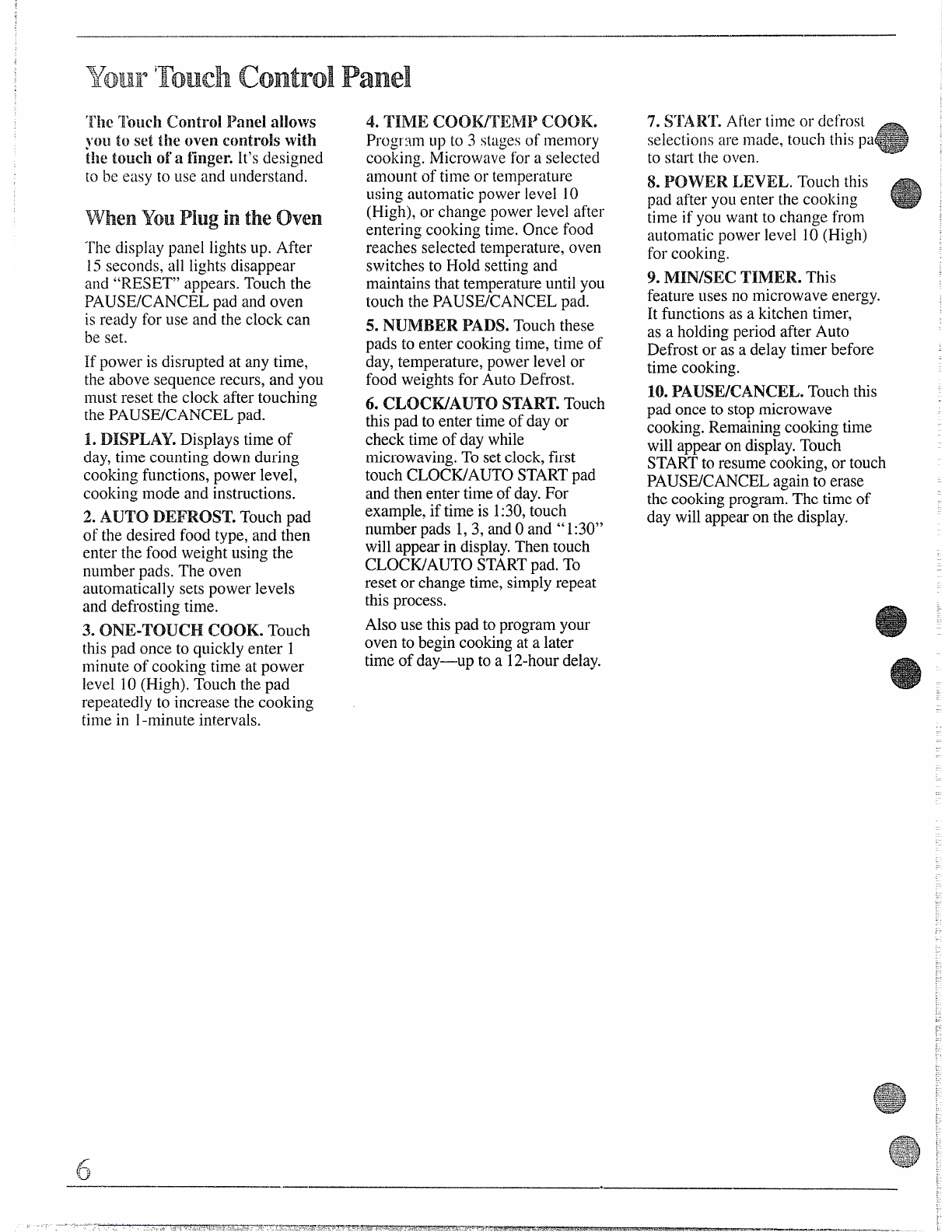
1.DISPLAY. Displays time of
day, time counting down during
cooking functions, power level,
cooking mode and instructions.
2. AUTO DEFROST. Touch pad
of the desired food type, and then
enter the food weight using the
number pads. The oven
automatically sets power levels
and defrosting time.
3. ONE-TOUCH ICOOK.Touch
this pad once to quickly enter 1
minute of cooking time at power
level 10(High). Touch the pad
repeatedly to increase the cooking
time in 1-minuteintervals.
~
——.— ——
4. TIME coomENII’ COOK.
Progr:~.nlup to 3stagesof memory
cooking. Microwave for aselected
amount of ti121eor temperature
using automatic power level 10
(High), or change power level after
entering cooking time. Once food
reaches selected temperature, oven
switches to Hold settingand
maintainsthat temperatureuntil you
touch the PAUSE/CANCEL pad.
5. NUMBER PADS. Touch these
pads to enter cooking time, time of
day, temperature, power level or
food weights for Auto Defrost.
6. CLOCWAUTO START.Touch
thispad to enter time of day or
check time of day while
microwaving.To setclock,first
touch CLOCK/AUTO STARTpad
and then enter time of day.For
example, if time is 1:30,touch
number pads 1,3, and Oand “1:30”
will appearin display.Then touch
CLOCWAUTO ST.ARTpad. To
reset or change time, simplyrepeat
this process.
Also use thispad to programyour
oven to begin cookingat alater
time of day—up to a12-hourdelay.
.
7. Sr~AI?~.After time or defrost
selections are macie,touch this pa
to start the oven.
8. PQYVERI.EVEL. Touch this
pad after yoLlenter the cooking
time if you want to change from
automatic power level 10(High)
for cooking.

9. MIN/SEC TIMER. This
feature uses no microwave energy.
It functions as akitchen timer,
as aholding period after Auto
Defrost or as adelay timer before
time cooking.
10. PAUSE/CANCEL.Touch this
pad once to stopmicrowave
cooking.Remainingcooking time
will appearon display.Touch
STARTto resumecooking,or touch
PAUSE/CANCEL again to erase
the cookingprogram.The time of
day will appearon the display.
4
AUTODEFROSTTOUCHPAD-ENTERWEIGHT
amm
mm
mx
:$:BBBH
BHBBa
Bm
<o
——I
7
4I9
:
II
II 111!
I
)“~T -
:.
●.*.*...*.*
.●.*.*.0...*
●..........
::.:O:.:+:..
. . . . .
:.. :.*. .
.,
m
/
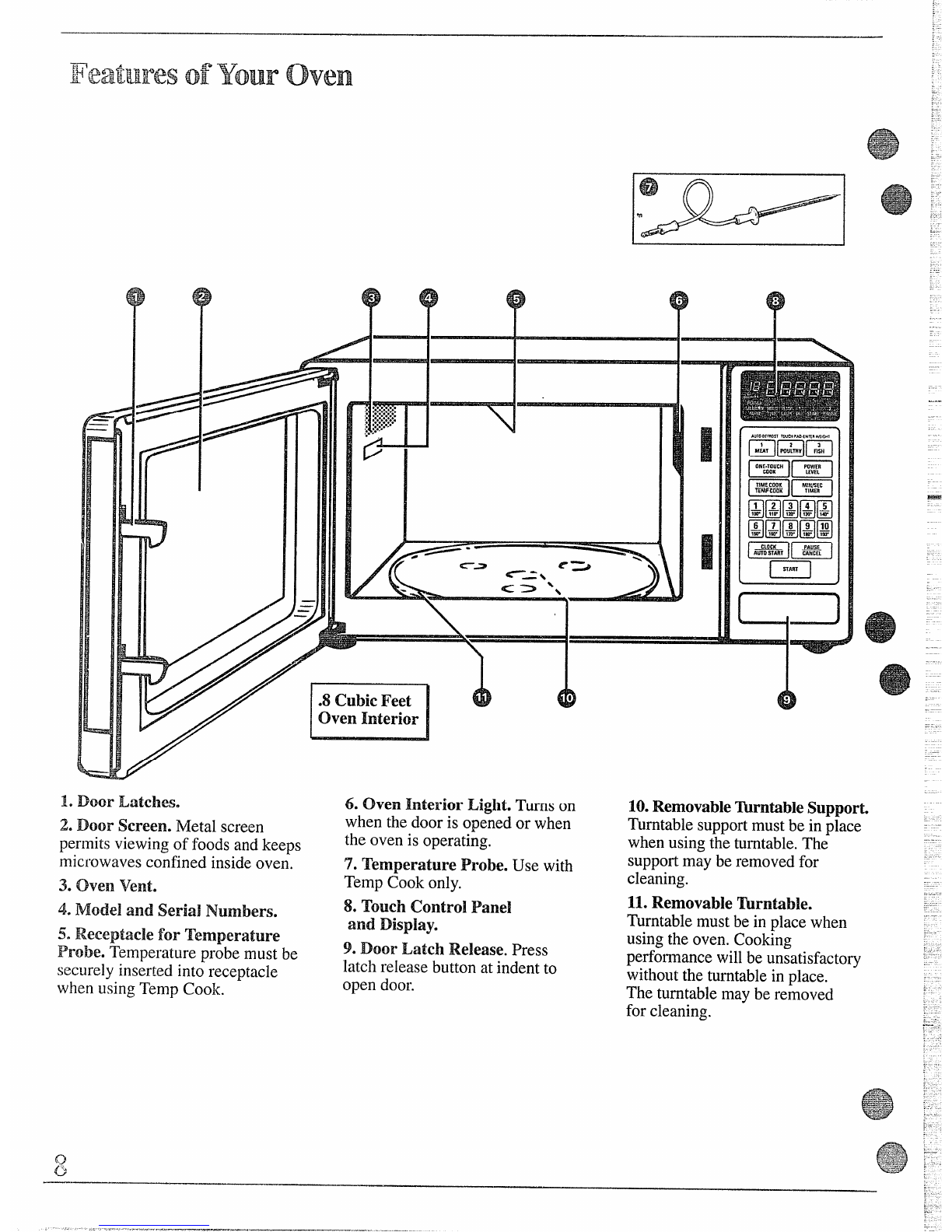
Door Latchese
Door Screen. NIetalscreen 6. Oven Interior Light. Turns on
when the door is opened or when
the oven is operating.
10.Removable~rntible Support.
Turntable supportmust be in place
when using the turntable.The
supportmay be removed for
cleaning.
11.Removable Wrntible.
Turntable must be in place when
using the oven. Cooking
perfo~nnancewill be unsatisfactory
without the turntable in place.
The turntable may be removed
for cleaning.
permits viewing of foods and keeps
microwaves confined inside oven.
3. Ove~~Vente
4. Model and Seriai Numbers.
50Receptacle for Temperature
Probe. Temperature probe must be
securely inserted into receptacle
when using Temp Cook.
7. Temperature Probe. Use with
Temp Cook only.
8. Touch Control Panel
and DispIay.
9. Door Latch Release. Press
latch release button at indent to
open door.
.—-
.....
130YvtoUse the Minute/SecondTimer
—
after defrosting.
TheMinute/Second Timer operates
~i~ithoutmicrowave energy.
HowtoTimea3“Minute
Phonecall
1.Touch MIN/SEC TIMER pad.
2, Touch number pads 3,0 and O
(for 3minutes and no seconds).
3. Touch START.Display shows
time counting down. The timer
signals when time is up.
usingaHoldingTime
The hfinute/Second Timer can
also be used to program a“holding
time” between microwave cooking
functions. The time can range from
ne second to 99 minutes aid 99
conds. Aholding or standing
time may be found in some of-your
own recipes or in the Cooking
HowtouseAutostart
The Auto Start f’eatureallows
you to programyour oven to
begi~leookillgat apreset time of
day—up to a12-hourdelay.
ToUse Auto Start
Step 1: Enter your desired cooking
program.
m
Step 2: TouchCLOCK/AUTO
STARTpad (instead of START).
Step 3: Enter the time you want
the oven to start. (Be sure your
microwave oven clock shows the
correct time of day.See Your
Touch ControlPanel section.)
Step 4: Touch STARTpad. The
oven will automatically start at the
desired time.
ProgrammingDelayed
cooHng
To delay cooking up to 99 minutes
and 99 seconds, touch TIME
COOK/TEMP COOK pad and enter
the cook time. Touch MIN/SEC
TIMER pad and enter number of
minutes to delay cooking. Touch

START.Timer will count down to
zero and cooking will begin.
...————
Olle-rrouchcook
With this feature, you can qt~ickly
program ashort cooking operation
with the touch of one pad.
NOTE: Oven operation begins
automatically,without your having
to touch the STARTpad.
TOUse ~R~-~OUCh Cook
Step 1: Place food in oven in
microwave-safe dish.
m
Step 2: Touch ONE-TOUCH
COOK. Oven operation will start.
To increase the amount of cooking
time, touch ONE-TOUCH COOK
pad repeatedly until the desired
time has been reached. The cook
time will increase in one-minute
increments each time you touch
the ONE-TOUCH COOK pad.
Step 3: When time is up, the oven
signals and “End” flashes.
~cookiingby Time
Power level 10(High) is
recommenced for most cooking,
bu: yoLlc:lnprogl”amLlpto ~
cooking stnges,varying the power
level foreach stage if desired. See
theCooking Guide.
To become better acquainted with
time cooking, make aCLIpof coffee
by followin~ the steps below.
Step ~: Fill aCLIp2/3 full of water,
add 1teaspoon of instant coffee
and stir to dissolve. Use acup that
has no metal decoration and is
microwave-safe (refer to
Microwaving Tips in the Safety
Instructions section). Place cup in
oven and close door.
m
Step 2: TouchTIME
COOK/TEMP COOK pad.
Step 3: Select your time. Touch 1,
0and Opads for one minute.
Because automatic power level 10
is recommended for this cup of
coffee, there is no need to change
the power level. (If power level 10
is not appropriate, see “How to
Change Power Level” at right.)
Step d: TOLIChSTART.
Step ~: When time is Lip,the oven
sigl~~ls and flashes “End.” OveIl,
light and fan shut off.
Step 6: Open the door.
Usingthe2& 3stage
cookingreature
The Time Cook feature lets you set
up to three time cooking functions
within one program. This is ideal
if you want to change power levels
during your cooking operations.
Here’s how to do it:
Step 1.:Place food in oven in
microwave-safe container and
close the door.
Step 2: TouchTIME
COOWTEMP COOK pad.
Step 3: Select your first cook time.
For example, touch 2, 1and 5for
two minutes and 15seconds.
Step 4: Touch TIME
COOK/TEMP COOK pad again.
Step 5: Set your second cook time.
IHow toChange Power Level I
After setting cooking time,
touch POWER LEVEL pad,
then touch desired number for
new power level.
QuestionsandAnswers
Q. Isetmy oven for the time ‘““
called for ill the recipe, but at the
end of the time allowed, my food
wasn’t done. What happened?
A. Since house power varies due to
time or location, many Time Cook
recipes give you atime range to
prevent overcooking. Set the oven
for minimum time, test the food
for doneness, and cook your food a
little longer, if necessary.
Q. Itouched the number pads
and selected my power level.
When Itouch START’however,
my oven didnYtcome on. Why
not?
A. The TIME COOWTEMP
COOK pad must be touched before
setting the number pads or else
your oven will not begin cooking.

Q. Can Iinterrupt my Time
Cook function to cheek the food?
A. Yes.To resume cooking, simply
close the door and press the -
STARTpad. The timer must be
reset for cooking to resume unless
time is remaining olltimer.
Step 6: Touch START.
Step 7: “POWER 10”is displayed
and “COOK TIME 1“countsdown.
Step 8: At the end of “COOK
TIME 1,“ the second power level
is displayed and “COOK TIME 2“
is shown counting down.
Step 9: When time is up, the oven
signals and flashes “End.” The
oven, light and fan shut off.
Step 10: Open the door.
To program cooking stage 3,
simply repeat the steps for
programming stage 2.