S-LINK User’s Manual Revision 2.8iii
TABLE OF CONTENTS.
1. THE S-LINK DUAL CHANNEL LASER POWER/ENERGY METER
WARRANTY...................................................................................................................................................I
CLAIMS..........................................................................................................................................................I
SAFETY INFORMATION..............................................................................................................................II
SYMBOLS.....................................................................................................................................................II
LIST OF ILLUSTRATIONS ..........................................................................................................................IV
THE S-LINK DOUBLE CHANNEL LASER POWER/ENERGY METER.......................................................1
1.1 INTRODUCTION...............................................................................................................................................1
1.2 SPECIFICATIONS .............................................................................................................................................2
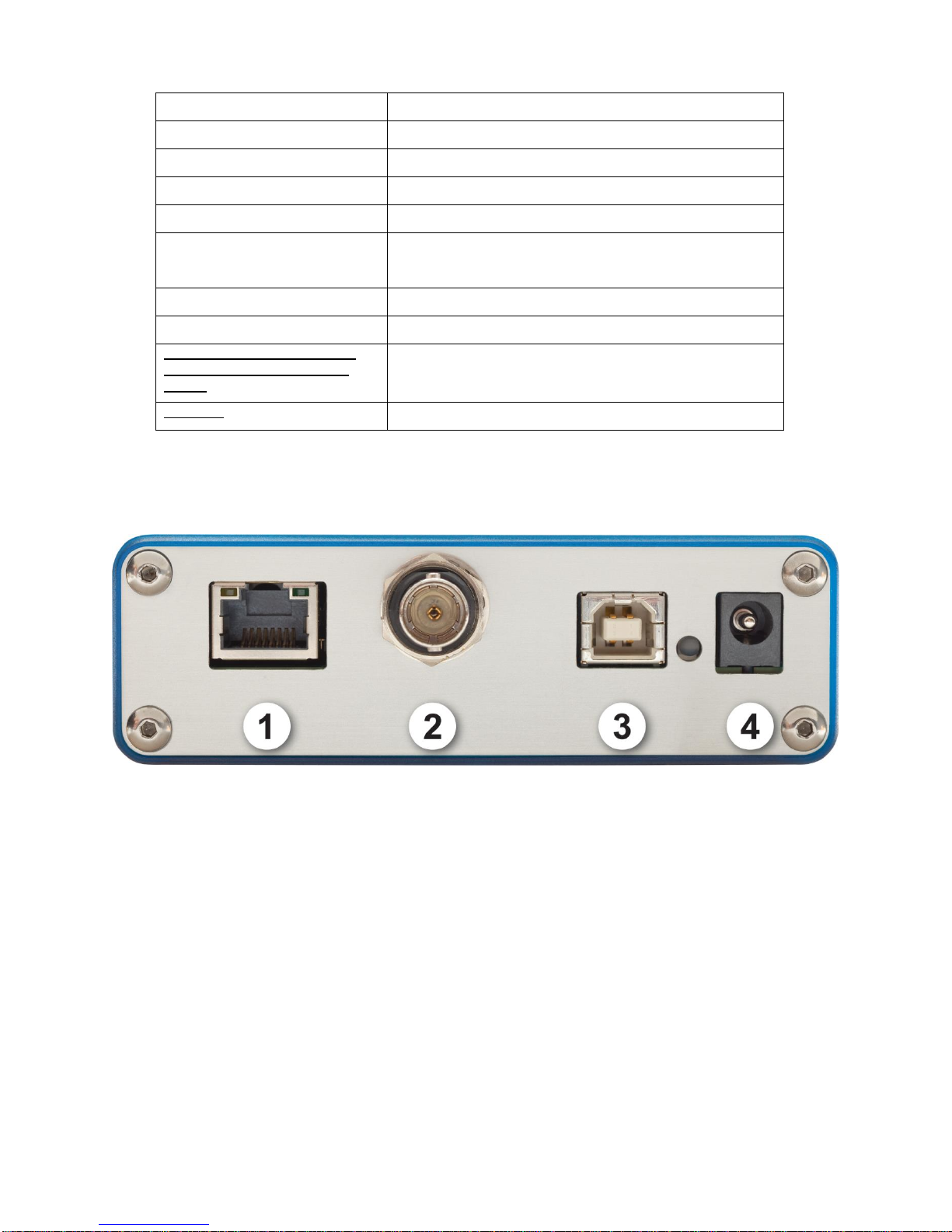
1.3 CONNECTOR DESCRIPTIONS ...........................................................................................................................4
GETTING STARTED ....................................................................................................................................6
1.4 QUICK POWER AND ENERGY MEASUREMENT PROCEDURE...............................................................................6
1.5 USER INTERFACE ......................................................................................................................................8
1.5.1 Start the PC S-Link software on the PC. Click Start / Programs /GENTEC-EO/ PC S-Link...............8
1.5.2 Make a connection with the S-link.........................................................................................................8
1.5.3 The Real time Display............................................................................................................................9
1.5.4 The Status Window ..............................................................................................................................10
1.5.5 Selecting the Channel to display..........................................................................................................10
1.5.6 Adjusting the Windows Display ...........................................................................................................11
1.5.7 The Graphic.........................................................................................................................................12
1.5.8 The graphic mode option after a load file............................................................................................13
1.5.9 Restarting the Lineplot, statistics and Histogram................................................................................14
1.5.10 Making an acquisition .........................................................................................................................15
1.5.11 Pausing the Statistics and line plot......................................................................................................15
1.5.12 Making a Zero offset............................................................................................................................15
1.5.13 Ratio mode...........................................................................................................................................16
1.5.14 Detecting missing laser pulses.............................................................................................................17
1.5.15 Recommended PC................................................................................................................................19
INSTALLATION AND COMMUNICATION..................................................................................................21
1.6 INSTALLATION..............................................................................................................................................21
1.6.1 To Install USB drivers for Windows™:...............................................................................................21
1.7 SETTING UP COMMUNICATION TO THE S-LINK .............................................................................................22
1.7.1 Verify COM Port..................................................................................................................................22
1.7.2 Reducing the Latency Timer Setting ....................................................................................................22
1.7.3 Connecting the PC S-Link to the S-Link ..............................................................................................22
1.7.3.1 Download the PC S-Link file and execute it....................................................................................22
1.7.3.2 Installation .......................................................................................................................................22
1.7.4 Running PC S-Link ..............................................................................................................................22
1.7.4.1 Start the PC S-Link..........................................................................................................................22
1.7.4.2 Ensure that the correct COM port is selected...................................................................................22
1.7.4.3 Exit the PC S-Link program ............................................................................................................23
1.7.5 Connect to the S-Link...........................................................................................................................23
1.7.6 To echo commands...............................................................................................................................24
1.7.7 Test the connection ..............................................................................................................................24
1.7.8 HyperTerminal settings shortcut..........................................................................................................24
1.7.9 Serial Commands.................................................................................................................................24
1.7 S-Link Serial commands ..........................................................................................................................24
2MAINTENANCE...................................................................................................................................31