Appendix-Answer Key
Mass and Weight
1. The amount of matter in an object is called its mass.
2. The force of gravity on an object is called its weight.
3. When you visit another planet, your mass stays the same.
4. When you visit another planet, your weight changes.
5. If you double the mass of an object, you double the object’s weight.
6.OnEarth,youcancomparethemassesofdierentobjectsbycomparingtheirweight.
7. This is used to measure weight.
8. This is used to measure mass.
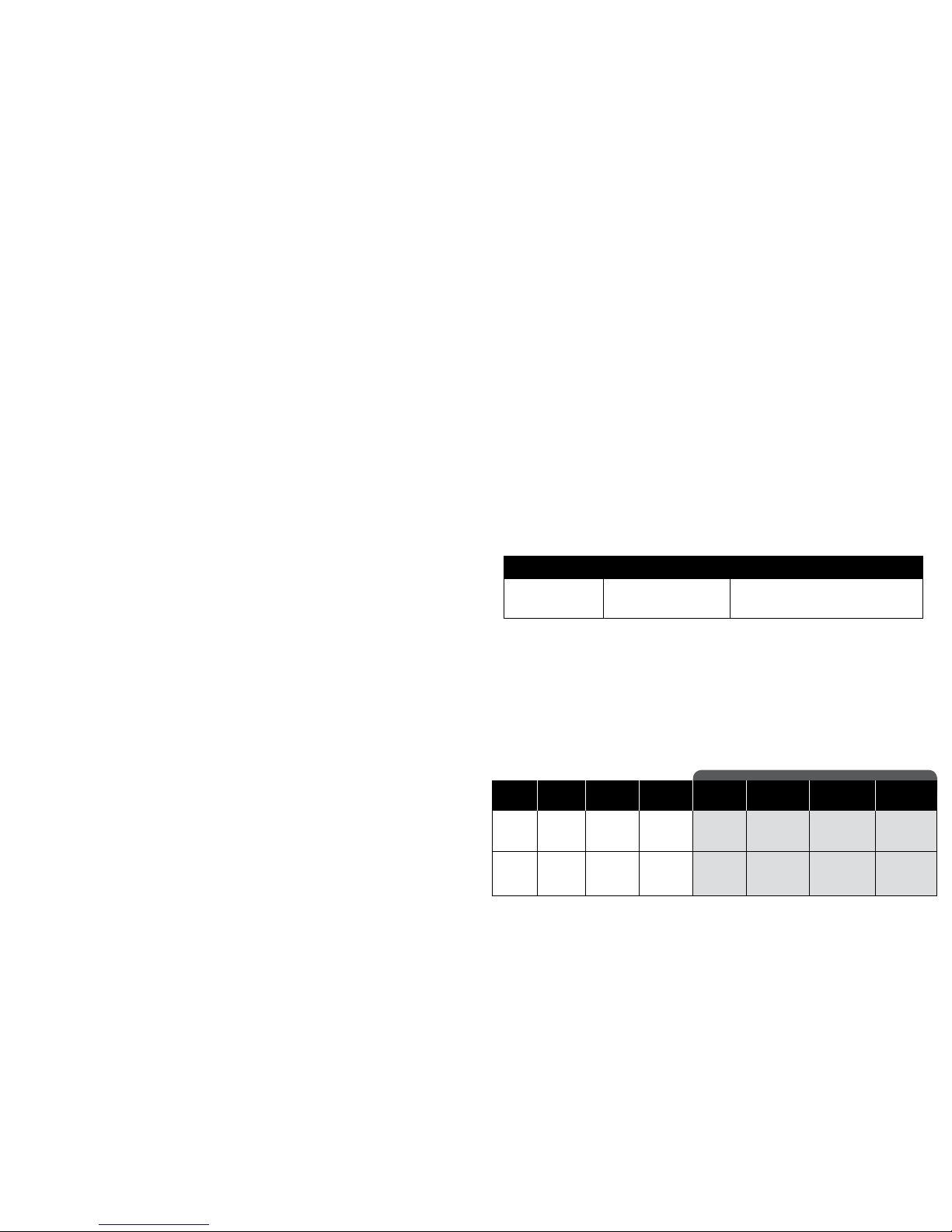
Find Your Weight Around the Solar System
Answers for the table will vary based on the student’s weight. Remember that the scale
isaccurateto±3pounds,±1.4kilograms,socalculationsmaybeclosebutnotidenticalin
some cases.
One Small Step Further:
1. Find a planet where the surface gravitational attraction is similar to Earth’s.
Saturn, Venus, and/or Uranus in descending order.
2.
Look carefully at the conversion rates in the chart. Which planet probably has the greatest mass?
Jupiter has the greatest mass. Notice that it has the highest conversion rate.
3. Someone said that the Moon’s gravity is of Earth’s gravity. Is that true? Use the chart
and math to explain why or why not.
It is approximately true. The conversion rate 0.17 is approximately equal to .
Multiplyingtheconversionrateby6givesusslightlymorethanonewhole:17x6=1.02
I’d Like to Place an Order—I mean, Order a Place…
1.Earth’sMoon,2.Mars&Mercury(tied),3.Uranus,4.Venus,5.Saturn,6.Earth,
7. Neptune, 8. Jupiter
Space Vocabulary
1. G
2. D
3. E
4. A
5. C
6. I
7. J
8. B
9. K
10. L
11. F
12. H
Battery Installation and Instructions
1. Open the battery compartment door by
carefully loosening the screw with
a screwdriver.
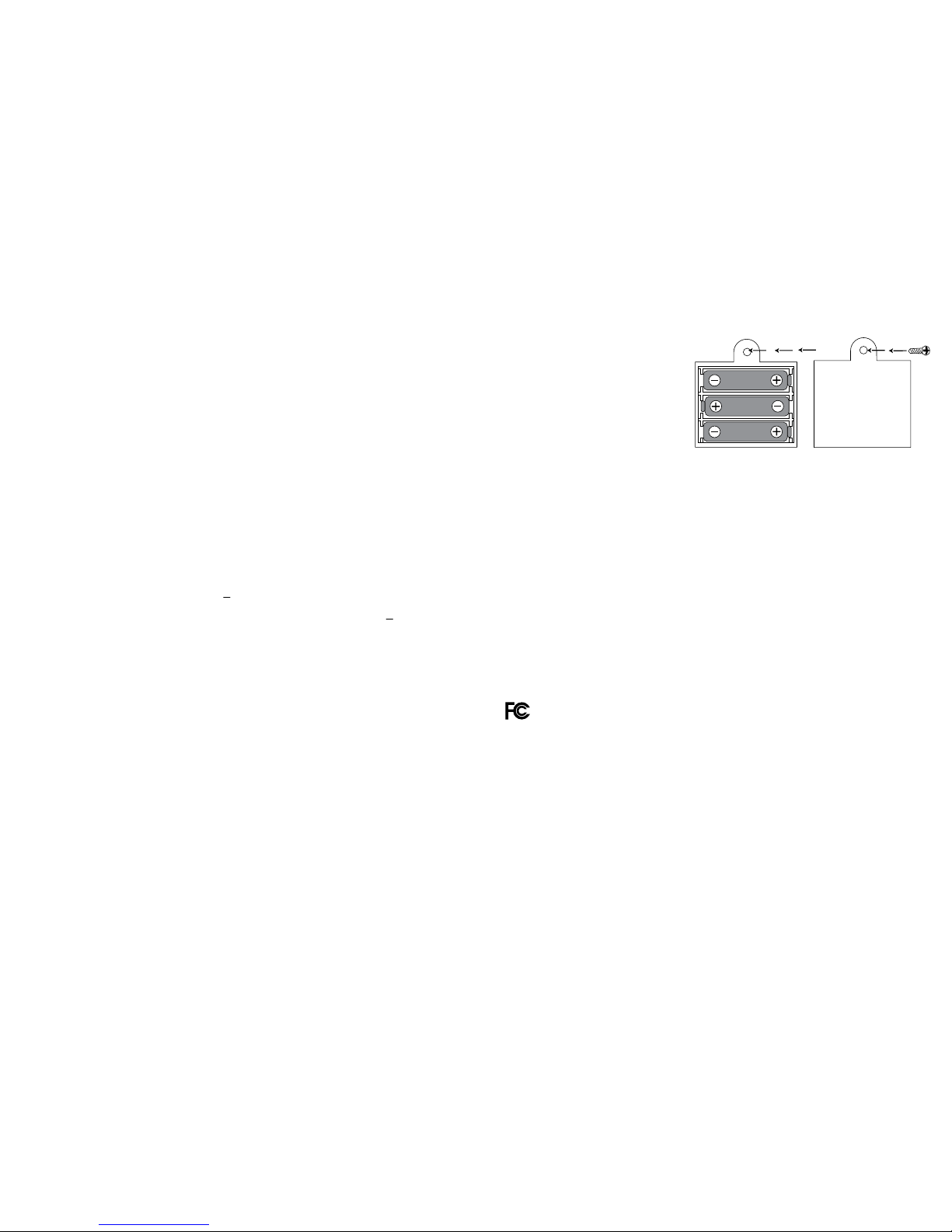
2. Install three fresh AA batteries following the
illustration inside the battery compartment.
•Donotuserechargeablebatteries.
•Donotmixoldandnewbatteries.
•Donotmixdierenttypesofbatteries:
alkaline, standard (carbon zinc), or
rechargeable (nickel-cadmium) batteries.
•Donotrechargenonrechargeablebatteries.
•Removerechargeablebatteriesfromthetoybeforerecharging.
•Onlychargerechargeablebatteriesunderadultsupervision.
•Onlyusebatteriesofthesameorequivalenttypeasrecommended.
•Insertbatterieswiththecorrectpolarity.
•Removeexhaustedbatteriesfromtheunit.
•Donotshort-circuitthesupplyterminals.
•Topreventcorrosionandpossibledamagetotheproduct,werecommendremoving
the batteries from the unit if it will not be used for more than two weeks.
3. Close the compartment door and tighten the screw.
10 11
© Educational Insights, Inc.
1
6
FCC Warning
Note: This equipment has been tested and found to comply with the limits for a Class B digital device,
pursuant to Part 15 of the FCC Rules. These limits are designed to provide reasonable protection against
harmful interference in a residential installation. This equipment generates, uses, and can radiate radio
frequency energy and, if not installed and used in accordance with the instructions, may cause harmful
interference to radio communications. However, there is no guarantee that interference will not occur in a
particular installation. If this equipment does cause harmful interference to radio or television reception,
which can be determined by turning the equipment o and on, the user is encouraged to try to correct the
interference by one or more of the following measures:
•Reorientorrelocatethereceivingantenna.
•Increasetheseparationbetweentheequipmentandreceiver.
•Consultthedealeroranexperiencedradio/TVtechnicianforhelp.
Note: The user is cautioned that changes and modifications made to the equipment without the approval
of manufacturer could void the user’s authority to operate this equipment.
1
6