EnglishDeutsch
 logo
Brands
  1. Home
  2. •
  3. Brands
  4. •
  5. GPX
  6. •
  7. TV
  8. •
  9. GPX TDE3274BP User manual

GPX TDE3274BP User manual

Other GPX TV manuals

GPX TE4014B User manual

GPX

GPX TE4014B User manual

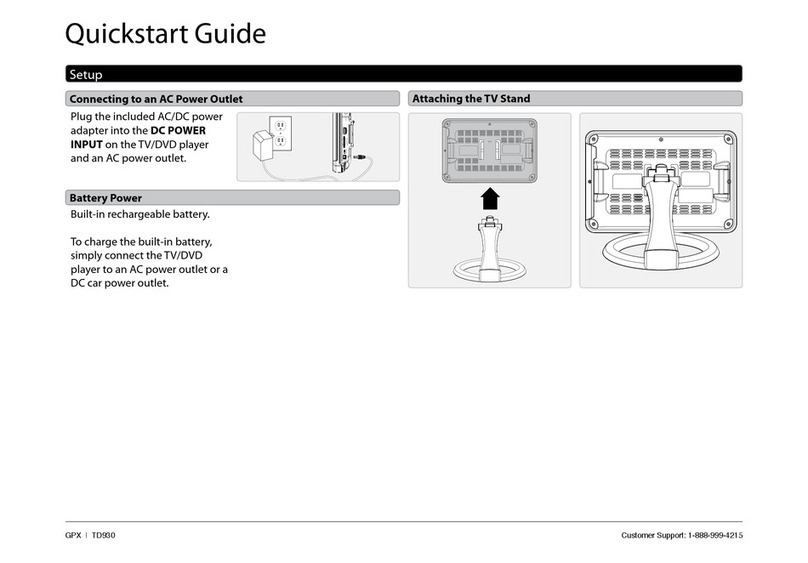
GPX TD930 User manual

GPX

GPX TD930 User manual

GPX TDE3274B User manual

GPX

GPX TDE3274B User manual

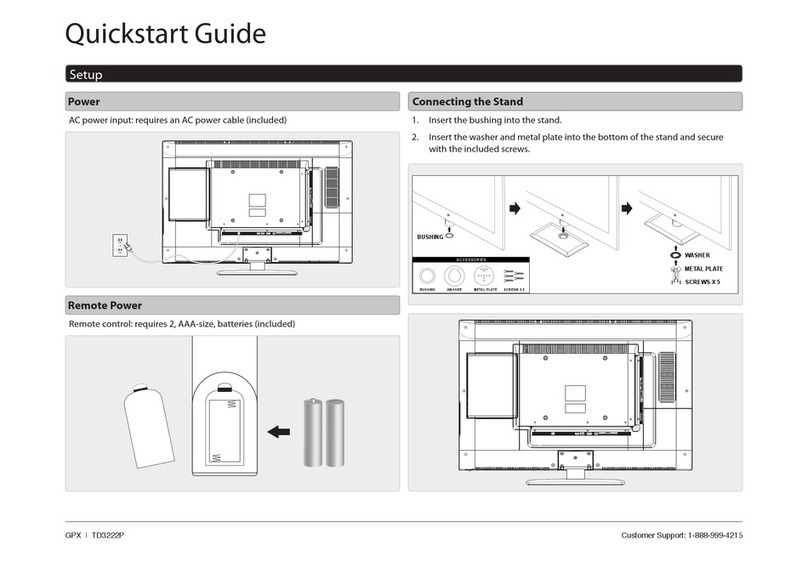
GPX TD3222P User manual

GPX

GPX TD3222P User manual

GPX TE2280 User manual

GPX

GPX TE2280 User manual

GPX TE3215B User manual

GPX

GPX TE3215B User manual

Popular TV manuals by other brands

Philips 32PFL7403D null

Philips

Philips 32PFL7403D null

Philips 19PFL3403D null

Philips

Philips 19PFL3403D null

Philips 19PFL5403D null

Philips

Philips 19PFL5403D null

Philips 32PFL7605C null

Philips

Philips 32PFL7605C null

Philips 32PFL7603D - annexe 1 null

Philips

Philips 32PFL7603D - annexe 1 null

Haier HS-2190 null

Haier

Haier HS-2190 null

Philips 19PFL3404D null

Philips

Philips 19PFL3404D null

Toshiba 27A10 owner's manual

Toshiba

Toshiba 27A10 owner's manual

Philips 42PF9630A/37 user manual

Philips

Philips 42PF9630A/37 user manual

Hitachi 32FX48B operating guide

Hitachi

Hitachi 32FX48B operating guide

DAEWOO ELECTRONICS DTQ-14V1FC Service manual

DAEWOO ELECTRONICS

DAEWOO ELECTRONICS DTQ-14V1FC Service manual

Changhong Electric uhd55b6000is Operation manual

Changhong Electric

Changhong Electric uhd55b6000is Operation manual

Philips Matchline 21CE7551 operating instructions

Philips

Philips Matchline 21CE7551 operating instructions

Panasonic Genus TX-G10 operating instructions

Panasonic

Panasonic Genus TX-G10 operating instructions

Toshiba 19A20 Service manual

Toshiba

Toshiba 19A20 Service manual

Philips 25PT4523-16 manual

Philips

Philips 25PT4523-16 manual

Sony XBR-100Z9D reference guide

Sony

Sony XBR-100Z9D reference guide

Philips PR0930X3 owner's manual

Philips

Philips PR0930X3 owner's manual

https://manuals.online logo
https://manuals.online logoBrands
  • About & Mission
  • Contact us
  • Privacy Policy
  • Terms and Conditions

Copyright 2026 Manuals.Online. All Rights Reserved.

Customer Support: 1-888-999-4215
GPX | TDE3274B v1128-01
Quickstart Guide
Plug the power cord on the back of the TV into a standard wall outlet.
When placing TV on at surface, be careful not to push, scratch, or otherwise damage the front of the TV and LCD screen. Using a phillips-head screwdriver, tighten the screws
by hand. Using a power drill could damage the TV stand.
Power
Remote control: requires 2, AAA-size, batteries (included)
Remote Batteries
Connecting the Stand
1 2
All manuals and user guides at all-guides.com
all-guides.com
Customer Support: 1-888-999-4215
GPX | TDE3274B v1128-01
Quickstart Guide
Playing a DVD or CD
Note: This unit is not compatible with MP3 CDs.
1. Insert a DVD or CD into the slot-load disc drive, with the label side of the
facing the rear of the television. Once a DVD or CD is loaded into the
television, the TV will automatically switch to DVD mode.
2. Press the Play/Pause button on the remote or TV to begin playing the
loaded disc.
DVD Setup Menu
In DVD mode, press the DVD Setup button to access the DVD setup menu.
Press the DVD Setup button to exit the DVD setup menu.
•
D
I
S
C
B
A
C
K
•
D
I
S
C
B
A
C
K
•
D
I
S
C
B
A
C
K
Connecting Cable/TV Antenna
You will need: a Cable/Antenna wire (not included).
1. Connect the Cable/Antenna wire to the input on the television.
2. Press the Source button to switch to TV mode.
3. Press the Setup button to access the setup menu.
4. Press the Arrow () buttons to highlight the Channel icon,
and press the Enter button.
5. Press the Arrow () buttons to highlight Air/Cable, and press the Arrow
() buttons to select AIR or Cable.
6. Press the Arrow () buttons to highlight Auto Scan, and press the Enter
button to begin scanning for available channels.
Note: Initial channel scanning process may take up to 15 min.
Connecting a Media Player/Streaming/Gaming Device
If the Device has an HDMI Output:
• Connect the HDMI output on the Device to the HDMI INPUT on the television
using an HDMI cable (not included).
If the Device has a Composite Video Output:
• Connect the video output on the Device to the COMPOSITE VIDEO INPUT on
the television using an A/V RCA cable (not included).
• Connect the audio output on the Device to the RCA AUDIO INPUT on
the television.
If the Device has a Component Video Output:
• Connect the video output on the Device to the COMPONENT VIDEO INPUT
(YPbPr) on the television using a component cable (not included).
• Connect the audio output on the Device to the RCA AUDIO INPUT on the
television using a stereo audio cable.
After Connecting Your Device:
• Press the Source button to switch to HDMI 1, 2, 3, or AV/YPbPr.

All manuals and user guides at all-guides.com