Operation
After wiring is complete, supply power to the GRX-PWM to check for proper operation.
•With the cover removed, an LED will provide visual feedback about the operation of the system.
•When power is first applied, the LED will turn on for 8 seconds to indicate start-up mode and then start to flash in one of two ways
to indicate the status of the system:
1. Standard Operation
•The LED will flash at a rate of twice per second to signify proper communication between the Control Unit and the Interface.
2. Incorrect Operation - No Active Input
•The LED will repeatedly turn on for 1 second, then off for 1 second, to indicate that there is not an active phase control input to
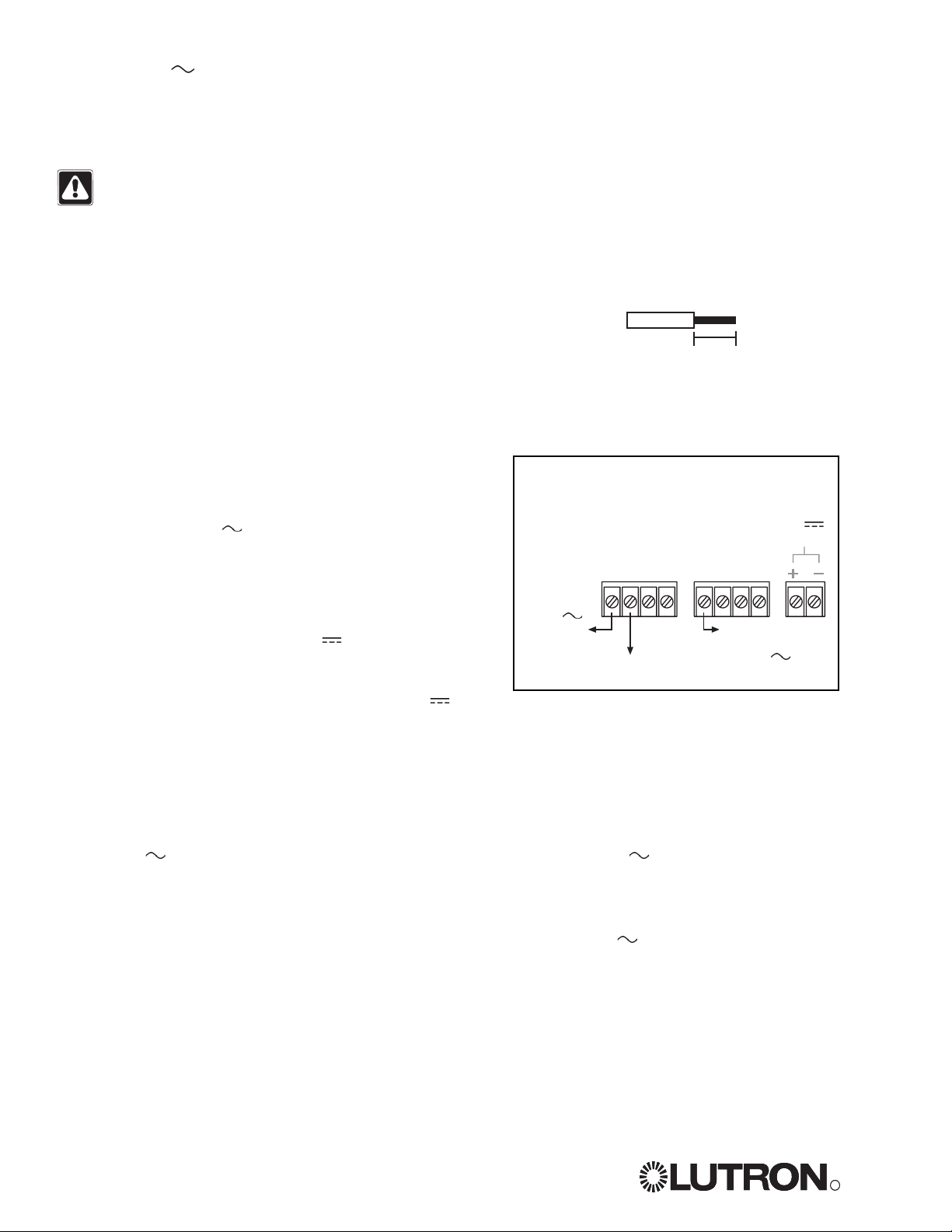
the GRX-PWM. Make sure that the phase control dimmer is ON and connected to the GRX-PWM at the terminal block marked
DH2. Check that the corresponding zone for the DH2terminal is ON and the light level is not set at the minimum output.
•When the LED indicates proper input of a phase control signal, then the output can be checked by looking at the load and
checking operation from the Control Unit.
•For non-dimming ballasts, select non-dim load type on the
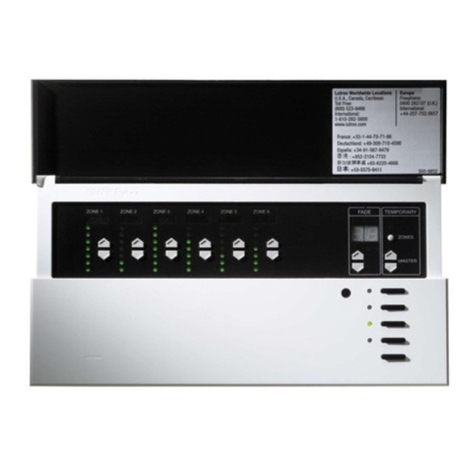
GRAFIK Eye
Control Unit and do not connect ballasts to PWM’s + and -
terminals.
Make sure that the Control Unit is set for Fluorescent Load Type. (Refer to
GRAFIK Eye
3000 Series Installer's Guide.) If the
load type is not set correctly, proper dimming will not occur.
Solution
Verify that LED pulses twice per second. If not, check wiring from phase control unit to the
Interface.
Make sure that the
GRAFIK Eye
3000 Series Control Unit is ON.
Check for proper polarity of PWM signals at terminal blocks. Does it match what is at every
ballast? A miswire at any ballast will cause all ballasts to go to the low end.
GRAFIK Eye
3000 Series Control Unit is not configured for fluorescent load type.
Check that the SH1connection goes to the ballasts.
Check that the DH2connection is actually wired to a phase control input.
Check that load is connected to SH terminal.
Check that the DH2connection is actually wired to a phase control input.
Check that power is applied to the Interface.
Symptom
PWM Ballast does not dim or control
unit to the Interface.
Light does not switch on
Light does not switch off
LED is not illuminated
Possible Cause
Miswire
Power is OFF
Miswire
Incorrect control setup
Miswire
Miswire
Miswire
Miswire
No power input
Troubleshooting
Lutron Electronics Co., Inc.
Made and printed in U.S.A. 2/06
P/N 031-267 Rev. A
LIMITED WARRANTY
Lutron will, at its option, repair or replace any unit that is
defective in materials or manufacture within one year after
purchase. For warranty service, return unit to place of purchase
or mail to Lutron at 7200 Suter Rd., Coopersburg, PA 18036-
1299, postage pre-paid.
This warranty is in lieu of all other express warranties, and the
implied warranty of merchantability is limited to one year from
purchase. This warranty does not cover the cost of installation,
removal or reinstallation, or damage resulting from misuse,
abuse, or improper or incorrect repair, or damage from improper
wiring or installation. This warranty does not cover incidental or
consequential damages. Lutron’s liability on any claim for
damages arising out of or in connection with the manufacture,
sale, installation, delivery, or use of the unit shall never exceed
the purchase price of the unit.
This warranty gives you specific legal rights, and you may also
have other rights which vary from state to state. Some states do
not allow limitations on how long an implied warranty lasts, so
the above limitation may not apply to you. Some states do not
allow the exclusion or limitation of incidental or consequential
damages, so the above limitation or exclusion may not apply to
you.
This product may be covered by one or more of the following
U.S. Patents: 4,797,599; 5,309,068; 5,633,540; and
corresponding foreign patents.
Nomex
is a registered trademark of E.I. Du Pont de Nemours and
Company.
Lutron, the sunburst logo, and GRAFIK Eye are registered
trademarks; Eco-10 is a trademark of Lutron Electronics Co., Inc.
© 2006 Lutron Electronics Co., Inc.
Internet: www.lutron.com
WORLD HEADQUARTERS
Lutron Electronics Co., Inc.
7200 Suter Road, Coopersburg, PA 18036
TEL +1-610-282-3800
FAX +1-610-282-1243
EUROPEAN HEADQUARTERS
Lutron EA Ltd.
6 Sovereign Close, Wapping, London, E1W
3JF United Kingdom
TEL +44-207-702-0657
FAX +44-207-480-6899
FREEPHONE (UK) 0800-282-107
Technical support +44-(0)20-7680-4481
WORLDWIDE OFFICES
Brazil
Lutron BZ do Brasil Ltda.
AV, Brasil, 239, Jardim America,
Sao Paulo-SP, CEP01431-000, Brasil
TEL +55 11 3885-5152
France
Lutron LTC, S.A.R.L.
90 rue de Villiers, 92300 Levallois-Perret
France
TEL +33-(0) 1-41-05-42-80
FAX +33-(0) 1-41-05-01-80
FREEPHONE 0800-90-12-18
Germany
Lutron Electronics GmbH, Landsberger
Allee 201, 13055 Berlin, Germany
TEL +49-309-710-4590
FAX +49-309-710-4591
FREEPHONE 00800-5887 6635
Italy
Lutron LDV, S.r.l.
FREEPHONE 800-979-208
Spain, Madrid
Lutron CC, S.R.L.
Calle Orense, 85, 28020 Madrid, Spain
TEL +34-91-567-84 79
FAX +34-91-567-84 78
FREEPHONE 0900-948-944
Spain, Barcelona
Lutron CC, S.R.L.
Gran Via del Carlos III, 84, planta 3a,
08028,
Barcelona, Spain
TEL +34-93-496-57 42
FAX +34-93-496-57 01
FREEPHONE 0900-948-944
China, Beijing
Lutron GL Ltd.
5th Floor, China Life Tower, No. 16 Chaowai
Street, Chaoyang District, Beijing 100020
China
TEL +86-10-5877-1817
FAX +86-10-5877-1816
China, Shanghai
Lutron GL Ltd.
Suite 07, 39th Floor, Plaza 66,
1266 Nan Jing West Road, Shanghai,
200040 China
TEL +86-21-6288-1473
FAX +86-21-6288-1751
China, Guangzhou
Lutron GL Ltd. Guangzhou Representative
Office
Plaza Business and Conference Centre
(Guangzhou)
Suite A09, 23/F Tower A, Center Plaza,
161 LinHeXiLu, Tianhe District, Guangzhou
510620 China
TEL +86-20-2885-8266
FAX +86-20-2885-8366
Hong Kong
Lutron GL Ltd.
Room 2808, 28/F, 248 Queen's Road East,
Wanchai, Hong Kong
TEL +852-2104-7733
FAX +852-2104-7633
Japan
Lutron Asuka Co. Ltd.
No. 16 Kowa Building, 4F, 1-9-20, Akasaka,
Minato-ku, Tokyo 107-0052 Japan
TEL +81-3-5575-8411
FAX +81-3-5575-8420
Singapore
Lutron GL Ltd.
6A Upper Cross Street, Singapore 058326
TEL +65-6220-4666
FAX +65-6220-4333
Asia Technical Hotlines
Northern China: 10-800-712-1536
Southern China: 10-800-120-1536
Hong Kong: 800-901-849
Singapore: 800-120-4491
Taiwan: 00-801-137-737
Thailand: 001-800-120-665853