2
Approval and conformity
The conformity declarations can be obtained from the following
address:
GROHE Deutschland Vertriebs GmbH
Zur Porta 9
D-32457 Porta Westfalica
Electrical installation
Electrical installation work must
be performed only by a qualified
electrician. This work must be carried
out in accordance with the regulations
to IEC 60364 -7-701 (corresponding
to VDE 0100 Part 701) as well as all
national and local regulations.
• Extension cables are not permitted between the electrical
socket and boiling water storage heater connection.
Installation
Refer to the dimensional drawings on fold-out page I.
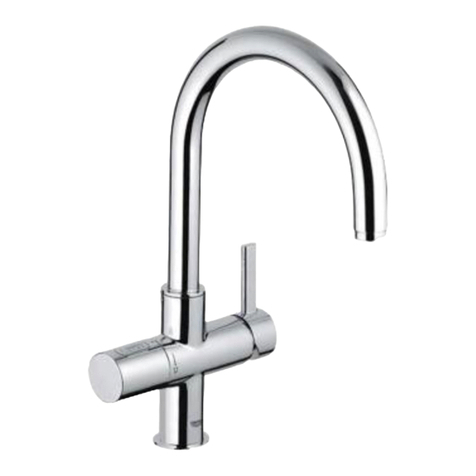
Install fitting, see fold-out page II, Figs [1] and [2].
Insert the fitting in the sink aperture. This will require leading
through the hoses one at a time.
Note: If support plate (A) is omitted, the clamping length can
be increased by 15mm, see Fig. [1].
Safety assembly connection, see Fig. [3].
1. Connect T-piece (B) provided to the drainage pipe.
2.Connect funnel (C) to the T-piece (B).
3.Install safety assembly (D) on funnel (C).
Filter head and filter connection, see also technical product
information for the wall holder and the filter cartridge and
Fig. [4]. Note direction of flow.
1.Install the pressure hose (E) at the filter head input and
install the sensor (G) at the filter head output. Note direction
of flow. The sensor (G) must be installed horizontally.
2.Install the display unit (H).
Use suitable screws and if applicable wall plugs (not included
in the scope of delivery).
Flush pipes thoroughly before and after installation
(observe EN 806).
Filter system connection, see Fig. [5].
1.Install adapter (J) on the service valve.
2.Screw the pressure hose (E) of the filter system onto the
adapter (J).
3.Screw the hose (K) onto the sensor (G).
Storage heater connection, see Figs. [2] and [6].
Install storage heater taking into consideration the
available hose lengths.
Do not connect voltage supply yet.
1.Connect safety assembly (D), see Fig. [6].
2.Screw hose (K) to safety assembly (D) using the seals
provided, see Fig. [6].
3.Secure storage heater pressure hose (L) marked blue
to safety assembly (D) using the seals provided.
To prevent overpressure, the outlet
valve (D2) of the safety assembly
must not be covered, see Fig. [3].
Connect fitting, see fold-out page III, Fig. [7].
1.Screw fitting pressure hose (M) marked blue to adapter (J).
2.Unscrew plug (N1) from storage heater pressure hose (N)
marked red.
3.Screw fitting pressure hose (O) marked red to storage
heater pressure hose (N) marked red.
4.Connect the fitting pressure hose (P) marked 100 °C
to connection (P1) on the storage heater.
Open the service valve and check connections for
watertightness.
Filling storage heater with water, see Figs. [3], [8] and [9].
1.Open shut-off valve (D1) at safety assembly (D), see detail,
Fig. [3].
2.Pull button (Q1) on handle (Q) of fitting outward and turn the
handle anti-clockwise, see Fig. [8].
3.Fill the storage heater until water comes out the spout of the
fitting.
4.Connect voltage supply via mains plug (R), see Fig. [9].
5.Press and hold button (S) on storage heater for at least 2
seconds to switch on the storage heater. The red indicator
lamp (S1) indicates that the storage heater is switched on.
Important note
The volume of water in the storage heater will expand
as it is heated. The expansion water must drip out
at funnel (C) of safety assembly (D), see Fig. [3].
This process is necessary and normal.
The spout must not be fitted with any downstream
resistances in the form of air bubblers (e.g. mousseurs)
or components reducing flow (e.g. restrictors) as these
will result in damage to the storage heater.
Setting the litre specification (600 litres is preset at the
factory), see Fig. [10].
The GROHE Red boiling water system is now fully
installed and ready for operation.
Button Display
Briefly press PROG button
(PRG flashes)
Briefly press RESET button to access
programming for litre specification
(00000flashes)
Keep pressing PROG button until
required position is reached
(00000 digit flashing)
Keep pressing RESET button until
required digit is reached
(00600 digit flashing)
Keep pressing PROG button to exit menu
(PRG disappears and set value appears)
The date of installation must be noted on the
maintenance sticker and affixed at a visible location
on the storage heater.