manuals.online logo
Brands
  1. Home
  2. •
  3. Brands
  4. •
  5. Grundig
  6. •
  7. TV
  8. •
  9. Grundig GBH2037 User manual

Grundig GBH2037 User manual

This manual suits for next models

5

Other Grundig TV manuals

Grundig TVR 3730R User manual

Grundig

Grundig TVR 3730R User manual

Grundig VISION 9 37-9870 T User manual

Grundig

Grundig VISION 9 37-9870 T User manual

Grundig CUC 2058 N User manual

Grundig

Grundig CUC 2058 N User manual

Grundig 48 VLE 565 BG User manual

Grundig

Grundig 48 VLE 565 BG User manual

Grundig 32GFB6629 User manual

Grundig

Grundig 32GFB6629 User manual

Grundig LXW 68-9740 User manual

Grundig

Grundig LXW 68-9740 User manual

Grundig 40 VLE 565 BG User manual

Grundig

Grundig 40 VLE 565 BG User manual

Grundig 55GFB6625 User manual

Grundig

Grundig 55GFB6625 User manual

Grundig Planatron 42 PW 110-7401 TOP User manual

Grundig

Grundig Planatron 42 PW 110-7401 TOP User manual

Grundig CUC 2032 User manual

Grundig

Grundig CUC 2032 User manual

Grundig 02 GBH 4719 User manual

Grundig

Grundig 02 GBH 4719 User manual

Grundig 50 CUA 7390 Mailand User manual

Grundig

Grundig 50 CUA 7390 Mailand User manual

Grundig T 63-530 text User manual

Grundig

Grundig T 63-530 text User manual

Grundig 75 GCU 8900B User manual

Grundig

Grundig 75 GCU 8900B User manual

Grundig PlanaVision 50 PXW 130-8620 Dolby User manual

Grundig

Grundig PlanaVision 50 PXW 130-8620 Dolby User manual

Grundig 50 GHU 7910 B User manual

Grundig

Grundig 50 GHU 7910 B User manual

Grundig CUC 2003 User manual

Grundig

Grundig CUC 2003 User manual

Grundig ELEGANCE 21 FLAT TVD 55-2502/5 TOP User manual

Grundig

Grundig ELEGANCE 21 FLAT TVD 55-2502/5 TOP User manual

Grundig New York 40 CLX 8670 BP User manual

Grundig

Grundig New York 40 CLX 8670 BP User manual

Grundig 43GFB6625 User manual

Grundig

Grundig 43GFB6625 User manual

Grundig 40 VLE 4520 BM User manual

Grundig

Grundig 40 VLE 4520 BM User manual

Grundig VISION 2 16-2830 T User manual

Grundig

Grundig VISION 2 16-2830 T User manual

Grundig DIGI 100 CUC 1934 User manual

Grundig

Grundig DIGI 100 CUC 1934 User manual

Grundig XENTIA 72 User manual

Grundig

Grundig XENTIA 72 User manual

Popular TV manuals by other brands

IKEA UPPLEVA user manual

IKEA

IKEA UPPLEVA user manual

Toshiba 19A20 Service manual

Toshiba

Toshiba 19A20 Service manual

Sony XBR-100Z9D reference guide

Sony

Sony XBR-100Z9D reference guide

Sony Trinitron KV-HR36M90 Service manual

Sony

Sony Trinitron KV-HR36M90 Service manual

JVC AV-14AG16 instructions

JVC

JVC AV-14AG16 instructions

Loewe Table Stand Reference 55 user guide

Loewe

Loewe Table Stand Reference 55 user guide

Panasonic Genus TX-G10 operating instructions

Panasonic

Panasonic Genus TX-G10 operating instructions

Samsung LN26C350D1D Service manual

Samsung

Samsung LN26C350D1D Service manual

BBK LT1516D Service manual

BBK

BBK LT1516D Service manual

Samsung 55S9 B Series Quick setup guide

Samsung

Samsung 55S9 B Series Quick setup guide

Sharp LC-40FI5012E user manual

Sharp

Sharp LC-40FI5012E user manual

Evervue BN185 Operation manual

Evervue

Evervue BN185 Operation manual

North State TV2GO user guide

North State

North State TV2GO user guide

Toshiba CX35F70 owner's manual

Toshiba

Toshiba CX35F70 owner's manual

Magnavox PS1980 owner's manual

Magnavox

Magnavox PS1980 owner's manual

Philips 20HF5335D manual

Philips

Philips 20HF5335D manual

Panasonic QuintrixF TX-29AS1D operating instructions

Panasonic

Panasonic QuintrixF TX-29AS1D operating instructions

Samsung 4 Series Quick setup guide

Samsung

Samsung 4 Series Quick setup guide

manuals.online logo
manuals.online logoBrands
  • About & Mission
  • Contact us
  • Privacy Policy
  • Terms and Conditions

Copyright 2025 Manuals.Online. All Rights Reserved.

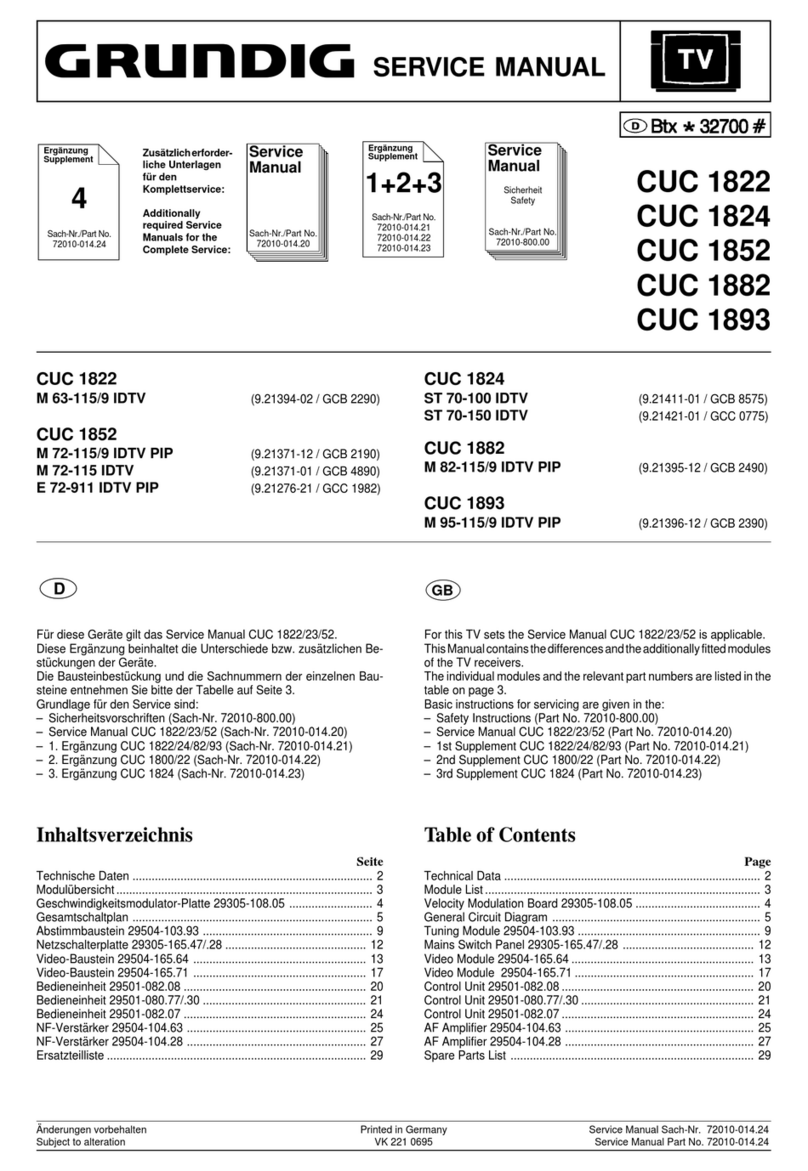
TV Service Manual
Zusätzlich erforderliche Unterlagen für den Komplettservice
Additionally required Service Documents for the Complete Service
Service
Manual
Materialnummer / Part Number 720100537000
Änderungen vorbehalten / Subject to alteration
TCC 0309 HH • Prepared in Germany
http://www.grundig.com
Chassis SC
Vision 3
37-3821 GBH2037
32-3821 GBH2032
26-3821 GBH2026
Sicherheit
Safety
Materialnr./Part No.
720108000001
NUR FÜR INTERNEN GEBRAUCH
FOR INTERNAL USE ONLY
GRUNDIG Service Chassis SC
1 - 2
Table of Contents
Page
General Section .................................. 1-2…1-12
General Notes ...............................................................................1-2
Product and Display Variants ........................................................1-3
Technical Data...............................................................................1-4
Operating Hints..............................................................................1-8
Service and Special Functions ....................................................1-10
Layout of the PCBs
and Circuit Diagrams ......................... 2-1…2-29
Chassis Board YCA190R-3:
- Power Supply ..............................................................................2-1
- Inputs...........................................................................................2-2
- VGA.............................................................................................2-3
- HDMI ...........................................................................................2-4
- Scaler ..........................................................................................2-5
- Audio Signal Processing .............................................................2-8
- Audio Amplifier ............................................................................2-9
- Tuner.........................................................................................2-10
- IDTV MPEG Decoder & CPU....................................................2-12
- Common Interface.....................................................................2-14
- Overview ...................................................................................2-15
- PCB...........................................................................................2-16
Keyboards XSV191, XSW191, XVQ191 .....................................2-28
IR/LED Board XVS192 ................................................................2-29
Spare Parts Lists .................................. 3-1…3-5
Inhaltsverzeichnis
Seite
Allgemeiner Teil .................................. 1-2…1-12
Allgemeine Hinweise .....................................................................1-2
Geräte- und Display-Varianten......................................................1-3
Technische Daten..........................................................................1-4
Bedienhinweise .............................................................................1-6
Service- und Sonderfunktionen ...................................................1-10
Platinenabbildungen
und Schaltpläne.................................. 2-1…2-29
Chassisplatte YCA190R-3:
- Netzteil ........................................................................................2-1
- Eingänge .....................................................................................2-2
- VGA.............................................................................................2-3
- HDMI ...........................................................................................2-4
- Scaler ..........................................................................................2-5
- Audio-Signalverarbeitung............................................................2-8
- Audio Verstärker..........................................................................2-9
- Tuner.........................................................................................2-10
- IDTV MPEG Decoder & CPU....................................................2-12
- Common Interface.....................................................................2-14
- Übersicht ...................................................................................2-15
- Leiterplatte.................................................................................2-16
Bedienplatten XSV191, XSW191, XVQ191.................................2-28
IR/LED-Platte XVS192 ................................................................2-29
Ersatzteillisten ...................................... 3-1…3-5
Es gelten die Vorschriften und Sicherheitshinweise
gemäß dem Service Manual "Sicherheit", Material-
nummer720108000001,sowiezusätzlichdieeventu-
ell abweichenden, landesspezifischen Vorschriften!
The regulations and safety instructions shall be
valid as provided by the "Safety" Service Manu-
al, part number 720108000001, as well as the
respective national deviations.
General Section
General Notes
Before opening the cabinet disconnect the mains plug!
Attention: Observe the ESD safety regulations
Wiring
Before disconnecting any leads and especially the earth connecting
leads observe the way they are routed to the individual assemblies.
On completion of the repairs the leads must be laid out as originally
fitted at the factory to avoid later failures or disturbances.
Carrying out Measurements
Whenmakingmeasurementsonsemi-conductorswithan oscilloscope,
ensure that the test probe is set to 10:1 dividing factor. If the previous
measurement was made on AC input, please note that the coupling
capacitor in the oscilloscope will be charged. Discharge via the item
being checked can damage the components.
Measured Values and Oscillograms
The measured values given in the circuit diagrams and oscillograms
are approximates!
Exchange of Software or Chassis
After changing the memory or the chassis all device-specific parame-
ters must be checked and if necessary setuped (see part Service and
Special Functions, page 1-10).
Allgemeiner Teil
Allgemeine Hinweise
Vor dem Öffnen des Gehäuses den Netzstecker ziehen!
Achtung: ESD-Vorschriften beachten
Leitungsverlegung
Bevor Sie die Leitungen und insbesondere die Masseleitungen lösen,
muss die Leitungsverlegung zu den einzelnen Baugruppen beachtet
werden.
Nach erfolgter Reparatur ist es notwendig, die Leitungsführung wieder
in den werkseitigen Zustand zu versetzen um evtl. spätere Ausfälle
oder Störungen zu vermeiden.
Durchführen von Messungen
BeiMessungenmitdemOszilloskopanHalbleiternsolltenSienurTast-
köpfe mit 10:1 - Teiler verwenden. Außerdem ist zu beachten, dass
nach vorheriger Messung mit AC-Kopplung der Koppelkondensator
des Oszilloskops aufgeladen sein kann. Durch die Entladung über
das Messobjekt können Bauteile beschädigt werden.
Messwerte und Oszillogramme
Bei den in den Schaltplänen und Oszillogrammen angegebenen
Messwerten handelt es sich um Näherungswerte!
Austausch von Speicher oder Chassisplatte
Bei Austausch der Speicher oder der Chassisplatte müssen alle ge-
rätespezifischen Parameter überprüft und gegebenenfalls eingestellt
werden (siehe Service- und Sonderfunktionen, Seite 1-10).

GRUNDIG Service Chassis SC
1 - 3
Geräte- und Display-Varianten
Display- und Product Code
Je nach Verfügbarkeit werden
Displays verschiedener Herstel-
lereingebaut.Diesführt zu unter-
schiedlichenChassis-Bestückun-
gen, sowie zu Änderungen in der
Software.BeiErsatzteilbestellun-
gen und Software-Updates ach-
ten Sie bitte auf das eingebaute
Display, sowie auf den "Product
Code". Angaben dazu finden
Sie auf der Geräterückseite.
Sollte in der Ersatzteilliste des
Service Manuals Ihr "Product
Code"oder IhreDisplay-Variante
nicht aufgeführt sein, können Sie
eine aktualisierte Version auf
dem GRUNDIG Service-Portal
"http://service.grundig.de" fin-
den.
ÜberprüfenSievorAustauschder
Hauptplatte, ob die Aufkleber der
Platinen identisch sind.
Product and Display Variants
Display- und Product Code
Dependingonavailabilitydisplays
of different manufacturer are built
in.This resultsin differentchassis
mountings as well as a different
software. On spare parts orders
as well as software updates take
careofthe fitteddisplayas wellas
of the "Product Code". Therefore
you can find information on the
labels on the rear side. If your
"Product Code" or display vari-
ant is not mentioned in the spare
parts list of the service manual,
please look for a current version
at the GRUNDIG service portal
"http://service.grundig.de".
Before changing the main board
please check whether the labels
on the boards are identical.
Chassis SCGRUNDIG Service
1 - 4
Technische Daten / Technical Data
Vision 3 37-3821 Vision 3 32-3821 Vision 3 26-3821
Order No.
Product Code
G.BH 20-37
U6E, FXP
G.BH 20-32
FXH
EAN
Color
Remote control
IM-Languages
40 13833-61554 5
black / silver
40 13833-61553 8
black / silver
TP 170 C / TP 2
D, GB, F, I, NL, DK, N, S, FIN, E, P, PL, CZ,
H
TP 170 C / TP 2
D, GB, F, I, NL, DK, N, S, FIN, E, P, PL, CZ,
H
Destination
Display
Panel
Wide-screen format
All NSOs All NSOs
37" / 94 cm
Active Matrix TFT-LC-Dis
p
la
y
[
32" / 81 cm
Active Matrix TFT-LC-Dis
p
la
y
[
Response time (approx.)
Brightness (approx.)
Contrast ratio (Panel, approx.)
Dynamic contrast plus
8ms
500cd/m2
6ms
500cd/m2
800:1
5.000:1
2000:1
5.000:1
Viewing angle (approx.)
Physical display resolution
PICTURE
Motion Picture Improvement
178° vertical / 178° horizontal
WXGA 1366 x 768
178° vertical / 178° horizontal
WXGA 1366 x 768
\\
Motion Adaptive Deinterlacing
Natural View HD Reference
Full HD
Line Flicker Reduction
[(3D DeInterlacer)
\
[(3D DeInterlacer)
\
\
\
\
\
Digital Color Transition Improv. (DCTI)
Digital Combfilter
Digital Luminance Transition Improv. (DLTI)
Picture Noise Reduction
[
[(2D)
[
[(2D)
[
[
[
[
Preset picture modes
Aspect ratios (Format switching)
Blackline Detection
PIP
user, natural, rich, soft
Auto (WSS), 4:3 / 16:9 / 14:9 / LetterBox /
Subtitle / Panorama
user, natural, rich, soft
Auto (WSS), 4:3 / 16:9 / 14:9 / LetterBox /
Subtitle / Panorama
\
\
\
\
Multifold Tuner scan (Mosaic Picture)
PAT: Split screen (PICTURE + TEXT)
PAP: Double Window (PICTURE + PICTURE)
P2AT: Double Window + TXT
\
\
\
\
\
\
\
\
POP: PICTURE on PICTURE
Picture freezing
Zoom with point function
Auto 16:9 selection via Scart
\
\
\
\
\
[
\
[
Sharpness control
Blue Background
CHASSIS
TV-Chassis
[
[
[
[
SC SC
Progressive
Tuner
Keyboard
ELECTRONIC
\
PLL fre
q
uenc
y
s
y
nthesizer tunin
g
\
PLL fre
q
uenc
y
s
y
nthesizer tunin
g
6 keys: menu,
±
p
ro
g
ramme, ±volume, AV/TV 6 keys: menu,
±
p
ro
g
ramme, ±volume, AV/TV
Stand by indicator
EPG (Electronic Programme Guide)
Easy Dialog
Megalogic
blue LED
\
blue LED
\
\
\
\
\
Manual & autom. labeling of prog.
Programmable off timer
Programmable on timer
Intelligent channel search (Zapping funct.)
[
[
[
[
[
[
[
[
Programme Edit
Intelligent Programme Switch
Auto switch off
Programme memory TV/AV (opt.)
[
\
[
\
\
100 / 7
\
100 / 7
Teletext/Fasttext/Toptext
Teletext options
Childlock
Menue languages OSD
[/ [/ \
100
p
a
g
es
[/ [/ \
100
p
a
g
es
[
26 languages, D, GB, F, I, E, P, NL,GR, TR,
DK, FIN, N, S, SI, PL, H, RUS, RO, HR, CZ,
SK, AL, BG, MK, SER, HEB
(
Version A
)
[
26 languages, D, GB, F, I, E, P, NL,GR, TR,
DK, FIN, N, S, SI, PL, H, RUS, RO, HR, CZ,
SK, AL, BG, MK, SER, HEB
(
Version A
)
OSD-style
Service mode
Hotel mode
TUNING
Grundi
g
-st
y
le
[
Grundi
g
-st
y
le
[
Simple hotel mode possible via
service ad
j
ustment Simple hotel mode possible via
service ad
j
ustment
Autom. Tuning System with country selection
Frequency Based Auto Search
Automatic Micro-search
Automatic Programming
full automatic sortin
g
[
full automatic sortin
g
[
[
\
[
\
Manual fine tuning
Direct channel selection
Direct frequency selection
PAL/SECAM/BG/DK/I/L'/L
[
[
[
[
\
[/[/[/[/[/[/[
\
[/[/[/[/[/[/[
NTSC-Playback via Scart (3,58/4,43)
Cable TV / Hyperband (S1-S41)
[
[
[
[
G.BH 20-26
U6B
40 13833-61532 3
black / silver
TP 170 C
D, GB, F, I, NL, DK, N, S, FIN, E, P, PL, CZ,
H
All NSOs
26" / 66 cm
Active Matrix TFT-LC-Dis
p
la
y
[
8ms
500cd/m2
800:1
5.000:1
178° vertical / 178° horizontal
WXGA 1366 x 768
\
[(3D DeInterlacer)
\
\
\
[
[(2D)
[
[
user, natural, rich, soft
Auto (WSS), 4:3 / 16:9 / 14:9 / LetterBox /
Subtitle / Panorama
\
\
\
\
\
\
\
\
\
[
[
[
SC
\
PLL fre
q
uenc
y
s
y
nthesizer tunin
g
6 keys: menu,
±
p
ro
g
ramme, ±volume, AV/TV
blue LED
\
\
\
[
[
[
[
[
\
\
100 / 7
[/ [/ \
100
p
a
g
es
[
26 languages, D, GB, F, I, E, P, NL,GR, TR,
DK, FIN, N, S, SI, PL, H, RUS, RO, HR, CZ,
SK, AL, BG, MK, SER, HEB
(
Version A
)
Grundi
g
-st
y
le
[
Simple hotel mode possible via
service ad
j
ustment
full automatic sortin
g
[
[
\
[
[
\
[/[/[/[/[/[/[
[
[
Chassis SCGRUNDIG Service
1 - 5
Vision 3 37-3821 Vision 3 32-3821 Vision 3 26-3821
AUDIO
Mono/Stereo/Nicam [/ [/ [[/ [/ [
AV Stereo
Loudspeaker
SRS
Virtual Dolby
[
2 wide band at the front side
[
2 wide band at the front side
\
\
\
\
Magic Fidelity Sound System
Matched Sound Delay (Lip synchronous)
Subwoofer
Dynamic Bass
\
\
\
\
\
\
\
\
DSP (Digital Sound Processor)
Balance Adjustment
AVL (Audio Volume Level)
PIP listening via Headphone.jack
\
[
\
[
[
\
[
\
Equalizer
Space Sound Effect
Audio mode
Audio amplifier
5 Band
[
5 Band
[
cinema, music, s
p
ort, s
p
eech, user
2 x 20 / 10 W
(
music/nominal
)
cinema, music, s
p
ort, s
p
eech, user
2 x 20 / 10 W
(
music/nominal
)
POWER SUPPLY / CABINET
Power voltage
Range of regulation
Power switch
230V~, 50 Hz 230V~, 50 Hz
140V - 265V
\, Tact switch
140V - 265V
\, Tact switch
Integrated supply
Plug-in AC adaptor
Power consumption
Cabinet (WxHxD) / Weight (approx.)
[
\
[
\
180 W, standb
y
1,1 W
93,0 x 67,1 x 11,2 cm
(
25,1 cm with stand
)
/ 20,0 k
g
140 W, standb
y
1,1 W
80,0 x 59,4 x 11,0 cm
(
20,0 cm with stand
)
/ 11,4 k
g
FRONT PANEL CONNECTIONS
Headphones
Cinch-AV socket
S-Video
\\
\
\
\
\
REAR PANEL CONNECTIONS
Euro-AV-Socket AV1
Euro-AV Socket AV2
Euro-AV Socket AV3
CVBS in-/out
p
ut, RGB in
p
ut CVBS in-/out
p
ut, RGB in
p
ut
\
\
\
\
S-Video
Camera-AV
Wireless
YUV input / progressive
Hosiden
3 x Cinch:
Video in, Audio in L/R
Hosiden
3 x Cinch:
Video in, Audio in L/R
\
Video in 3 x Cinch;
Audio in 2 x Cinch
\
Video in 3 x Cinch;
Audio in 2 x Cinch
PC-input
PC-Audio in
DVI
HDMI
WXGA
[
WXGA
[
\
2x
\
2x
HD ready including HDCP
Common Interface
Headphones
Digital Audio out coaxial (SPDIF)
via HDMI
\
via HDMI
\
3,5mm
j
ack
\
3,5mm
j
ack
\
Video out
Audio out
Antenna for terrestrial reception
DC-connector
\
\
\
\
1 x Coaxial-socket for TV-tuner-in
\
1 x Coaxial-socket for TV-tuner-in
\
[/ [/ [
[
2 wide band at the front side
\
\
\
\
\
\
\
[
[
\
5 Band
[
cinema, music, s
p
ort, s
p
eech, user
2 x 14 / 7 W
(
music/nominal
)
230V~, 50 Hz
140V - 265V
\, Tact switch
[
\
110 W, standb
y
1,1 W
66,5 x 45,8 x 9,9 cm
(
17,8 cm with stand
)
/ 8.9 k
g
\
\
\
CVBS in-/out
p
ut, RGB in
p
ut
\
\
Hosiden
3 x Cinch:
Video in, Audio in L/R
\
Video in 3 x Cinch;
Audio in 2 x Cinch
WXGA
[
\
2x
via HDMI
\
3,5mm
j
ack
\
\
\
1 x Coaxial-socket for TV-tuner-in
\
Power supply plug
Prepared for WESA standard adaptor
[
200 x 200
[
100 x 100 + 100
[
100 x 100 + 100
Chassis SCGRUNDIG Service
1 - 6
Bedienhinweise Dieses Kapitel enthält Auszüge aus der Bedienungsanleitung.
Weitergehende Informationen entnehmen Sie bitte der gerätespezifischen Bedienungsanleitung, die Sie unter www.grundig.de herunterladen können.
Chassis SCGRUNDIG Service
1 - 7
Chassis SCGRUNDIG Service
1 - 8
Operating Hints This chapter contains excerpts from the operating instructions.
For further particulars please refer to the appropriate user instructions which can be downloaded from www.grundig.com.
Chassis SCGRUNDIG Service
1 - 9
Chassis SCGRUNDIG Service
1 - 10
M
en
ü
pun
k
t
Point of Menu
33
33
/
44
44
(
P+ / P–
)
+
/
–
(
Ǹ
/
Ƿ
)
Einstellung
Adjustment
+
/
–
(
Ǹ
/
Ƿ
)
Vision 3 37-3821
Vision 3 32-3821
Vision 3 26-3821
Hinweis / Hint
OPTIONS 0OPTIONS 1
M
en
ü
Menu
33
33
/
44
44
(
P+ / P–
)
+
/
–
(
Ǹ
/
Ƿ
)
STANDBY RECALL OFF
ON
X X X Netz-Ein –> Standby / Power on –> standby
Netz-Ein –> Programm 1 / Power on –> Programme 1
MENU APPEAR
POL
GR
TEXT
BK
FAST
XX
XX
X
ACHTUNG: Nicht verstellen! Sobald auf BK oder POL umgestellt ist, funk-
tioniert die Fernbedienung TP2/TP170 nicht mehr. Abhilfe: Siehe Punkt 3
ATTENTION: Do not change to POL or BK. From that moment on the TP2/
TP170 remote control doesn´t work. Remedy: See point 3
X
TOP
FAST_TOP
LANGUAGE
NONE
A
LOGO
B
OFF
ARCELIK
BK
XXX
XXX
FACTORY MODE
OFF
T1
T2
T3
GAMMA ON
OFF
DCR ON
OFF
XXX
T
aste
i
-> rote
T
aste ->
S
erv
i
ce
M
en
ü
Button i -> button red -> Service Menu
XX
XX
XGamma-Korrektur / Gamma Correction
XDynamischer Kontrast / Dynamic Contrast
BLUEBACK ON
OFF
HOTEL ON
OFF
HOTEL VOL
ATS
0…63
ON
WSS
OFF
ON
XX
XX
X
XHotel-Mode
20
X
20
X
XX
20
X
M
ax
i
ma
l
e
L
autst
ä
r
k
e
i
m
H
ote
l
-
M
o
d
e
Hotel mode – volume maximum
Automatische Sendersortierung / Automatic channel sorting
XWide Screen Signaling
TEST PATTERN
OFF
ON
TEST PATTERNSEL
OFF
Testbild auswählen / select test pattern
XX Interne Testbilder / internal test pattern
X
Service- und Sonderfunktionen
Tastenfunktionen TP2 (TP170C)
i (i)
Aufrufen/Beenden des Dialog Centers /
Untermenü: Zurück zum Hauptmenü
Hauptmenü: Beenden des Service Mode
33
33
/
44
44 (
P+ / P–
)
Menü-Zeile (Menüpunkt) wählen
(OK)
Aufrufen der Menüs
+
/
– (
Ǹ
/
Ƿ
)
Wert ändern
Service-Mode aktivieren
– Taste "
i
" (INFO) drücken.
– Zahlenfolge "8500" eingeben.
Service-Mode beenden
– Taste "
i
" drücken.
1. Grundeinstellwerte
Die Grundeinstellwerte im Service Mode sind in der Tabelle enthal-
ten.
Service and Special Functions
Functions of the buttons TP2 (TP170C)
i (i)
Call up/exit the Dialog Center /
Submenu: Back to the main menu
Main menu: Exit the Service Mode
33
33
/
44
44 (
P+ / P–
)
Call up the dialogue line (point of menu)
(OK)
Call up the Menus
+
/
– (
Ǹ
/
Ƿ
)
Changing the settings
Calling up the Service Mode
– Press button "
i
" (INFO).

– Enter the code number "8500".

Exit the Service Mode
– Press button "
i
".
1. Basic Settings
The table shows all basic specific settings in the service mode.