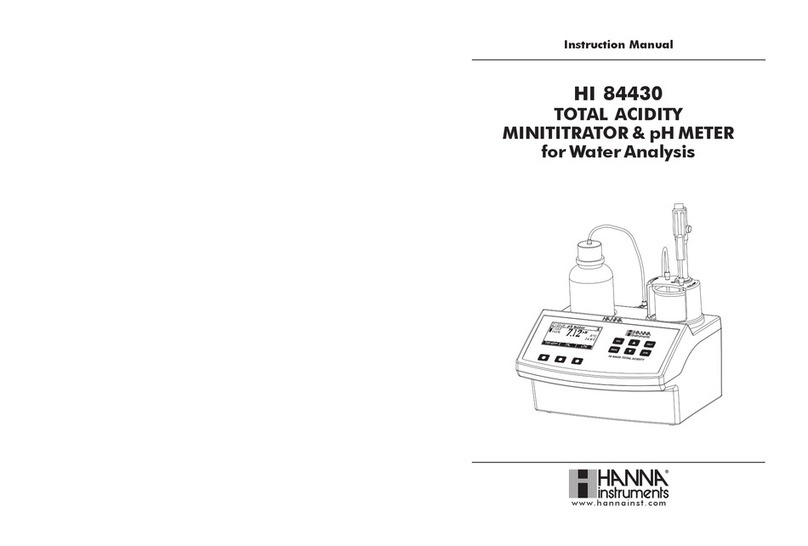
A dedicated HELP key aids in setup, calibration, status and troubleshooting.
Other features:
•ORP meter
•Stirrer speed control
•Graphic mode to display the titration data
•Data can be stored using the log feature and then exported to a USB stick or transferred
to a PC using the USB connection
•Log on demand for up to 400 samples (200 for mV measurements; 200 for titration
results)
•GLP feature, to view calibration data for the pump
Wine makers add sulfur dioxide to wine in order to inhibit bacteria and wild yeast growth and to
serve as an antioxidant to prevent browning.
When SO2is added to wine, a portion of it becomes immediately bound while a remaining portion
is unbound SO2. The portion that is unbound is also called free; it is responsible for protecting the
wine. The bound and unbound SO2together are referred to as total SO2.
The relationship between the amount of SO2added and the amount of free SO2is complex. This
relationship is governed by the total amount of SO2in the wine. The exact relationship between free
and bound will vary wine to wine. The amount of free SO2depends on how much is added, how much
was present before the addition and how much was immediately bound.
Free SO2exists in two forms. Bisulfite (HSO3¯) is the predominante form but is relatively ineffective.
Molecular SO2 is the minor form and is responsible for protecting the wine.
The amount of molecular SO2available in wine is depended on the amount of free SO2present and
the pH. Typically 0.8 ppm of molecular SO2provides adequate protection against bacteria growth
and oxidation. In order to obtain this value for a wine sample that has a pH of 3.2 you would need
22 ppm of free SO2, if the pH was at 3.5 you would need double, 44 ppm.
Molecular SO2can be detected by human senses at about 2.0 ppm. This level is needed for
maximum protection of wine. Higher levels are needed for sweet and most notable, botrytised wine.
The HI 84500
can be used to test for free and total SO2in all wines, including red, which are
difficult to test using traditional methods associated with a distinctive color change to determine the
end point.
Please examine this product carefully. Make sure that the instrument is not damaged. If any
damage occurred during shipment, please notify your Dealer.
Each HI 84500 minititrator is supplied complete with:
•HI 84500-70 Reagent Kit for SO2determination
•HI 3148B ORP electrode
•HI 7082 Electrode Fill Solution (30 mL)
•Two 100 mL beakers
•Two 20 mL beakers
•Scissors
•Dosing Pump Valve
•5 mL Syringe
•1 mL Plastic Pipette
•Tube set (aspiration tube with titrant bottle cap and dispensing tube with tip)
•Stir bar
•Power Adapter
•Two sachets of cleaning solution for wine deposits
•Two sachets of cleaning solution for wine stains
•Instruction manual
Note:Save all packing material until you are sure that the instrument works correctly.
Any defective item must be returned in its original packing.
PRELIMINARY EXAMINATION
The HI 84500 is a low-cost, easy to use, microprocessor-based automatic titrator that benefits
from Hanna’s years of experience as a manufacturer of analytical instrumentation.
The instrument incorporates a simple and reliable dosing pump which ensures high dosing
reproducibility. Pump calibrations, performed with the provided Hanna reagents, assure the
accuracy of the instrument.
The instrument comes with a preprogrammed method for Free and Total Sulfur Dioxide
measurements in wine. The instrument uses a powerful algorithm which analyzes the shape of
the electrode response in order to determine when the titration has reached completion.
The HI 84500 provides a simple user interface. By simply pressing the Start key in Titration
mode, the instrument will automatically titrate the sample to the equivalence point and the
results are immediately displayed in ppm. Another titration can be started immediately by
pressing Restart.
GENERAL DESCRIPTION