manuals.online logo
Brands
  1. Home
  2. •
  3. Brands
  4. •
  5. Hisense
  6. •
  7. TV
  8. •
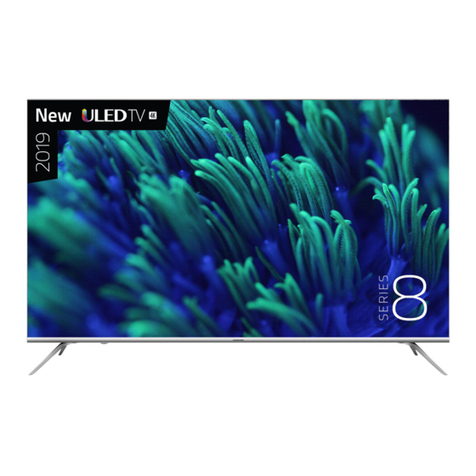
  9. Hisense 55S8 User manual

Hisense 55S8 User manual

This manual suits for next models

1

Other Hisense TV manuals

Hisense 32M2160 User manual

Hisense

Hisense 32M2160 User manual

Hisense 32A21EXTS User manual

Hisense

Hisense 32A21EXTS User manual

Hisense GM642XF User manual

Hisense

Hisense GM642XF User manual

Hisense Roku TV R43B7120UK User manual

Hisense

Hisense Roku TV R43B7120UK User manual

Hisense 32H3 User manual

Hisense

Hisense 32H3 User manual

Hisense 43A7100F User manual

Hisense

Hisense 43A7100F User manual

Hisense LHD32A300JEU User manual

Hisense

Hisense LHD32A300JEU User manual

Hisense 65R7050E User manual

Hisense

Hisense 65R7050E User manual

Hisense 32A5100F User manual

Hisense

Hisense 32A5100F User manual

Hisense 32H4E User manual

Hisense

Hisense 32H4E User manual

Hisense A6G Series User manual

Hisense

Hisense A6G Series User manual

Hisense 75H9 User manual

Hisense

Hisense 75H9 User manual

Hisense LTDN50K360HK User manual

Hisense

Hisense LTDN50K360HK User manual

Hisense LCD42P69P User manual

Hisense

Hisense LCD42P69P User manual

Hisense 48H4CROKU TV User manual

Hisense

Hisense 48H4CROKU TV User manual

Hisense 32H4D User manual

Hisense

Hisense 32H4D User manual

Hisense 40K360M User manual

Hisense

Hisense 40K360M User manual

Hisense A9H User manual

Hisense

Hisense A9H User manual

Hisense 40 FHD LED D60 User manual

Hisense

Hisense 40 FHD LED D60 User manual

Hisense MR6DE Instruction manual

Hisense

Hisense MR6DE Instruction manual

Hisense 43C350U User manual

Hisense

Hisense 43C350U User manual

Hisense LEDN32K300M User manual

Hisense

Hisense LEDN32K300M User manual

Hisense 32A4G User manual

Hisense

Hisense 32A4G User manual

Hisense H80L5UK User manual

Hisense

Hisense H80L5UK User manual

Popular TV manuals by other brands

IKEA UPPLEVA user manual

IKEA

IKEA UPPLEVA user manual

Toshiba 19A20 Service manual

Toshiba

Toshiba 19A20 Service manual

Sony XBR-100Z9D reference guide

Sony

Sony XBR-100Z9D reference guide

Sony Trinitron KV-HR36M90 Service manual

Sony

Sony Trinitron KV-HR36M90 Service manual

JVC AV-14AG16 instructions

JVC

JVC AV-14AG16 instructions

Loewe Table Stand Reference 55 user guide

Loewe

Loewe Table Stand Reference 55 user guide

Panasonic Genus TX-G10 operating instructions

Panasonic

Panasonic Genus TX-G10 operating instructions

Samsung LN26C350D1D Service manual

Samsung

Samsung LN26C350D1D Service manual

BBK LT1516D Service manual

BBK

BBK LT1516D Service manual

Samsung 55S9 B Series Quick setup guide

Samsung

Samsung 55S9 B Series Quick setup guide

Sharp LC-40FI5012E user manual

Sharp

Sharp LC-40FI5012E user manual

Evervue BN185 Operation manual

Evervue

Evervue BN185 Operation manual

North State TV2GO user guide

North State

North State TV2GO user guide

Toshiba CX35F70 owner's manual

Toshiba

Toshiba CX35F70 owner's manual

Magnavox PS1980 owner's manual

Magnavox

Magnavox PS1980 owner's manual

Philips 20HF5335D manual

Philips

Philips 20HF5335D manual

Panasonic QuintrixF TX-29AS1D operating instructions

Panasonic

Panasonic QuintrixF TX-29AS1D operating instructions

Samsung 4 Series Quick setup guide

Samsung

Samsung 4 Series Quick setup guide

manuals.online logo
manuals.online logoBrands
  • About & Mission
  • Contact us
  • Privacy Policy
  • Terms and Conditions

Copyright 2025 Manuals.Online. All Rights Reserved.

Hjsense
QUIcl{ SETUP GUIDE
Before using the TV, please read this guide thoroughly
and retain it for future reference. For more detailed
instructions, please see the User Manual.
English
HISENSE LIMITED PTY
WARRANTY AND DISCLAIMER
ACCEPTANCE OF TERMS: Televisions
By using this Television, you agree to the terms and conditions outlined in the Wai-ranty and, where applicable, the
Disclaimer. If you do not agree to the terms and conditions you have the option to return the Television to the relevant
retailer within 7 days Of the original purchased date and obtain a refund, provided the Television has not been used or
damaged.
HISENSE DISCLAIMER
__
THIRD PARTY CONTENT AND SERVICES: Televisions
What does this Disclaimer apply to?
1. This Disclaimer applies in relation to any television (together with any remote and other accessories supplied with
it) (Television) supplied by Hisense Australia Pty Ltd (Hisense) or an Authorised Retailer, and if you can access
any third party software application, content and/or services (Third Party Content and Services) through the
Television.
2. This Disclaimer does not limit your rights under the Australian Consumer Laws (for Australian customers) or the
Consumer Guarantees Act 1993 (for New Zealand customers).
The basis on which Third Party Content and Services are provided
3. Third Party Content and Services are accessed and used at your own risk, regardless of who installed the Third
Party Content and Services on the Television. To the maximum extent permitted by law, Hisense makes no
warranty, guarantee, representation or undertaking in relation to any Third Party Content and Services.
4. You must complywith any terms and conditions relating to the Third party content and services.
5. Hisense can restrict your access or use of certain Third party content and services
6. Hisense is not liable or responsible foryour use of the Third party content and services, including for any:
a. charges relating to your use of the Third party content and services;
b. claims, liabilities, loss and damage arising out of (or in connection with) any of the Third Party Content and
Services;
c. breach of the law or the rights of any other person or entity arising from the use of any Third party content and
Services; or
d. customer service or support in relation to any Third party content and services.
7. You acknowledge and agree that:
a. the performance of the Third Party Content and Services will depend on variables beyond the control of
Hisense;
b. certain Third party content and services may require internet access, express consent regarding the collection
and use or personal information, other accessories which are sold separately and/or other requirements;
c. the Third party content and services (including their intellectual property rights) will remain the property ofiire~
relevant provider of the Third Party Content and Services (Third Party Provider).
8. Yourother obligations: You must:
a. ensure that your use of the Third Party Content and Services complies with all applicable laws, and the
intellectual property and other rights of the Third Party Provider;
b. not modify, duplicate, publish, upload, distribute, translate, adapt, market or use any part of the Third Party
Content and Services, without the prior written consent of the relevant Third Party Provider unless expressly
permitted by this Disclaimer, the Warranty or any other applicable terms and conditions;
c. adhere to any additional terms where a Third party content or service requires internet access; and
d. pay any additional charges relating to the use ofa Third party content and service.
A

This symbol alerts user about the
presence of a dangerous voltage not
isolated inside the product which can
be sufficiently powerful to constitute a
risk of electrocution.
This symbol alerts user about the
presence of important operating
instructions and maintenance in the
document enclosed in the package.
Do not open the back cover.
In no case the user is allowed to operate
inside the TV set. Only a qualified
technician is entitled to operate.
Class 11 product: This symbol indicates that it does not require a safety
connection of protective earthing (ground).
AC voltage: This symbol indicates that the rated voltage marked with the
symbol is AC voltage.
Disposal of Used Electrical & Electronic Equipment
Bo`
Packaging and electrical goods should be recycled appropriately, and
not treated as household waste. Please dispose of this equipment at
your applicable collection point for the recycling of electrical & electronic
equipment waste. By ensuring the correct disposal of this product,
you will help prevent potentially hazardous to the environment and to
human health, which could otherwise be caused by unsuitable waste
handling of this product. The recycling of materials will help conserve
natural resources. Please do not therefore dispose of your old electrical
and electronic equipment with your household waste. For more detailed
information about recycling of this product, please contact your local city
office, your household waste disposal service or the shop where you
purchased the product.
8
Warning
Never place a television set in an unstable location. A television set may fall, causing

serious personal injury or death. Many injuries, particularly to children, can be avoided
by taking simple precautions such as:
S Using stands recommended by the manufacturer of the television set.
a Only using furniture that can safely support the television set.
© Ensuring the television set is not overhanging the edge of the supporting furniture.
@ Not placing the television set on tall furniture (for example, cupboards or
bookcases) without anchoring both the furniture and the television set to a suitable
support.
® Not placing the television set on cloth or other materials that may be located
between the television set and supporting furniture.
@ Educating children about the dangers of climbing on furniture to reach the television
set or its controls.
:fsygE;%isth:3,Lebeevi:bop|i:g|isbeingretainedandrelocated,thesameconsiderations
C
a-i-------------=---------------
Please read the following safeguards for your TV and retain for future reference.
Always follow all warnings and instructions marked on the television.
1. A note about safety and operating instructions

Read and follow all safety and operating instructions, and retain them safely for future
reference.
2. Heed Warnings
Adhere to all warnings on the appliance and in the operating instructions.
3. Cleaning
Unplug the TV from the wall outlet before cleaning. Do not use liquid, abrasive, or
aerosol cleaners. Cleaners can permanently damage the cabinet and screen. Use a
lightly dampened cloth for cleaning.
4. Wall Bracket
After market brackets may be available to purchase locally. Please refer to the
specification page for dimensions.
5. Water and Moisture
Avoid dripping or splashing of liquids onto the product. Objects filled with liquids, such
as vases, should not be placed on the product.
6. Setting
Do not place this TV on an unstable cart, stand or table. Placing the TV on an unstable
base can cause the TV to fall, resulting in serious personal injuries as well as damage
to the TV. Use only a cart, stand, bracket or table recommended by the manufacturer
or salesperson.
7. Ventilation
Slots and openings in the cabinet are provided for ventilation, to ensure reliable
operation of the TV and to protect it from overheating. Do not cover the ventilation
openings in the cabinet and never place the set in a confined space such as built-in
cabinet unless proper ventilation is provided. Leave a minimum 10cm gap all around
the unit, the rear of the TV should be 6cm away from the wall.
8. Power Source
This TV should be operated only from the type of power source indicated on the
marking label. If you are not sure of the type of power supplied to your home, consult
your appliance dealer or local power company.
D
9. Power-Cord Protection
Power- supply cords should be routed so that they are not likely to be walked on or
pinched by items placed upon or against them, paying particular attention to cords at
plug, wall outlets, and the point where they exit from the TV MAIN plug is used as the
disconnect device, the disconnect device shall remain readily operable.
10. Lightning
For added protection for this TV during a lightning storm, or whch it is left unattended
and unused for long periods of time, unplug it from the wall outlet and disconnect the
antenna or cable system. This will prevent damage to the TV due to lightning or power-
line surge.
11. Power Lines
An outside antenna system should not be located in the vicinity of overhead power
lines or other electric light or power circuits, or where it can fall into such power lines or
circuits. Where installing an outside antenna system, extreme care should be taken to
keep from touching such power lines or circuits as contact with them might be fatal.
12. Overloading
Do not overload wall outlets and extension cords as this can result in a risk of fire or
electric shock.
13. Object and Liquid Entry
Never push objects of any kind into this TV through openings as they may touch
dangerous voltage points or short-out parts that could result in fire or electric shock.
Never spill liquid of any kind on or into the TV.
14. OutdoorAntenna Grounding
lf an outside antenna or cable system is connected to the TV, be sure the antenna or
cable system is grounded so as to provide some protection against voltage surges and
built-up static charges.
15. Servicing
Do not attempt to service this TV yourself as opening or removing covers may expose
you to dangerous voltage or other hazards. Refer all servicing to qualified service
personnel.
16. Damage Requiring Service
Unplug the TV from the wall outlet and refer servicing to qualified service personnel
under the following conditions:
(a) When the power -supply cord or plug is damaged.
(b) lf liquid has been spi[[ed, or objects have fallen into the T\/.
(c) lf the TV has been exposed to rain or water.
E
(d) lf the TV does not operate normally by following the operating instructions. Adjust
only those controls that are covered by the operating instructions as an improper
adjustment of other controls may result in damage and will often require extensive
work by a qualified technician to restore the TV to its normal operation.
(e) lf -the TV has been dropped or the cabinet has been damaged.
(f) When the TV exhibits a distinct change in performance - this indicates a need for
service.
17. Replacement Parts
When replacement parts are required, be sure the service technician has used
replacement parts specified by the manufacturer or have the same characteristics as
the original part. Unauthorized substitutions may result in fire, electric shock or other
hazards.
18. Safety Check
Upon completion of any service or repair to the TV, ask the service technician to
perform safety checks to determine that the TV is in safe operating condition.
19. Heat
The product should be situated away from heat sources such as radiators, heat
registers, stoves, or other products (including amplifiers) that produce heat.
20. Fire
The product should be situated away from naked flame sources such as lighted candle.
21. Off-gassing
The TV smells of plastic is normal and will dissipate over time.
Do not mix and use new batteries with old batteries, or batteries with
different types. Do not expose batteries to heat such as direct sunlight or
fire. Make sure the batteries' positive and negative ends are facing the
correct direction.
The device should not be exposed to dripping and spraying and it cannot
be placed under objects filled with liquids.
To fully disconnect the TV, remove power plug from wall socket. Be sure
to have the wall socket and power plug readily accessible.
F
Figures and illustrations in this manual are provided for reference only and may differ
from actual product appearance.
Parts of the software function change with the system upgrade.
Contents
Accessories List
Installing the Stand or Wall Mount Bracket
rv Front
TV Rear
Making Connections
Remote Control
Turning the TV on for the First Time
Specifications
Other Information
Accessories List
The following accessories are included with TV:
: :==:-::-:==
(Actual product may vary
in appearance.)
EE NOTE
The accessories may be different from the list above due to different models,
countries/regions, please refer to the actual accessory bag.
lnstallinq the Stand
• Be sure to disconnect the A/C power cord before removing a base stand or
installing wall mount brackets.
• The screen display is very fragile, and must be protected at all times when installing
the base stand. Be sure that no hard or sharp object, or anything that could scratch
or damage the screen display, comes into contact with it. DO NOT exert pressure
on the front of the TV at any time because the screen could crack.
Follow the illustrations and textual instructions below to complete the installation steps:
1. Carefully place your TV facedown on a soft, flat surface to prevent damage to the
TV or scratching to the screen.
2. Take out the 2 stands from the accessory bag and then insert the stands into the
bottom slots of the TV.
3. Secure the Base Stand to the TV with the 4 screws in the accessory bag tightly.
Installing the Wall Mount Bracket
9.5~11.5mm
Wall mount bracket
Wall mount screw
Wall mount spacer
Rear cover of the TV
Follow instructions provided with the wall mount bracket.
EE NOTES
• The diameter and length of the screws differ depending on the wall mount bracket
model.
• Wall mount bracket is optional, your device may not have wall mount bracket, please
refer to the actual accessories.
3