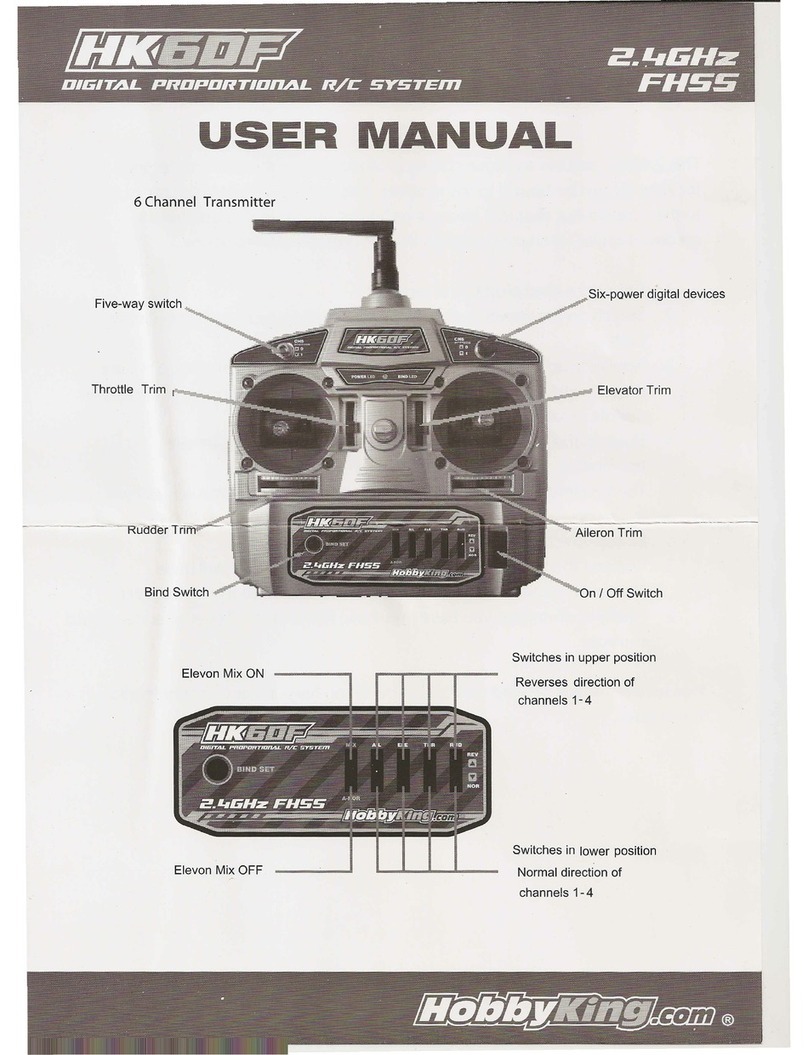
Thereceiverhasbeenplugged
bindline Bindbuttonon the back of
transmitter
Bindbuttonof
transmitter
Part 1 HK-7X 2.4GHz Remote Controller System
HK-7X 2.4GHz REMOTE CONTROLLER SYSTEM UNITS ADVANCED ELECTRONICDEVICE, AND
FEATURES WIDE USE. It can support multi-users and multi-equipmensimultaneously, and features
quick response, high precision, and strong capability for antijamming.
HK-7X 2.4GHz R/C system supports one transmitter and several receivers, and makes ipossible that
single radio can control several models simultaneously.
HK-7X 2.4GHz R/C system supports different brand gyro.
HK-7X 2.4GHz R/C system reacts quickly and precisely.
1.Mounting of Receiver
Installation position shall follow these conditions:
1.Keep the receiver away from engine, motor, ESC, battery, and other metal parts.
2.The antenna can not be covered by metal, carbon material or the other electronic conduction
material.
Keep the antenna in 90 degrees with installed frame or bottom plate, it means that try to keep the
antenna visible, see the graph below:
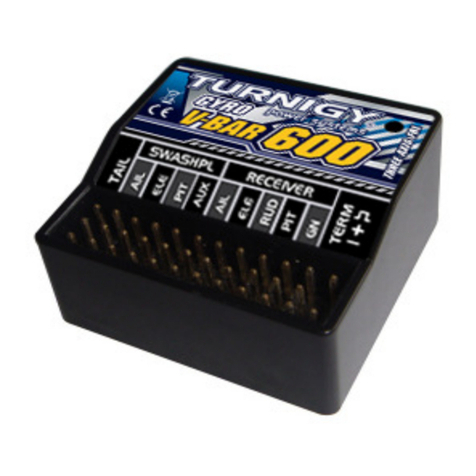
2.Connect Devices to Receiver
Connecting all devices and parts to the corresponding channels. Take notice of 3P signal wire must be
connected in right way, or it will cause the severe damage to certain device or fail to work. There are
some corresponding symbols of 3P on one side of the receiver:
(-) means cathode of power connected to the earth, usually links to the black line or brown line of 3P
signal wire
(+) means the anode of power, usually links to the red wire of 3P singal wires.
(s) means signal wire, usually links to the white or yellow wire of 3P singal wires.Notice:please assess
the power demand of the receiver of model when selecting the electricity supply style, ensure the
receiver can get enough power supply when using, the voltage of the receiver not less than 4.2V at any
time.
3.Binding Transmitter and Receiver
Before using the 2.4GHz remote controller system, you must bind the transmitter and the receiver.
Binding them as following steps:
1) Power on receiver by plugging the ESC line, then plug the 'BIND line' into the 'BIND' slot of receiver.
Then the LED of receiver will flash three times per second. Then you can remove the "BIND" line'.
2) Hold the 'BIND button' of transmitter, then turn it (keep holding), the RF LED of transmitter will flash
fast.
3) After about half second, binding will finish, the LED of receiver will shine twice slowly, then enter
working mode.
4) Release the 'BIND button' of transmitter, the RF LED will keep light, which indicates it is in working
mode.on
Notice:
1)HK-7X 2.4GHz remote controller system sustain multiple receivers operation and long-distance
scaning, so please make sure there's only your radio scaning. If there is any person who also use
HK-7X 2.4GHz remote controller system at local, please operate only after other users pare the
signal.
HK-7X supports seven models saving in one transmitter, they are numbering as n1 to n7. The binding
will save the serial number in receiver. So if you bind one receiver with n1, it can only work when the
transmitter is switched to n1.
4.Control Distance
All remote equipment has an effective range. It's not the same on the ground, and on the water surface
or in the sky; It's not the same on flat ground and complex land; It's not the same in rainy days and in
sunny days; And besides, the external electrical environment is changing continuously. It's quite
necessary for the users who want to control at a long distance to test effective distance
beforehand.Radio wave transfers almost in a straight line, please make sure there is no object between
antenna and the controlled model. And the antenna should point at receiver's antenna, and keep the
controlled model in certain distance where the model can be seen.controller system
3 4