manuals.online logo
Brands
  1. Home
  2. •
  3. Brands
  4. •
  5. Honeywell
  6. •
  7. Thermostat
  8. •
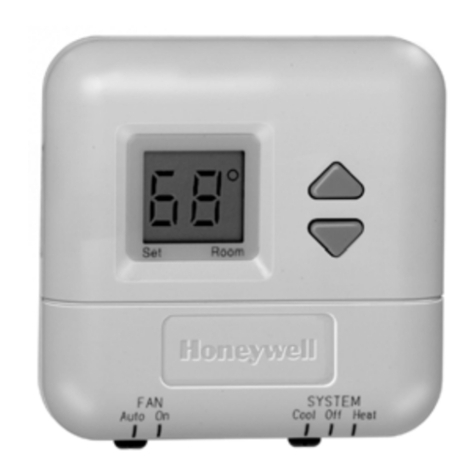
  9. Honeywell 08161 User manual

Honeywell 08161 User manual

This manual suits for next models

2

Other Honeywell Thermostat manuals

Honeywell TH8321WF1001 General instructions

Honeywell

Honeywell TH8321WF1001 General instructions

Honeywell RET97B5D User manual

Honeywell

Honeywell RET97B5D User manual

Honeywell Trol-A-Temp T8090T User manual

Honeywell

Honeywell Trol-A-Temp T8090T User manual

Honeywell T827B User manual

Honeywell

Honeywell T827B User manual

Honeywell 1-Heat/1-Cool - TH5110D1022 Large R User manual

Honeywell

Honeywell 1-Heat/1-Cool - TH5110D1022 Large R User manual

Honeywell T8601 User manual

Honeywell

Honeywell T8601 User manual

Honeywell FocusPRO TH6110D User manual

Honeywell

Honeywell FocusPRO TH6110D User manual

Honeywell RLV4300 User manual

Honeywell

Honeywell RLV4300 User manual

Honeywell FocusPRO Wi-Fi TH6000 Series User manual

Honeywell

Honeywell FocusPRO Wi-Fi TH6000 Series User manual

Honeywell ST9100A User manual

Honeywell

Honeywell ST9100A User manual

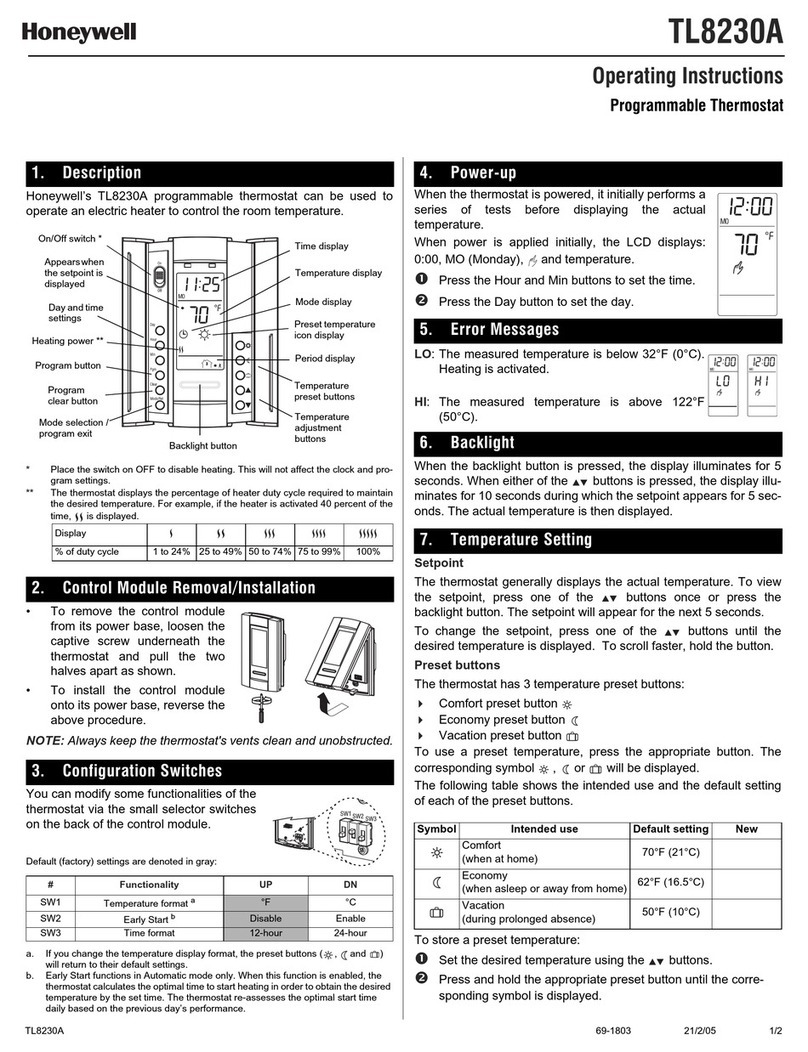
Honeywell TL8230A User manual

Honeywell

Honeywell TL8230A User manual

Honeywell Lyric T6 Pro Wi-Fi User manual

Honeywell

Honeywell Lyric T6 Pro Wi-Fi User manual

Honeywell ADEMCO 4500 User manual

Honeywell

Honeywell ADEMCO 4500 User manual

Honeywell RTH7400 series User manual

Honeywell

Honeywell RTH7400 series User manual

Honeywell PRO TH4110B User manual

Honeywell

Honeywell PRO TH4110B User manual

Honeywell RTH7460D1018/E 5-1-1 User manual

Honeywell

Honeywell RTH7460D1018/E 5-1-1 User manual

Honeywell TROL-A-TEMP 69-1496 User manual

Honeywell

Honeywell TROL-A-TEMP 69-1496 User manual

Honeywell RTH1120 User manual

Honeywell

Honeywell RTH1120 User manual

Honeywell FocusPRO 5000 User manual

Honeywell

Honeywell FocusPRO 5000 User manual

Honeywell FOCUSPRO TH6320R User manual

Honeywell

Honeywell FOCUSPRO TH6320R User manual

Honeywell RTH7400 series User manual

Honeywell

Honeywell RTH7400 series User manual

Honeywell Super Tradeline T874R User manual

Honeywell

Honeywell Super Tradeline T874R User manual

Honeywell RTHL2310Series User manual

Honeywell

Honeywell RTHL2310Series User manual

Honeywell T8095A User manual

Honeywell

Honeywell T8095A User manual

Popular Thermostat manuals by other brands

Full Gauge TIC-17C product manual

Full Gauge

Full Gauge TIC-17C product manual

Imit Chronomix S manual

Imit

Imit Chronomix S manual

ChiliTec ST-35 ana instruction manual

ChiliTec

ChiliTec ST-35 ana instruction manual

Salus VS05 Installer's/user's manual

Salus

Salus VS05 Installer's/user's manual

Azel D-500 user guide

Azel

Azel D-500 user guide

Charmeg MP-R user manual

Charmeg

Charmeg MP-R user manual

dixell WING XW40LS Installing and operating instructions

dixell

dixell WING XW40LS Installing and operating instructions

Network Thermostat NetX X7C-WIFI Installation and programming manual

Network Thermostat

Network Thermostat NetX X7C-WIFI Installation and programming manual

Radio Thermostat CT80 Operation guide

Radio Thermostat

Radio Thermostat CT80 Operation guide

HAI Omnistat RC-120 installation manual

HAI

HAI Omnistat RC-120 installation manual

Lennox iComfort E30 Installation and setup guide

Lennox

Lennox iComfort E30 Installation and setup guide

Lux Products PSD011Ba Installation and operating instructions

Lux Products

Lux Products PSD011Ba Installation and operating instructions

Computherm Q20 operating instructions

Computherm

Computherm Q20 operating instructions

Heatmiser neoStat user manual

Heatmiser

Heatmiser neoStat user manual

Mars HEAT CONTROLLER IR Wireless Thermostat user manual

Mars

Mars HEAT CONTROLLER IR Wireless Thermostat user manual

LUX LP0511D user manual

LUX

LUX LP0511D user manual

Saswell SAS920XWHB-7-S-RF User manual and warranty card

Saswell

Saswell SAS920XWHB-7-S-RF User manual and warranty card

Aircalo TFP1-ET85P2 operating manual

Aircalo

Aircalo TFP1-ET85P2 operating manual

manuals.online logo
manuals.online logoBrands
  • About & Mission
  • Contact us
  • Privacy Policy
  • Terms and Conditions

Copyright 2025 Manuals.Online. All Rights Reserved.

08161 / TH110-DP-P / TL8230 69-2023-01 2010-02-05 1/2
Programmable Thermostat - Installation and User Guide
08161
TH110-DP-P
TL8230
This programmable thermostat can be connected to an electric heating sys-
tem such as an electric baseboard, a radiant ceiling, a floor heating system,
an electric convector, etc. It is not compatible with a central heating system.
*Set the switch to Off to cut power to the heater. This will not affect the time and tem-
perature settings.
TURN OFF POWER TO THE HEATING SYSTEM AT THE MAIN POWER
PANEL TO AVOID ELECTRICAL SHOCK.
• The installation must be carried out by an electrician.
• All cables and connections must conform to the local electrical code.
• Special CO/ALR solderless connectors must be used when connecting
with aluminum conductors.
• Install the thermostat onto an electrical box.
• Install the thermostat about 5 feet high, on an inside wall facing the
heater.
• Avoid locations where there are air drafts (such as the top of a staircase
or an air outlet), dead air spots (such as behind a door), or direct sun-
light.
• Do not install the thermostat on a wall that conceals chimney or stove
pipes.
nConnect the thermostat wires to the
power and to the load using solderless
connectors for copper wires.
oPush the excess wire back into the
electrical box to prevent interference
with the thermostat.
pSecure the thermostat using two 6-32
screws.
qReturn power to heating system.
NOTE: Always keep the thermostat's vents
clean and unobstructed.
The configuration switches are on the back of the thermostat. Default (factory)
settings are inside the gray cells.
Upon power-up, the thermostat is in manual mode ( ) and displays the room
temperature.
nPress the Hour and Min buttons to set the thermostat’s clock.
oPress the Day button to set the day.
Setpoint
The thermostat normally displays the room temperature. To view the set tem-
perature, press the or button briefly. The set temperature will appear for
5 seconds.
To change the setpoint, press the or button until the desired temperature
is displayed. To scroll faster, hold the button.
Using a preset temperature
The thermostat has 3 preset temperatures:
Comfort temperature
Economy temperature
Vacation temperature
• To use the Comfort or Economy temperature, press the or button
respectively. The corresponding icon will be displayed.
• To use the Vacation temperature, press both and buttons simulta-
neously. The icon will be displayed.
Storing a preset temperature
To store the Comfort or Economy temperature:
Set the desired temperature using the or button. Press and hold
the appropriate button ( or ) for approximately 3 seconds until the
corresponding icon is displayed.
To store the Vacation temperature:
Set the desired temperature using the or button. Press and hold
both and buttons simultaneously for approximately 3 seconds until
the icon is displayed.
nDescription 1.
oConnection 2.
To select the
operating mode
To set the day
To set the time
Time and day
Temperatur e
Operating
mode icons
On/Off
switch
To skip a period
To program the schedule
Preset temperature
icons
Temperature
adjustment
Temperature
preset buttons
Heating
indicator
Periods
Appears during the
setpoint display
Power
Load
Load
Black
Red
pConfiguration 3.
# Configurations UP DN
SW1 Not used
SW2 Early Start a
a. Early Start can be used in Automatic mode only. When this function is
enabled, the thermostat calculates the optimal time to start heating in
order to obtain the desired temperature by the set time. The thermostat
re-assesses the start time daily based on the previous day’s perfor-
mance.
Disable Enable
SW3 Time format 12-hour 24-hour
SW4 Temperature format b
b. If you change the temperature display format, the preset temperatures
( , and ) will return to their default settings.
°F °C
qPower-up 4.
rTemperature Setting 5.
Icon Intended use Default setting
Comfort (when at home) 70 °F (21 °C)
Economy (when asleep or away from home) 62 °F (16 °C)
Vacation (during prolonged absence) 50 °F (10 °C)
400-110-007-B_69-2023-01 (TH110-DP-P Cadet TL8230) ENG.fm Page 1 Friday, February 5, 2010 2:10 PM
This is a legacy product document
supported by Resideo. It is no
longer manufactured
08161 / TH110-DP-P / TL8230 69-2023-01 2010-02-05 2/2
Programmable Thermostat - Installation and User Guide
Automatic - The temperature is set according to the energy-saving
schedule. To place the thermostat in this mode, press Mode until is dis-
played. The icons of the current period and preset temperature are also dis-
played.
Temporary Bypass: If you modify the setpoint (by pressing the , ,
or button) when the thermostat is in automatic mode, the new set-
point will be used until the end of the current period. When the next
period starts, the temperature set for that period becomes the new set-
point.
Manual - The energy-saving schedule is not used. The temperature must
be set manually. To place the thermostat in this mode:
nPress Mode until is displayed.
oSet the temperature using the , , or button.
Vacation - The thermostat is set to the Vacation temperature. Press both
and buttons simultaneously to place the thermostat in Vacation mode.
The schedule consists of 4 periods per day which represents a typical week
day. You can program the thermostat to skip the periods that do not apply to
your situation. For example, you can skip periods 2 and 3 for the weekend.
The Comfort ( ) temperature is used in periods 1 and 3 and the Economy
( ) temperature is used in periods 2 and 4. For example, when the period
changes from 1 to 2, the setpoint automatically changes from Comfort setting
( ) to Economy setting ( ).
You can have a different program for each day of the week; i.e., each period
can start at different time for each day of the week. The thermostat has been
programmed with the following schedule.
To modify the schedule:
nPress Pgm to access the programming mode. Period 1 is selected.
oPress Day to select the day to program (hold for 3 seconds to select the
entire week).
pPress Hour and Min to set the start time of the selected period, or press
Clear if you want to skip the period (--:-- is displayed).
qPress Pgm to select another period, or press Day to select another day.
Then repeat step 3.
rPress Mode to exit the programming mode.
NOTE: If no button is pressed for 60 seconds, the thermostat will automati-
cally exit the programming mode.
Power: 208/240 Vac, 60 Hz
Maximum load: 16 A maximum (resistive only)
3328 watts @ 208 Vac
3840 watts @ 240 Vac
Display range: 32 °F to 140 °F (0 °C to 60 °C)
Display resolution: 0.1 °F (0.1 °C)
Setpoint range: 40 °F to 86 °F (5 °C to 30 °C)
Setpoint interval: 1 °F (1 °C)
Storage: -4 °F to 120 °F (-20 °C to 50 °C)
Data backup: In the event of a power outage, most settings are saved. Only the
time must be re-adjusted if the power outage lasts more than 2 hours. The thermo-
stat will return to the mode that was active prior to the power outage.
Honeywell warrants this product, excluding battery, to be free from defects in the work-
manship or materials, under normal use and service, for a period of one (1) year from the
date of purchase by the consumer. If at any time during the warranty period the product is
determined to be defective or malfunctions, Honeywell shall repair or replace it (at Hon-
eywell's option).
If the product is defective,
(i) return it, with a bill of sale or other dated proof of purchase, to the place from which
you purchased it, or
(ii) call Honeywell Customer Care at 1-800-468-1502. Customer Care will make the
determination whether the product should be returned to the following address:
Honeywell Return Goods, Dock 4 MN10-3860, 1885 Douglas Dr N, Golden Valley,
MN 55422, or whether a replacement product can be sent to you.
This warranty does not cover removal or reinstallation costs. This warranty shall not
apply if it is shown by Honeywell that the defect or malfunction was caused by damage
which occurred while the product was in the possession of a consumer.
Honeywell's sole responsibility shall be to repair or replace the product within the terms
stated above. HONEYWELL SHALL NOT BE LIABLE FOR ANY LOSS OR DAMAGE OF
ANY KIND, INCLUDING ANY INCIDENTAL OR CONSEQUENTIAL DAMAGES
RESULTING, DIRECTLY OR INDIRECTLY, FROM ANY BREACH OF ANY WARRANTY,
EXPRESS OR IMPLIED, OR ANY OTHER FAILURE OF THIS PRODUCT. Some states
do not allow the exclusion or limitation of incidental or consequential damages, so this
limitation may not apply to you.
THIS WARRANTY IS THE ONLY EXPRESS WARRANTY HONEYWELL MAKES ON
THIS PRODUCT. THE DURATION OF ANY IMPLIED WARRANTIES, INCLUDING THE
WARRANTIES OF MERCHANTABILITY AND FITNESS FOR A PARTICULAR PUR-
POSE, IS HEREBY LIMITED TO THE ONE-YEAR DURATION OF THIS WARRANTY.
Some states do not allow limitations on how long an implied warranty lasts, so the above
limitation may not apply to you.
This warranty gives you specific legal rights, and you may have other rights which vary
from state to state.
If you have any questions concerning this warranty, please write Honeywell Customer
Relations, 1985 Douglas Dr, Golden Valley, MN 55422 or call 1-800-468-1502. In Can-
ada, write Retail Products ON15-02H, Honeywell Limited/Honeywell Limitée, 35 Dynamic
Drive, Scarborough, Ontario M1V4Z9.
If you have any questions about the operation of your thermostat, please go to
http://yourhome.honeywell.com, or call Honeywell Customer Care toll-free
at 1-800-468-1502.
sOperating Modes 6.
tEnergy-saving Schedule 7.
Period Description Associated preset temperature
Wake-up
Away from home
Return home
Sleep
Period Setting MO TU WE TH FR SA SU
6:00
AM
6:00
AM
6:00
AM
6:00
AM
6:00
AM
6:00
AM
6:00
AM
8:00
AM
8:00
AM
8:00
AM
8:00
AM
8:00
AM --:-- --:--
6:00
PM

6:00
PM
6:00
PM

6:00
PM

6:00
PM --:-- --:--
10:00
PM
10:00
PM
10:00
PM
10:00
PM
10:00
PM
10:00
PM
10:00
PM
uTroubleshooting 8.
Problems Solutions
The thermostat’s screen is blank. The thermostat’s switch is set to Off.
LO is displayed. The measured temperature is below the
display range. Heating is activated.
HI is displayed. The measured temperature is above the
display range.
The wrong time is displayed. The thermostat was without power for
more than 2 hours.
The measured temperature is wrong. The thermostat is located in a spot
exposed to an air draft.
The heater is always On. Check the thermostat wiring.
The thermostat indicates that heating is On
but the heater is not On. Check the thermostat wiring.
The temperature does not change accord-
ing to the energy-saving schedule
Check that the thermostat is in Automatic
mode. Check also the schedule and clock
settings.
vTechnical Specifications 9.
;Warranty 10.
Customer Assistance 11.
R
400-110-007-B_69-2023-01 (TH110-DP-P Cadet TL8230) ENG.fm Page 2 Friday, February 5, 2010 2:10 PM