manuals.online logo
Brands
  1. Home
  2. •
  3. Brands
  4. •
  5. Honeywell
  6. •
  7. Thermostat
  8. •
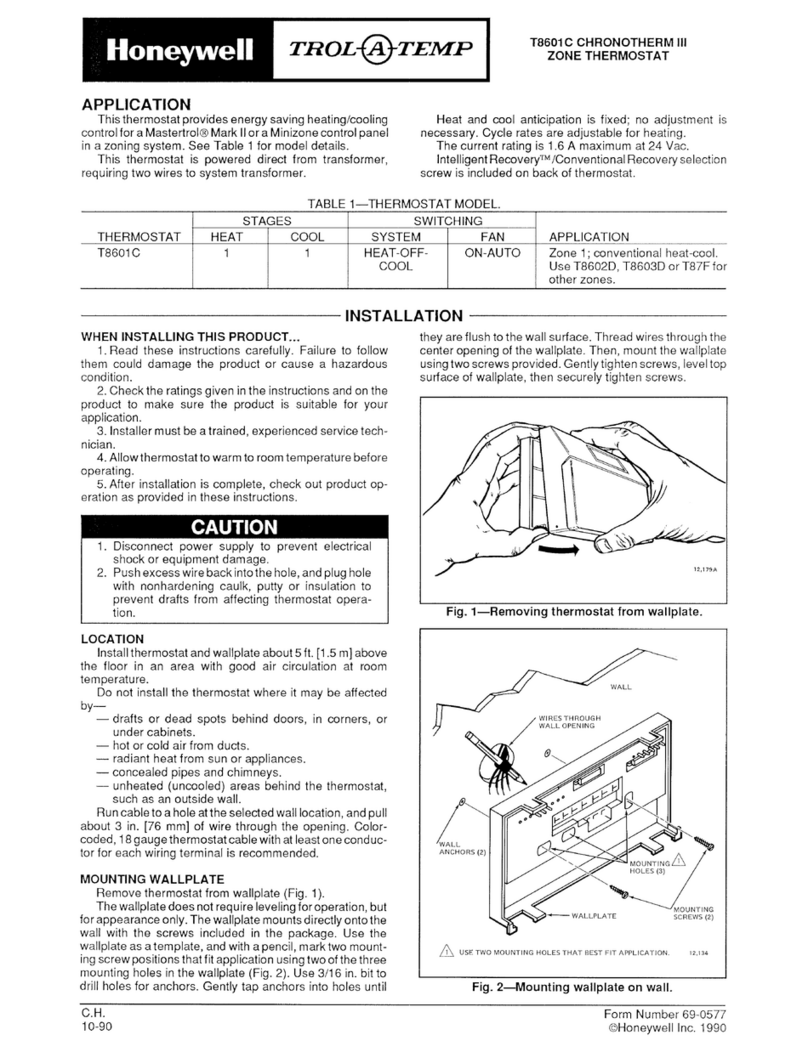
  9. Honeywell T810C User manual

Honeywell T810C User manual

This manual suits for next models

2

Other Honeywell Thermostat manuals

Honeywell WebStat T7350 User manual

Honeywell

Honeywell WebStat T7350 User manual

Honeywell CM707 User manual

Honeywell

Honeywell CM707 User manual

Honeywell RTH8500 Series User manual

Honeywell

Honeywell RTH8500 Series User manual

Honeywell CM701 Installation instructions

Honeywell

Honeywell CM701 Installation instructions

Honeywell CM721 User manual

Honeywell

Honeywell CM721 User manual

Honeywell RTH8500 Series User manual

Honeywell

Honeywell RTH8500 Series User manual

Honeywell INNCOM e7 User manual

Honeywell

Honeywell INNCOM e7 User manual

Honeywell TRADELINE T8400C User manual

Honeywell

Honeywell TRADELINE T8400C User manual

Honeywell RTH2510 Series User manual

Honeywell

Honeywell RTH2510 Series User manual

Honeywell RTH7400 series User manual

Honeywell

Honeywell RTH7400 series User manual

Honeywell RTH7000 User manual

Honeywell

Honeywell RTH7000 User manual

Honeywell RTH7400 series User manual

Honeywell

Honeywell RTH7400 series User manual

Honeywell VisionPRO TH8000 Series User manual

Honeywell

Honeywell VisionPRO TH8000 Series User manual

Honeywell RTHL2310 series User manual

Honeywell

Honeywell RTHL2310 series User manual

Honeywell FocusPRO TH5110D User manual

Honeywell

Honeywell FocusPRO TH5110D User manual

Honeywell T8000C User manual

Honeywell

Honeywell T8000C User manual

Honeywell XE70 Series User manual

Honeywell

Honeywell XE70 Series User manual

Honeywell TRADELINE Q7300H Series User manual

Honeywell

Honeywell TRADELINE Q7300H Series User manual

Honeywell T834C User manual

Honeywell

Honeywell T834C User manual

Honeywell Lyric User manual

Honeywell

Honeywell Lyric User manual

Honeywell FOCUSPRO TH6320R User manual

Honeywell

Honeywell FOCUSPRO TH6320R User manual

Honeywell RLV3120 User manual

Honeywell

Honeywell RLV3120 User manual

Honeywell TH4210U2002 User manual

Honeywell

Honeywell TH4210U2002 User manual

Honeywell T8112D Operation manual

Honeywell

Honeywell T8112D Operation manual

Popular Thermostat manuals by other brands

Full Gauge TIC-17C product manual

Full Gauge

Full Gauge TIC-17C product manual

Imit Chronomix S manual

Imit

Imit Chronomix S manual

ChiliTec ST-35 ana instruction manual

ChiliTec

ChiliTec ST-35 ana instruction manual

Salus VS05 Installer's/user's manual

Salus

Salus VS05 Installer's/user's manual

Azel D-500 user guide

Azel

Azel D-500 user guide

Charmeg MP-R user manual

Charmeg

Charmeg MP-R user manual

dixell WING XW40LS Installing and operating instructions

dixell

dixell WING XW40LS Installing and operating instructions

Network Thermostat NetX X7C-WIFI Installation and programming manual

Network Thermostat

Network Thermostat NetX X7C-WIFI Installation and programming manual

Radio Thermostat CT80 Operation guide

Radio Thermostat

Radio Thermostat CT80 Operation guide

HAI Omnistat RC-120 installation manual

HAI

HAI Omnistat RC-120 installation manual

Lennox iComfort E30 Installation and setup guide

Lennox

Lennox iComfort E30 Installation and setup guide

Lux Products PSD011Ba Installation and operating instructions

Lux Products

Lux Products PSD011Ba Installation and operating instructions

Computherm Q20 operating instructions

Computherm

Computherm Q20 operating instructions

Heatmiser neoStat user manual

Heatmiser

Heatmiser neoStat user manual

Mars HEAT CONTROLLER IR Wireless Thermostat user manual

Mars

Mars HEAT CONTROLLER IR Wireless Thermostat user manual

LUX LP0511D user manual

LUX

LUX LP0511D user manual

Saswell SAS920XWHB-7-S-RF User manual and warranty card

Saswell

Saswell SAS920XWHB-7-S-RF User manual and warranty card

Aircalo TFP1-ET85P2 operating manual

Aircalo

Aircalo TFP1-ET85P2 operating manual

manuals.online logo
manuals.online logoBrands
  • About & Mission
  • Contact us
  • Privacy Policy
  • Terms and Conditions

Copyright 2025 Manuals.Online. All Rights Reserved.

® U.S. Registered Trademark
© 2003 Honeywell International Inc. • • All Rights Reserved
INSTALLATION INSTRUCTIONS
69-0219-9
T810C,D; TS810B
Heating or Cooling Thermostats
APPLICATION
The T810C,D and TS810B are low voltage, spst controls
for heating or cooling systems.
The T810C is for 24 Vac, cooling-only systems. The
T810D is for 24 Vac control of heating-only systems. The
TS810B can control 750 mV circuits.
Heat anticipation is fixed in most models. The current
rating is stamped on the thermostat. The T810D has an
adjustable heat anticipator rating of either 0.18A to 0.8A
or 0.32A to 1.2A at 30 Vac (depending on model). See
Fig. 1 or 2.
A positive Off feature is available on the TS810B and
select T810D models.
MERCURY NOTICE
If this control is replacing a control that contains
mercury in a sealed tube, do not place your old
control in the trash.
Contact your local waste management authority
for instructions regarding recycling and the
proper disposal of the old thermostat.
INSTALLATION
When Installing this Product...
1. Read these instructions carefully. Failure to follow
them could damage the product or cause a hazard-
ous condition.
2. Check the ratings given in the Instructions and on
the product to make sure the product is suitable for
your application.
3. Installer must be a trained, experienced service
technician.
4. After installation is complete, check out product
operation as provided in these Instructions.
CAUTION
Electrical Hazard.
Can cause electrical shock or equipment
damage.
Disconnect power supply before beginning
installation.
Location
Locate the thermostat about 5 ft (1.5m) above the floor in
an area with good air circulation at average temperature.
Do not mount the thermostat where it can be affected by:
— drafts, or dead spots behind doors and in corners.
— hot or cold air from ducts.
— radiant heat from the sun or appliances.
— concealed pipes and chimneys.
— unheated (uncooled) areas such as outside wall
behind the thermostat.
This is a precision instrument. Rough handling can
decrease its accuracy. Handle it carefully.
Be sure to keep the wiring run for TS810B millivolt
systems as short as possible.
T810C,D; TS810B HEATING OR COOLING THERMOSTATS
69-0219-9 2
Fig. 1. Internal view of T810D with adjustable heat
anticipator (horizontal).
Fig. 2. Internal view of T810D with adjustable heat
anticipator (vertical).
Wiring and Mounting
All wiring must comply with local codes and ordinances.
For 750 mV installations, use Table 1 to determine the
maximum wiring run length.
1. In replacement applications, inspect the old wires
for frayed or cracked insulation. Replace any wires
in poor condition. In new installations, run two
wires to the chosen location.
2. Grasp the thermostat cover at the sides with one
hand. Pull outward on the left edge of the cover
until it snaps free of the thermostat base. Remove
and discard the shipping tab that protects the
switch contacts during shipping.
3. Connect the thermostat wires to the appropriate
terminals on the back of the thermostat. See Fig. 3
and 4 for typical hookup diagrams. Push any
excess wire back through the hole and plug any
opening to prevent drafts that could affect thermo-
stat performance.
4. Adjust the heat anticipator (T810D models only) to
match the current draw of the primary control in the
system. See Heat Anticipator Setting (T810D) sec-
tion.
5. Fasten the thermostat to the wall or outlet box with
screws through the mounting holes at each side of
the device. See Fig. 1 or 2. Level the thermostat for
best appearance.
6. Replace the thermostat cover.
Fig. 3. T810D in typical gas heating system.
M8502A
MOUNTING HOLES
(THERMOSTAT
TO WALL OR
OUTLET BOX) TEMPERATURE
SETTING LEVER
MOUNTING CLIPS
(2) (FOR COVER)
SNAP SWITCH
CONTACTS
ADJUSTABLE HEAT
ANTICIPATOR
SCALE
MOUNTING
POSTS (4)
(FOR COVER)
ADJUSTABLE
HEAT
ANTICIPATOR
INDICATOR
LEVER
.3
.6
.8
.4
.1
BIMETAL ELEMENT
BEHIND HEAT
ANTICIPATOR SCALE
MOUNTING HOLES (THERMOSTAT
TO WALL OR OUTLET BOX)
MOUNTING HOLES (THERMOSTAT
TO WALL OR OUTLET BOX)
TEMPERATURE
SETTING LEVER
MOUNTING CLIPS
(2) (FOR COVER)
SNAP SWITCH
CONTACTS
ADJUSTABLE HEAT
ANTICIPATOR SCALE
MOUNTING POSTS (4)
(FOR COVER)
ADJUSTABLE HEAT ANTICIPATOR
INDICATOR LEVER
BIMETAL ELEMENT BEHIND
HEAT ANTICIPATOR SCALE
M11700
.3
.6
.8
.4
.1
Table 1. Maximum Wiring Length.
Wire
Size
Maximum Length
2-Wire Cable
Maximum
Combined Length
2-Single Wires
ft m ft m
No. 18 30 9.0 60 18.0
No. 16 50 15.0 100 30.0
No. 14 80 24.5 160 49.0
TH
L1
(HOT)
L2
1
TH
TR
TR
1POWER SUPPLY. PROVIDE DISCONNECT MEANS AND
OVERLOAD PROTECTION AS REQUIRED. M3607
LIMIT FAN
T810
GAS VALVE
COMBINATION FAN
AND LIMIT CONTROL
FAN
MOTOR
TRANSFORMER
T810C,D; TS810B HEATING OR COOLING THERMOSTATS
3 69-0219-9
Fig. 4. Typical hookup for TS810B
in millivolt system.
Fig. 5. Internal schematic for all standard and
positive Off heating models.
Fig. 6. Internal schematic for all standard T810C
cooling models.
SETTING AND CHECKOUT
Temperature Setting
Move the temperature setting lever to the desired
setpoint on the thermostat scaleplate. See Fig. 1 or 2.
Temperature is controlled to that point. On positive Off
models, the control circuit is broken when the lever is
moved to the extreme lowest end setting of the
temperature scale.
Heat Anticipator Setting (T810D)
IMPORTANT
1. Use this thermostat only with controls that have
current ratings equal to (or within) the rating of
the heat anticipator.
2. The T810D Thermostat is equipped with an
adjustable heat anticipator and operates
correctly only if this heater is adjusted to match
the current draw of the primary valve or relay.
3. Do not use the T810 Thermostat on
Powerpile® (millivolt) Systems. Use the TS810
Thermostat that is designed for use on
Powerpile® (millivolt) Systems.
The T810D features an adjustable heat anticipator rated
from either 0.18A to 0.8A or 0.32A to 1.2A at 30 Vac
(depending on model). This heat anticipator must be
adjusted to match the current draw of the primary control
for optimum thermostat performance. The rating of the
primary control is stamped on the control nameplate. To
adjust, move the anticipator indicator lever to correspond
to the control rating.
If the setting and current rating are not available, wire the
thermostat into the system, but do not attach it to the
wall. If the thermostat is already mounted, remove it from
the wall, leaving it connected to the system wiring.
Connect an ammeter of the appropriate range (about
0.0A to 2.0A) between the terminals on the back of the
thermostat. Move the temperature setting lever to a low
setting so the contacts are broken. In cold weather, it
may be necessary to hold the switch so the controls
remain open. Allow the system to operate through the
ammeter for one minute. Adjust the anticipator to match
the meter reading.
NOTE: For best performance, the heat anticipator can
require further adjustment. To lengthen burner-
on time, move the indicator in the direction of
the longer arrows, but not more than one-half
scale marking at a time. To shorten burner-on
time, move indicator in the opposite direction.
1
1TS810B IS MOUNTED VERTICALLY.
M20917A
TS810B THERMOSTAT
TH1 TH2
PP PP
LIMIT
CONTROL
PILOT CONTROL
(IF USED)
MILLIVOLT
GENERATOR
1
1MANUAL OFF SWITCH (TEMPERATURE SETPOINT LEVER).
PROVIDES COMPLETE CONTROL CIRCUIT SHUTOFF. DOES
NOT REPLACE POWER SUPPLY DISCONNECT SWITCH.
M3642
TEMPERATURE
FALL
TEMPERATURE
FALL
STANDARD HEATING MODEL POSITIVE OFF HEATING MODEL
1
1
TEMPERATURE
RISE
STANDARD COOLING MODEL
COOLING ANTICIPATOR
ONLY ON SOME MODELS.
M3613B
69-0219-9 G.H. Rev. 1-03 www.honeywell.com/yourhome
Automation and Control Solutions
Honeywell International Inc. Honeywell Limited-Honeywell Limitée
1985 Douglas Drive North 35 Dynamic Drive
Golden Valley, MN 55422 Scarborough, Ontario
M1V 4Z9
Checkout
CAUTION
Equipment Damage Hazard.
Shorting across system terminals can
damage heat anticipator.
Do not check operation by shorting across
system controls terminals.
IMPORTANT
To assure accurate temperature control, do not
touch or breathe on bimetal of thermometer.
Observe the system through at least one complete
automatic cycle. Be sure the system operates as
intended. Check for correct operation of the positive Off
switch as used.
Calibration
This thermostat is carefully calibrated at the factory and
should not require field adjustment. If the thermostat
appears to be out of adjustment, check as follows:
1. Move the temperature setting lever to the lowest
end setting on the temperature scale. Do not move
the lever all the way to Off on models with positive
Off switch. Wait at least five minutes.
2. Remove the thermostat cover. Slowly move the
temperature lever until the snap switch just makes
contact.
3. Replace the cover and wait five minutes for the
cover and the thermostat to lose the heat gained
from your hands. If the thermometer pointer and
the setting lever indicator read approximately the
same, no recalibration is needed.
If thermostat needs recalibration, order part no. 104994A
Open-end Wrench. Follow the recalibration instructions
included with the wrench.