HP CA350 User manual

HP CA350/CB350
Digital Camera
User Manual

i
Table of Contents
Preface.......................................................................................v
About this Manual............................................................................................................v
Copyright........................................................................................................................v
Federal Communications Commission (FCC) Compliance.....................................................v
Declaration of Conformity.................................................................................................vi
Trademark Recognition....................................................................................................vi
Safety and Handling Precautions Camera Information.........................................................vi
Battery Information.........................................................................................................vii
Camera & battery recycle notice........................................................................................vii
Camera on operating notice..............................................................................................vii
Using this Menu..............................................................................................................viii
Photography Terms and Definitions..................................................................................viii
Package Contents......................................................................1
Getting Started..........................................................................2
Attaching the Wrist Strap..................................................................................................2
Inserting the Batteries......................................................................................................2
Inserting an SD/SDHC Memory Card..................................................................................3
Camera Memory...............................................................................................................4
Camera Views..................................................................................................................4
Front View...................................................................................................................................4
Back View....................................................................................................................................5
Top View.....................................................................................................................................5
Bottom View................................................................................................................................5
Left/Right View............................................................................................................................6
Initial Settings.................................................................................................................8
Setting the Language...................................................................................................................8
Using Setup Menu........................................................................................................................8
Setting Battery Type.....................................................................................................................9

ii
Modes...........................................................................................................................10
Shooting mode...........................................................................................................................10
Playback mode...........................................................................................................................10
Switching between Shooting mode and Playback Mode.................................................................10
Selecting the Shooting mode options...........................................................................................11
LCD Monitor Layout and Icon Descriptions......................................................................12
Shooting Mode Screen Layout.....................................................................................................12
Playback Mode Screen Layout.........................................................................................14
Playback mode display of still images...........................................................................................14
Playback mode of videos.............................................................................................................15
Playback mode of audio clips.......................................................................................................15
Changing the LCD Monitor Display...............................................................................................17
Using Shooting Functions.........................................................19
Shooting Image.............................................................................................................19
Taking Photos............................................................................................................................19
Using the Stabilizer.....................................................................................................................19
Setting the Zoom Control................................................................................................20
Zoom buttons.............................................................................................................................20
Using Flash................................................................................................................................20
Setting the Focus Mode..............................................................................................................22
Using the Function Menu................................................................................................24
Shooting Mode...........................................................................................................................24
Resolution.................................................................................................................................25
Quality.......................................................................................................................................25
EV Compensation.......................................................................................................................25
White Balance............................................................................................................................26
ISO...........................................................................................................................................27
Metering....................................................................................................................................27
Color Mode................................................................................................................................28
Shooting Menu..............................................................................................................29
Setting the Shooting Scene Mode................................................................................................29
- Using Smile Capture Mode.......................................................................................................33

iii
- Using Intelligent Scene Mode...................................................................................................33
- Using Blink Detection Mod.......................................................................................................36
- Using Aperture Priority Mode...................................................................................................37
- Using Shutter Priority Mode.....................................................................................................37
- Using Manual Exposure Mode..................................................................................................38
Setting the Self-Timer/Burst........................................................................................................39
Setting the AEB..........................................................................................................................40
Setting the AF Area....................................................................................................................40
Setting the AF Lamp...................................................................................................................41
Setting Sharpness......................................................................................................................41
Setting Saturation.......................................................................................................................42
Setting Contrast.........................................................................................................................43
Setting the Digital Zoom.............................................................................................................43
Setting the Date & Time Imprint..................................................................................................44
Setting Instant Review................................................................................................................45
Recording Videos........................................................................................................................45
Setting the Video Quality.............................................................................................................46
YouTube Mode...........................................................................................................................47
Recording Voices........................................................................................................................48
Using the Viewing Functions...................................................49
Viewing in Single Navigation...........................................................................................49
Viewing thumbnails........................................................................................................49
Zooming images............................................................................................................51
Playing Videos...............................................................................................................51
To capture screenshot image from a video clip.................................................................52
Playing Voice Recording..................................................................................................53
Playing Voice Memo.......................................................................................................53
Deleting an Image/Video/Audio.......................................................................................54
Playback Menu...............................................................................................................55
View Slideshow..............................................................................................................56
Delete...........................................................................................................................56
Protect..........................................................................................................................57

iv
Remove Red Eyes..........................................................................................................58
Voice Memo...................................................................................................................59
Modify Color...................................................................................................................60
Crop.................................................................................................................62
Resize...........................................................................................................................63
DPOF.............................................................................................................................64
PictBridge......................................................................................................................65
Making Connections.................................................................66
Connecting the Camera a PC...........................................................................................66
Connecting the Camera to a Printer.................................................................................66
Troubleshooting....................................................................67
Getting Help.............................................................................68

v
Preface
About this Manual
This manual is designed to assist you in using your new digital camera. All information
presented is as accurate as possible but is subject to change without notice.
For the latest revision, please visit www.hp.com/support.
Copyright
This manual contains proprietary information protected by copyright. All rights are reserved.
No part of this manual may be reproduced by any mechanical, electronic or other means, in
any form, without prior written permission of the manufacturer. © Copyright 2009
Federal Communications Commission (FCC) Compliance
This equipment has been tested and found to comply with the limits for a Class B digital
device, pursuant to Part 15 of the FCC Rules. These limits are designed to provide reasonable
protection against harmful interference in a residential installation. This equipment
generates, uses, and can radiate radio frequency energy and, if not installed and used in
accordance with the instructions, may cause harmful interference to radio communications.
However, there is no guarantee that interference will not occur in a particular installation. If
this equipment does cause harmful interference to radio or television reception, which can be
determined by turning the equipment off and on, the user is encouraged to try to correct the
interference by one or more of the following measures:
Reorient or relocate the receiving antenna.•
Increase the distance between the equipment and the receiver.•
Connect the equipment to an outlet on a circuit different from that to which the receiver•
is connected.
Consult the dealer or an experienced radio/TV technician for help.•

vi
Warning: A shielded-type power cord is required in order to meet FCC emission limits
and to prevent interference to radio and television reception. Use only shielded cable
to connect I/O devices to this equipment. Any changes or modifications not expressly
approved by the manufacturer may void your warranty and service agreement.
Declaration of Conformity
This device complies with Part 15 of the FCC rules. Operation is subject to the following
conditions:
This device may not cause harmful interference.•
This device must accept any interference received, including interference that may cause•
undesired operation.
Trademark Recognition
Windows 2000/XP/Vista are registered trademarks of Microsoft Corporation in the United
States and/or other countries. Macintosh and Mac OS are registered trademarks of Apple Inc.
In addition, all other companies or product names are trademarks or registered trademarks
of their respective companies.
Safety and Handling Precautions Camera Information
Do not take apart or attempt to service the camera yourself.•
Do not expose the camera to moisture, or extreme temperatures.•
Allow the camera to warm up when moving from cold to warm temperatures.•
Do not touch the camera lens.•
Do not expose the lens to direct sunlight for extended periods.•
Do not use abrasive chemicals, cleaning solvents or strong detergents to clean the•
product. Wipe the product with a slightly damp soft cloth.

vii
Battery Information
If batteries are already installed, make sure to power off camera before removing and•
inserting new batteries.
When using batteries in this product, ensure that they are inserted correctly. Inserting the•
batteries upside down can cause damage to the product and possibly cause an explosion.
When the camera is used for an extended period of time, it is normal for the camera•
body to feel warm.
Camera & battery recycle notice
In the European Union, do not discard this product and battery as unsorted municipal waste.
Contact local authorities for recycling program information.
Camera on operating notice
On operating temperatures
Your camera is designed for use under the temperatures between 0°C and 40°C (32°F and
104°F). Shooting in extremely cold or hot places that exceed this range is not recommended.
Do not use/ store the camera in the following places
In an extremely hot, cold or humid place. In places such as in a car parked in the sun,•
the camera body may become deformed and this may cause a malfunction.
Under direct sunlight or near a heater, the camera body may become discolored or•
deformed, and this may cause a malfunction.
Close and contact with magnetic objects.•
Be careful not to let sand or dust get into the camera. This may• cause the camera to
malfunction, and in some cases this malfunction cannot be repaired.

viii
Using this Menu
Symbols used in this manual are explained below:
Note
This indicates useful information when using your camera.
Warning
This indicates warning message that should be read before using the function.
Photography Terms and Definitions
Terms Definitions
auto exposure bracketing (AEB)
A simple technique professional photographers use to ensure
they properly expose their pictures, especially in challenging
lighting situations. When AEB is selected, the camera
automatically takes three or more shots with a different
exposure for each frame.
auto focus (AF)
Auto focus refers to a camera lens’ ability to adjust its
configuration in order to focus properly on a subject regardless
of whether it is near or far from the camera. Auto focus lenses
generally provide vastly superior image quality than do their
fixed focus cousins since they do not have to rely on their depth
of field. Also known as: “AF”, “auto-focus”
album
An end-user created object that is used to logically group data
objects according to some user-defined criteria. An album may
or may not be a physical folder in a file system.
Analog to Digital Converter (A/D
or ADC)
A circuit that converts an analog signal, having a continuously
varying amplitude, to a digitally quantized representation using
binary output signals.
aspect ratio cf. image aspect ratio, pixel aspect ratio.

ix
auto white balance (AWB)
With auto white balance, the camera attempts to determine the
color temperature of the light and automatically adjust for that
color temperature. Many people just leave the camera set to
auto white balance all the time.
Charge Coupled Device (CCD) A type of silicon integrated circuit used to convert light into an
electronic signal.
compression The process of encoding information using fewer bits cf. image
compression, sound file compression
Digital Print Order Format
(DPOF)
A standardized ASCII file created in a digital camera and stored
on removable media along with the image files that indicate how
many copies of which images should be printed. It also allows
index prints, cropping, and text overlays to be specified.
digital still camera (DSC)
A camera incorporating an image sensor which outputs a digital
signal representing a still picture, or records a digital signal
representing a still picture on a removable medium, such as a
memory card or magnetic disk.
dynamic range cf. ISO DSC dynamic range, colour gamut, luminance ratio
Exif/JPEG
A compressed file format for digital cameras in which the images
are compressed using the baseline JPEG standard, described in
ISO 12234-2, and metadata and thumbnail images are stored
using TIFF tags within an application segment at the beginning
of the JPEG file.
exposure index
A numerical value that is inversely proportional to the exposure
provided to an image sensor to obtain an image. Images
obtained from a camera using a range of exposure index values
will normally provide a range of image quality levels.
ISO speed
A numerical value calculated from the exposure provided at the
focal plane of an electronic camera to produce specified camera
output signal characteristics using the methods described in the
referenced standard. The ISO speed should correlate with the
highest exposure index value that provides peak image quality
for normal scenes.
This manual suits for next models
3
Table of contents
Other HP Digital Camera manuals
HP
HP c150w User manual
HP
HP Media Center m500 - Desktop PC User manual
HP
HP SB360 User manual
HP
HP PhotoSmart R742 User manual
HP
HP PC460T User manual

HP
HP M415 Installation instructions
HP
HP Photosmart 635xi User manual
HP
HP Photosmart 210 User manual
HP
HP Photosmart R707 User manual
HP
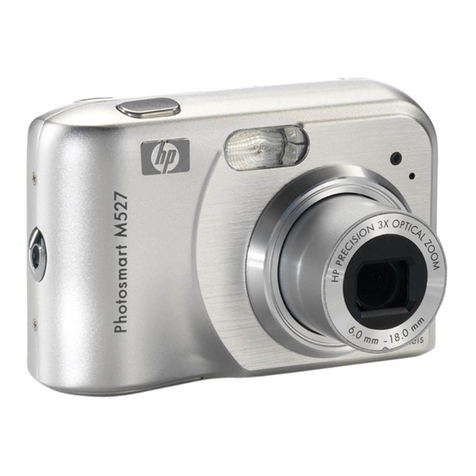
HP Photosmart M527 User manual
HP
HP R725 User manual
HP
HP PhotoSmart M547 User manual
HP
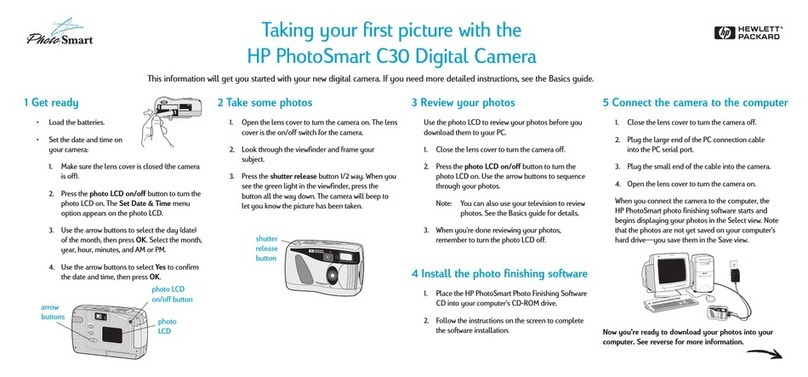
HP C30 User manual
HP
HP Photosmart R927 R927 Owner's manual
HP
HP PhotoSmart 618 User manual
HP
HP PhotoSmart M627 User manual
HP
HP SB360 - 12 MP, 3IN LCD User manual

HP
HP Photosmart M730 Series User manual
HP
HP Photosmart c20 User manual
HP
HP c150w User manual