1-3
Introducing the HP ProCurve Switch 1600M and 2400M
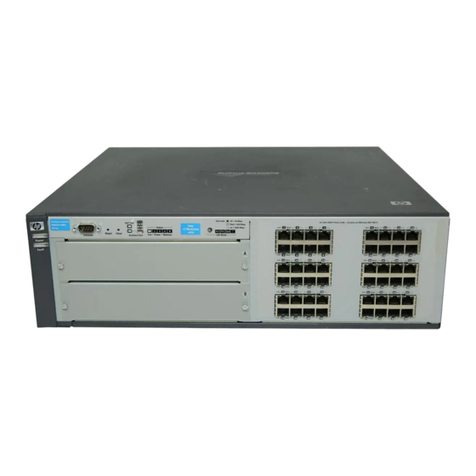
Front of the Switches
IntroducingtheHPProCurve
Switch 1600M and 2400M
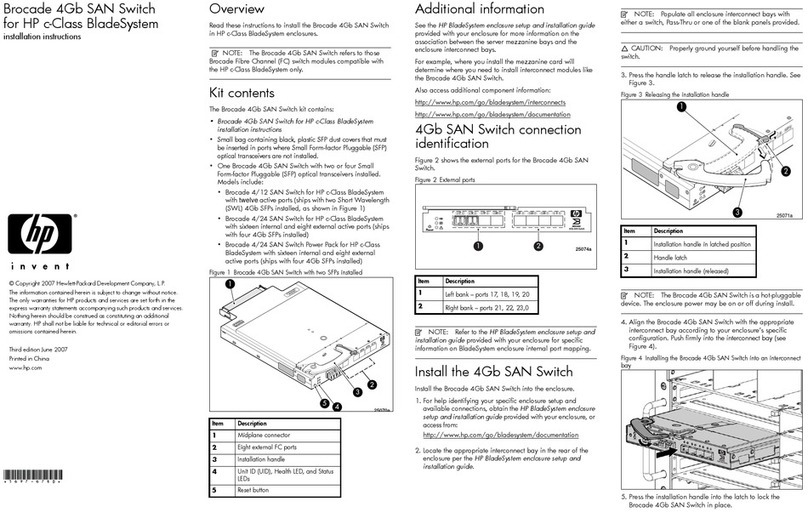
LEDs
Table 1-1. Switch LEDs
Switch LEDs State Meaning
Power
(green) On The switch is receiving power.
Off The switch is NOT receiving power.
Fault
(orange) Off The normal state; indicates that there are no fault conditions on the switch.
Flashing†Afaulthasoccurredontheswitch,theswitchmodule(ifinstalled),orafan.TheStatus
LED for the device with the fault will flash simultaneously.
On On briefly after the switch is powered on or reset, at the beginning of switch self test.
Ifon foraprolongedtime, theswitchhas encountereda fatalhardware failure, or has
failed its self test. See chapter 3, “Troubleshooting” for more information.
Self Test
(green) Off The normal operational state; the switch is not undergoing self test.
On The switch self test and initialization are in progress after you have power cycled or
resettheswitch.TheswitchisnotoperationaluntilthisLEDgoesoff.TheSelfTestLED
alsocomesonbrieflywhenyou“hotswap”amoduleintotheswitch;themoduleisself
tested when hot swapped.
Flashing†A component of the switch has failed its self test. The status LED for that component,
for example a fan, and the switch Fault LED will flash simultaneously.
Mode Select
(3greenLEDs) Act Indicates that the port Mode LEDs are displaying network activity information.
Fdx Indicates that the port Mode LEDs are lit for ports that are in Full Duplex Mode.
100 Indicates that the port Mode LEDs are lit for ports that are operating at 100 Mbps.
Module
Status (green) On A module is installed in the switch module slot and that the module is undergoing or
has passed self test.
Off A module is not installed in the switch module slot.
Flashing†Themoduleintheslot,fortheSwitch1600M,orthefixed10/100Base-TModule,forthe
Switch2400M,hasfailedselftestorisnotinstalledproperly.TheswitchFaultLED,and
theSelf TestLEDmay beflashingsimultaneously.FortheSwitch 1600M,if theModule
StatusLED is flashingby itself, adifferentmodule type has been hot swappedinto the
slotwithouttheswitchbeingreset.See“HotSwappingSwitchModules”onpage2-15.
Fan Status
(green) On The cooling fans are operating normally.
Flashing†One or more of the cooling fans have failed. The switch Fault LED will be flashing
simultaneously.
†The flashing behavior is an on/off cycle once every 1.6 seconds, approximately.
1624~1.boo : 1624_1.FM Page 3 Thursday, July 2, 1998 1:32 PM