OPERATION MANUAL
Minichiller® V2.4.0en/09.08.21//1.30
2.9.1 Connecting an externally closed application ..................................................31
2.10 Connecting to the power supply ................................................................... 31
2.10.1 Connection using socket with protective earth (PE).......................................31
2.10.2 Connection via hard wiring .............................................................................32
3Function description 33
3.1 Function description of the temperature control unit ................................... 33
3.1.1 General functions............................................................................................33
3.1.2 Other functions...............................................................................................33
3.2 Information on the thermal fluids ................................................................ 33
3.3 To be noted when planning the test ............................................................. 34
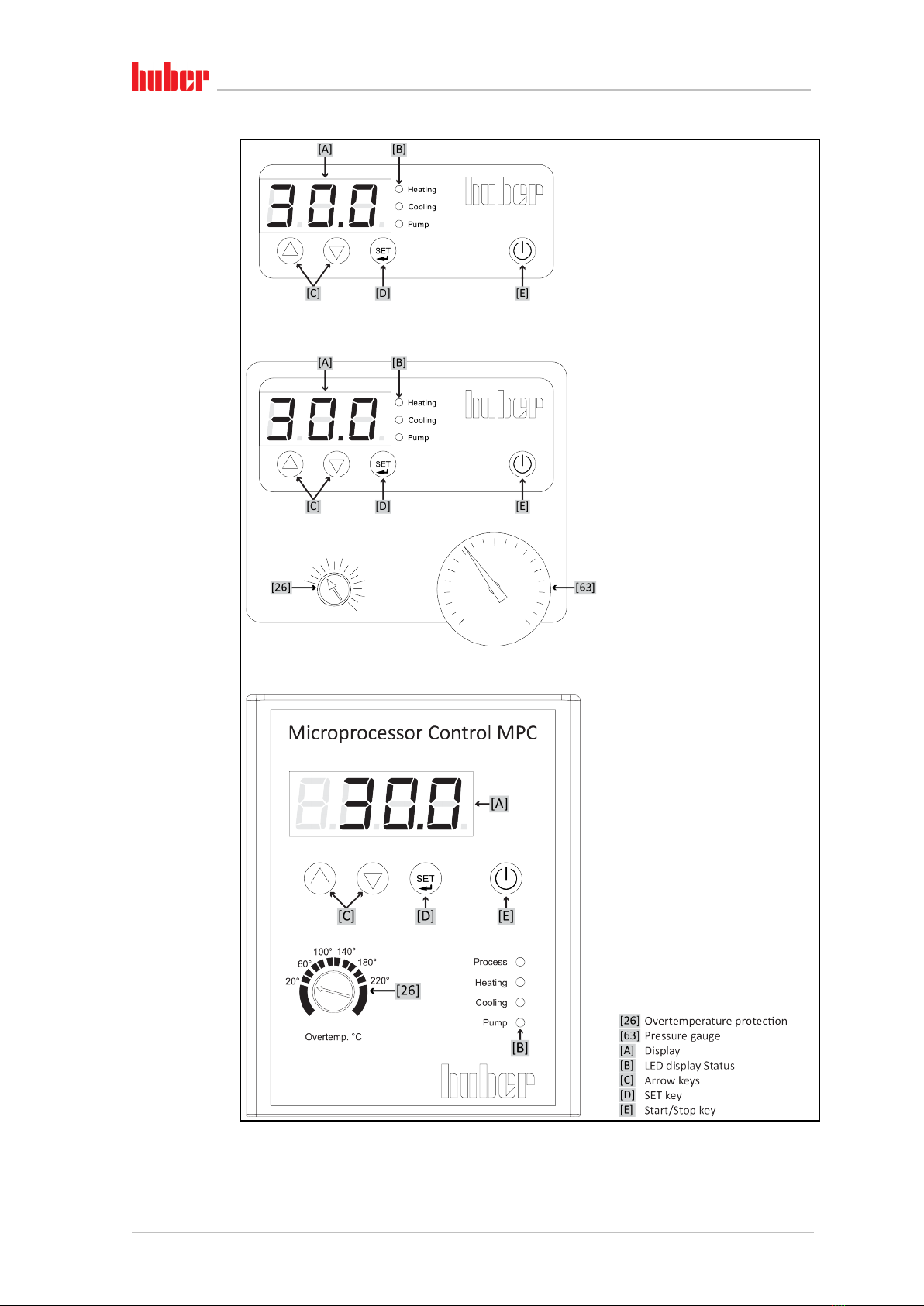
3.4 Display and control instruments................................................................... 35
3.4.1 Display.............................................................................................................35
3.4.2 LED display status ...........................................................................................35
3.4.3 Arrow keys ......................................................................................................35
3.4.4 SET key ............................................................................................................35
3.4.5 Start/Stop key .................................................................................................35
3.5 Menu function ............................................................................................. 35
3.6 Function examples ....................................................................................... 36
3.6.1 Display setpoint ..............................................................................................36
3.6.2 Set/change setpoint........................................................................................36
3.6.3 Changing the Auto-Start function ...................................................................36
4Setup mode 37
4.1 Setup mode ................................................................................................. 37
4.1.1 Turning on the temperature control unit .......................................................37
4.1.2 Turning off the temperature control unit.......................................................37
4.1.3 Setting the overtemperature (OT) protection ................................................37
4.1.3.1 General information on the overtemperature protection .........................37
4.1.3.2 Setting the overtemperature protection....................................................38
4.1.4 Testing the overtemperature protection for functionality.............................38
4.1.5 Setting the setpoint ........................................................................................39
4.2 Filling, venting and draining ......................................................................... 39
4.2.1 Filling and venting externally closed application ............................................39
4.2.1.1 Filling and venting with >Sight glass< [23] .................................................40
4.2.1.2 Filling and venting with >Level indicator and drain< [38] ..........................41
4.2.2 Draining externally closed applications ..........................................................42
4.2.2.1 Draining with >Sight glass< [23] .................................................................42
4.2.2.2 Draining with >Level indicator and drain< [38] ..........................................43
5Normal operation 44
5.1 Automatic operation .................................................................................... 44
5.1.1 Temperature control.......................................................................................44
5.1.1.1 Starting the temperature control process..................................................44
5.1.1.2 Ending the temperature control process ...................................................44
6Interfaces and software update 45
6.1 Interfaces on the temperature control unit (optional)................................... 45
6.1.1 RS232 jack .......................................................................................................45
7Service/maintenance 46
7.1 Displays in the event of faults....................................................................... 46
7.2 Maintenance................................................................................................ 47