2Device Overview
Phone Button
Press to connect or
disconnect hands free
phone calls
Emergency Button
Press to connect to
Emergency Assistance
State Farm Button
Press to connect to
Roadside Assistance
or a State Farm
Representative
Bluetooth Connection Indicator
Illuminates to conrm
Bluetooth connection Battery Indicator
Solid green when
charged; blinks red
when low battery
+/- Buttons
Press to adjust
speaker volume
Microphone
For two-way
communication
Speaker
For two-way
communication
Charging Port
Connects to car
charger
OBD II Plug
Fit’s into vehicle On-Board
Diagnostic port.
Connection Indicator
Illuminates at ignition on to
conrm successful connection
Hands Free
On/Off Button
When switched off,
you CANNOT use
hands free calling
In-Drive Connect Package Customers:
• The In-Drive Visor Clip is an optional
component that can be paired with your
Bluetooth capable mobile phone and used as
a speakerphone for safe, hands free talking. 1
• The Emergency and State Farm Buttons are
inactive for In-Drive Connect customers.
• If you choose NOT to pair the In-Drive Visor
Clip with your mobile phone, please store
your In-Drive Visor Clip in its box for safe-
keeping, should you decide to upgrade to the
In-Drive Guardian Package. 2
In-Drive Guardian Package Customers:
• The In-Drive Visor Clip is a required
component that connects you to emergency
and roadside assistance. 1
• The In-Drive Visor Clip can also be paired
with your Bluetooth capable mobile phone
and used as a speakerphone for safe, hands
free talking. 1
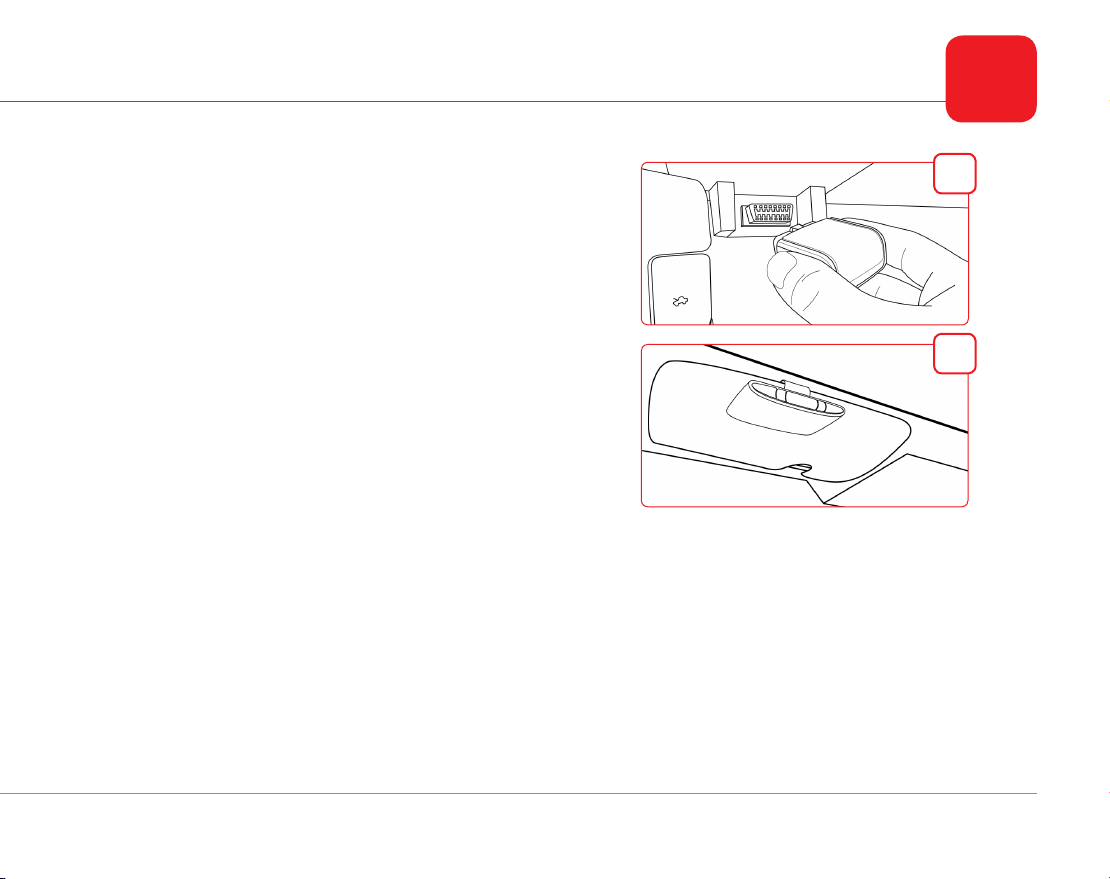
In-Drive Visor Clip
In-Drive Communicator
The In-Drive Visor Clip must be in the vehicle with the In-Drive Communicator in order for the hands free calling and assistance buttons to function.
However, if you are an In-Drive Connect customer and do not wish to use hands free calling, you do not need to install the In-Drive Visor Clip.
You will also be required to return the hardware should you decide to opt out of the program.
1
2