© 2022 HyQuest Solutions 8
Installation
4-20mA Interface
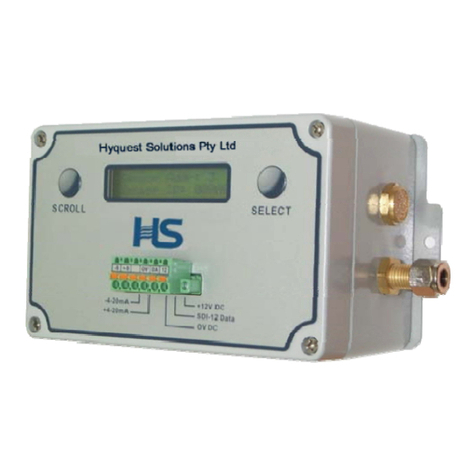
The 4-20mA interface in the WL3100 is optically isolated from the 0V and +12VDC on the right hand end of the
connector. The 4-20mA circuitry must be powered by the loop.
There are 2 ways to take 4-20mA measurements:
1. “Continuous Meas” set to Off (S/W Rev 7.1 and lower)
“Sampling Mode” set to Single (S/W Rev 7.2 and higher)
When the WL3100 detects loop power, it initiates a water level measurement – this takes 12 seconds – the 4-20mA
current is updated at the end of the measurement and the data logger can measure the current. Therefore the data logger
must be set for transducer “warm-up” of about 15 secs.
2. “Continuous Meas” set to On (S/W Rev 7.1 and lower)
“Sampling Mode” set to Contin+Avg X (S/W Rev 7.2 and higher)
The WL3100 is set to take a measurement continuously (every 12 secs). When the WL3100 detects loop power, it updates
the 4-20mA current within 100mS - with the water level previously measured within the last 12 secs. Therefore the data
logger can be set for a transducer “warm-up” of about 1 sec.
The following diagram shows how the 4-20mA interface must be loop powered.
(This example uses the Hyquest Solutions ML420 Data Logger.)
Please note: The SDI-12 interface and the 4-20mA interface can be used at the same time by 2 different devices. For
example, a data logger can be connected to the SDI-12 interface while an RTU is connected to the 4-20mA interface!!!
2.2 Field Setup Procedure
1. Install the WL3100 Multi Output Dry Transducer as per mechanical installation procedures.
2. Press either of the two push buttons on the dry transducer to activate the LCD display.
3. Use the scroll button to scroll through the menu to “Set Level”and press the select button.
4. Use the select button to move the blinking cursor to the desired digit position (that needs to be changed), and use the
scroll button to increment the value. When the rightmost digit is at the desired value press the select button to save
the value. Press select button again to start with the left most digit again.
5. After the select button is used to save a value ie. Water level, date, etc., then pressing the scroll button will continue to
step you through the menu as before.
6. The 4-20mA current loop will be continuously updated as the various parameters are changed.
7. The 4mA water level and the 20mA water level can be set separately. (See the menu tree structure in the LCD
Operation section)
8. The various parameters may also be set by the SDI-12 “special command” set, via the SDI-12 Input connection, or the
RS-232 connection if a laptop is available using a simple terminal emulation program whereby ASCII characters are
typed (adhering to the SDI-12 Ver 1.3 protocol). Note: If the commands are being typed by the operator, the “Comms
Type” must be set to RS232. In this mode the strict SDI-12 timing is ignored. An adapter cable needs to be used in this
mode. See section Appendix B.