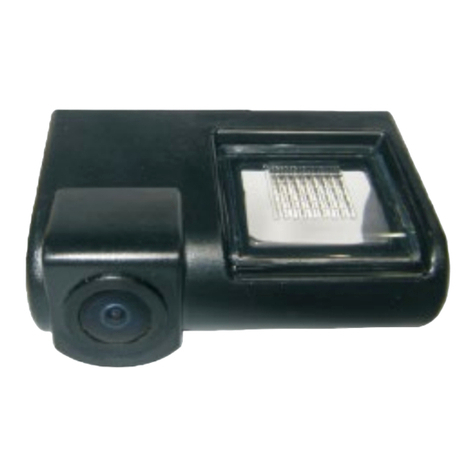
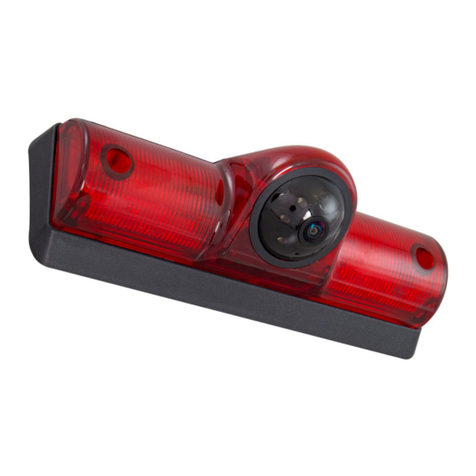
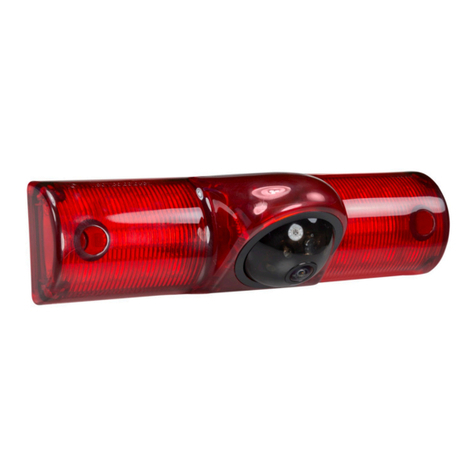
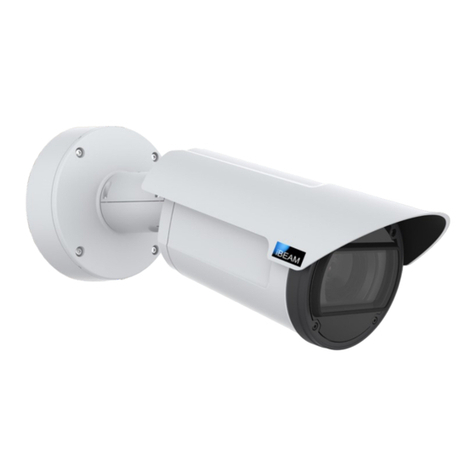
1) Find a suitable location to surface mount install the camera. Make sure the
camera’s view is unobstructed and be careful not to drill into any wires that
might damage the vehicle, insure you have enough depth and accessibility to
attach the supplied nut on the post to secure the camera. When all connections
have been made and before mounting the camera, verify the camera is working
and has good view of the area.
2) Treaded post should be installed in the upward position. Use a 3/8” bit to drill
a hole for surface mounting of camera, then install camera.
3) Connect the RED wire to the +12 volt reverse wire
4) Connect the BLACK wire to ground (a metal, non-painted surface).
5) Run video cable though vehicle, up to video display. (Avoid placing video
cable where it can get pinched or damaged).
6) Attach the YELLOW video rca to the reverse camera input of the radio or
video display; connect the RED wire coming from the YELLOW video rca to
the reverse trigger wire on the radio or video display.
NOTE: The camera comes with the parking assist lines and a normal image view
active. If you want to remove the parking lines or change the image to reverse
image, follow the steps below:
A) Disconnect power to the camera
B) Cut the WHITE loop to remove the parking assist lines, isolate and tape the wires
C) Cut the BLUE loop to reverse the image, isolate and tape the wires
D) Reconnect power to the camera
If the parking assist lines are wanted or the image needs to go back to normal,
just follow the steps above and reconnect the wires.
1) Find a suitable location to surface mount install the camera. Make sure the
camera’s view is unobstructed and be careful not to drill into any wires that
might damage the vehicle, insure you have enough depth and accessibility to
attach the supplied nut on the post to secure the camera. When all connections
have been made and before mounting the camera, verify the camera is working
and has good view of the area.
2) Treaded post should be installed in the upward position. Use a 3/8” bit to drill
a hole for surface mounting of camera, then install camera.
3) Connect the RED wire to the +12 volt reverse wire
4) Connect the BLACK wire to ground (a metal, non-painted surface).
5) Run video cable though vehicle, up to video display. (Avoid placing video
cable where it can get pinched or damaged).
6) Attach the YELLOW video rca to the reverse camera input of the radio or
video display; connect the RED wire coming from the YELLOW video rca to
the reverse trigger wire on the radio or video display.
NOTE: The camera comes with the parking assist lines and a normal image view
active. If you want to remove the parking lines or change the image to reverse
image, follow the steps below:
A) Disconnect power to the camera
B) Cut the WHITE loop to remove the parking assist lines, isolate and tape the wires
C) Cut the BLUE loop to reverse the image, isolate and tape the wires
D) Reconnect power to the camera
If the parking assist lines are wanted or the image needs to go back to normal,
just follow the steps above and reconnect the wires.
II. Connection
II. Connection
I. Specifications
I. Specifications
Parking line loop (White)
RED (+)
BLACK (Ground)
Video (in)
Reverse image loop (Blue)
Red (Reverse Switch)
Reverse Wire on Radio (Trigger)
Reverse Lights
TV
Parking line loop (White)
RED (+)
BLACK (Ground)
Video (in)
Reverse image loop (Blue)
Red (Reverse Switch)
Reverse Wire on Radio (Trigger)
Reverse Lights
TV
SENSOR
Effective Pixel
Horizontal Sync Frequency
Vertical Sync Frequency
Scanning System
Sync System
AGC
BLC
Resolution
S/N Ratio
Current Consumption
Power Supply
Operating Temperature
Storage Tempurature
Viewing Angle
Water-Proof
Minimum Illumination
SENSOR
Effective Pixel
Horizontal Sync Frequency
Vertical Sync Frequency
Scanning System
Sync System
AGC
BLC
Resolution
S/N Ratio
Current Consumption
Power Supply
Operating Temperature
Storage Tempurature
Viewing Angle
Water-Proof
Minimum Illumination
CMOS II
656 X 492
15625KHZ
PAL50HZ / NTSC 60HZ
2 : 1 Interlace
Internal
Auto
Auto
420 TV Lines
More Than 48dB
No More 150mA
DC12V ± 10%
-22° ~ 176° F
-40° ~ 176° F
170°
IP67
0.5Lux/F1.2(0Lux with LED)
CMOS II
656 X 492
15625KHZ
PAL50HZ / NTSC 60HZ
2 : 1 Interlace
Internal
Auto
Auto
420 TV Lines
More Than 48dB
No More 150mA
DC12V ± 10%
-22° ~ 176° F
-40° ~ 176° F
170°
IP67
0.5Lux/F1.2(0Lux with LED)