manuals.online logo
Brands
  1. Home
  2. •
  3. Brands
  4. •
  5. Iiyama
  6. •
  7. Monitor
  8. •
  9. Iiyama Pro Lite E2003WS-1 User manual

Iiyama Pro Lite E2003WS-1 User manual

This manual suits for next models

1

Other Iiyama Monitor manuals

Iiyama ProLite TE7512MIS User manual

Iiyama

Iiyama ProLite TE7512MIS User manual

Iiyama ProLite B2480HS-W2 User manual

Iiyama

Iiyama ProLite B2480HS-W2 User manual

Iiyama ProLite E2207WS-2 User manual

Iiyama

Iiyama ProLite E2207WS-2 User manual

Iiyama ProLite X2472HD User manual

Iiyama

Iiyama ProLite X2472HD User manual

Iiyama ProLite E2080HSD User manual

Iiyama

Iiyama ProLite E2080HSD User manual

Iiyama ProLite E2209HDS User manual

Iiyama

Iiyama ProLite E2209HDS User manual

Iiyama ProLite B2282HD User manual

Iiyama

Iiyama ProLite B2282HD User manual

Iiyama ProLife XUB2595WSU User manual

Iiyama

Iiyama ProLife XUB2595WSU User manual

Iiyama ProLite P1905S-1 User manual

Iiyama

Iiyama ProLite P1905S-1 User manual

Iiyama Pro Lite B2776HDS User manual

Iiyama

Iiyama Pro Lite B2776HDS User manual

Iiyama ProLite XB2779QS User manual

Iiyama

Iiyama ProLite XB2779QS User manual

Iiyama ProLite XU2495WSU User manual

Iiyama

Iiyama ProLite XU2495WSU User manual

Iiyama ProLite TF3238MSC User manual

Iiyama

Iiyama ProLite TF3238MSC User manual

Iiyama PLB2409HDS-B1 User manual

Iiyama

Iiyama PLB2409HDS-B1 User manual

Iiyama ProLite T2236MSC User manual

Iiyama

Iiyama ProLite T2236MSC User manual

Iiyama prolite E2001WS User manual

Iiyama

Iiyama prolite E2001WS User manual

Iiyama Pro Lite TE9803MIS User manual

Iiyama

Iiyama Pro Lite TE9803MIS User manual

Iiyama ProLite T1932MSC-B5 Series User manual

Iiyama

Iiyama ProLite T1932MSC-B5 Series User manual

Iiyama ProLite L403W User manual

Iiyama

Iiyama ProLite L403W User manual

Iiyama G-Master GE2788HS-B1 User manual

Iiyama

Iiyama G-Master GE2788HS-B1 User manual

Iiyama ProLite TF2234MC User manual

Iiyama

Iiyama ProLite TF2234MC User manual

Iiyama ProLite E2407HDS User manual

Iiyama

Iiyama ProLite E2407HDS User manual

Iiyama ProLite LH4282SB User manual

Iiyama

Iiyama ProLite LH4282SB User manual

Iiyama ProLite XU2290HS User manual

Iiyama

Iiyama ProLite XU2290HS User manual

Popular Monitor manuals by other brands

Samsung ME32C user manual

Samsung

Samsung ME32C user manual

ViewSonic VA926-LED user guide

ViewSonic

ViewSonic VA926-LED user guide

Furuno Mu 120c Operator's manual

Furuno

Furuno Mu 120c Operator's manual

Asus VB171D - 17" LCD Monitor Service manual

Asus

Asus VB171D - 17" LCD Monitor Service manual

AOC 9GLR Technical specifications

AOC

AOC 9GLR Technical specifications

DMG RAFFAELLO manual

DMG

DMG RAFFAELLO manual

AOC LM720 - 17" Technical specifications

AOC

AOC LM720 - 17" Technical specifications

Sony Trinitron GDM-F500 Service manual

Sony

Sony Trinitron GDM-F500 Service manual

Memorex MT1701 user guide

Memorex

Memorex MT1701 user guide

ViewSonic VE510s-4 Service manual

ViewSonic

ViewSonic VE510s-4 Service manual

Farenheit T-1503CM instruction manual

Farenheit

Farenheit T-1503CM instruction manual

Ditel DINOS DN129/AT Quick installation guide

Ditel

Ditel DINOS DN129/AT Quick installation guide

Sony SDM-S51 Specifications

Sony

Sony SDM-S51 Specifications

Kenwood DMX1025BT quick start guide

Kenwood

Kenwood DMX1025BT quick start guide

Dell S2409WFP user guide

Dell

Dell S2409WFP user guide

EverFocus EN-7517E instruction manual

EverFocus

EverFocus EN-7517E instruction manual

Dell P3222QE user guide

Dell

Dell P3222QE user guide

Panasonic TH152UX1 - 152" PLASMA TV Service manual

Panasonic

Panasonic TH152UX1 - 152" PLASMA TV Service manual

manuals.online logo
manuals.online logoBrands
  • About & Mission
  • Contact us
  • Privacy Policy
  • Terms and Conditions

Copyright 2025 Manuals.Online. All Rights Reserved.

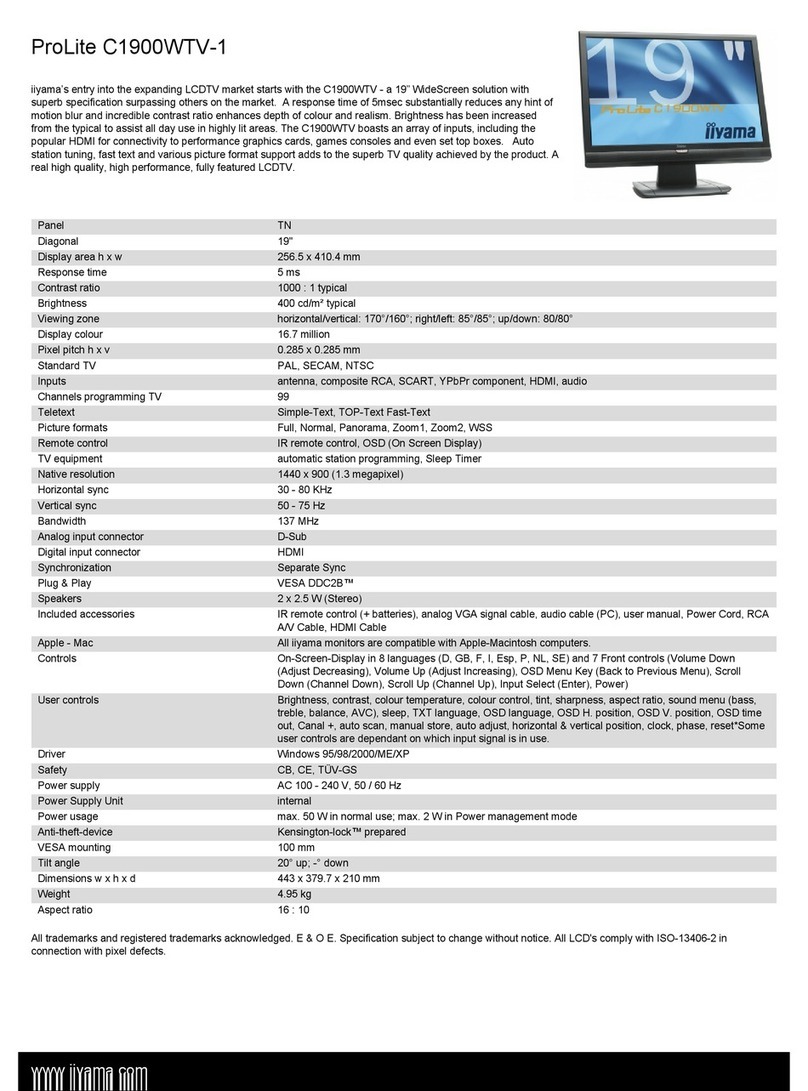
ProLite E2003WS-1
iiyama’s most recent addition to the widescreen monitor portfolio, the E2003WS 20.1” panel is aimed at the user
who appreciates the higher 1680x1050 screen resolution but lacks space for a 22”. Improved features include an
even faster 2ms response time for excellent results in gaming and video playback, increased brightness of 300
cd/m² and a sharp 2000:1 Dynamic Contrast Ratio delivering crisp, vivid images in any application. The smart black
casing incorporates stereo speakers and the access controls for the On Screen Display Menu and has both
analogue and digital input connectors. The ProLite E2003WS has been tested to meet all of the technical
requirements to be Certified for Windows Vista™.
Panel TN
Diagonal 20"
Display area h x w 270.9 x 433.4 mm

Response time 2 ms
Contrast ratio 2000 : 1 DCR
Brightness 300 cd/m² typical
Viewing zone horizontal/vertical: 170°/170°; right/left: 85°/85°; up/down: 85/85°
Display colour 16.7 million
Pixel pitch h x v 0.258 x 0.258 mm
Native resolution 1680 x 1050 (1,8 megapixel)
Horizontal sync 31 - 83 KHz
Vertical sync 56 - 75 Hz
Bandwidth 165 MHz
Analog input connector D-Sub
Digital input connector DVI-D
Output connector headphone socket
Synchronization Separate Sync
Plug & Play VESA DDC2B™
Speakers 2 x 1 W (Stereo)
Included accessories power cable, D-Sub signal cable, DVI-D signal cable, audio cable, user manual, stand
Apple - Mac All iiyama monitors are compatible with Apple-Macintosh computers.
Controls On-Screen-Display in 10 languages (GB, F, D, I, ESP, JP, NL, PL, RU, CH) and 6 Front controls (Auto,
Exit/Volume, Scroll down/Contrast, Scroll up/Brightness, Menu/Select, Power)
User controls auto adjust, luminance (brightness, contrast), geometry (clock, phase, V-position, H-position), colour
temperature, OSD language, OSD position, OSD time out, recall, miscellaneous (sharpness, DDC/CI,
display information, DCR, OD), input select, volume
Driver Windows 95 / 98 / 2000 / ME / XP / Vista
Ergonomics TCO '03, CE, MPR 3 (prEN50279), ISO 13406-2
Safety TÜV GS, FCC-B, UL / C-UL, VCCI-B, GOST-R, CB
Power supply AC 100 - 240 V, 50 / 60 Hz
Power Supply Unit internal
Power usage max. 49 W in normal use; max. 2 W in Power management mode
Power management VESA DPMS, ENERGY STAR®
Anti-theft-device Kensington-lock™ prepared
VESA mounting 100 mm
Tilt angle 22° up; 2° down
Dimensions w x h x d 480 x 399 x 188 mm
Weight 4.4 kg
Aspect ratio 16 : 10
All trademarks and registered trademarks acknowledged. E & O E. Specification subject to change without notice. All LCD's comply with ISO-13406-2 in
connection with pixel defects.
www.iiyama.com