MEASUREMENT
Once you have the cuff properly attached, you can take the measurement.
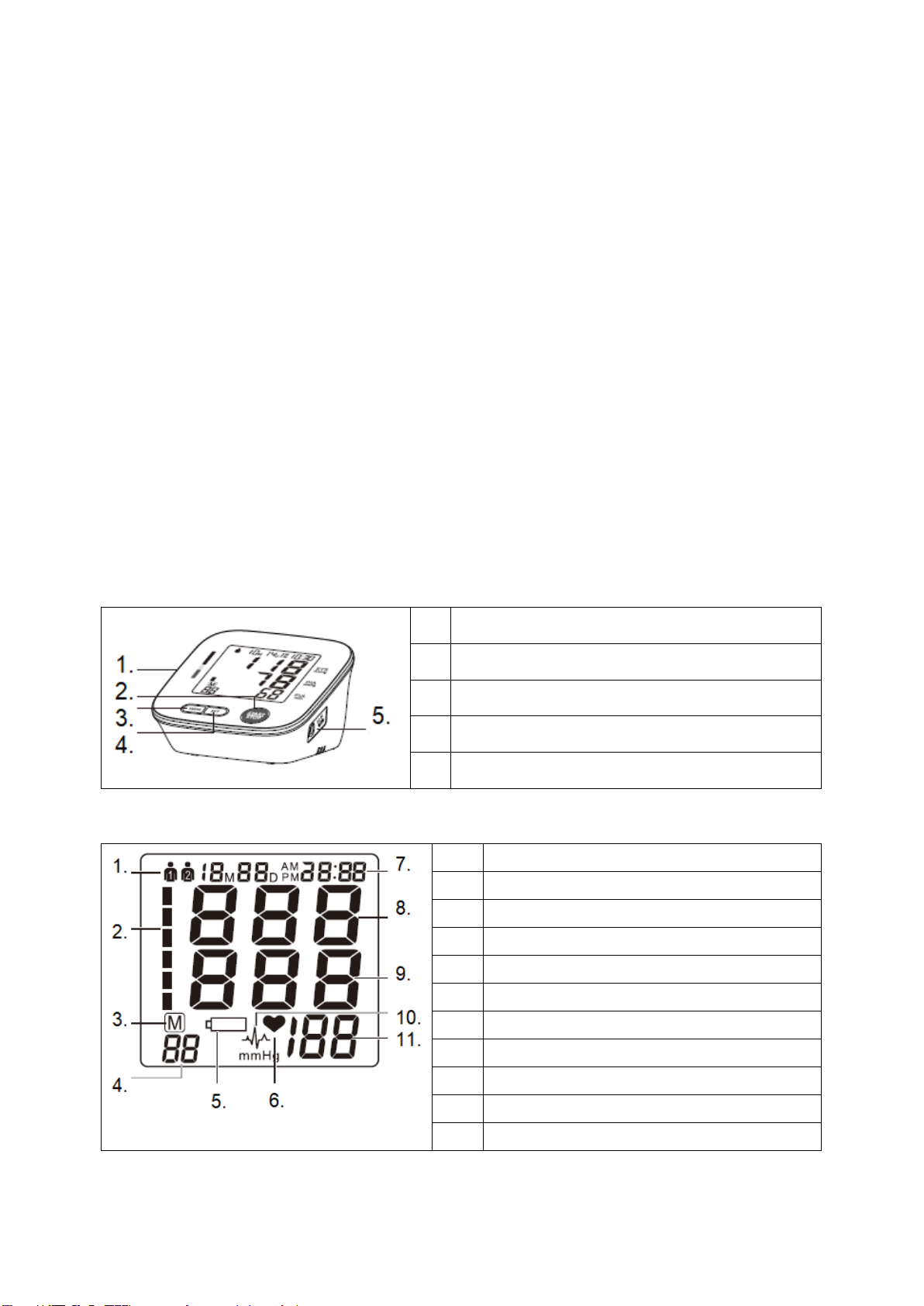
1. Press the START / STOP button, all symbols will be displayed, and the
cuff will start to inflate. The increasing cuff pressure is shown on the display.
2. After the required pressure has been reached, it gradually begins to
decrease. The cuff pressure is shown on the display. If the cuff pressure is
not sufficient, it will automatically inflate to a higher pressure.
3. When the device detects a signal, a flashing heart symbol is displayed.
4. When the measurement is complete, the systolic and diastolic pressures
and heart rate are displayed.
5. The measurement results will be shown on the display until you turn off the
device. If no button is pressed for 3 minutes, the device will turn off
automatically.
Note: Symbol appears if an irregular heartbeat is detected during the
measurement.
INTERRUPTION OF MEASUREMENT
If it is necessary to interrupt the pressure measurement for any reason, you
can press the START / STOP button and the cuff will start to release
immediately.
MEMORY
The device automatically saves 2x 90 measurements. The oldest results are
always deleted. The device stores the 90 most recent results for each user.
DISPLAY OF PREVIOUS RESULTS
If the device is switched off, press MEM to display 3 average measurement results, press MEM again
to display the last measurement, press repeatedly to display more results.
CLEAR MEMORY
If you want to delete all stored measurements, press SET 7 times until CL is displayed during
shutdown. Press the START / STOP button, CL flashes 3 times to clear the memory. Then press the
MEM button, and "no" will appear on the display.