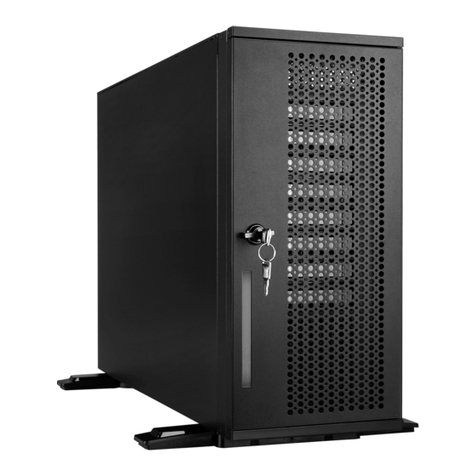
InWin IW-PL070 User manual


1
IW-PL070
PREFACE
SAFETY INFORMATION
To ensure a safe and smooth operation of your InWin IW-PL070 Tower, it is essential that you
choose an appropriate location for the system, provide an appropriate operating environment,
and supply an adequate amount of power for all components in the system. As you plan for
installation, follow the guidelines below to ensure that the system and its environment are safely
and appropriately positioned for efficient operation and service. Your system should be installed
and serviced only by a qualified technician.
Thank you for choosing the InWin IW-PL070 Tower. This manual is written for system technicians
who are responsible for installation, managing, and repairing this server chassis. This document
provides an overview of all the features of the chassis, a list of accessories or other components
you may need to finish installation. It also provides instructions on adding and removing
components within the InWin IW-PL070 Tower. For the latest version of this manual, you may visit
InWin’s server website.

2
User Manual
Proper Environment Selection: The system is designed to operate in a typical office environment:
• The location should be clean, dry, and free of airborne particles.
• It should be placed in a well-ventilated room, and away from sources of heat including direct sunlight
and radiators.
• It should be kept away from sources of vibration or physical shock.
• The space should be accommodated with a properly grounded wall outlet, and with sufficient space to
access the power supply cords.
• The operating environment temperature should be around 0°C to 40°C (32°F to 104°F).
Heed Safety Instructions: Before working with InWin IPC/storage/SMB storage server products, we strongly
recommend you use this guide as a reference and follow the safety instructions. The instructions in this
manual will help you ensure and maintain compliance with existing product certifications and approvals.
Follow the described, regulated components mentioned in this manual. Use of non-UL listing products or
other regulators may not comply with product regulations in the region(s) in which the product is sold.
Hazardous Conditions, Devices and Cables: Hazardous electrical conditions can be present on/in
power supply units and their cables. Disconnect the power cord and any other devices attached to the
server before opening the case. Failing to follow safety procedures will increase the risk of personal
injury or equipment damage.
System Power On/Off: The power button DOES NOT totally turn off the system AC power.
To remove the power of the system, you must unplug the AC power cord from the outlet or the system’s
power supply unit(s). Make sure the power cord is unplugged before you open the chassis or add/
remove any component.

3
To avoid damage and maintain your safety, please read the following terms listed below:
Installing or Removing Jumpers: A jumper is a short length conductor used to close, open, or bypass part of
an electronic circuit. Jumpers on InWin backplanes have a small tab on top that you can pick up with your
fingertips. Grip the jumper carefully and plug the jumper to cover the jumper pins on the backplane. Once
you need to remove the jumper, grip the jumper and carefully pull without squeezing.
Electrostatic Discharge (ESD) and ESD Protection: In most cases, ESD may damage disk drives,
electronic boards, and other parts. We recommend that you conduct installation only at an ESD free
space. If not possible, perform ESD protection protocol by wearing anti-static wrist straps attached to
the ground on any unpainted metal surface on your server during operation.
CAUTION
Do not populate hard drives and turn on the power until the system has stabilized. Make
sure hard drives and other components are properly connected before turning on the
system.
Tighten or loosen all screws with a screwdriver.
Apply the correct screws packed in the accessories box.
For your safety, please have at least two people lift and install the unit in its
designated area.
1
2
3
4
IW-PL070
4
User Manual
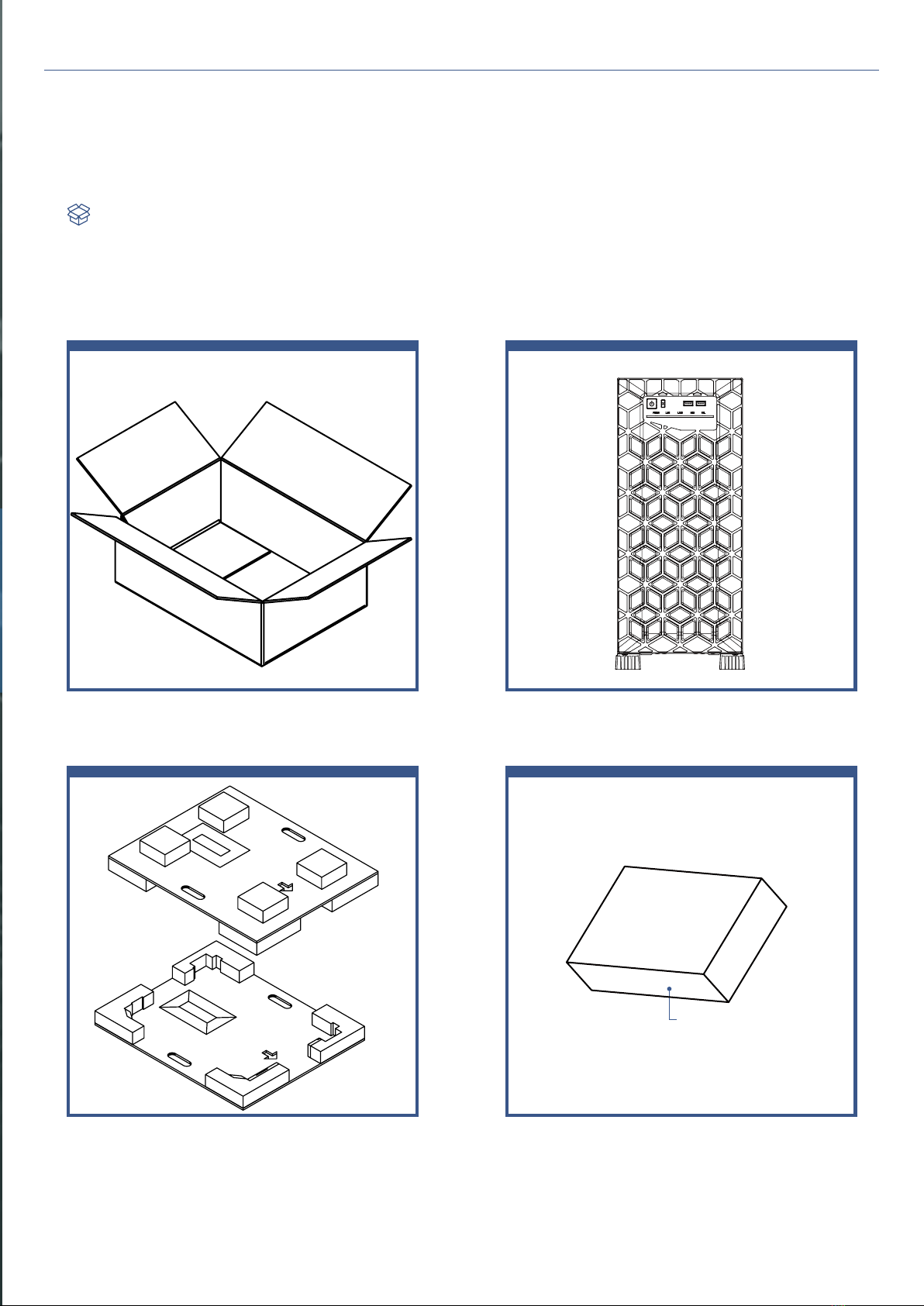
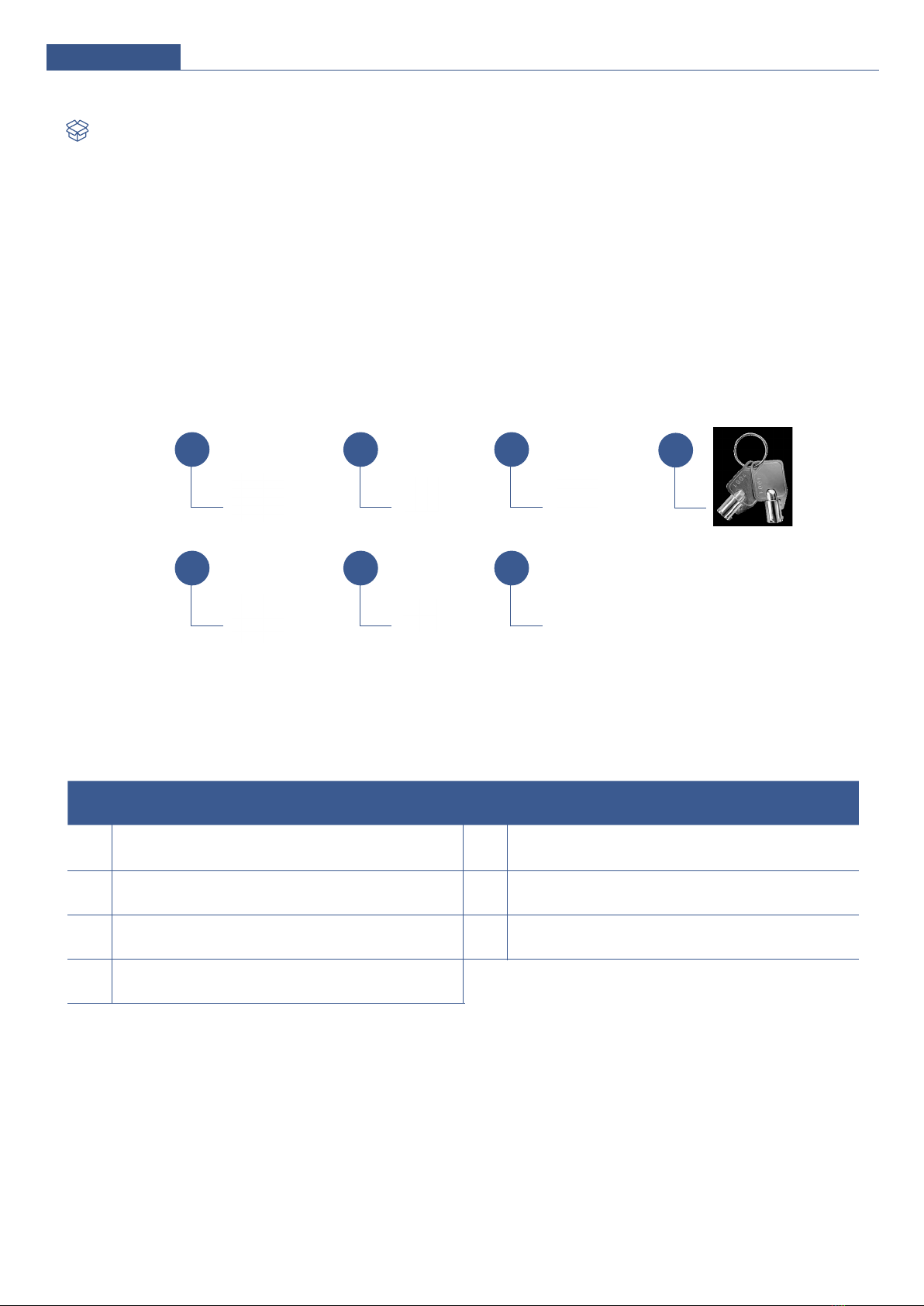
When you open the IW-PL070 box, the contents should include the following:
Product Introduction
Box Contents
Accessories Box
5
IW-PL070
62 4
57
1 3
No Item No. Item
1 Motherboard Stand-Offs x 16 5 Optional 120mm Fan Screws x 12
2 Motherboard Screws x 21 6 Cable Ties x 10
3 2.5" HDD Screws x 20 7 Side Panel Keys x 2
4 3.5" HDD Screws x 5
Accessories Box

6
User Manual
When you open the side cover, it should reflect the diagram’s image.
General Information
Right side-1
No Item No Item
1120 x 25mm PWM fans x 2
(one pre-installed on the front upper region) 5 GPU holder
2 2.5"/3.5" HDD bays x 5 6 MB mounting area
3 Built-in 240mm top radiator bracket x 1 7 PSU mounting area
4 Fans or radiator bracket mounting area 8 120 x 25mm PWM rear fan x 1 (pre-installed)
Or, 80 x 38mm PWM rear fans x 2 (optional)
4a 120 x 25mm PWM fans x 2
(one pre-installed on the lower, middle fan wall) 9 Full-height PCIe slots x 7
4b 240mm or 360mm radiator bracket (optional)
267
8
9
1
3
54
4b
240 mm360mm
4a

7
IW-PL070
Right side-2
Left side
No Item No Item
1 Dummy Cover 2 Optional 2.5" drive cage: 2.5" drives x 4
(Top: 1 x 9mm, Remaining: 3 x 15mm)
No Item No Item
10 Side panel with lock 11 Feet
2
1
11
10

8
User Manual
IW-PL070
The USB I/O ports and indicators are located on the top of the front plate.
No Item Color Status Description
1
Power On/Off Button with LED
Blue Solid on System is powered on.
N/A Off System is off.
2
System Reset Button N/A Press this button to activate system reset.
3
LAN LED (From left to right
marked LAN1-LAN2)
Amber Blinking Link between system and network.
N/A Off No data transmission or receiving is occurring.
4
Hard Disk LED Green Blinking System HDD accessing.
5
System Failure LED Red Solid on System is faulty.
6
USB 3.0 Ports USB Ports
Front Panel Controls and Indicators
2 3
4 5
1 6
9
IW-PL070 User Manual
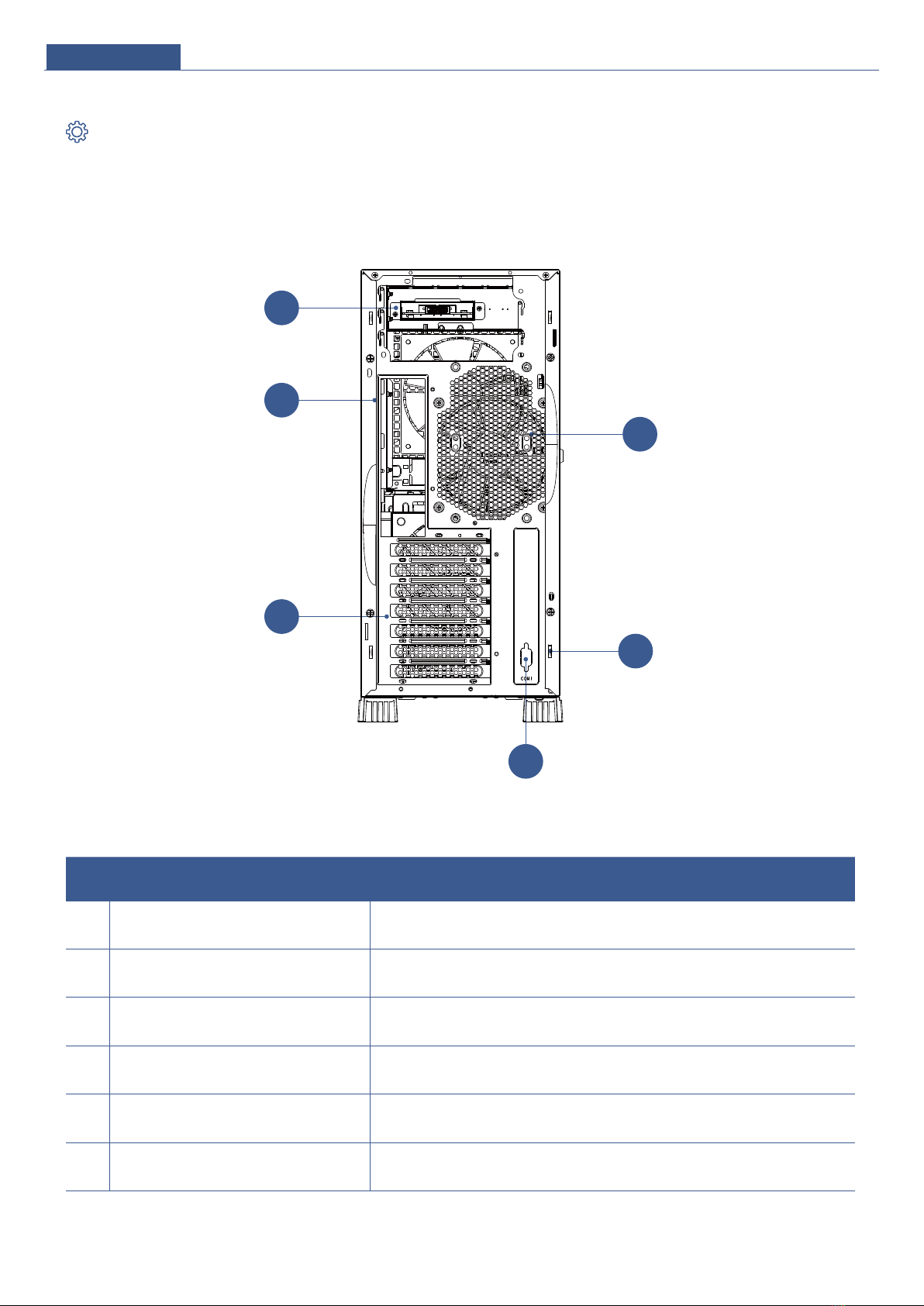
The rear panel of IW-PL070 Tower contains the power supply mounting area,
rear I/O, 7 PCIe slots, and rear fan location.
No Item Description
1 Power supply area This area is for installing CRPS & PS2 PSUs. Please reference InWin’s
compatibility list to select compatible models.
2Rear I/O
(depends on M/B specifications) The I/O shield should come with the motherboard.
3 Full height PCIe slots x 7 The slots support high profile cards. The bracket should be removed before
using.
4 Rear fan One 120 x 25mm PWM fan (pre-installed) or 80 x 38mm PWM fans x 2
(optional) for better system cooling.
5 Security Supports padlock loop or Kensington lock
with & intrusion switch (optional).
6 COM port support RS-232 Com port for DB-9.
Rear Panel Configuration
2
3
4
5
1
6
Table of contents
Other InWin Server manuals

InWin
InWin IW-RS112-08 User manual
InWin
InWin IW-RS208-04 User manual
InWin
InWin IW-RS216-07 User manual
InWin
InWin IW-RN212-04 User manual
InWin
InWin IW-RS448-05 User manual
InWin
InWin IW-MS08 User manual
InWin
InWin IW-MS08-A User manual
InWin
InWin IW-RS208-07 User manual
InWin
InWin IW-RS212-04 User manual
InWin
InWin Cobra IW-RS316-07 User manual