User Manual
SmartCall Alert
Page 6
Do Range Test (Factory Default: OFF)
With this feature you can determine what distance your base station will cover. The factory default setting is OFF.
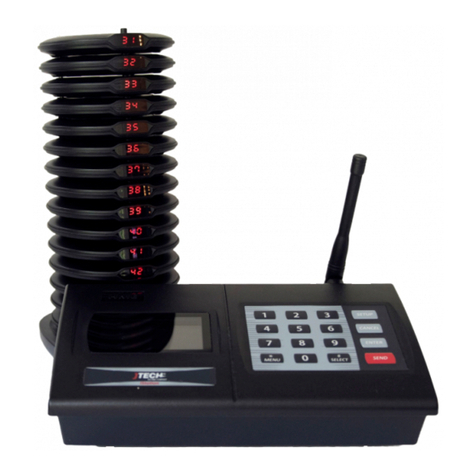
Start walking away from the Transmitter unit, when you have reached a point where ALL 3 pagers do not receive 2
consecutive pages then you are out of range, you must go back several steps until the pager starts alerting again
without losing signal.
To start the Range Test, follow the procedure below:
1. Remove a couple of pagers from the charging base to ensure that you have the most accurate reading.
2. At the “Range Test” menu, press “# /Select” key to turn range test “ON”.
3. Press “ENTER” to start the range test. As soon as range test is activated you’ll notice the pagers flash once
every 10 seconds (if you use numeric pagers they will vibrate). Walk around your property. When you
reach the point where the pagers do not flash consistently, this is your maximum range. If you would like
to increase or decrease your range, exit range test and call 800-321-6221 for more options.
4. Press the “CANCEL” key to stop the range test.
5. Press the “CANCEL” key twice to exit the system-programming menu.
NOTE: The base station has an auto shut off feature that will stop the range test after 15 minutes.
Preset Message (Factory Default: OFF, 1:White Background, Black Font)
Use this feature to change the background color of the display when the pager receives the signal
1: White 3: Blue
2: Green 4: Red
**Selecting 1 default color when sending a page (Having this feature OFF):
Preset Message OFF, “ENTER” select 1-4 for the desired background color, “ENTER” to save it,
“CANCEL, CANCEL” to exit the menu.
For example,
to alert a pager, simply press the pager number on the transmitter keypad followed by the “SEND” key.
press, “11 - SEND” and pager # 11 will signal showing the selected background color 1-4 set in the preset
messages.
**Selecting the background color each time you send a page (Having this feature ON):
Preset Message OFF, press the “#/Select” key to turn Preset Message “ON” “ENTER” select 1-4 for the
desired background color, “ENTER” to save it, “CANCEL, CANCEL” to exit the menu.
For example,
to alert a pager 11 with RED background, simply press the pager number 11 on the transmitter keypad followed
by the “ENTER” key, press 4, “SEND”
The pager # 11 will signal showing RED color display.
Font: Black
Font: White
Font: White
Font: White