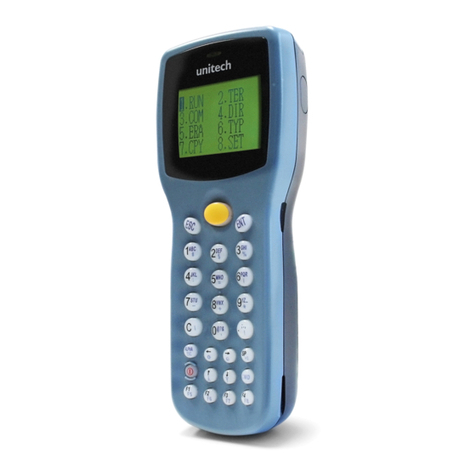
JLT JLT1213 User manual

JLT1213
User manual
JLT Mobile Computers AB
Isbjörnsvägen 3
SE-352 45 Växjö, SWEDEN
Phone: +46 470 530300
Fax: +46 470 445 29
E-mail: [email protected]
www.jltmobile.com
JLT1213, User manual Rev 0
© 2008, JLT Mobile Computers AB

Note!
This equipment has been tested and found to comply with the limits for a Class
B digital device, pursuant to part 15 of the FCC Rules. These limits are
designed to provide reasonable protection against harmful interference in a
residential installation.
This equipment generates, uses and can radiate radio frequency energy and, if
not installed and used in accordance with the instructions, may cause harmful
interference to radio communications. However, there is no guarantee that
interference will not occur in a particular installation. If this equipment does
cause harmful interference to radio or television reception, which can be deter-
mined by turning the equipment off and on, the user is encouraged to try to
correct the interference by one or more of the following measures:
- Reorient or relocate the receiving antenna.
- Increase the separation between the equipment and receiver.
- Connect the equipment into an outlet on a circuit different from that to which
the receiver is connected.
- Consult the dealer or an experienced radio/TV technician for help.
Changes or modifications not expressly approved by JLT Mobile Computers
could void the user's authority to operate the equipment.

Content
Content
Content ..............................................................................................1
General...............................................................................................1
JLT1213..............................................................................................1
Front view.......................................................................................1
Rear view .......................................................................................2
Features..............................................................................................2
Accessories.........................................................................................3
Function buttons .................................................................................3
Using the JLT1213............................................................................4
Turning on the JLT1213......................................................................4
Shutting down the JLT1213................................................................4
Reset...................................................................................................4
Screen brightness...............................................................................4
Instant blanking...................................................................................4
Touch screen......................................................................................5
External device connections...............................................................6
USB 2.0..........................................................................................6
Ethernet port...................................................................................6
PC Card Slot ..................................................................................6
Boot Media.....................................................................................7
Suspend modes..................................................................................7
Stand by mode...............................................................................7
Suspend to Disk mode...................................................................7
Resume from suspend mode.........................................................7
Maintenance......................................................................................8
Cleaning..............................................................................................8
Intel Celeron 1 GHz ..........................................................................10
Touch screen................................................................................10
UPS Operation.............................................................................10
UPS..............................................................................................10
UPS battery warning ....................................................................10
Interface specification....................................................................12
Power cable......................................................................................12
Switch buttons...................................................................................12
Technical specification ..................................................................13

Content
Physical dimensions......................................................................14

1
General
General
JLT1213
The JLT1213 is a compact high performance and low weight rugged PC.
The 1213 can withstand severe environmental conditions including vibration, shock,
moisture and temperature variations.
The 1213 is suitable for use in harsh environments such as construction sites, ware-
housing, defense and manufacturing.
Front view
1. Aux wlan-antenna
2. BT antenna
3. Main wlan-antenna
4. Increase brightness
5. Decrease brightness
6. Power button
4
32
1
5
6

2
General
Rear view
Features
• Rugged, ergonomic, 1-piece design makes the 1213 ideal for all vehicle appli-
cations.
• 4x USB 2.0 ports
123
4
1.) USB Connector
2.) Ethernet connector
3.) Power cable
4.) Cable strain relief

3
General
Accessories
Function buttons
No Function
1 Decrease brightness
2 Power button with power LED
3 Increase brightness
2 1 3

4
Using the JLT1213
Using the JLT1213
This chapter covers information about using the JLT1213. The use of the JLT1213
does not differ from normal PC use.
Turning on the JLT1213
To turn on the JLT1213 press the power button for one second, see chapter “Function
buttons” on page 3. The power LED lights up.
Shutting down the JLT1213
Before shutting down the system save your work and close all running programs.
To shut down the system press the power button or choose Shut Down from the Win-
dows Start menu.
Reset
If the JLT1213 is not responding to commands, the system or application may have
crashed. To restart the system press and hold the power button until the power LED is
switched off.
Screen brightness
The screen brightness can be adjusted for indoor or outdoor use.
To increase or decrease the screen brightness push the brightness push button on the
side of the JLT1213.

5
Using the JLT1213
Touch screen
The JLT1213 has a resistive 4-wire Touch Screen for easy integration, which allows
the user to work with gloves.
!
WARNING!
Do not use sharp objects when operating the touch screen.
Selecting
To select an object on the screen tap the object once.
Double click
To double click tap the object twice.
Drag object
To drag an object on the screen, press and hold down on the object while dragging it
to the new position. Release the object when it is in place.
Calibrate
When used for the first time or when users work in different angles, the touch screen
may require calibration.
To calibrate the touch screen do the following:
1. Open the Control Panel from the Windows Start menu.
2. Double-tap the Pointer Devices icon.
3. Select the Calibration tab and click the Calibrate button to start calibra-
tion.
4. Follow the instructions on the screen.
To test the new settings click the Test button.

6
Using the JLT1213
External device connections
USB 2.0
The JLT1213 is equipped with four USB ports that can be used to connect external de-
vices. Connected devices may require additional drivers or software which usually is
included with the device. The port supports 500 mA.
Ethernet port
The local area network (LAN) connector allows the connection of the JLT1213 to a
local area network with 10/100 IEEE 802.3 (Ethernet) Interface. Connect the JLT1213
using a RJ45 Ethernet cable.
No Description
1 USB 2.0 ports
2 Ethernet 10/100
3 Power connector 18-72V
1
23
Table of contents
Other JLT PDA manuals