manuals.online logo
Brands
  1. Home
  2. •
  3. Brands
  4. •
  5. JR ProPo
  6. •
  7. Switch
  8. •
  9. JR ProPo XBus Series User manual

JR ProPo XBus Series User manual

This manual suits for next models

1

Other JR ProPo Switch manuals

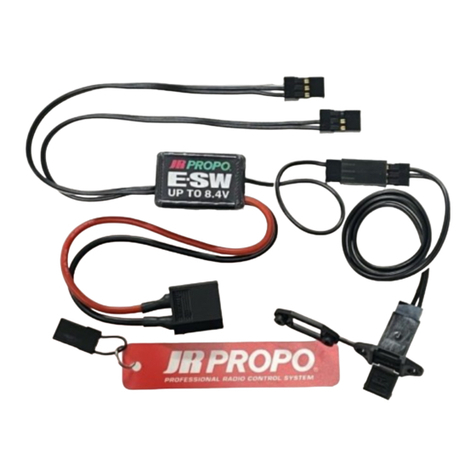
JR ProPo E-SW XT60 User manual

JR ProPo

JR ProPo E-SW XT60 User manual

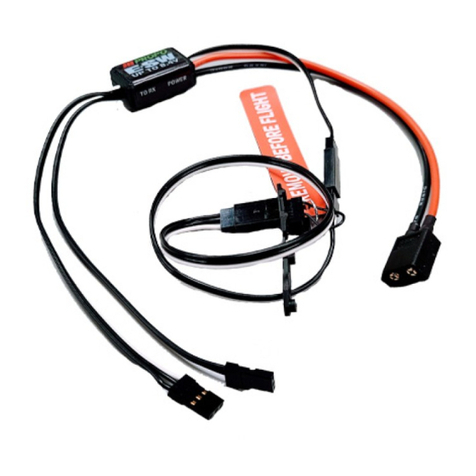
JR ProPo E-SW-G User manual

JR ProPo

JR ProPo E-SW-G User manual

Popular Switch manuals by other brands

SMC Networks SMC6224M Technical specifications

SMC Networks

SMC Networks SMC6224M Technical specifications

Aeotec ZWA003-S operating manual

Aeotec

Aeotec ZWA003-S operating manual

TRENDnet TK-209i Quick installation guide

TRENDnet

TRENDnet TK-209i Quick installation guide

Planet FGSW-2022VHP user manual

Planet

Planet FGSW-2022VHP user manual

Avocent AutoView 2000  AV2000BC AV2000BC Installer/user guide

Avocent

Avocent AutoView 2000 AV2000BC AV2000BC Installer/user guide

Moxa Technologies PT-7728 Series user manual

Moxa Technologies

Moxa Technologies PT-7728 Series user manual

Intos Electronic inLine 35392I operating instructions

Intos Electronic

Intos Electronic inLine 35392I operating instructions

Cisco Catalyst 3560-X-24T Technical specifications

Cisco

Cisco Catalyst 3560-X-24T Technical specifications

Asante IntraCore IC3648 Specifications

Asante

Asante IntraCore IC3648 Specifications

Siemens SIRIUS 3SE7310-1AE Series Original operating instructions

Siemens

Siemens SIRIUS 3SE7310-1AE Series Original operating instructions

Edge-Core DCS520 quick start guide

Edge-Core

Edge-Core DCS520 quick start guide

RGBLE S00203 user manual

RGBLE

RGBLE S00203 user manual

Thrustmaster FLIGHT SIMULATOR X quick guide

Thrustmaster

Thrustmaster FLIGHT SIMULATOR X quick guide

Southwire SURGE GUARD 41390 RVC troubleshooting guide

Southwire

Southwire SURGE GUARD 41390 RVC troubleshooting guide

Buhler Nivotemp NT 61 Brief instructions

Buhler

Buhler Nivotemp NT 61 Brief instructions

Kramer VS-41HDCP user manual

Kramer

Kramer VS-41HDCP user manual

Techly IDATA AU-270 user manual

Techly

Techly IDATA AU-270 user manual

Belkin F1U109 user manual

Belkin

Belkin F1U109 user manual

manuals.online logo
manuals.online logoBrands
  • About & Mission
  • Contact us
  • Privacy Policy
  • Terms and Conditions

Copyright 2025 Manuals.Online. All Rights Reserved.

取扱説明書
使用者もしくは第三者への危害・財産への損害を未然に防止するため、
必ずお守りいただくことを次のように表示します。
お守りいただく内容を、次の表示で区分し説明します。
品  番 XB1-CHB
動作電圧 4.5〜8.5V
接続口数 5
寸  法 125mmx70mmx22mm(本体寸法取付けタブ含む)
仕 様
・設置を容易にするタブつきです。
・XBus搭載受信機から、複数の機器を接続できます。
ご使用前にお読みください
XBus機器の接続例
【日本遠隔制御株式会社ラジコンサービス課】
お問い合せ TEL:
06(6732)0200
受付時間/9:00〜13:00・14:00〜17:30(土・日・祝日及び当社休日を除く)
■修理、アフターサービスに関するお問い合わせ(OnlyforJAPAN)
このたびは、JR製品お買い上げいただき、まことにありがとうございます。
本製品を正しく安全にご使用いただくため、取扱説明書を必ずお読みください。
下記のような接続により同時に使用可能な機器を増やすことができます。
分解、改造等をしないでください。
リード線やコネクタにキズがついた場合は使用しないでください。
本ハブをXBusポート以外には接続しないでください。
水に濡らさないでください。
結露の生じる環境では使用しないでください。
余ったハーネスの固定は確実に行なってください。
ハーネスが絡まって事故の原因となる可能性があります。
振動の多い場所への固定は確実に行なってください。
XB1-CHB
XBusE-スイッチ内臓電源強化センターハブ
受信機用電池(別売)
XBus対応受信機
(別売)
受信機用電池(別売)
この表示で「注意事項」を説明します。
この表示で「義務事項」を説明します。
この表示で「禁止事項」を説明します。
※XBus機器に接続順序はありません。
 何処に挿しても動作します。
※ハブに最低接続数はありません。
 空ポートがあっても動作します。
※本製品はXBusロゴ搭載製品専用です。
製品内容

特 徴
【XBusロゴについて】
JRXBus システムに
対応した製品にのみ
記載します。
XBusSERIES
DMSS2.4GHz
重  量 128gr
6V以上のバッテリを使用の際には、
WideVoltageサーボまたは、
HighVoltageサーボをお使いください。
・電子スイッチの採用により、接点トラブルを100%回避出来ます。
・2個の電池の電圧を監視し、自動的に切り替えます。
・スイッチプラグを引き抜くことによって動作します。
飛行中は電池残量に十分注意してください。
使用しない場合には電池を必ず外してください。
長期間電池をつないだまま放置すると電池が破損します。
XB1-PC4(別売) 従来サーボ用コネクタ
XBus 接続
コネクタ
XB1-PC4
PWM Converter
Serial Bus Communication System
MADEINJAPAN
Deans ウルトラ
コネクター
Deans ウルトラ
コネクター
Deans ウルトラ
コネクター
スイッチプラグ
E スイッチアダプター
リードハーネス ( 別売 )
パワーハーネス(別売)
XB1-CV4(別売)
XB1-CV1(別売)
XB1-CV1
PWM Converter
Serial Bus Communication System
XB1-CV4
PWM Converter
Serial Bus Communication System
NEM-C86A(2013.08)
日本遠隔制御株式会社
〒577-0809東大阪市永和2-2-12
XB1-HB6(別売)
黒ケース(Black)
XBus対応製品
XBus対応製品
ON/OFF用スイッチプラグ
※引き抜くとONになります。
XBus対応製品
ご使用前に各部のガタつき、ネジの緩み等無いことを確認してくだ
さい。
※本ハブを機体に取り付ける場
合は、4 か所共付属のグロメット
を取り付けた後 ハトメを差し
込み木ネジで固定してください。
ハトメ
木ネジ
グロメット
●XB1-CHB/ハブ本体 ●受信機ハーネス ●Eスイッチアダプター
●スイッチプラグ ●グロメット ●ハトメ ●木ネジ
●取扱説明書(本書)
本ハブは、年々増加するサーボ等の消
費電力に対応する為電源ケーブルを
別途用意できるようにしました。
ハイトルク系サーボをご使用の場合
は 本ハブと別売のXB1-PC4の組み
合わせをお勧めいたします。
※受信機用電池は本ハブを通し
て充電することができません。
必ず個別に充電してください
※受信機に電池を接続しないで
ください。
本ハブから電源供給します。
確認用LED#1
確認用LED#2
ProductID: XB1-CHB
Expansionports: 5
Dimensions: 125mmx70mmx22mm(includingmountingtabs)
・
・
XB1-CHB
XBusCenterHubwithElectronicSwitch

XBusSERIES
DMSS2.4GHz
Weight: 128g
・
・
・
XB1-PC4
(soldseparately)
Connector(white)
forXBusport
XB1-PC4
PWM Converter
Serial Bus Communication System
MADEINJAPAN
Deansultraconnecter
Deansultra
connecter
Deansultra
connecter
Eswitchadapter
Leadharness
(soldseparately)
Powerharness
(soldseparately)
XB1-CV4
(soldseparately)
XB1-CV1
(soldseparately)
XB1-CV1
PWM Converter
Serial Bus Communication System
XB1-CV4
PWM Converter
Serial Bus Communication System
XB1-HB6
(soldseparately)
Blackcase
XBusdedicatedproducts
Donotuseifthemountingisloose.
※BesuretomounttheXB1-CHB
tothemodelusingthesupplied
selftappingscrews,rubber
grommets,andmetaleyelets.
Besuretousethesuppliedmetal
eyeletsandrubbergrommetsto
avoidvibration.
Metaleyelet
Selftappingscrew
Grommet
Ifyouhavealargeairplaneusing
numerousservosforaileron,elevatorand
rudder,theXB1-CHBprovidestheperfect
solution.Powercanbesafelydistributed
tohighperformanceservosusing
separatepowercables(soldseparately).
WhenalsousingPWMservos,we
stronglyrecommendusingtheXB1-CHB
unittogetherwiththeoptionalXB1-PC4
toprovidetheperfectcontrolsolution.
※Thereceiverbatteriescannotbecharged
viatheXB1-CHBunit.Besuretoremovethe
batteriesbeforecharging.
※Donotconnectthepowersupply
directlytothereceiver.Receiverpoweris
suppliedfromtheXB1-CHBunit.
LED#1
LED#2
Specs
ConnectionDiagramforXBusSystems
JRXBusreceiver
(soldseparately)
Configuration
Features
●Besuretomountthedevicesecurelytominimisevibration.
●Besuretoonlyconnectthishubtoareceiver'sXBusport.
●Besuretosecureallloosewiringsovibrationandflightloads
don'tcausethemtomove.
※Youcanpluganydeviceintoanyslot.Thereisnospecificorder.
※Itisnotnecessaryfillupalltheslots.Thehubwillworkperfectlywithemptyslots.
RxBattery
(soldseparately)
RxBattery
(soldseparately)
Pleaserefertothefollowingconnectingdiagram.TheJRXBussystem
allowsyoutouselargenumbersofservosandthisheavydutyhub
ensuresanadequatepowersupplyisavailable.
Operatingvoltage: 4.5V〜8.5V
●Besurethebatteryisfullychargedbeforesettinguptheunit.
Lowbatteryvoltagemayresultinsetupfailure.
ConnectorforPWMservo
*ThisproductisonlyforusewithJRXBussystemproducts.
Toallowsafeuse,becertaintoobservethefollowingpoints.
■Ifyouhavefurtherquestions,pleasecontactyourlocal
dealerorJRdistributorinyourcountry.
ThankyouforpurchasingthisJRproduct.
Toallowcorrectandsafeuseofthis
product,pleasereadthisoperation
manual.
Thislogoindicates
productsthatsupport
theJRXBusSystem.
DANGER!
WARNING!
CAUTION!
●Donotusethisproductintherainaswatermaycauseelectronic
devicestomalfunction.
●Neverdisassembleormodifythisproduct.
●Donotusethisproductincombinationwithothermanufacturers
productssuchasservos,etc.
●Donotusethisproductifanyofthewiresorconnectorsare
damaged.
Notfollowingthisadvicecarrieshighriskofdeathor
seriousinjurytotheuserorthirdparties.
Notfollowingthisadvicemayresultindeathorserious
injurytotheuserorthirdparties.
Beforeuse,checkthefollowing:
Inordertopreventinjurytotheoperatororthirdparties
(ordamagetoproperty),pleaseobservethefollowing
Notfollowingthisadvicemaycauseinjurytotheuserorthird
party(orcausedamagetoproperty).
OperationManual
Besuretodisconnectthebatteryfromthehubbetweenflyingsessions.Leavingthe
batteryconnected,evenwiththeswitchpluginserted,resultsinasmallresidualcurrent
drawthatwilleventuallyflattenthereceiverbatteryandpotentiallydamageit.
ON/OFFSwitchplug
*Removingtheswitchplug
turnspowerON.
Note:Theplugisnotsensitive
toinsertiondirection.
TheXBuscenterhubwithelectricswitchfacilitatestheconnectionofmultipleservos,
batteries,XBusPWMconverterharness,andXBushub.
Thisproductcanbemountedusingselftappingscrews.
Adualpowersupplyassuresconstantvoltagetohighcurrentservos.
Builtinelectricswitch(softswitch)providesgreatersafety.
Removingtheswitchjumperturnsonthepower.
●XB1-CHB/mainunit ●Doubleendedmaleharnessforreceiver ●Eswitchadapter
●Switchplug ●Rubbergrommets ●Metaleyelets ●Selftappingscrews
●Operationmanual(thisdocument)
●
Note:Whenusingbatterieswith
voltagesabove6volts,besuretouse
HighVoltageorWideVoltageservos.
Note:Pleaseusetwobatteriesofidenticaltypeandcapacity(eg2sLiPo's)