Korf Audio TA-SF11R
Setting up your Korf tonearm
Cartridge Alignment
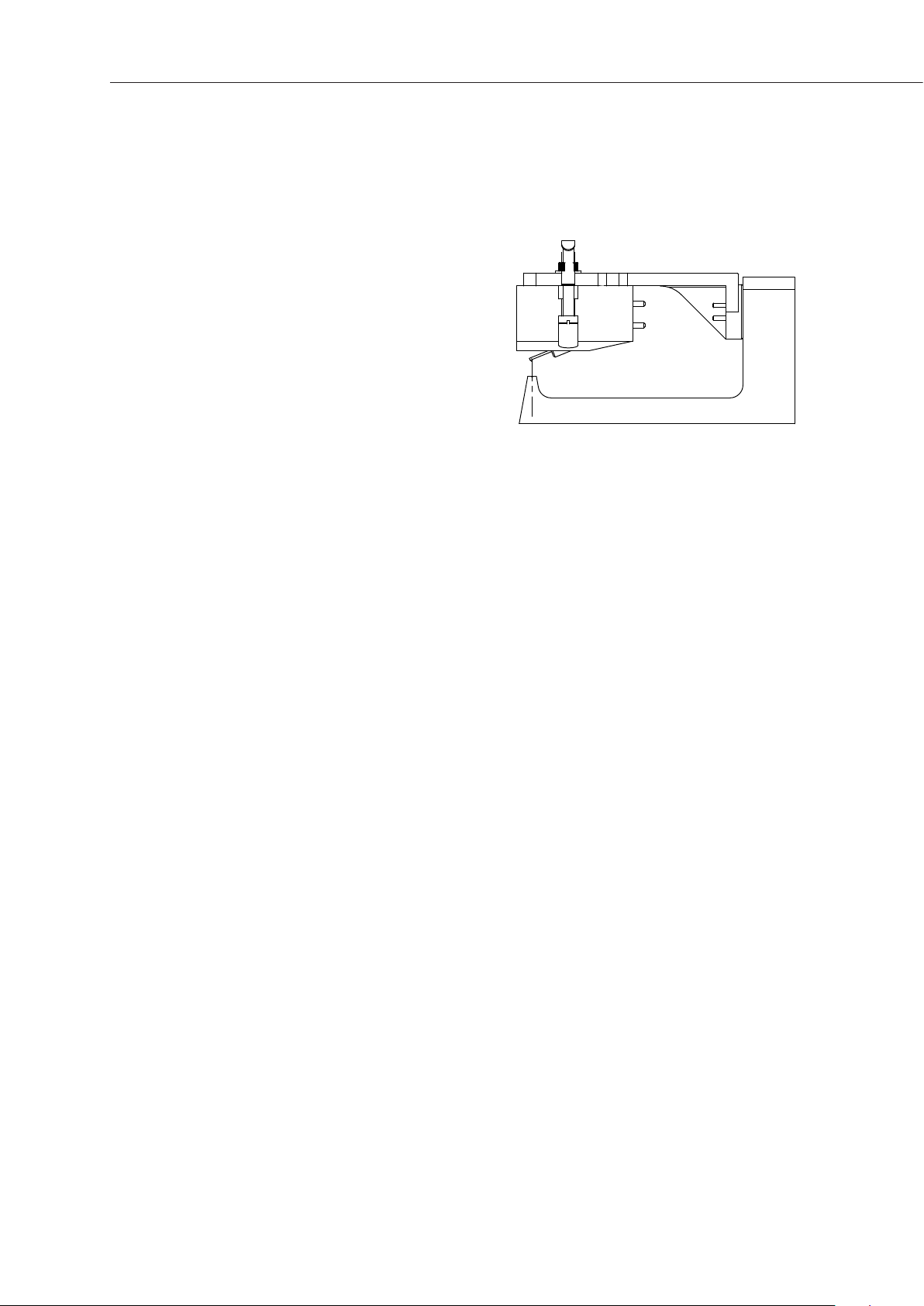
Please use the included clip-on gauge to set
the cartridge position in the headshell. Insert
the headshell all the way into the protractor.
Match the position of the stylus with the
groove in the gauge.
Third party protractors may give an incorrect
alignment; when in doubt please refer to the
gauge.
Downforce
The vertical tracking force (downforce) is adjusted by rotating the counterweight. ¼ of a
turn corresponds to 0.5 gram change in downforce (when the additional counterweight
is not installed). If your cartridge weighs more than 15 grams, please use an optional
additional counterweight.
Unlike conventional tonearms, the Korf tonearm can not be balanced in the “zero
downforce” position. This is by design. The zero friction horizontal bearing is disturbed
by even the slightest movement of the air. Thus, the vertical tracking force must be set
with a quality specialized downforce scale (not included with the tonearm).
Antiskating
To set antiskating (bias), start with rotating the antiskating wheel to show approximately
the same number as the set downforce. “Min“ on the wheel stands for “minimum” and
marks a zero position.
Refer to our website for more in-depth instructions.
Tonearm Height
Use the included 3 mm hex key to adjust tonearm height. Loosen the clamp bolt(s) on
the mounting base and then rotate the VTA thumbwheel to raise or lower the tonearm.
Then tighten the clamp bolt(s) back.