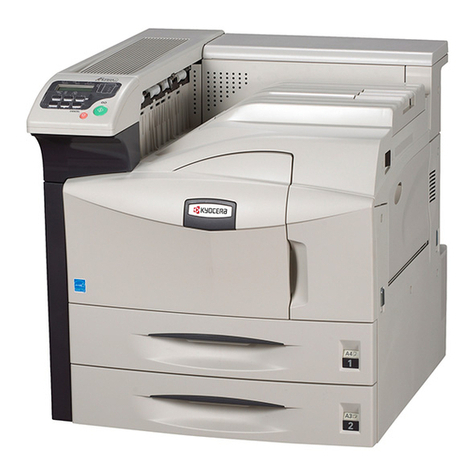
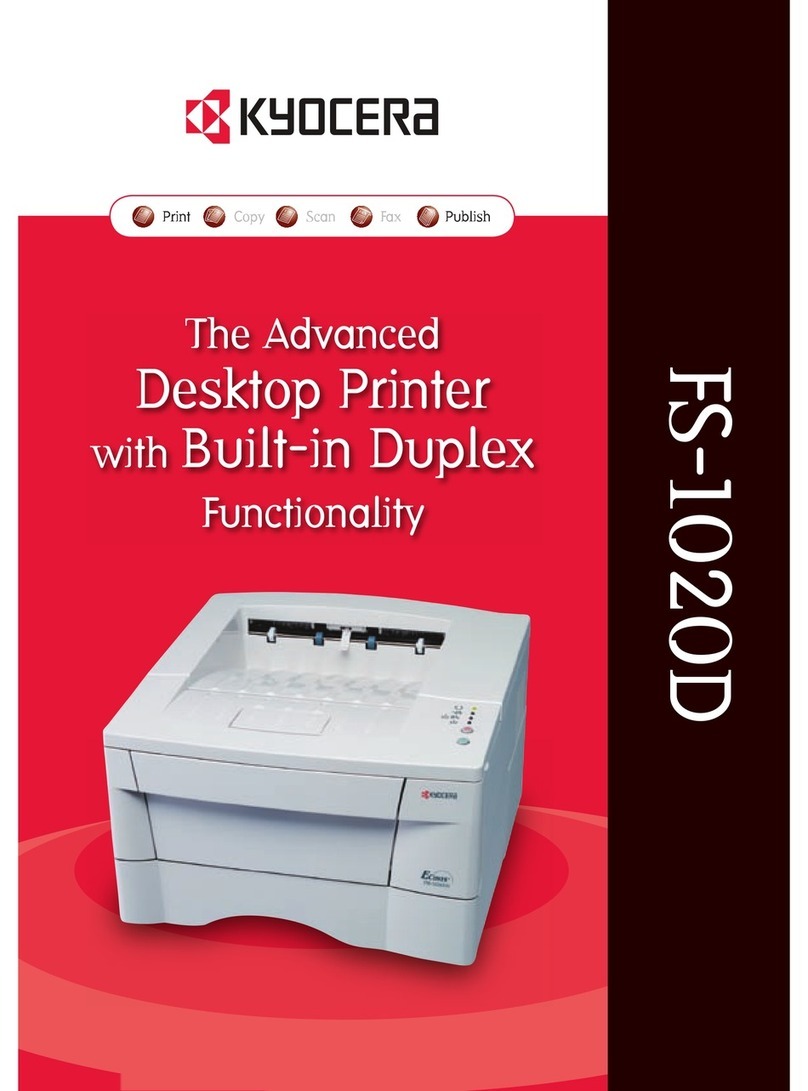
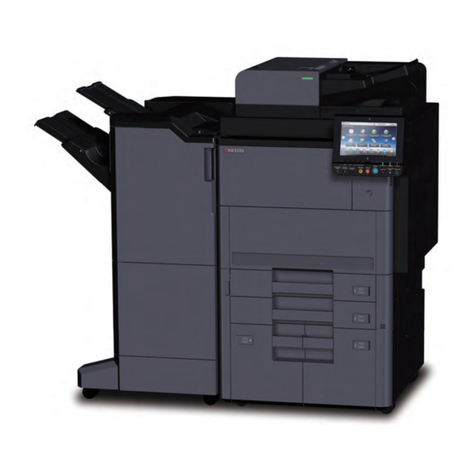
FS-6950DN
A 3 M ON O C HR O M E W OR K GR O UP P RI N TE R
ECOSYS devices are designed to
minimise both direct costs and
indirect costs, such as
maintenance, administration and
consumables. The cartridge-free system
requires only the toner to be replaced. The
modular design concept allows you to add
workflow-enhancing functions and a wide
variety of paper handling capabilities as
required. Integrated system software
provides long-term cross-network
compatibility. Kyocera’s long-life components
cost you and the environment less.
System platform:
The FS-6950DN offers USB, parallel and network connectivity as standard and delivers problem-free system administration.
Kyocera’s single platform technology means that the same driver can be used for every Kyocera PCL/PostScript print device on
the network; from single-user desktop printers to high-end multifunctional systems. Only Kyocera offers this effortless
combination of IT sophistication and high-performance paper handling expertise.
PRESCRIBE IIe:
With the Kyocera page design and control language PRESCRIBE IIe, even complex graphics, logos and forms (even multipart
forms) can be created independently of the system and saved and updated in the printer. Consequently, integration into print
files no longer applies. They are only accessed as required and therefore relieve the load on the network.
KM-NET for Client/KM-NET Viewer:
The settings of all printers on the network can be checked visually and amended from any Windows
®
PC. KM-NET for Client
enables easy setup and monitoring of the printer status via parallel, USB or network connection. KM-NET Viewer is an advanced
printer management software tool using the standardized protocol SNMP.
GENERAL
Technology: Kyocera ECOSYS, Laser
Engine speed:Up to 32/16 pages per minute A4/A3 simplex
Up to 23/10 pages per minute A4/A3 duplex
Resolution: Fine1200, Fast1200, 600x600, 300x300.
Time to first page: 9 seconds or less
Warm-up time: 15 seconds or less from power on
Duty cycle:Max. 150,000 pages per month,
max. average 20,000 pages per month
Power source: AC 220 ~ 240 V, 50/60 Hz
Power consumption:Printing: 555 W, Stand-by: 10 W,
Power-Saving (ECOpower): 4.9 W
Noise (ISO 7779): Printing: 50 dB(A), Stand-by: 40 dB(A),
Power-Saving (ECOpower): Immeasurably low
Dimensions (W x D x H): Main unit: 469 x 395 x 285 mm
Weight: Main unit: Approx. 19.5 kg
Certifications: TÜV/GS, CE, PTS
This product is manufactured according to ISO 9001 quality
standard and ISO 14001 environmental standard.
PAPER HANDLING
All paper capacities quoted are based on a paper thickness of
max. 0.11 mm. Please use paper recommended by Kyocera
under normal environmental conditions.
Input capacity:250-sheet universal paper cassette,
60-120 g/m
2
, A3, B4, A4-R, A4, A5, B5, Letter, Letter-R, Legal,
Ledger, Custom (139.7 x 148 mm to 297 x 432 mm) 100-sheet
multi-purpose tray, 60-220 g/m
2
, A3, B4, A4-R, A4, A5, A6-R, B5,
Letter, Letter-R, Legal, Ledger, Custom (70 x 148 mm to 297 x
450 mm)
Max. input capacity with 4 optional paper feeders PF-430:
1,350 sheets
Duplex as standard supports A3–A5-R, 60-120 g/m
2
Output capacity:250 sheets face-down with paper full
sensor and optional 250 sheets face-up with PT-430
CONTROLLER
Processor:PowerPC 750 / 400 MHz
Memory:Standard 64 MB + ECOmemory, max. 576 MB
Emulations:PCL6/PCL5e incl. PJL, KPDL 3 (PostScript 3
compatible), PDF direct print, Line Printer, IBM Proprinter
X24E, Epson LQ-850, Diablo 630, KCGL (HP 7550A)
Controller language: PRESCRIBE IIe
Fonts:80 outline fonts accessible in all emulations,
1 bitmap font, 45 types of one-dimensional barcodes plus
two-dimensional barcode PDF-417,
Downloadable fonts: Kyocera, PCL + TrueType format,
Type 1 + 3 format
Print features: Duplex, Accounting, PDF direct printing, eMPS,
low noise, no Ozone, USB-Host
INTERFACES
Standard interface: High speed bi-directional parallel (IEEE
1284), USB 2.0 (Hi-Speed), Fast Ethernet 10Base-T/100Base-TX,
USB Host Interface dedicated for USB Flash Memory device,
KUIO-LV option interface slot
Multiple interface connection (MIC): Allows simultaneous
data transfer via up to four interfaces, with each interface
having its own virtual printer.
OPTIONS
Paper handling
PF-430 Paper feeder (max. 4 units):250 sheets, 60-120 g/m
2
,
A3, B4, A4-R, A4, A5, B5, Letter, Letter-R, Legal, Ledger, Custom
(139.7 x 148 mm to 297 x 432 mm)
PT-430 Paper tray: 250 sheets face-up output tray
Memory
Printer memory: 1 DDR SDRAM DIMM slot (64, 128, 256 or
512 MB)
Storage memory: 1 slot for either CompactFlash
®
memory
card type 1 (up to 2 GB) for forms, fonts, logos, macro storage or
Microdrive
TM
(up to 4 GB) for forms, fonts, logos, macro
storage as well as document management with eMPS
functions such as quick copy, proof and hold, private print and
job storage.
1 USB Host Interface (USB 1.1) for USB Flash Memory device
supports PDF direct printing
Optional interface
IB-21E Network card: 10Base-T/100Base-TX
IB-11 Serial interface: RS-232C serial interface
(max. 115.2 kbps)
CONSUMABLES
TK-440 Toner-kit:Microfine toner for 15,000 pages with 5%
coverage (ISO/IEC 19752)
Capacity of starter toner is 7,500 pages with 5% coverage
(ISO/IEC 19752)
MK-440 Maintenance Kit:Due for installation at each
300,000 pages.
WARRANTY
Standard Warranty
2-year ons i t e warranty as standard.
Kyocera guarantees the drum and developer for2years or
300,000 pages (whichever occurs sooner), provided each
printer is used , cleaned and maintained in accordance with the
service instructions.
Extended Warranty Options
ECO-FS-3003:Optional Upgrade to 3rd year onsite warranty
ECO-FS-3004:Optional Upgrade to 4th year onsite warranty
Y o u r K y o c e r a B u s i n e s s P a r t n e r :
SYDNEY HEADOFFICE
6-10 Talavera Road
No rth Ryde NSW 2113
Phone: (02) 9888 9999
Fax:(02)9888-9588
MELBOURNEOFFICE
Unit 2, 993 North Road
Murrumbeena VIC 3163
Phone: (03) 9579 1555
Fax:(03) 9579 1544
BRISBANE OFFICE
Cnr Forbes St & Riverside Dr
West End QLD 4101
Phone: (07) 3844 6686
Fax:(07) 3844 8569
PERTHOFFICE
104 Walters Drive
Osborne Park WA 6017
Phone:(08) 92019155
Fax:(08)92019511
ADELAIDEOFFICE
53 Rundle Street
Kent Town SA 5067
Phone: (08) 7421 2000
Fax:(08) 7421 2001
CANBERRA OFFICE
Epicorp Centre
401Clunies Ross Street
Acton ACT 2601
Phone: (02) 6229 1729
Fax:(02) 6229 1701
NEW ZEALANDOFFICE
1-3 Parkhead Place
Albany NewZealand
Phone: (649) 415 4517
Fax:(649) 415 4597