6. When you use the earphone, please switch the button to On position.
When you finish the talk, please set it back to Off position. ( Keep in
mind that the earphone switch always set to OFF position when it in
idle position).
Operational Instruction:
1. Please keep your earphone and cellular phone in a certain distance,
after you connect the cellular phone with the main unit. (Otherwise,
distortion could occur).
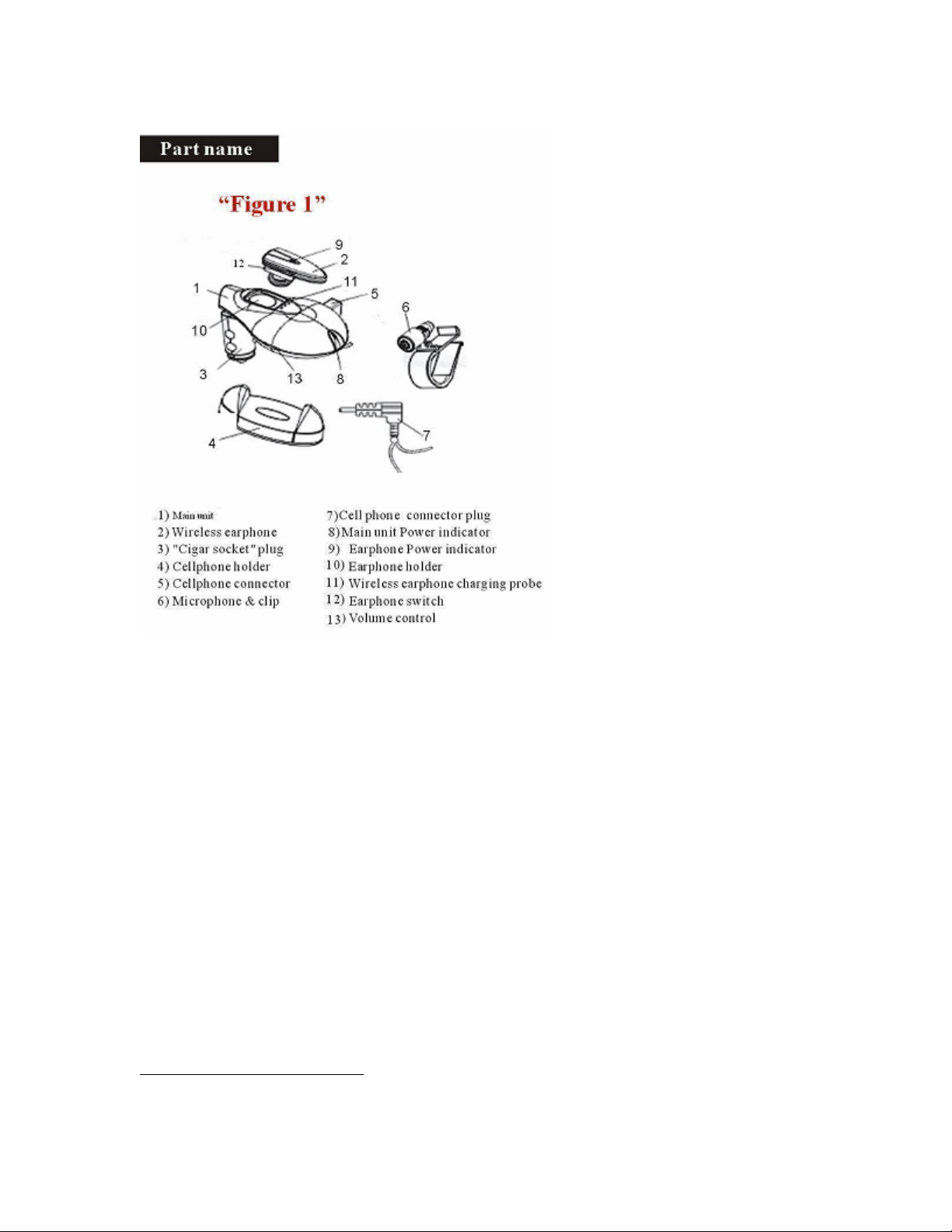
2. This product can be used only when the main unit’s indicator (Figure 1,
#9) is on in red.
3. When there is call coming, for a phone with automatic receiving
function, it can perform automatic communication with device at ON
position; For a phone without automatic receiving function, it can
perform communication only after call key is pressed ON. ( Note:
partial automatic receiving phones do not work).
4. The received voice ( other party’s voice)
5. The voice volume from car speaker, it can be adjusted by either the
volume-controller of the car radio set or the volume controller of the
main unit.
6. When the wireless earphone (Figure1, #2) is being used, it’s power
LED(Figure 1,#10) is on; When it is not used, put the wireless
earphone on the earphone holder for charging (Figure 1, #11). During
the charging, wireless earphone’s power LED is off. When charging is
over, it will automatically stop charging
7. The earphone switch always set to OFF position when user is not
using it.
8. Our product can convert automatically. When the user’s friend takes a
call, it can stop enjoying the music from mp3 player with the car audio,
let the user talk with his friend freely. After the call it can let the car
audio play music with the mp3 player automatically.
9. Put the cellular away from the main unit as far as possible will get
better quality on communication.
3