OPERATIONS | How to set my winders ?
1) Plug-In the A/C adapter to the watchwinder and to a A/C-plug
2) SWITCH-ON the MAIN SWITCH on the watchwinder ‘s back-side
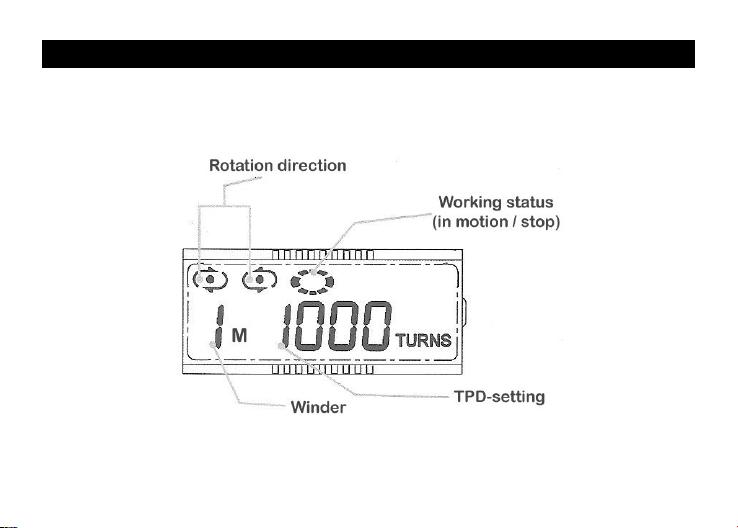
3) Select the rotation setting for each of your winders/watch-holders
a. Choose the winder with the WINDER selector: 1, 2, 3 or 4
b. select the TPD-cycle you wish thanks to the TPD selector
c. select the direction thanks to the DIRECTION selector
d. validate settings and press [ENTER]/START-key to start the winder
The selected winder starts operations
4) Repeat operations 3) for each winder
After a few minutes of inaction, LED CONTROL PANEL will automatically
light-OFF while your WATCHWINDER will continue its operations.
REMARKS:
-SWITCHING OFF your watchwinder erases all settings.
-To AVOID the loss of your settings, use instead the individual [ENTER] STOP /
START function for each watch-holder.
-You can keep some winders moving while others may remain switched-off.