INSTRUCTION MANUAL
AAL Profiline Mobil emergency call receiver
HC-502-BA V1.07 Mobil emergency call receiver Page 1 of 4
AAL Homecare Fon +49 2208 9339170 Fax +49 2208 9339063 www.aal-homecare.com
Warning
The use of a call device does not release supervisors from the obligation to supervise the persons supported by such
a device. This system is radio-based and must therefore not be used for monitoring purposes if life-threatening
conditions are foreseeable.
Package contents
AAL Profiline Mobil emergency call receiver USB power supply unit
and 1 m USB extension cable included
1Order number and frequency can be found on the identification decal.
Note: While unpacking, each shipment should be inspected for completeness and damage.
Note: In this manual, the AAL Profiline Mobil emergency call receiver is referred to as „emergency call receiver“.
Fig. 1: emergency call receiver
Putting into Operation:
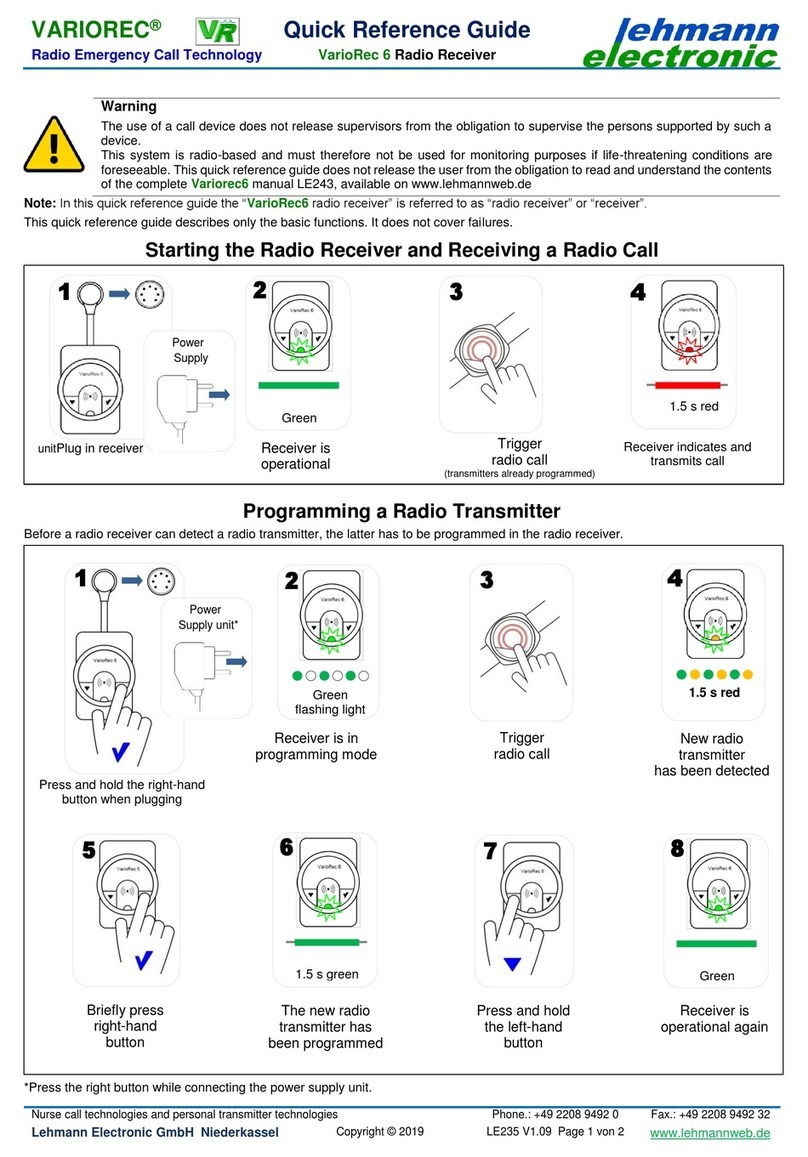
Programming / Deleting Transmitters to / from the Emergency Call Receiver
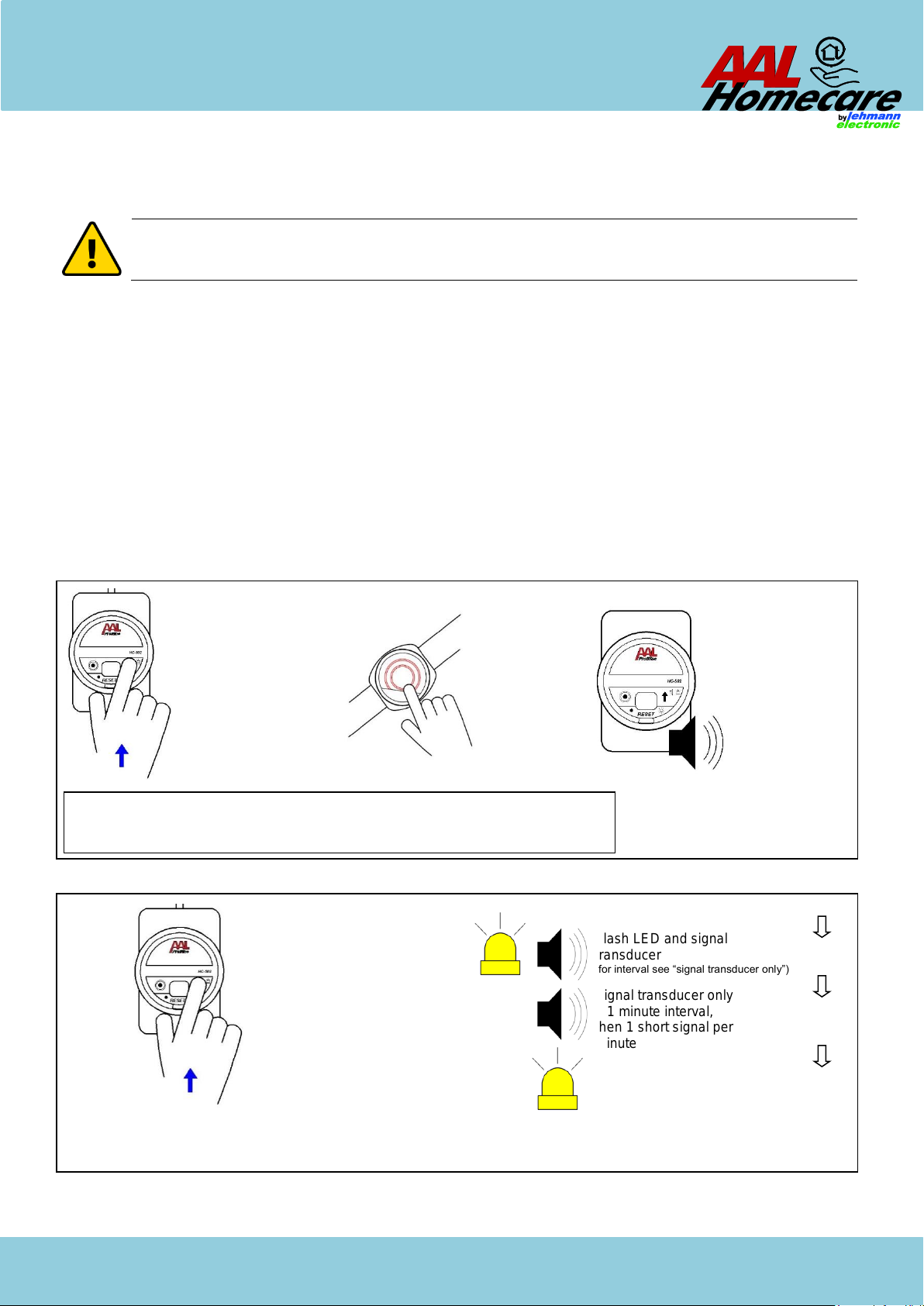
The “programming” to the radio receiver required for initial putting into operation is described in Fig. 3, and the optional “deletion“
from the radio receiver is described in Fig. 6.
Checking the Safe Range of the Radio Link
The range of the matching AAL Profiline transmitters meets the requirements of the technical inspection body of the German health
insurance companies. Within buildings, a range of approx. 30 m can be expected. The range depends to a large extent on the local
conditions.
Before using the transmitter for the first time, an interference-free operation of the radio link should be ensured. Proceed as follows:
1. Switch on all electronic entertainment and communication devices (e.g., television sets, game consoles, and computers) in the
immediate vicinity.
2. Check if the radio message is received by the emergency call receiver at a distance exceeding the intended usage distance by
approx. 5 to 10 m. Make sure that the message is trigged by a single radio signal.
“Battery Low” Message
Each time a call is issued, the transmitter battery status is also transmitted. If a “battery low” message is received, the battery of the
transmitter should be replaced within the following weeks. This message is indicated by a yellow flashing LED. The message can
be reset by pressing any button.
LED
button:
Alarm type
selection
Transmitter
programming
button:
Shut-down
transmitter
programming
Emergency call transmitter
Wireless
momentary pull
switch
indicator
Fig. 2 (example): selection of compatible transmitters