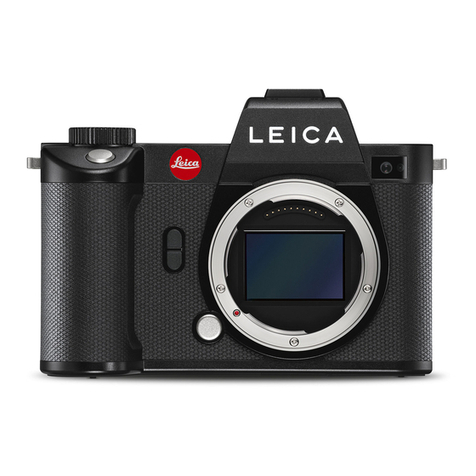
Leica S3 User manual

1
1
LEICA S3
QUICK START GUIDE

3
TABLE OF CONTENTS
TABLE OF CONTENTS.......................................................................................3
CHARGE BATTERY............................................................................................4
INSERT BATTERY..............................................................................................4
INSERT MEMORY CARD ...................................................................................5
MOUNT & UNMOUNT LENS .............................................................................5
OPERATION ELEMENTS ...................................................................................6
INTERFACES ....................................................................................................7
BOTTOM VIEW .................................................................................................7
VIEWFINDER ....................................................................................................8
STATUS SCREEN..............................................................................................9
TOP DISPLAY .................................................................................................10
SWITCH ON CAMERA.....................................................................................11
TAKING PHOTOS / VIDEO RECORDING..........................................................11
VIDEO SETTINGS ...........................................................................................12
VIDEO STORAGE ............................................................................................13
EXTERNAL AUDIO ..........................................................................................13
ENTER STATUS SCREEN & PLAY MODE ..........................................................14
ENTER MENU & PLAY MODE ..........................................................................14
MENU............................................................................................................15
MENU - QUICK ACCESS /
CUSTOMIZE CONTROLS .................................... 16
BASIC CAMERA SETUP ..................................................................................17
PLAY MODE PHOTO .......................................................................................18
PLAY MODE VIDEO ........................................................................................19
PLAY MODE INFO SCREENS ..........................................................................20
EXPOSURE CONTROL MODES .......................................................................21
LIVE VIEW PHOTO ..........................................................................................22
LIVE VIEW VIDEO ...........................................................................................24
LIGHTROOM TETHERED PLUG-IN ..................................................................26
TETHERED SHOOTING - LEICA IMAGE SHUTTLE™ WORKFLOW.......................34
MENU LIST ....................................................................................................35
LEICA FOTOS APP..........................................................................................35

3
TABLE OF CONTENTS
TABLE OF CONTENTS.......................................................................................3
CHARGE BATTERY............................................................................................4
INSERT BATTERY..............................................................................................4
INSERT MEMORY CARD ...................................................................................5
MOUNT & UNMOUNT LENS .............................................................................5
OPERATION ELEMENTS ...................................................................................6
INTERFACES ....................................................................................................7
BOTTOM VIEW .................................................................................................7
VIEWFINDER ....................................................................................................8
STATUS SCREEN..............................................................................................9
TOP DISPLAY .................................................................................................10
SWITCH ON CAMERA.....................................................................................11
TAKING PHOTOS / VIDEO RECORDING..........................................................11
VIDEO SETTINGS ...........................................................................................12
VIDEO STORAGE ............................................................................................13
EXTERNAL AUDIO ..........................................................................................13
ENTER STATUS SCREEN & PLAY MODE ..........................................................14
ENTER MENU & PLAY MODE ..........................................................................14
MENU............................................................................................................15
MENU - QUICK ACCESS /
CUSTOMIZE CONTROLS .................................... 16
BASIC CAMERA SETUP ..................................................................................17
PLAY MODE PHOTO .......................................................................................18
PLAY MODE VIDEO ........................................................................................19
PLAY MODE INFO SCREENS ..........................................................................20
EXPOSURE CONTROL MODES .......................................................................21
LIVE VIEW PHOTO ..........................................................................................22
LIVE VIEW VIDEO ...........................................................................................24
LIGHTROOM TETHERED PLUG-IN ..................................................................26
TETHERED SHOOTING - LEICA IMAGE SHUTTLE™ WORKFLOW.......................34
MENU LIST ....................................................................................................35
LEICA FOTOS APP..........................................................................................35

4 5
CHARGE BATTERY
INSERT BATTERY
INSERT MEMORY CARD
MOUNT & UNMOUNT LENS

4 5
CHARGE BATTERY
INSERT BATTERY
INSERT MEMORY CARD
MOUNT & UNMOUNT LENS

6 7
OPERATION ELEMENTS
Shutter speed dial
Main switch
Diopter compensation
Soft button
(customizable)
Soft button
(customizable)
Shutter release button
Stop down button
(customizable)
Video Rec.
Live View
Joystick
F-stop / Clickwheel
Soft button
(customizable)
Soft button
(customizable)
INTERFACES
Audio in/out
HDMI
USB socket
Cable release / Flash synchronization
Contact-Strip for
MULTIFUNCTION
HANDGRIP S
BOTTOM VIEW
1/4“ thread
3/8“ thread
Battery
Battery
release

6 7
OPERATION ELEMENTS
Shutter speed dial
Main switch
Diopter compensation
Soft button
(customizable)
Soft button
(customizable)
Shutter release button
Stop down button
(customizable)
Video Rec.
Live View
Joystick
F-stop / Clickwheel
Soft button
(customizable)
Soft button
(customizable)
INTERFACES
Audio in/out
HDMI
USB socket
Cable release / Flash synchronization
Contact-Strip for
MULTIFUNCTION
HANDGRIP S
BOTTOM VIEW
1/4“ thread
3/8“ thread
Battery
Battery
release

8 9
VIEWFINDER
Exposure mode: : Automatic program : Shutter speed priority
: Aperture priority : Manual exposure
Exp. Metering Mode: : Multi-field
: Spot
: Center-weighted
Horizon
Shutter speed
Exposure mode
Aperture
Flash status
Light balance
Flash synchronisation
Focus confirmation
Exposure compensation
Exposure metering mode
1. Remaining images
2. Buffer (push shutter
release button)
ISO
STATUS SCREEN
Shutter speed
GPS
WiFi
Aperture
ISO
Exposure compensation Exposure mode
User profile
Focal length
Light balance
Batt. capacity
SD/CF
rem. img.
Data format
Video Settings
Keylock
Mirror up
Drive mode
Bracketing
Exp. metering mode
Focus mode
White balance

8 9
VIEWFINDER
Exposure mode: : Automatic program : Shutter speed priority
: Aperture priority : Manual exposure
Exp. Metering Mode: : Multi-field
: Spot
: Center-weighted
Horizon
Shutter speed
Exposure mode
Aperture
Flash status
Light balance
Flash synchronisation
Focus confirmation
Exposure compensation
Exposure metering mode
1. Remaining images
2. Buffer (push shutter
release button)
ISO
STATUS SCREEN
Shutter speed
GPS
WiFi
Aperture
ISO
Exposure compensation Exposure mode
User profile
Focal length
Light balance
Batt. capacity
SD/CF
rem. img.
Data format
Video Settings
Keylock
Mirror up
Drive mode
Bracketing
Exp. metering mode
Focus mode
White balance

10 11
Exposure mode
WiFi status
GPS status
Program shift
Exposure compensation +/- Aperture
Shutter Speed
ISO
SD/CF remaining
images
Battery capacity
TOP DISPLAY SWITCH ON CAMERA
Main switch Shutter speed Flash sync
FPS (Focal plane shutter) all up to 1/125s
CS (Central shutter) 8s to 1/1000s up to 1/1000s
TAKING PHOTOS / VIDEO RECORDING
TIP
After booting, the camera will be in Record Mode. Most sequences of this Quick Start Guide will begin in this state.
TIP
Press the shutter release button halfway to exit menus and return to Record mode.
Two step Shutter Release
1. Step: AF start / AE activation
2. Step: Release Shutter
Start/Stop
Video recording
Other manuals for S3
2
Table of contents
Other Leica Digital Camera manuals