Contents
Discover your Chromebook . . . . . . . . . . . ii
Chapter 1. eet your Chromebook . . . 1
Front . . . . . . . . . . . . . . . . . . . . 1
ase . . . . . . . . . . . . . . . . . . . . 2
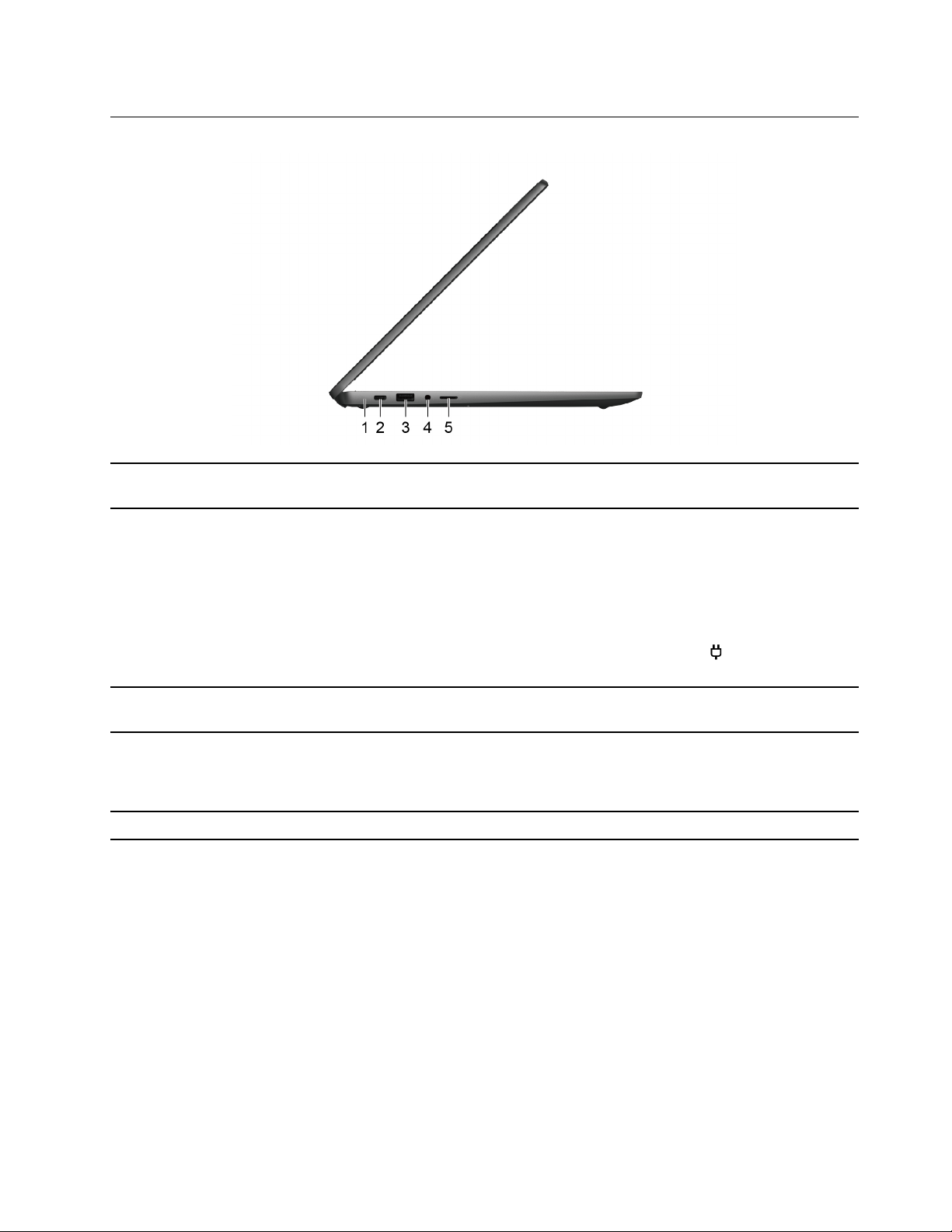
Left . . . . . . . . . . . . . . . . . . . . 3
Right . . . . . . . . . . . . . . . . . . . . 4
ottom . . . . . . . . . . . . . . . . . . . 5
Features and specifications . . . . . . . . . . . 6
Statement on US transfer rate . . . . . . . . . 7
Operating environment . . . . . . . . . . . . . 7
Chapter 2. Get started with your
Chromebook . . . . . . . . . . . . . . . 9
Charge your Chromebook . . . . . . . . . . . . 9
Lock your Chromebook. . . . . . . . . . . . . 9
Connect to Wi-Fi . . . . . . . . . . . . . . 10
Use the touch screen. . . . . . . . . . . . . 10
Use the keyboard shortcuts . . . . . . . . . . 12
Use the touchpad . . . . . . . . . . . . . . 13
Use the camera . . . . . . . . . . . . . . . 14
Use audio . . . . . . . . . . . . . . . . . 14
Lenovo USI Pen (for selected models) . . . . . . 15
efore first use . . . . . . . . . . . . . 15
Connect to an external display . . . . . . . . . 16
Connect to luetooth devices . . . . . . . . . 16
Get to know your Chromebook modes . . . . . . 17
Set the power plan . . . . . . . . . . . . . 18
Chapter 3. CRU replacement . . . . . 19
What are CRUs . . . . . . . . . . . . . . . 19
Replace a CRU . . . . . . . . . . . . . . . 19
Pen dummy (for selected models) . . . . . . 19
ase cover assembly . . . . . . . . . . . 20
Chapter 4. Help and support . . . . . 23
Frequently asked questions . . . . . . . . . . 23
Lenovo Customer Support Center . . . . . . . 23
Get help from Google . . . . . . . . . . . . 24
Appendix A. Open source
information . . . . . . . . . . . . . . . 27
Appendix B. Notices and
trademarks . . . . . . . . . . . . . . . 29
© Copyright Lenovo 2023 i