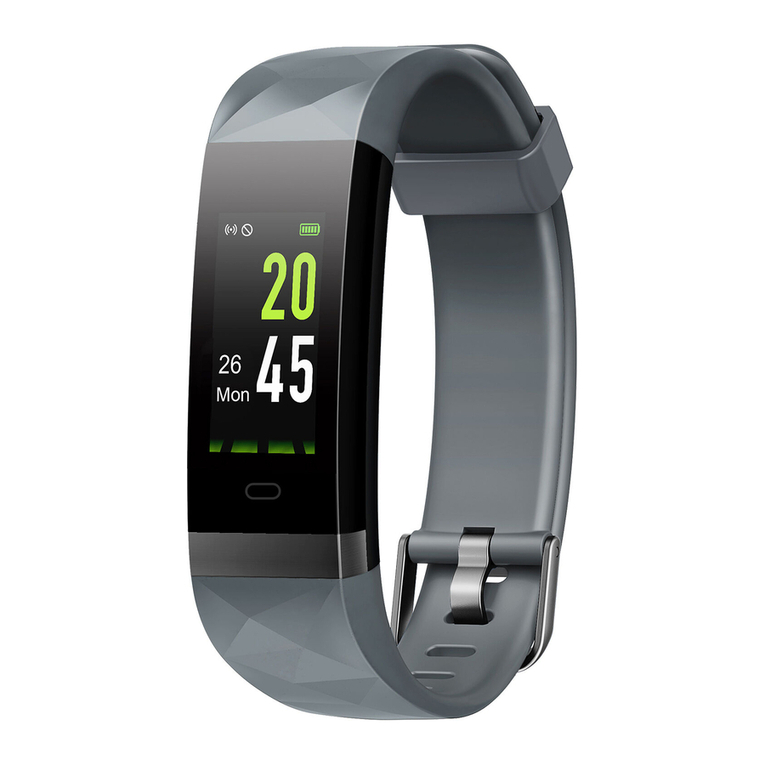
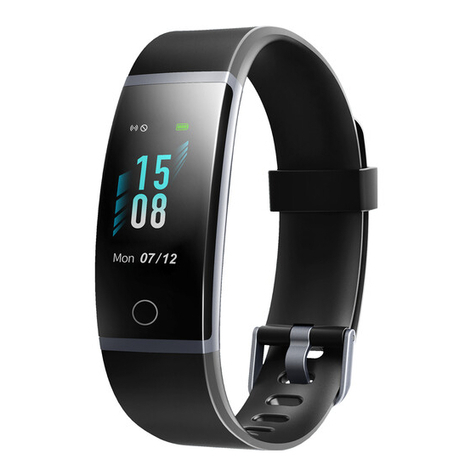
Letscom ID131Color HR User manual

ID131Color HR
Fitness Tracker
User Manual
Thank you for purchasing our products. This manual addresses
the safety guidelines, warranty, and operating instructions.
Please review this manual thoroughly before operating your
device.

Contents
English Version
Getting Started
.................................................................
1
What’s in the Box
............................................................
1
What’s in this Document
..................................................
1
Setting Up Your Tracker
..................................................
2
Charging Your Tracker
.....................................................2
Assembling/Dissembling Your Tracker.............................3
Wearing Your Tracker......................................................3
All-day Wear and Exercise
..............................................
3
Using Your Tracker...........................................................5
App Installation................................................................5
App Interfaces.................................................................6
Pairing the Tracker with Your Phone...............................8
Getting to Know Your Tracker..
..................................
..10
Touch Key.........................
...........................................
.10
Waking a Dimmed Screen..........
..................................
10
Tracker Interfaces.........................................................10
Function Introduction....................................................11
1. Tracking Daily Activity Data
......................................
1
1
2. Monitoring Heart Rate...............................................12
3. Setting Alarms..........................................................13
4. Tracking Sports: Walk...............................................13
5. Tracking Sports: Run................................................15
6. Tracking Sports: Bike
...............................................
16
6.1 Abnormal Situations During Exercise
..................
17

6.2 Abnormal Operation Situation During Exercise...18
7. Tracking Sleep...............
.........................................
18
8. More Functions..................
.....................................
19
8.1 Call Notification............
....................................
.19
8.2 Message Notification.........................................19
8.3 Sedentary Reminder..........................................20
8.4 Remote Camera Control....................................20
8.5 Device Error Notification....................................21
Basic Specifications......
............................................
...21
Electronic Information Products/Poisonous and
Harmful Statement...............
.........................................
21
FAQs...............................
.........................................
......22
Warranty and Safety Instructions..
...........................
...24
Warranty
.........................................................................24
Important Safety Instructions
.........................................24

What’s in the box
- 1 -
Getting Started
Note:
This tracker is designed with a built-in USB plug, no charging
cable is required for charging, and no charging cable or wall
charger is included in the package.
What’s in this Document
This manual gets you started quickly by setting up your
tracker. Setup ensures that your tracker can synchronize its
data with the VeryFitPro app, where you can get detailed
information on your stats, view historical trends, log sleep,
and more. As soon as setup is complete, you’re ready to start
moving. The remainder of the manual walks you through
every function on your ID131Color HR.
ID131Color HR
Fitness Tracker
User Manual
Thank you for purchasing our products. This manual addresses
the safety guidelines, warranty, and operating instructions.
Please review this manual thoroughly before operating your
device.
Fitness tracker
(ID131Color HR with bands)
User manual
Please charge your tracker for at least 10 minutes
to have it activated before initial use.
- 2 -
Setting up Your Tracker
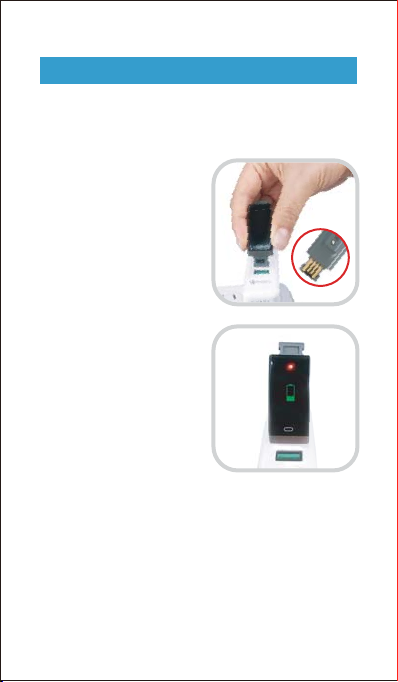
1. Charging your tracker
Insert the built-in USB plug
of the tracker into the USB
port for charging. Please
ensure that the metal strips
align with the USB strips.
When the tracker shows a
low battery indication,
connect the tracker to a USB
charging adaptor or a port
with 5V-500mA. If the tracker
is installed correctly, the
tracker will vibrate.
If the tracker does not vibrate, remove the tracker, flip it
upside-down and reinsert it into the charging port.
Remove the tracker from the power supply once fully
charged.
USB charger requirement: DC USB port (5V-500mA)
Charging time: 1-2hr(s)

- 3 -
Assemble
Push the bands in following
the direction of the arrow.
Disassemble
Gently pull the bands off the
tracker body following the
direction of the arrow.
Wearing Your Tracker
All-day wear and exercise
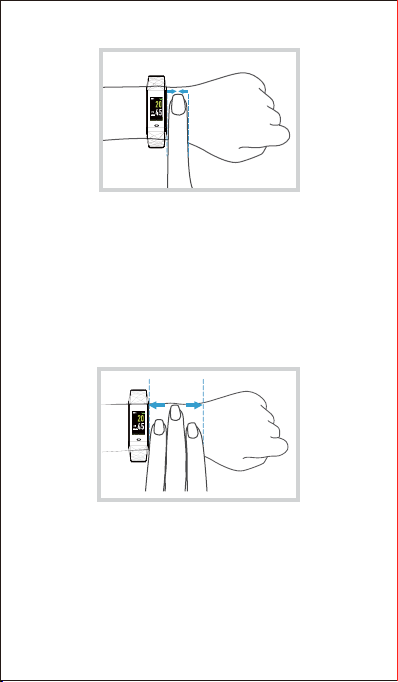
For all-day wear when you’re not exercising, wear the
device on your wrist horizontally, a finger’s width below
your wrist bone and lay flat, the same way you would put
on a watch.
2. Assembling/Dissembling Your Tracker
For optimized heart rate tracking, keep these tips in mind:
1. Experiment with wearing the tracker higher on your
wrist during exercise. Because blood flow in your arm
increases the farther up you go, moving the tracker up
a couple of inches can improve the heart rate signal.
Also, many exercises such as bike riding or weight
lifting cause you to bend your wrist frequently, which is
more likely to interfere with the heart rate signal if the
tracker is lower on your wrist.
- 4 -
2. Do not wear your tracker too tight; a tight band restricts
blood flow, potentially affecting the heart rate signal. That
being said, the tracker should also be slightly tighter (snug
but not constricting) during exercise than during all-day
wear.
- 5 -
Using Your Tracker
iOS 8.0 & above
Android 4.4 & above
Bluetooth 4.0 & above
Smart Phone System Requirement
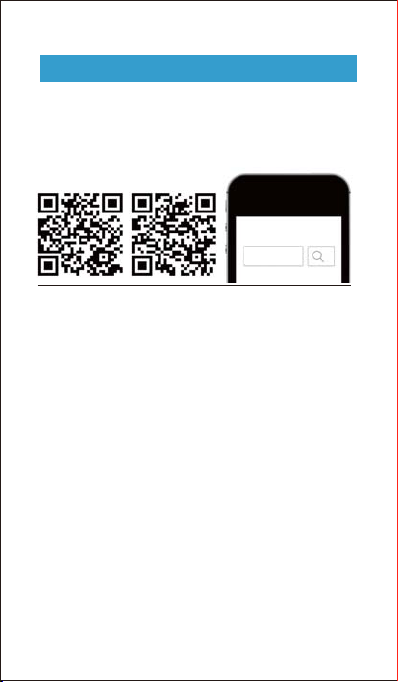
App Installation
VeryFitPro
iOS Android
Notes:
smartphones, not tablets or PCs.
4.4 or above systems; Bluetooth version should be 4.0
or above.

- 6 -
DetailsMain Page
(Swipe down the page
to sync data from the
tracker to your phone)
App Interfaces

- 7 -
Device User
Other manuals for ID131Color HR
1
Table of contents
Other Letscom Fitness Tracker manuals