Letus35 Elite User Guide 7
Cleaning The System:VI.
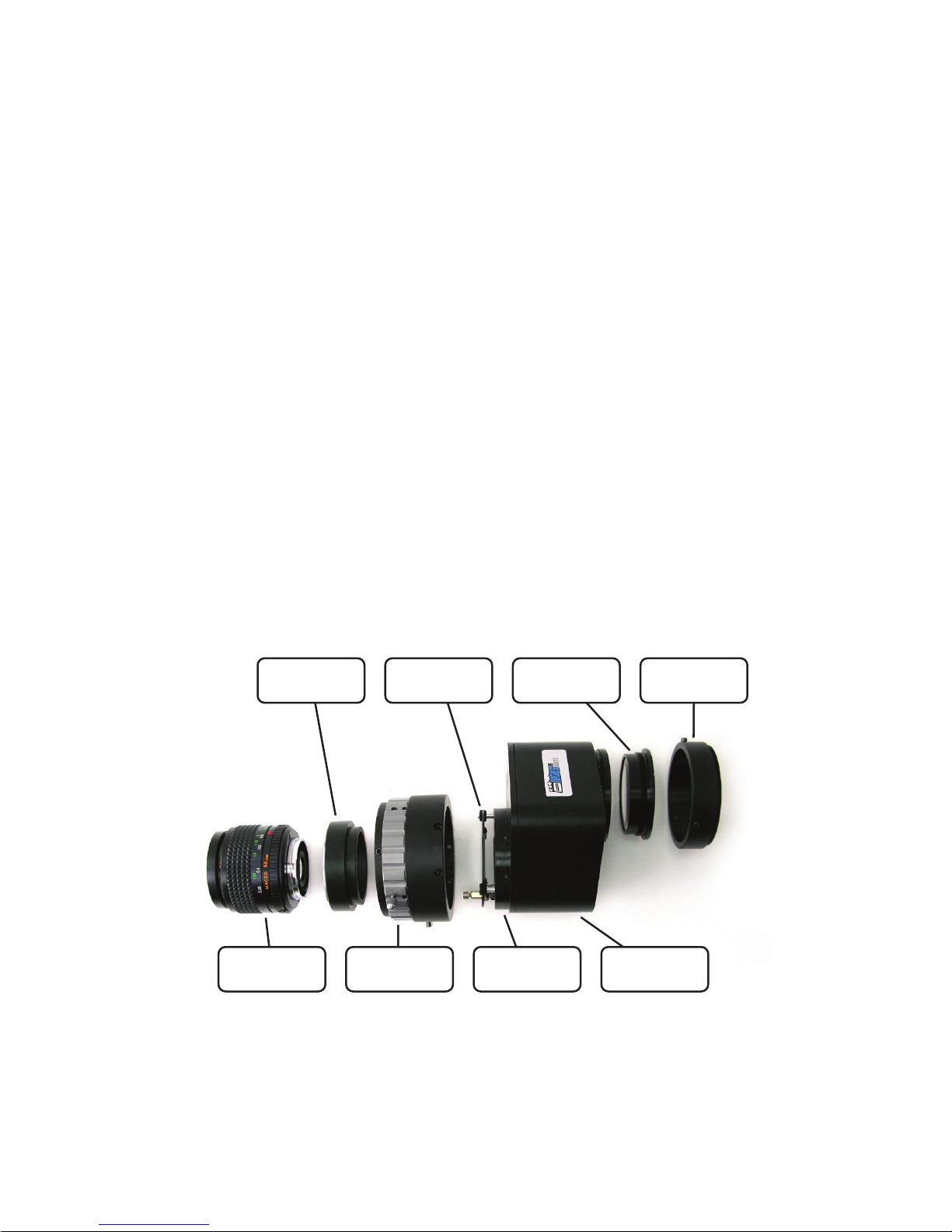
We try our best to ship each unit free of dust in the Optical Path. However, the
Magic of Dust Particles is always surprising. In which case you may need to
clean the optical path, refer to the steps listed below: NOTE: If the dust moves
when the unit is operating it will more than likely be located on the Ground
Glass (GG) and you will only need to perform steps 1 – 3.
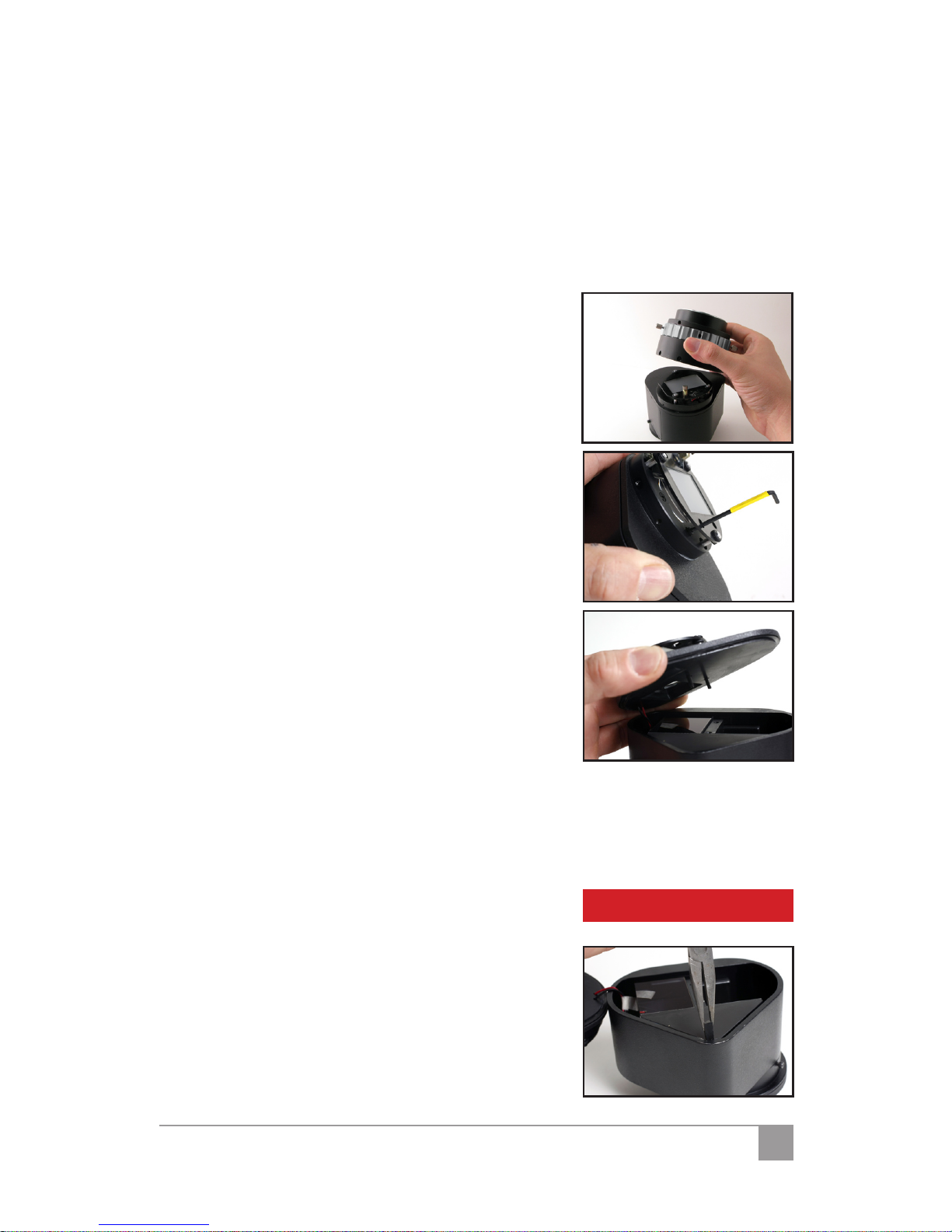
Open the front tube of the Letus35 Elite1.
35mm DOF Adapter by removing the four
(4) screws and VERY carefully remove the
tube. You will see the Ground Glass (GG).
Clean the ground glass if you nd the dust2.
there. Only go on to next step if the speck
is stationary when the ground glass is ro-
tating, if it is clean, put the tube back on. If
not, continue to step 3.
Clean the top surface of the condenser3.
(the glass right below the ground glass). If
the speck goes away, you are done clean-
ing, put the tube back on. If not, continue
to step 4.
Through the 2 holes on the ground glass4.
holder, unscrew the 2 Allen screws hold-
ing the enclosure cap to the body of the
adapter. Use a at object to pry o the en-
closure cap from the body of the adapter.
Clean the other side of the condenser.5.
Clean the top surface of the prism.6.
Put the enclosure cap back on and use the 2 Allen screws to secure it in7.
place again. Do not over tighten them.
Put the front tube back on.8.
NOTE: Dust will not matter beyond this point,
unless it is a stain. To remove a stain, please send it
back to the factory for repair. The warranty WILL
BE VOIDED if you perform step 9 and beyond.
Pull the black rubber wedge at the roof of9.
the prism out with a pair of narrow pliers.
CAUTION