EnglishDeutsch
 logo
Brands
  1. Home
  2. •
  3. Brands
  4. •
  5. Lexicon
  6. •
  7. Recording Equipment
  8. •
  9. Lexicon MX300 User manual

Lexicon MX300 User manual

Other manuals for MX300

2

Other Lexicon Recording Equipment manuals

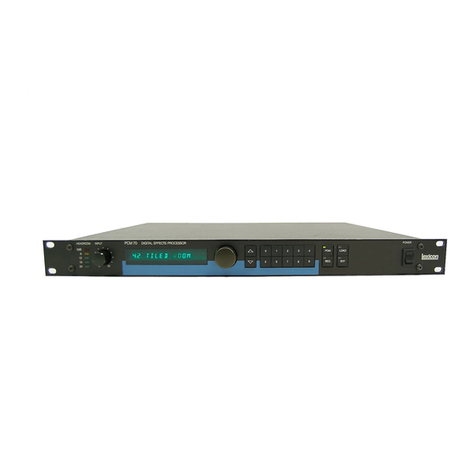
Lexicon PCM 70 User manual

Lexicon

Lexicon PCM 70 User manual

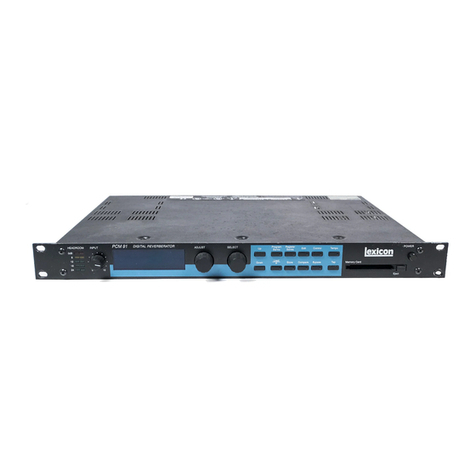
Lexicon PCM 91 User manual

Lexicon

Lexicon PCM 91 User manual

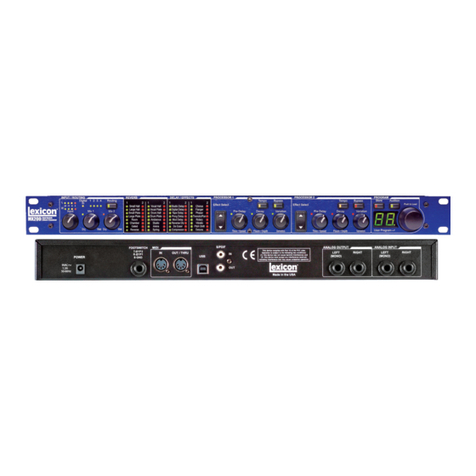
Lexicon MX200 Installation instructions

Lexicon

Lexicon MX200 Installation instructions

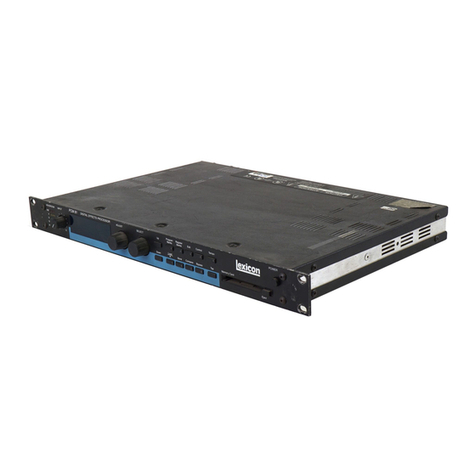
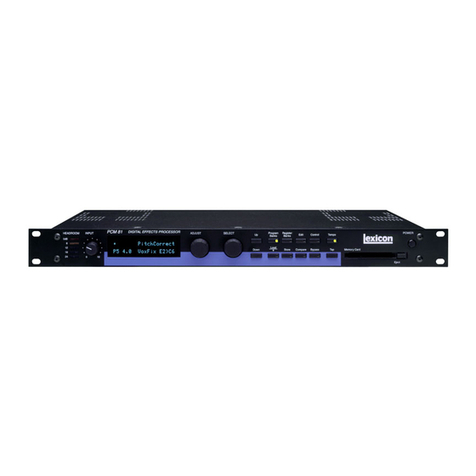
Lexicon PCM 81 - REV 1 User manual

Lexicon

Lexicon PCM 81 - REV 1 User manual

Lexicon 960L - ADDENDUM Installation and operating instructions

Lexicon

Lexicon 960L - ADDENDUM Installation and operating instructions

Lexicon Recording Studio User manual

Lexicon

Lexicon Recording Studio User manual

Lexicon Alpha User manual

Lexicon

Lexicon Alpha User manual

Lexicon 200 User manual

Lexicon

Lexicon 200 User manual

Lexicon LXP-15 User manual

Lexicon

Lexicon LXP-15 User manual

Lexicon MPX User manual

Lexicon

Lexicon MPX User manual

Lexicon 960L User manual

Lexicon

Lexicon 960L User manual

Lexicon PCM 81 - REV 2 User manual

Lexicon

Lexicon PCM 81 - REV 2 User manual

Lexicon I-ONIX U42S User manual

Lexicon

Lexicon I-ONIX U42S User manual

Lexicon 300 V3.0 -  GUIDE REV 1 User manual

Lexicon

Lexicon 300 V3.0 - GUIDE REV 1 User manual

Lexicon 200 User manual

Lexicon

Lexicon 200 User manual

Lexicon I-O|22 User manual

Lexicon

Lexicon I-O|22 User manual

Lexicon MC-12 - REV 2 User manual

Lexicon

Lexicon MC-12 - REV 2 User manual

Lexicon DC-2 User manual

Lexicon

Lexicon DC-2 User manual

Lexicon 480L - UPDATE V3.0 User manual

Lexicon

Lexicon 480L - UPDATE V3.0 User manual

Lexicon MX200 User manual

Lexicon

Lexicon MX200 User manual

Lexicon LEXICON480LV4 User manual

Lexicon

Lexicon LEXICON480LV4 User manual

Lexicon M200 Service manual

Lexicon

Lexicon M200 Service manual

Lexicon PCM 80 User manual

Lexicon

Lexicon PCM 80 User manual

Lexicon MPX - ADDENDUM REV 1 User manual

Lexicon

Lexicon MPX - ADDENDUM REV 1 User manual

Popular Recording Equipment manuals by other brands

Philips CDR 765 null

Philips

Philips CDR 765 null

Philips CDR770 null

Philips

Philips CDR770 null

KV2 Audio 500 Series user guide

KV2 Audio

KV2 Audio 500 Series user guide

Robotics Technologies microBus-Cam II installation manual

Robotics Technologies

Robotics Technologies microBus-Cam II installation manual

Seca 460 quick start guide

Seca

Seca 460 quick start guide

Cognex MVS-8000 Series Hardware manual

Cognex

Cognex MVS-8000 Series Hardware manual

Mect MPNC006 Series user manual

Mect

Mect MPNC006 Series user manual

Bad Caf THE LEASH operating manual

Bad Caf

Bad Caf THE LEASH operating manual

Strymon NIGHTSKY user manual

Strymon

Strymon NIGHTSKY user manual

Mitsubishi Electric 16CH DIGITAL RECORDER DX-TL5000U user manual

Mitsubishi Electric

Mitsubishi Electric 16CH DIGITAL RECORDER DX-TL5000U user manual

Tews Technologies TPMC465 user manual

Tews Technologies

Tews Technologies TPMC465 user manual

Honeywell Excel 50 user guide

Honeywell

Honeywell Excel 50 user guide

SeaLevel COMM+8.LPCI user manual

SeaLevel

SeaLevel COMM+8.LPCI user manual

Arturia AUDIOFUSE STUDIO user manual

Arturia

Arturia AUDIOFUSE STUDIO user manual

Rukra RK-1240 quick start guide

Rukra

Rukra RK-1240 quick start guide

Samson SCOM owner's manual

Samson

Samson SCOM owner's manual

Dynacord DPS260 owner's manual

Dynacord

Dynacord DPS260 owner's manual

Pyle Pro PSS8 manual

Pyle Pro

Pyle Pro PSS8 manual

https://manuals.online logo
https://manuals.online logoBrands
  • About & Mission
  • Contact us
  • Privacy Policy
  • Terms and Conditions

Copyright 2026 Manuals.Online. All Rights Reserved.

When money is no object, Lexicon gets written into more major
tour riders than any other brand of reverb. But when money is a
concern, you can still have the rich, detailed texture that makes the
Lexicon sound unique. Here is a full arsenel
of voice and instrument-enhancing effects
including sixteen Lexicon reverbs, seven delays,
genuine dbx® compression and de-essing and
modulated effects that will make any perfor-
mance sound better.
We designed the MX300 to be ultra-easy-to-
use in demanding live sound situations. Once
a program has been selected, you have instant
access to three parameter knobs — instead of
having to page through extra menus. You can
program a whole night of presets, and dial them
up quickly with the dedicated program select
knob and bright LED display.
Like every product that Lexicon makes,
the MX300 is designed to withstand years of
jarring, jostling, load-ins, load-outs, brown-
outs and power surges. It’s simply the most live
reverb ever offered at this price.
That great Lexicon sound, hands-on
control & road-rugged construction.
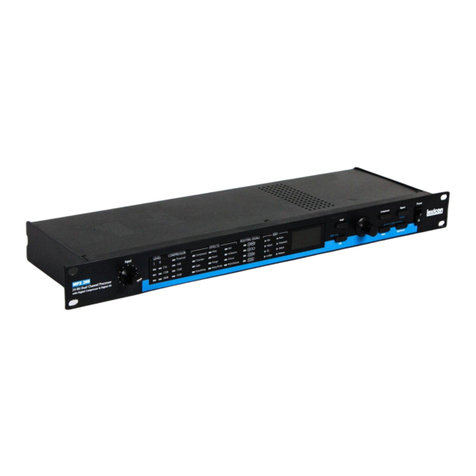
MX300 Stereo Reverb/Effects Processor
Our revolutionary MX200 and MX400 changed everything. e
great sound of a hardware Lexicon reverb — plus the ability to put
that power to work as part of your DAW workflow via PC VST® and
Mac® AU plug-ins. Now we’ve packed a significant
portion of the MX400’s feature set into
the ultra-affordable MX300.
All parameters of every reverb,
delay and dynamic effect in this
powerhouse processor are available
inside any PC VST® or Macintosh® AU
compatible DAW program. Just link your
computer to the MX300 with a USB cable
and control automation and recall param-
eters exactly as you would with any software
plug-in. You get the sonic benefits only Lexicon
hardware can provide…without bogging down
your computer’s CPU with the extreme demands of
reverb plug-ins.
Along with our unique “hardware plug-ins”
for PC and Mac®, we’ve also included MX-Edit™
Librarian software so you can store and recall cus-
tom programs or pull up an unlimited number of

Lexicon settings.
We urge you to do a serious side-by-side listening
test of of the MX300 versus comparably-priced com-
petition and units costing far more. You’ll hear why
Lexicon is the leader in reverberation effects. Why
not put the
unprecedented
power and
connectivity of
the MX300 to
work on your
productions?
Plug-in programming & recall with
the power of Lexicon hardware.
Unprecedented power and connectivity for the stage and studio.
The first time you ever heard reverb
on an album track, chances are you were

hearing Lexicon. We invented
digital processing. And we’ve
been perfecting it for
thirty years.
MX300 Stereo Reverb
STUDIO
STAGE
2-in / 2-out configuration
16 legendary Lexicon®reverbs
Lexicon delays & modulation effects
dbx®compression and de-essing
Input Gain Control for stereo inputs
Intuitive Navigation/Edition with
large LCD screen, Page/Select Wheel,
3 top-level parameter controls plus
Exit, Tempo and Bypass selectors
5 effect routing options
99 Factory / 99 User programs
USB “Hardware Plug-In” feature with
VST®and Audio Units plug-in software
MX-Edit™Editor/Librarian software
S/PDIF Digital Input/Output
24-bit, 48kHz/44.1kHz sample rates
¼" footswitch jack
MIDI IN and THRU
XLR and ¼" TRS balanced I/O
•
•
•
•
•
•
•
•
•
•
•
•
•
•
•
MX300 Stereo Reverb/Effects Processor
Analog Audio Inputs
Connectors Two ¼" balanced TRS
Two XLR female
Impedance 50k Ohms bal., 25k Ohms unbal.
Input Level +4 dBu nominal, +24 dBu maximum
48kHz or 44.1kHz
A/D Conversion 24-bit, 48kHz 128 x oversampling
Analog Audio Outputs
Connectors Two ¼" TRS balanced
Two XLR male
Impedance 2k Ohms bal., 1k Ohms unbal. ¼" only
Output Level +4 dBu or –10 dBV nominal
(software adjustable), 24 dBu maximum
48kHz or 44.1kHz
D/A Conversion 24-bit, 44.1/48kHz 128x oversampling
Analog Audio Performance
Frequency Response 10 Hz – 20kHz +0 dB/–0.5 dB
THD+N <0.0019% 10Hz – 20kHz
Dynamic Range >109 dB (A-weighted) A/A
Crosstalk typical <–80 dB 20Hz – 20kHz
Digital Input and Output
Connectors Dual RCA phono (S/PDIF)
Format S/PDIF 24-bit
Sample Rate 44.1kHz or 48kHz
Processing Delay 3.7 ms @ 48 kHz
Frequency Response 10Hz to 22kHz ±0.5 dB @ 48kHz
Control Interface
USB USB 1.0 for MX-EDIT™ Editor/Librarian
and VST™/Audio Units plug-ins
MIDI In/Thru 5-pin DIN
Footswitch ¼" phone jack
General
Power 100–120 VAC 50/60Hz, 18 Watts
220–240 VAC 50/60Hz, 18 Watts
Size (W/H/D) 19" x 1.75" x 7.25"*/6.375"
(483 x 44 x /185mm*/162 mm)
Weight 5.8 lbs (2.63kg)
*including knobs.
MX300 Specifications
REVERBS
Small Hall
Large Hall
Small Plate
Large Plate
Room
Chamber
Gated
Reverse
DELAYS
Studio Delay
Mono Delay
Tape Delay
Pong Delay
Mod Delay
Reverse Delay
2-Tap Delay
dbx®dvx®
Vocal Hall
Vocal Plate
Drum Hall
Drum Plate
Ambience
Studio
Arena
Spring
dbx® DYNAMICS
Compressor
De-Esser
MODULATED EFFECTS
Chorus
Flanger
Phaser
Tremolo / Pan
Rotary
Vibrato
Pitch Shift
Detune
All MX300 reverbs, delays, dynamics
and effects parameters can be
accessed and edited from the
included PC VST® and Macintosh®
Audio Units plug-ins.
Choose from five effects routing options
Standard IEC line cord
— no wall wart!
USB to your computer.
Footswitch jack.
MIDI In and Thru. S/PDIF digital
input and output.
¼" TRS balanced/unbalanced and XLR
balanced outputs.
¼" TRS balanced/unbalanced and XLR
balanced inputs.
Stereo Gain LED ladders.
Input gain level control.
Configuration LEDs. Main LCD screen shows
effect routing, program
names, effects and
parameters, System
settings.
Page Select
knob for choosing
effects & System
menus.
Exit button.
Tempo manually
sets delay times.
Effect Bypass.
Three Parameter
adjustment knobs.
Program Bypass.
User/Factory program LEDs.
System menu access.
Stores or copies programs
to memory settings.
Program/Load selects
factory or user programs.
Program indicator.
e MX300 lets you switch effect routings easily via front
panel controls, so you don’t have to spend time behind your
rack changing cables. Dual Mono sends the Left and Right input
signals through Effect 1 and Effect 2 respectively. Each signal
is then routed to its respective output, completely independent
from the other. Cascade (Series) sends Left and Right input
signals first through Effect 1, then through Effect 2, and then
routed as a stereo signal to their respective outputs.
Dual Stereo (Parallel) routes Left and Right input signals through
both effects independently. Both Effects’
output signals are then mixed
together, and routed to both
the outputs as a single stereo
signal.
Mono Split sends Left input
signal through Effect 1, while
the Right input signal is sent
through Effect 2. e output
signals of both Effects are then
mixed together, and routed to
both the outputs as a single
stereo signal.
Stereo routing provides a single
stereo effect path for Left and
Right signals. is routing
removes one of the effect
modules for users requiring a
streamlined signal path with
only a single effect for their
needs — but taking advantage
of all of the MX300’s process-
ing horsepower.
©2007 All Rights Reserved, Harman
International Industries Inc. Specifications
subject to change Lexicon and MX-Edit
are trademarks of Harman International
Industries, Inc. VST is a trademark of
Steinberg Soft- und Hardware GmbH. Mac
is a trademark of Apple Computer Corp.
Sandy, UT, USA
801.566.8800
lexiconpro.com